
Edit PDF - Create Outlines for Text
Step 1
After opening the PDF on your device, head to the sidebar on the left and click on the "Tools" option. Now, click on the "Create Outlines" option from the expanded list.
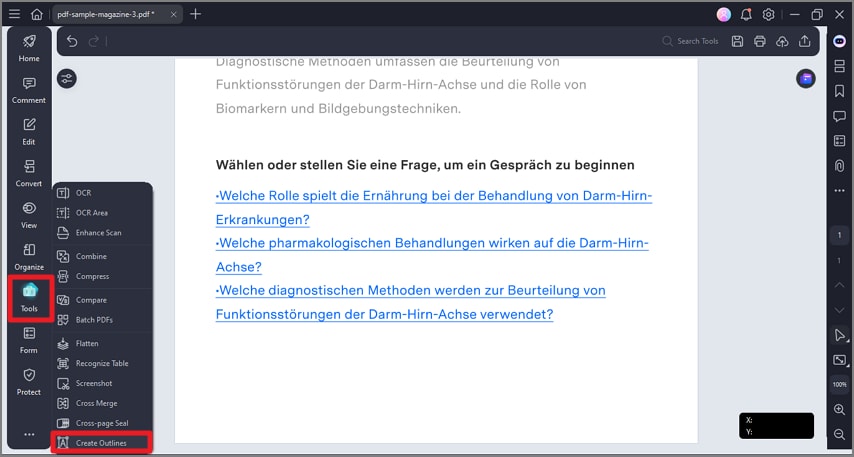
Create Outlines
Step 2
In the following small window, check the progress, and all the elements within the PDF will be converted into vector objects on a new PDF file.
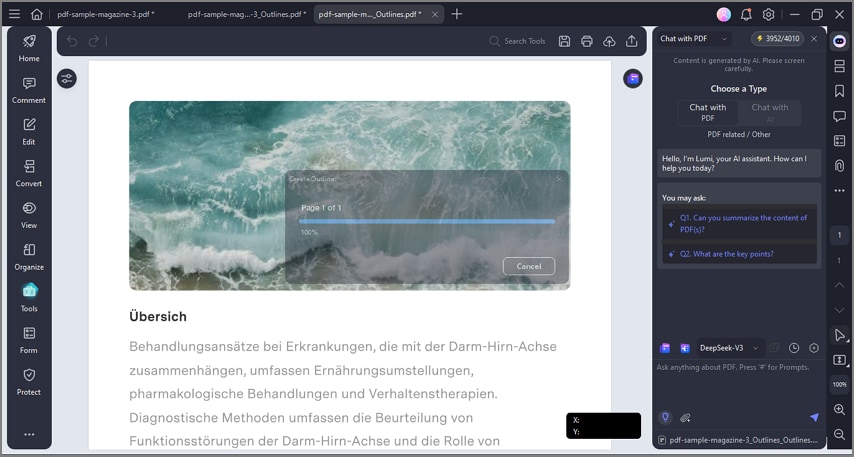
Outlines Creation Progress