Review Contracts with AI
PDFelement Agreement Copilot uses AI to analyze contracts, identify potential risks, and suggest revisions. It also connects contract review with tools for editing, comparing, translating, redacting, and signing PDF documents.
Step 1
You can access Agreement Copilot in either of the following ways:
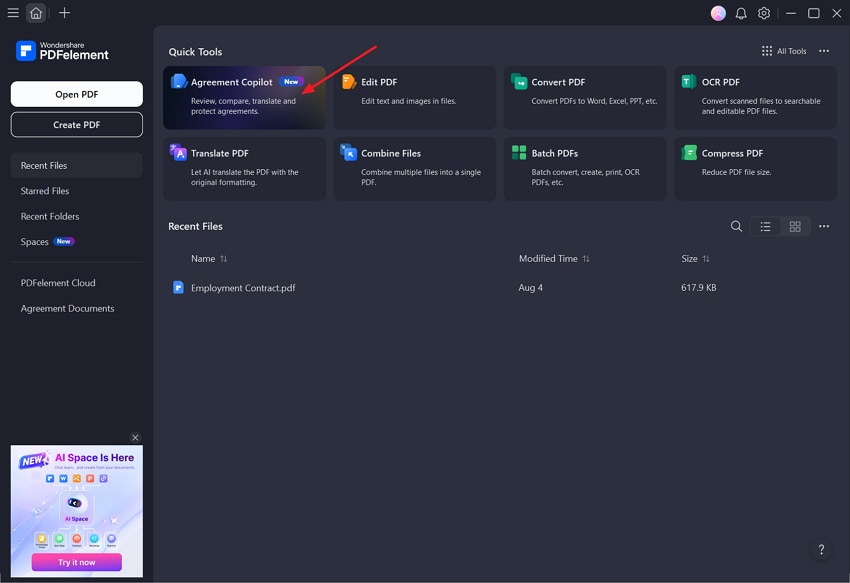
From the PDFelement Home screen, open Agreement Copilot.
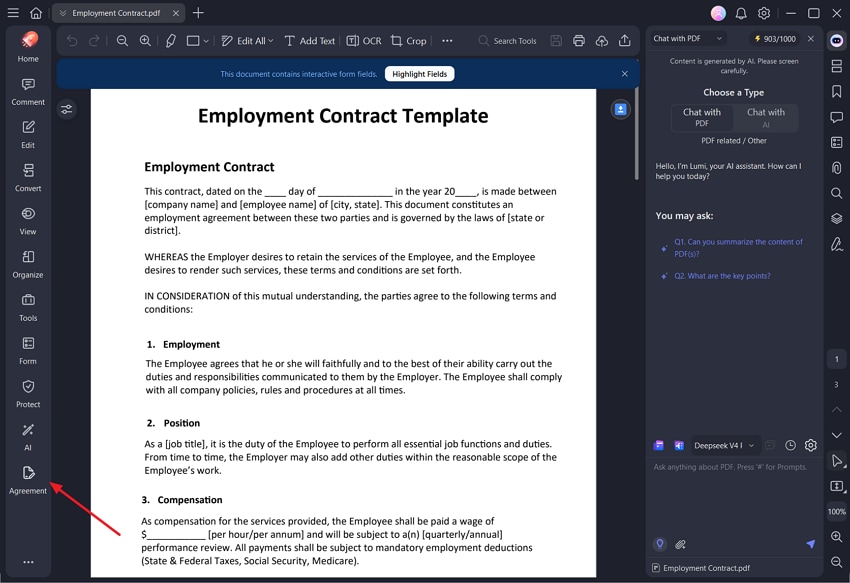
Open a contract in PDFelement, then select Agreement from the left sidebar.
Step 2
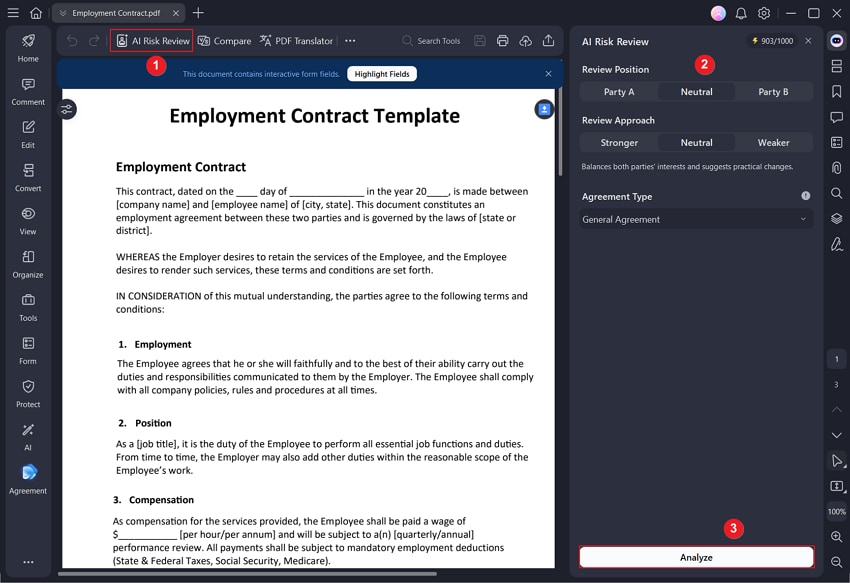
In Agreement Copilot, click AI Risk Review. Configure the review based on your needs:
- Your position: Specify which party you represent in the agreement.
- Review approach: Choose how you want PDFelement to evaluate the contract.
- Agreement type: Select the type of contract being reviewed.
After confirming the settings, click Analyze.
Step 3
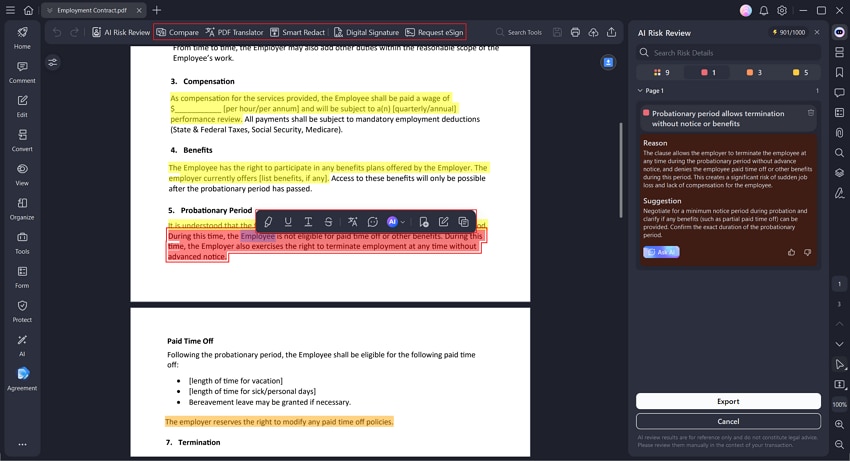
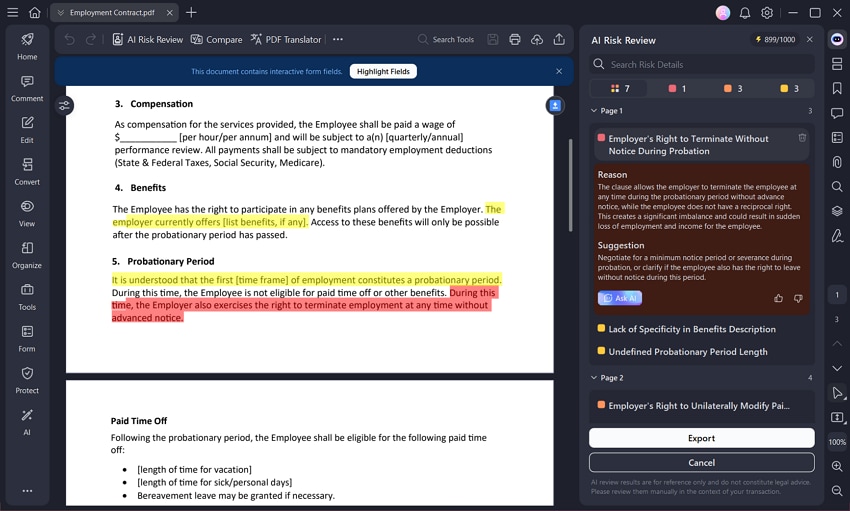
PDFelement generates a contract review report and classifies potential risks as High, Medium, or Low.
For each flagged clause, you can review the reason it may present a risk and see a suggested revision. Click a flagged item to jump directly to the corresponding clause in the original contract. If you need additional context, click Ask AI to request a more detailed explanation.
Step 4
Use the review results to update the contract as needed. Agreement Copilot also provides tools that let you:
- Edit contract text
- Translate the document
- Compare different contract versions
- Redact sensitive information
- Add signatures to the PDF