How to Create PDF from Templates
PDFelement offers a convenient feature to create PDF files from a variety of built-in templates available. These templates cover a wide range of categories, including business documents and educational materials. The templates are customizable, allowing modification of text, images, colors, and fonts to suit individual branding or specific needs. To learn how to create a document quickly with a professional format without starting from scratch, read the steps mentioned below:
Step 1
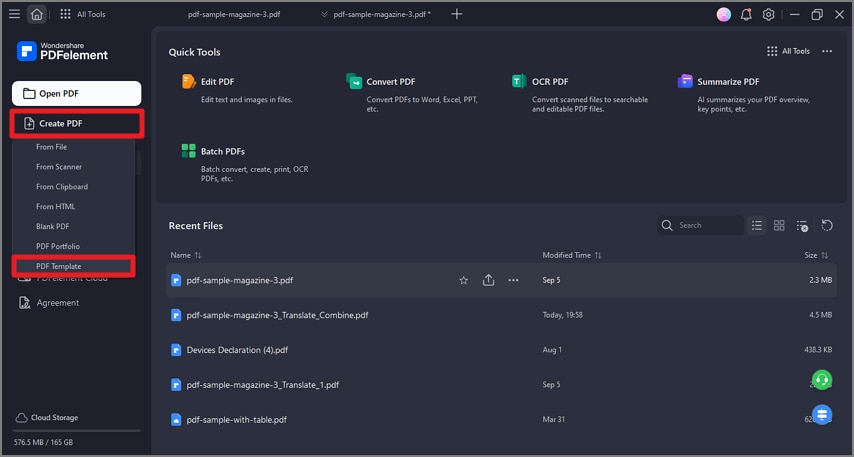
Once you have launched the tool on your Windows device, head to the homepage and click on the "Create PDF" option. Now, locate the "From Template" option and click on it.
Step 2
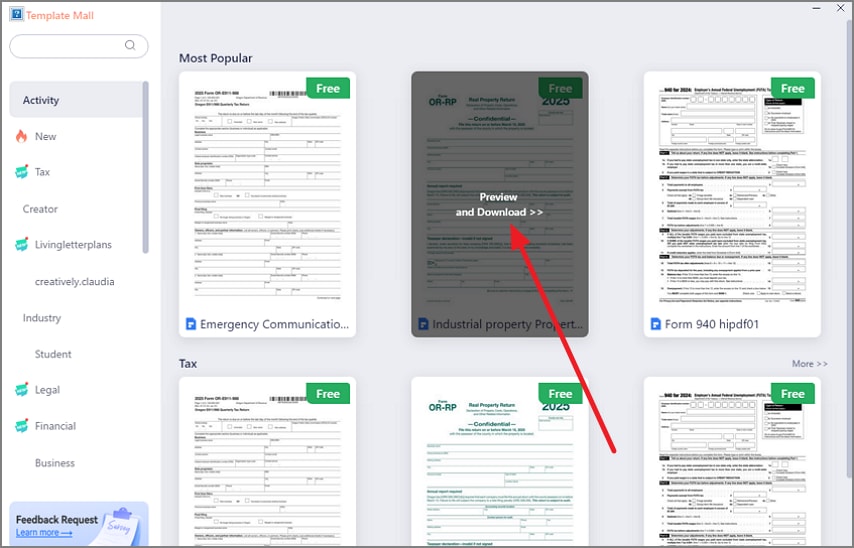
Next, choose the template of your choice from the "Template Mall" in the following interface. Press the "Preview and Download" option to use the template and open it within the tool's interface.
Step 3
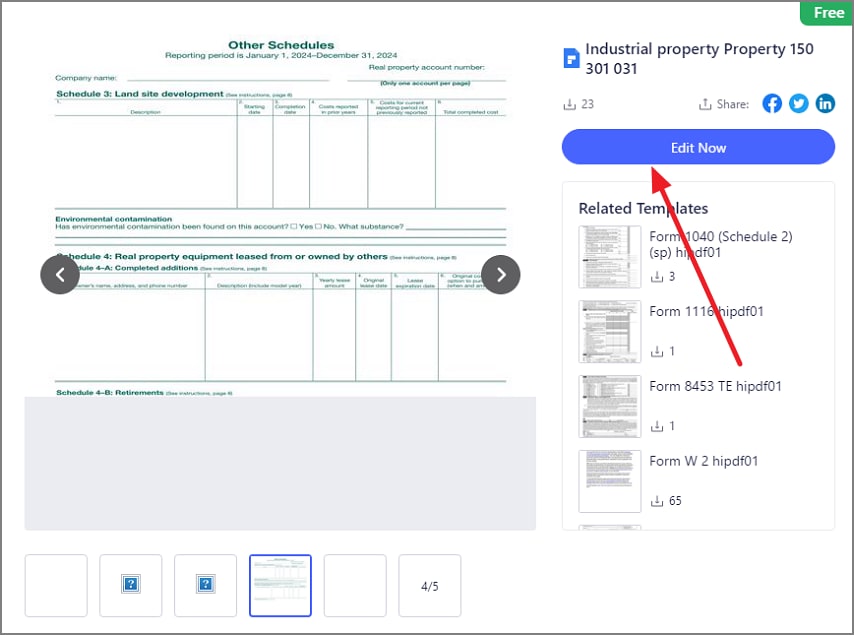
Preview the template in the next interface and press the "Edit Now" button located on the right.
Step 4
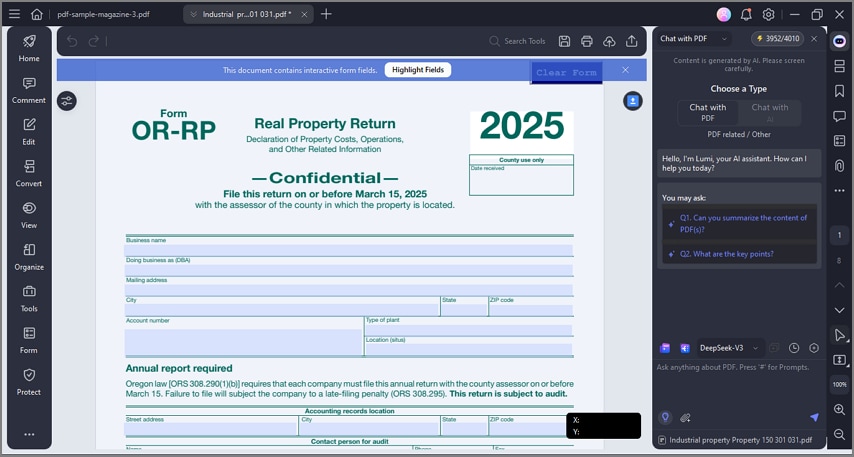
Once the template is opened within the tool's interface, modify it according to your preferences and successfully save it to your device.