Accessibility Compliance at PDFelement
PDFelement is committed to delivering products and services that meet recognized accessibility standards and compliance requirements.
-
 Aligned with WCAG, Section 508, and EN 301 549
 -
 Accessibility Conformance Reports (VPAT / ACR) Available
 -
 Screen reader accessibility tested with NVDA, JAWS, and Windows Narrator (Narrator)
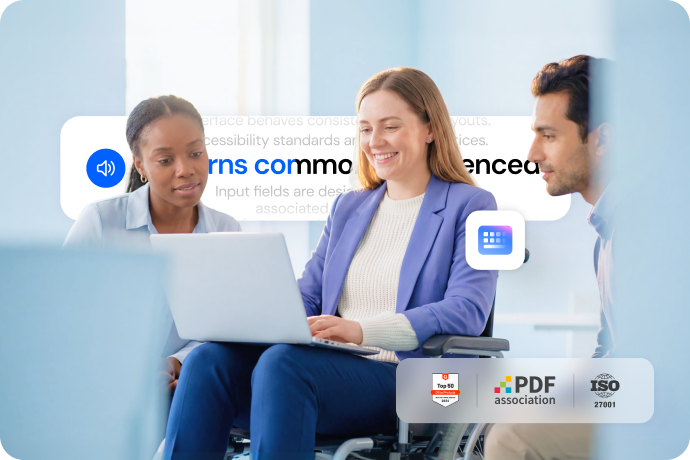
Focused on accessibility compliance, with continuous improvement.
PDFelement is continuously working to improve accessibility across core interaction patterns commonly referenced in accessibility standards and testing practices.

Keyboard & Assistive Technology Access
Support keyboard navigation and interaction with assistive technologies across core user workflows.
-
 Core interactions are designed to be operable using standard keyboard navigation.
-
Focus behavior supports predictable operation across key workflows.
-
Screen reader interaction has been tested with NVDA, JAWS, and Narrator.

Visual Accessibility & Readability
Make text and interactive elements easier to see, distinguish, and understand.
-
Text and interface elements are designed with sufficient contrast to support readability.
-
Visual presentation supports a clear distinction between different content types and interface elements.
-
Interactive controls are visually distinguishable and easy to identify.

Forms & Predictable UI Behavior
Ensure forms are clear to complete and that the interface behaves consistently across layouts.
-
Input fields are designed with clearly visible and properly associated labels.
-
Labels remain visible to provide a consistent context during data entry.
-
Form interactions behave consistently across different layouts and views.
Voluntary product accessibility.
PDFelement 12.1.9
Windows | Current Version
WCAG 2.1 Level A/AA Assessment
Alignment with Section 508 Standards
EN 301 549 Compliance Mapping
Screen Reader Compatibility
More tips for making PDFs more accessible.
Explore best practices and guidance to improve PDF accessibility and support screen reader users.
These resources are provided for informational purposes only and do not constitute a compliance certification.

Smart PDF Solution,
Simplified by AI.
Fast, easy, and affordable PDF editor. Convert, edit, sign PDFs, and more.