Import As Layer
PDFelement allows users to add a separate PDF or image as an overlay layer on an existing PDF. This feature enhances document organization by enabling multiple levels of content within a single file, which is especially useful for complex documents like architectural plans or design layouts. To learn how to import a PDF as a layer, read the steps mentioned below:
Step 1
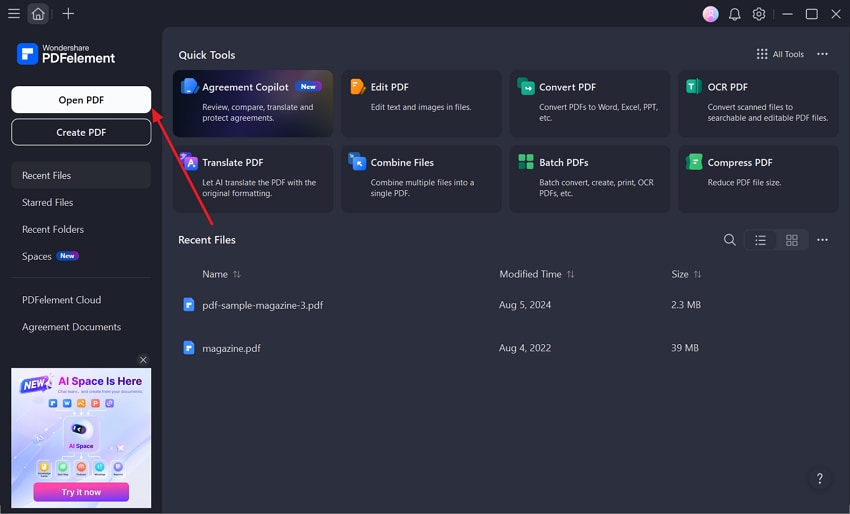
Start by launching the tool on your device and clicking on the "Open PDF" option to add the document to the tool.
Step 2
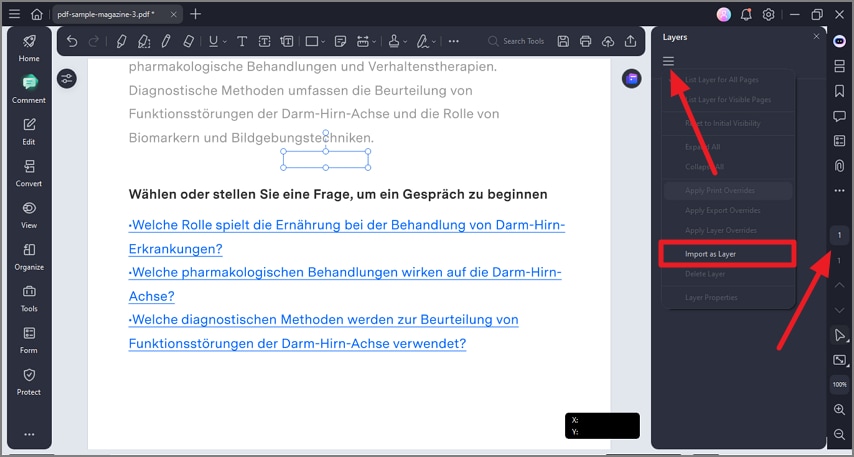
In the main interface, head to the sidebar on the right and press the "Three Dot" icon. Next, press the "Layer" option and click on the "Three Bars" icon from the layer panel. Press the "Import as Layer" option to add the media from your device.
Step 3
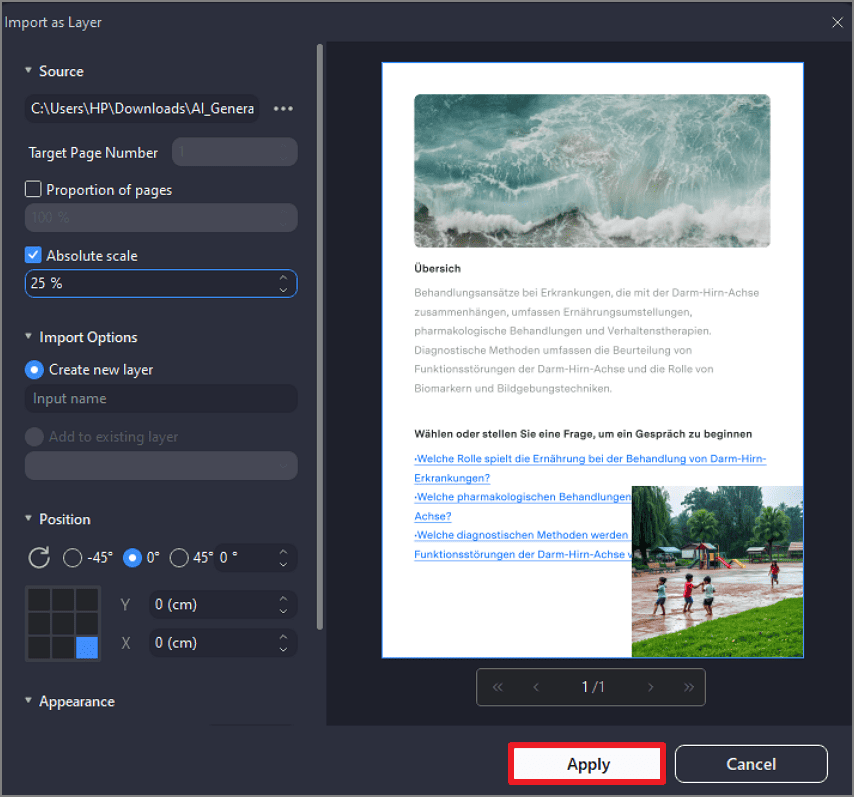
Next, configure the adjustments of the layer from the left side of the next window interface and press the "Apply" button to successfully import the media as a layer.