Review Contracts with AI
PDFelement Agreement Copilot uses AI to examine contracts, detect potential risks, and provide recommendations for revisions. In addition to contract analysis, it brings together a range of PDF tools for editing, comparing, translating, redacting, and signing documents, allowing you to handle the next steps directly after reviewing an agreement.
Step 1
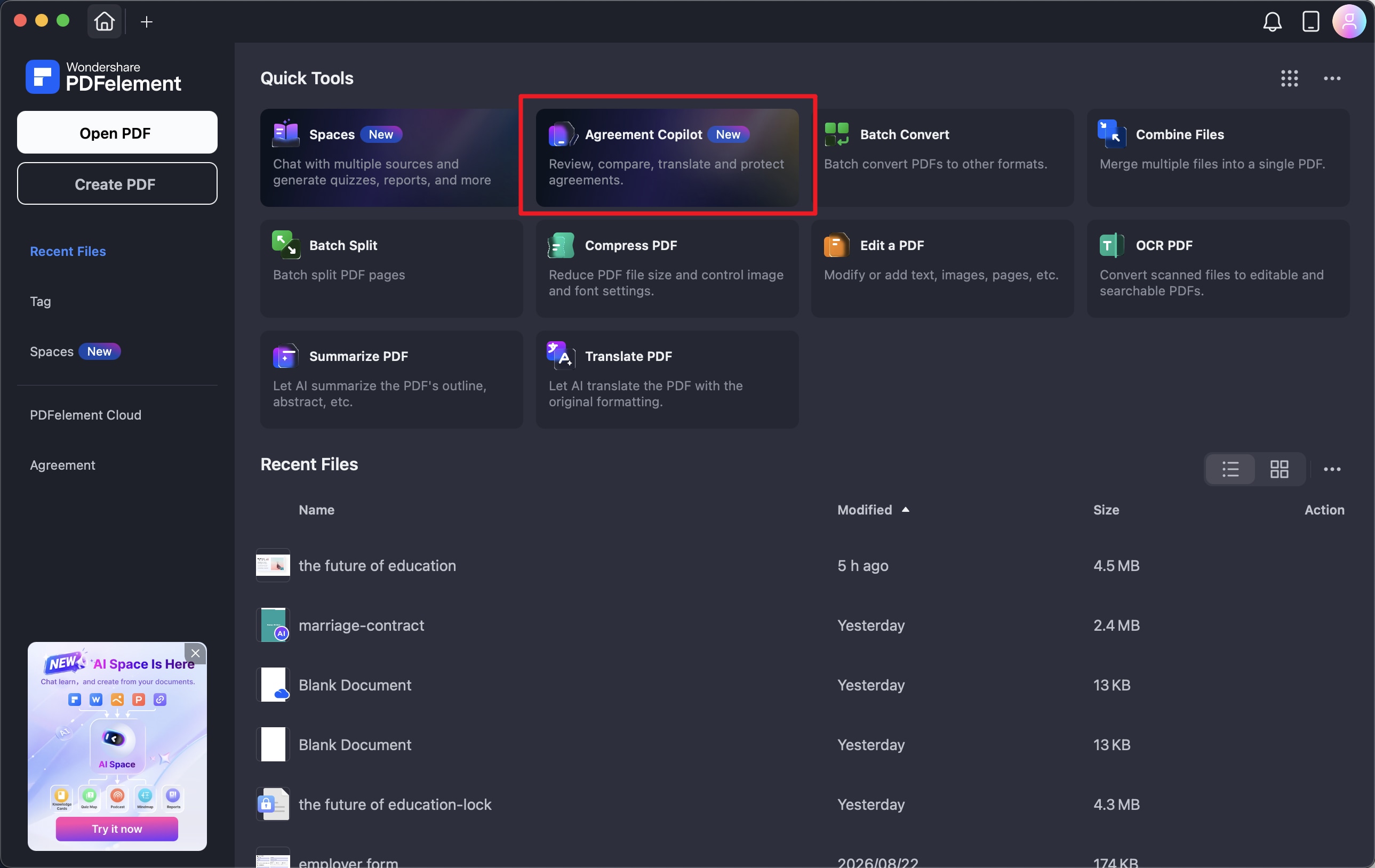
There are two ways to launch Agreement Copilot, depending on where you are working in PDFelement.
From the Home screen: Open PDFelement and select Agreement Copilot to enter the contract review workspace.
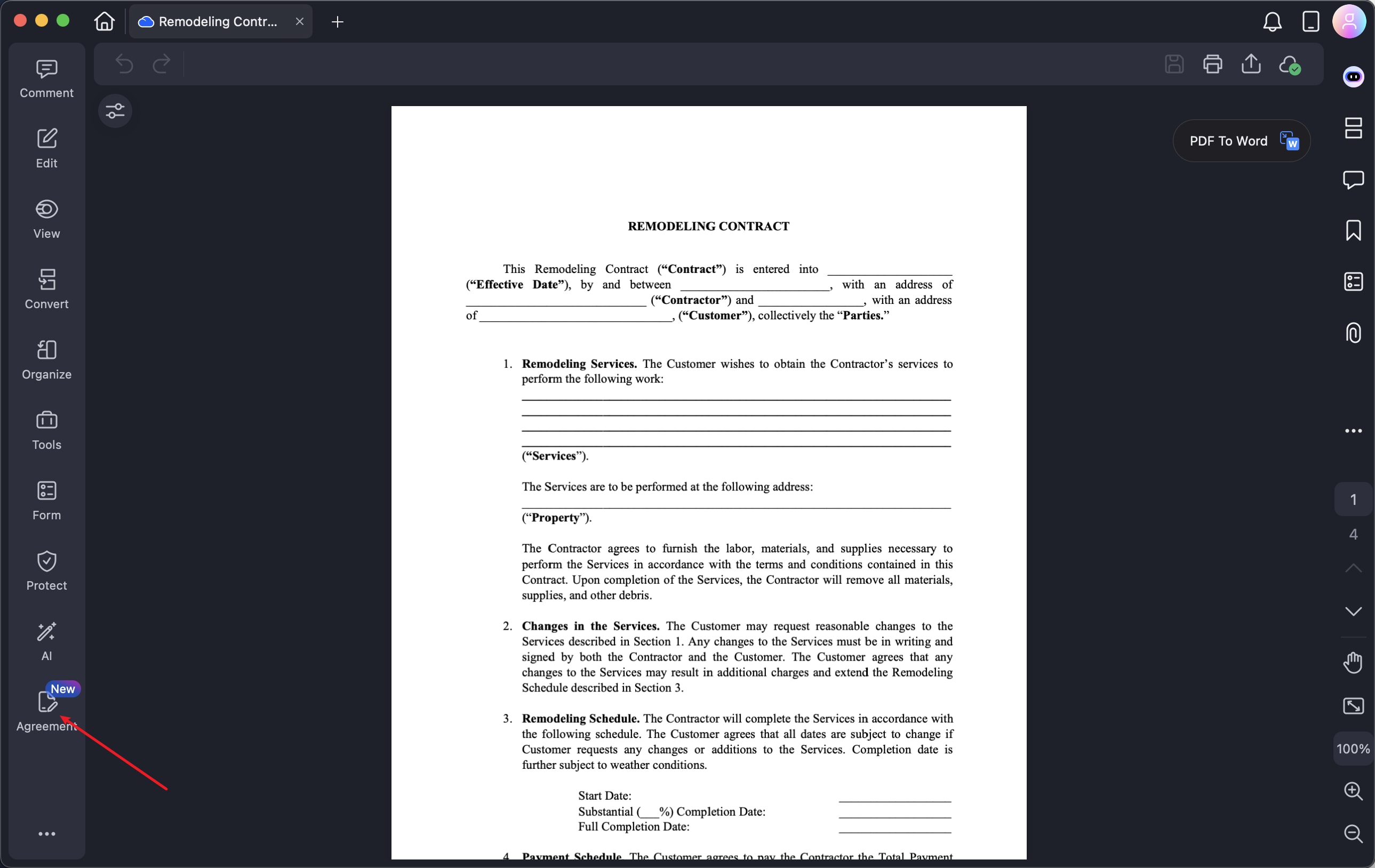
From an open contract: If the contract is already open in PDFelement, select Agreement from the left sidebar to access Agreement Copilot.
Step 2
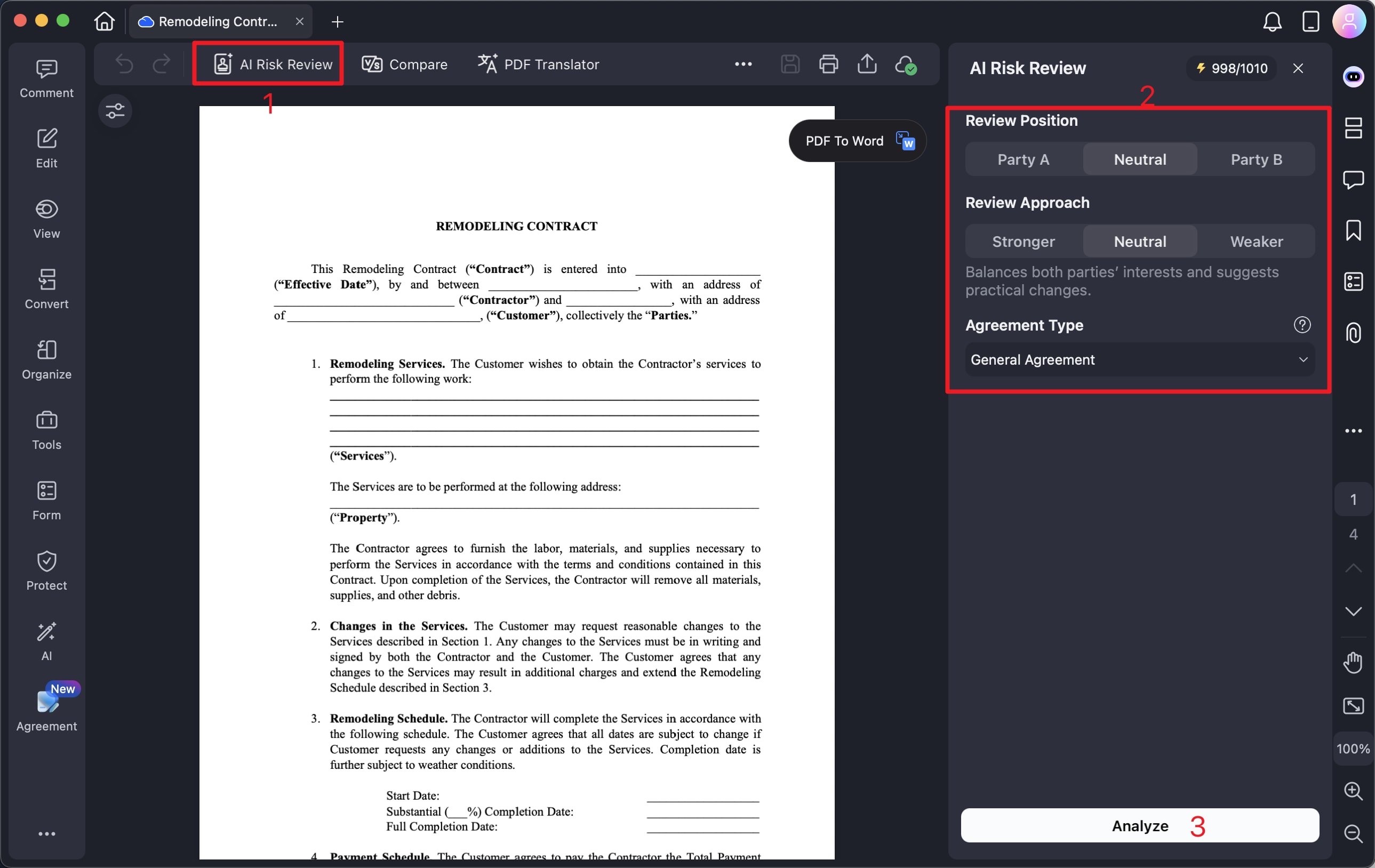
After opening Agreement Copilot, start the AI-powered contract review by selecting AI Risk Review.
Before running the analysis, configure the review settings to match the agreement and your role:
- Your position: Select the party you represent in the contract.
- Review approach: Define the way you want PDFelement to examine the agreement.
- Agreement type: Choose the contract category that corresponds to the document you are reviewing.
Once the review preferences are set, click Analyze to begin processing the contract.
Step 3
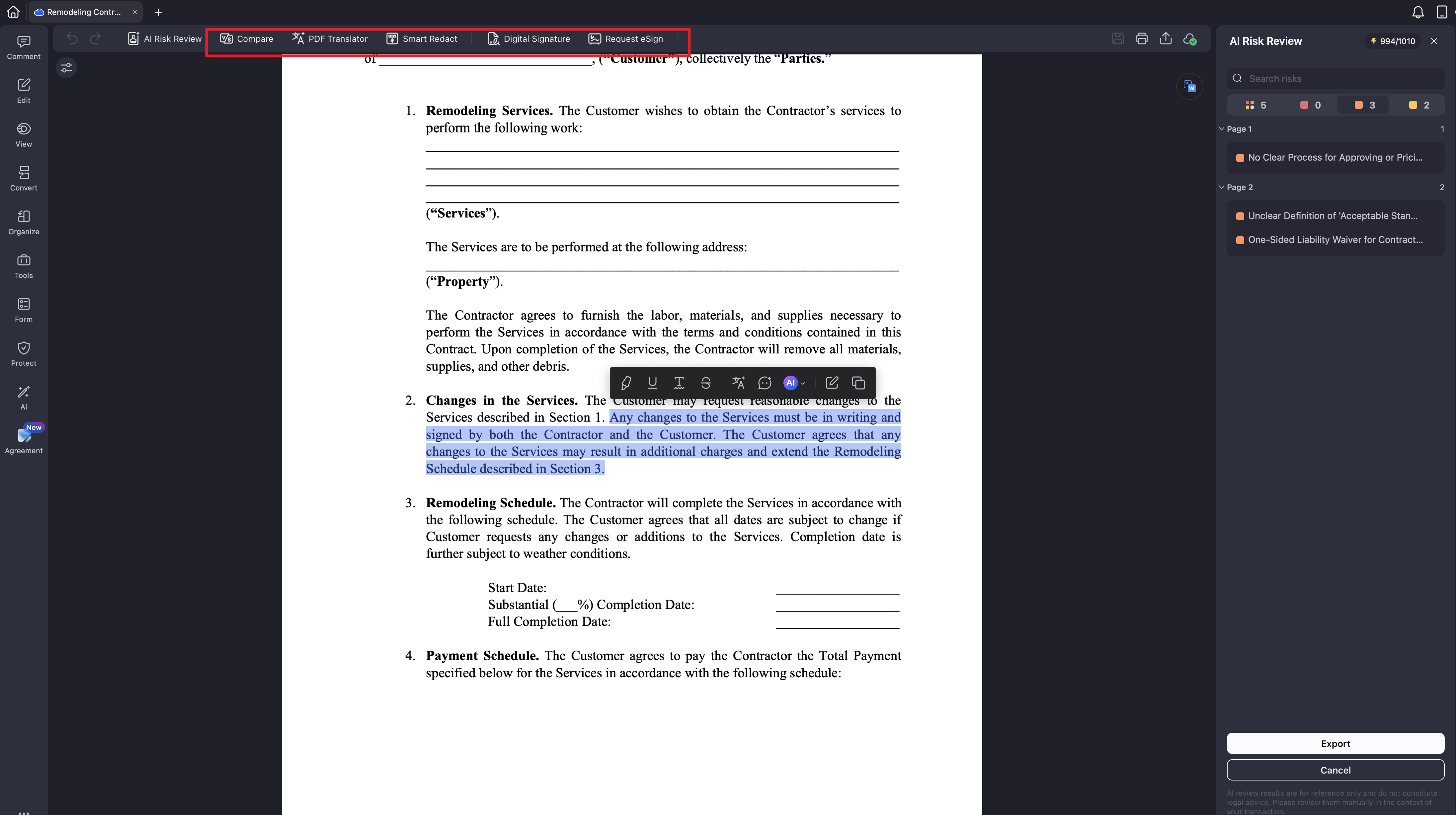
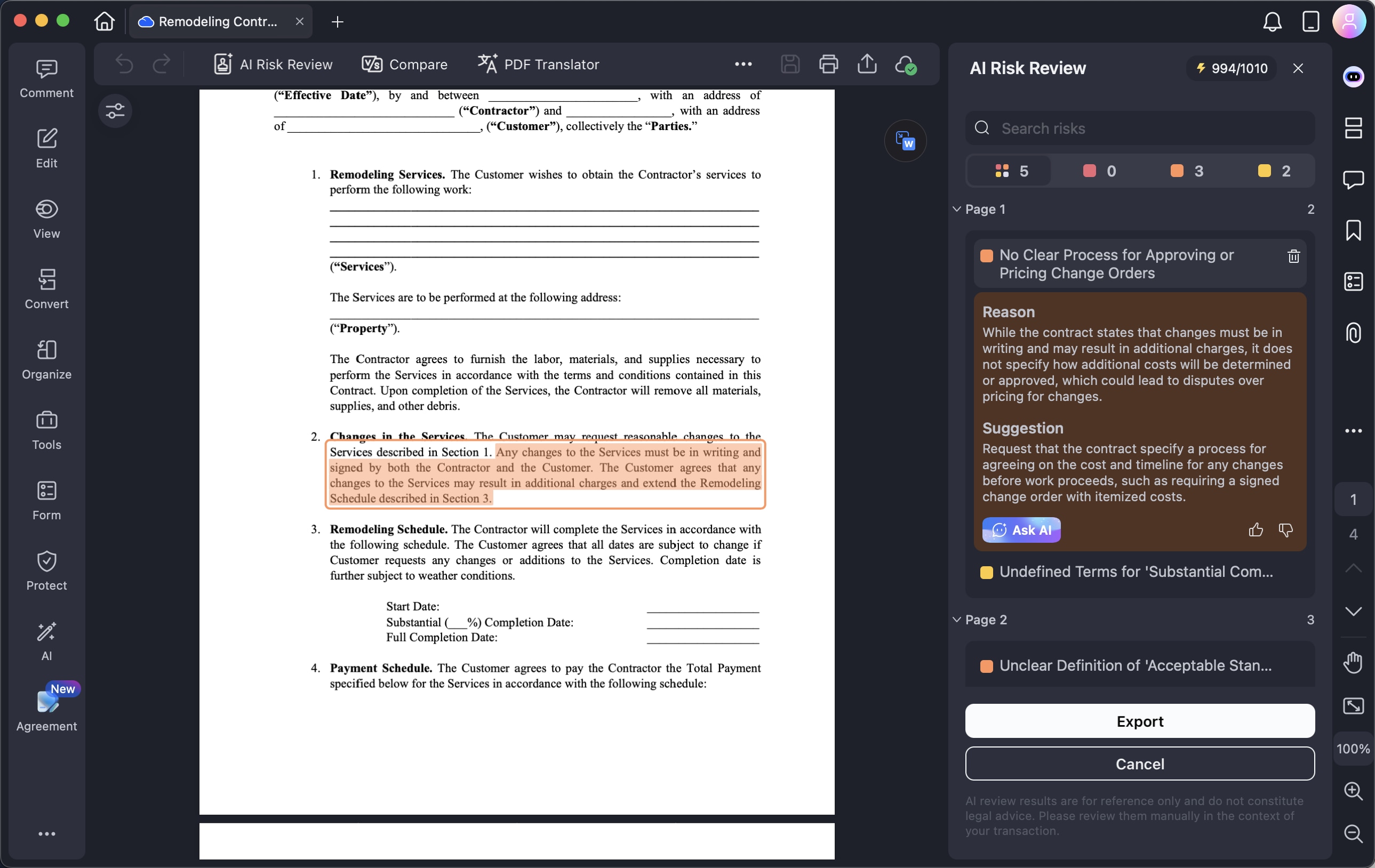
After the analysis is complete, PDFelement creates a contract review report and organizes the identified risks into three levels: High, Medium, and Low.
You can review each flagged clause to understand why it may require attention and check the suggested revision provided by the AI. Selecting a flagged item takes you directly to the related clause in the original contract, making it easier to verify the issue in context.
If you want to understand a particular issue in greater detail, click Ask AI to get additional clarification about the identified risk or suggested change.
Step 4
Once you have reviewed the AI-generated results, you can continue working on the contract without leaving PDFelement. Use the review findings to make any necessary changes, and take advantage of the available tools to complete related contract tasks.
Agreement Copilot allows you to:
- Edit the contract content
- Translate the document into another language
- Compare different versions of a contract
- Redact confidential or sensitive information
- Add signatures to the PDF