How to Use Comment Summary on Mac
PDFelement’s Comment Summary brings order to all your PDF annotations by automatically compiling comments, highlights, and markups into one clear summary. This eliminates the hassle of manually sifting through pages to find feedback. It increases collaboration efficiency and helps users quickly grasp all input in a neat, organized format. Read the steps mentioned below to learn how to use this feature on PDFelement on your Mac device:
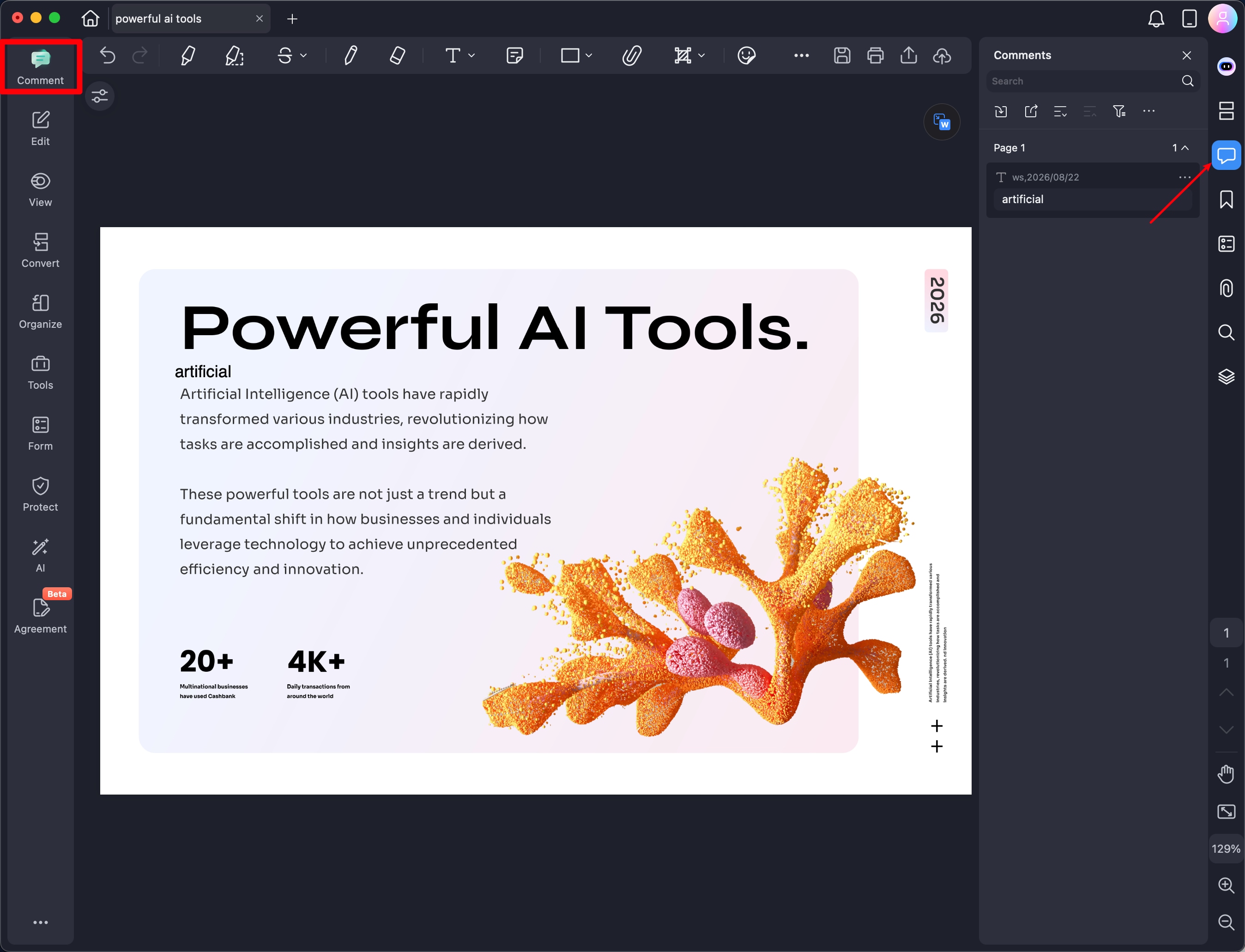
Once you have accessed the tool on your Mac device, open the PDF for which you want to generate the comment summary. Next, head to the sidebar on the left and click on the "Comment" option.
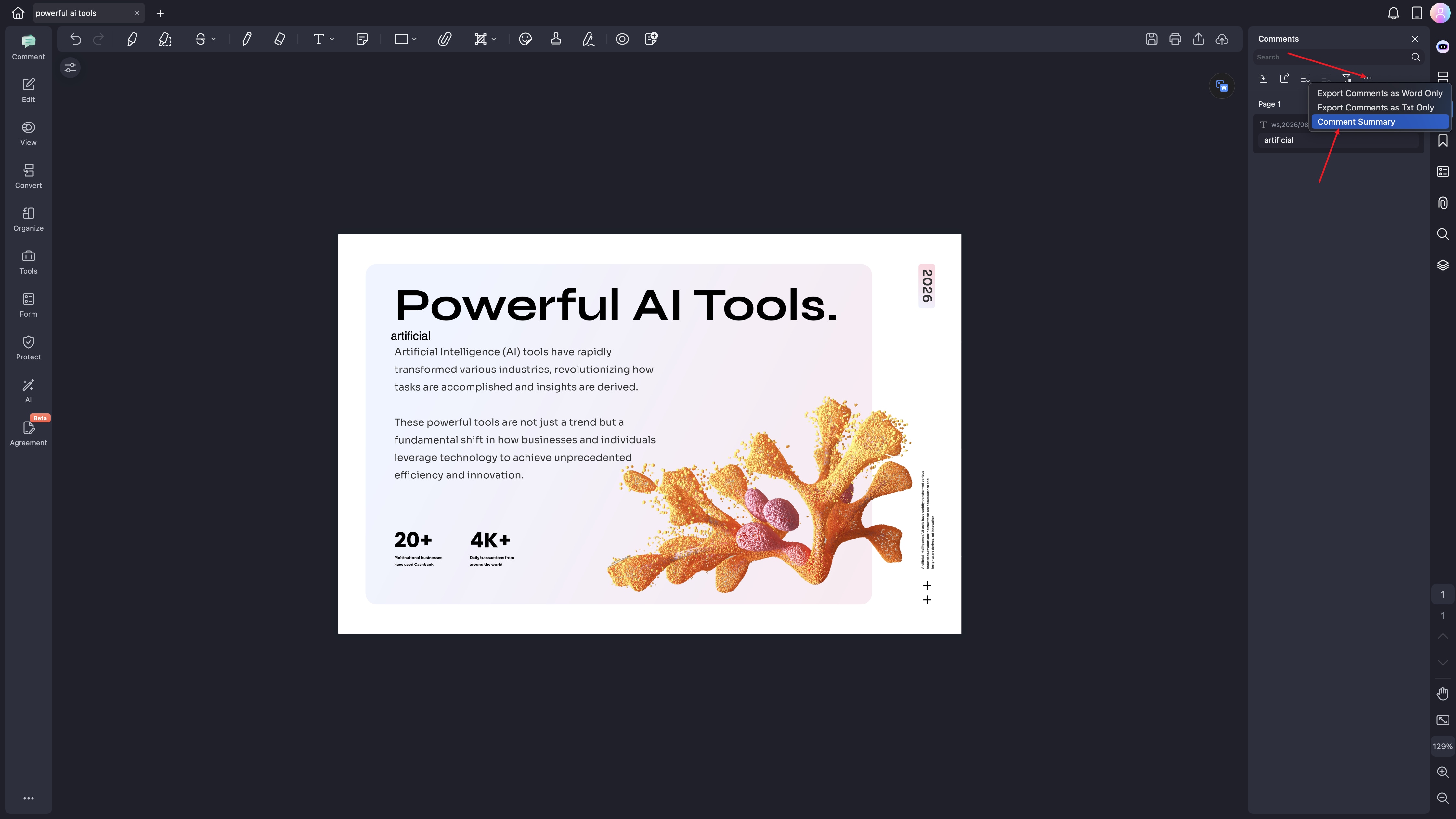
Now, go to the panel on the right and click on the "Three Bars" icon. Locate the "Comment History" option and click on it.
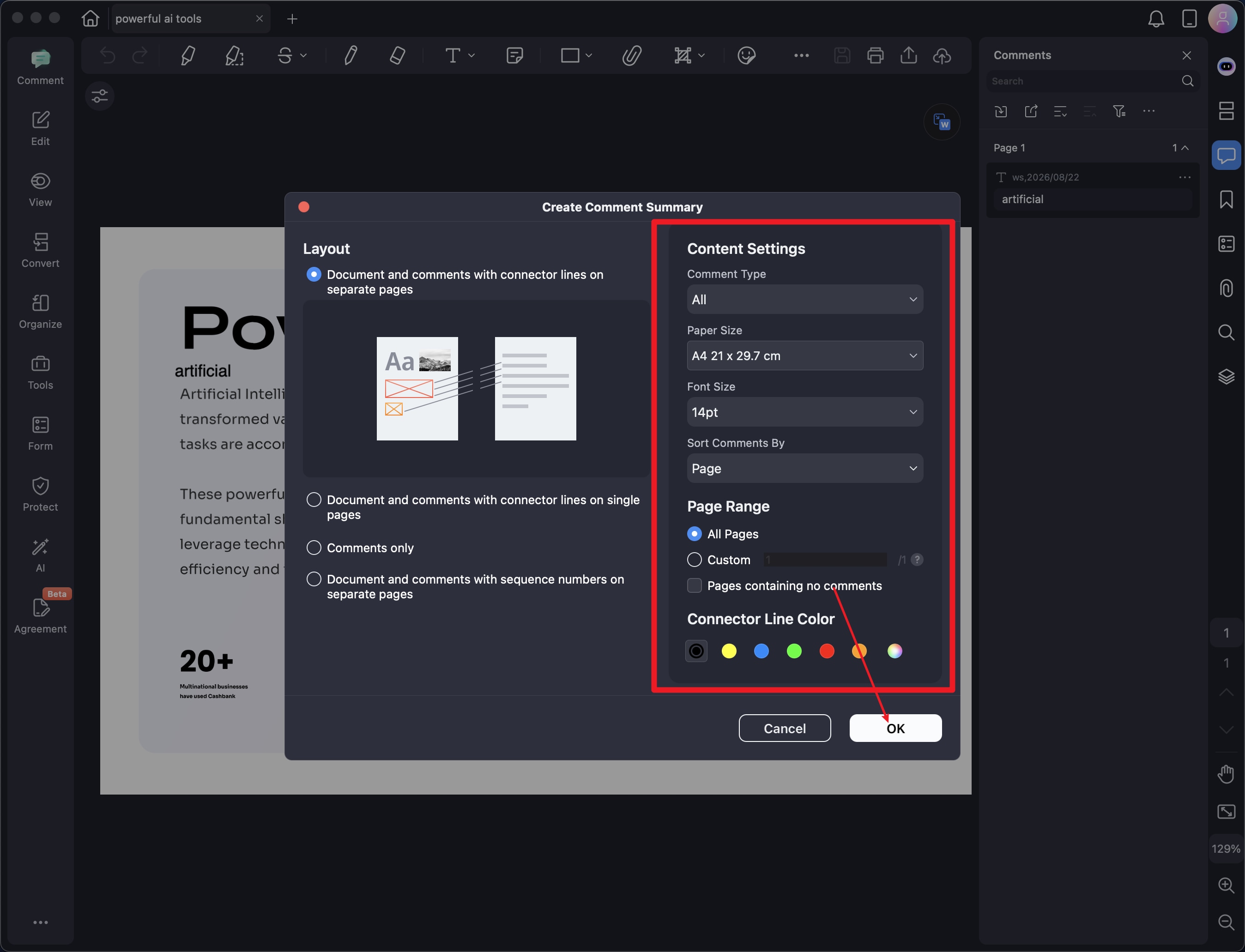
In the following window, adjust the "Layout" from the left and then configure "Content Settings." Once all the setup is successfully done, press the "OK" button to begin the comment history generation process.