
Instructions for How to IRS Form 5695
This article introduces IRS Form 5695 and the instructions for how to fill out IRS Form 5695 step by step.
 100% Secure |
 Powered by AI
 Home
>
Other IRS Forms
> Instructions for How to IRS Form 5695
Home
>
Other IRS Forms
> Instructions for How to IRS Form 5695
Taxpayers are using Form 5695 in order to determine the amount of energy-efficient tax credits they're entitled to on the tax return, any taxpayer thinking that they're entitled to the credit have to use this form.
File Taxes Faster with PDFelement
Scan receipts and paper forms into searchable PDFs
Compress large PDFs for easy storing and sharing
Securely save and back up tax records as PDFs
Organize tax files by year and category
Merge related tax forms, statements, and receipts into one file to reduce clutter
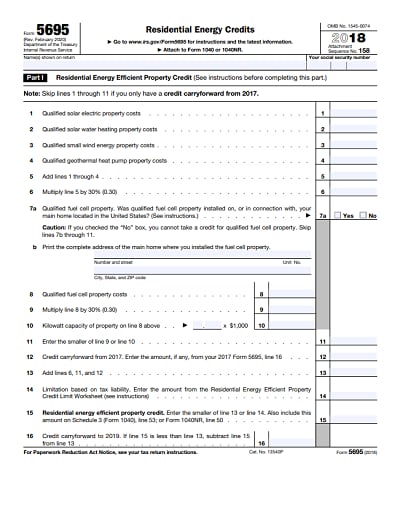
Download Printable, Fillable IRS Form 5695 in PDF
What Is IRS Form 5695?
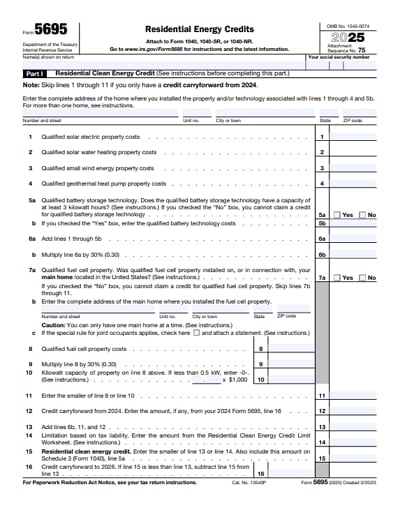
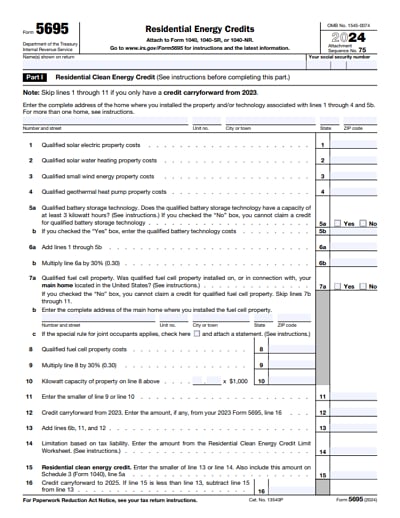
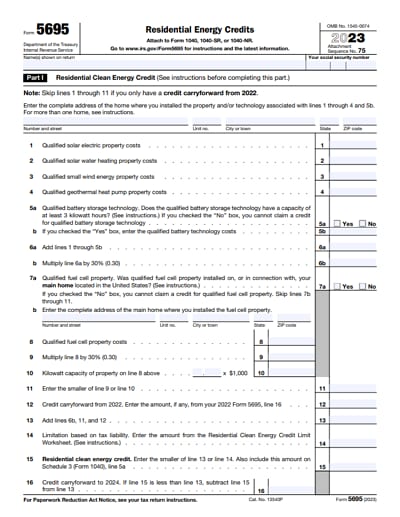
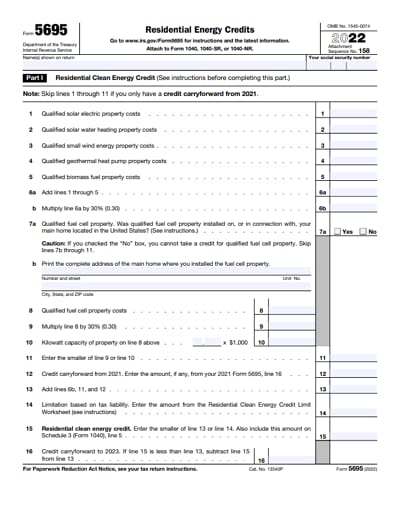
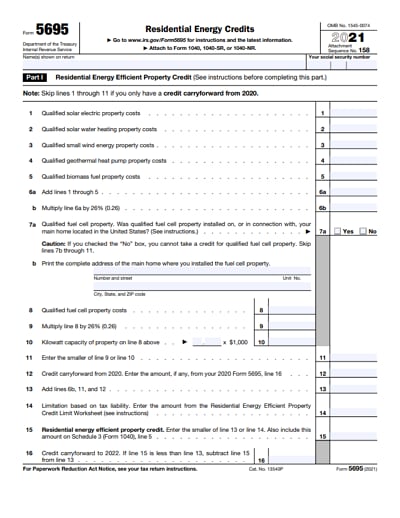
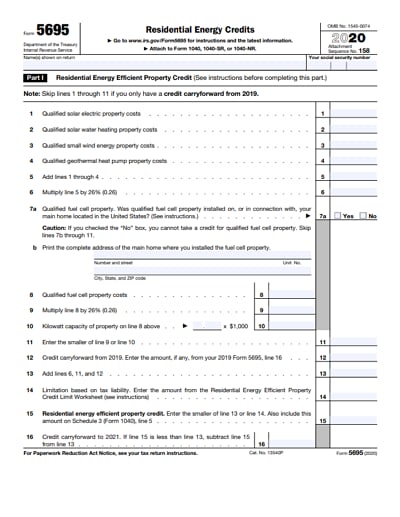
IRS Form 5695, Residential Energy Credits, allows individual taxpayers to claim tax credits for qualified energy-efficient improvements and clean energy systems installed in their home.
You use Form 5695 to calculate the credit amount and then transfer that amount to your individual income tax return (Form 1040). The form itself does not determine whether you owe or receive a refund; instead, it calculates the allowable credit amount that is then transferred to Schedule 3 (Form 1040).
- You may file Form 5695 if all of the following apply:
- You are an individual taxpayer (not a corporation or partnership)
- You paid for qualified energy property or improvements
- The property was installed in a home you own
- The home is located in the United States
In most cases, the home must be your primary residence, though certain clean energy systems also qualify when installed in a second home.
What Qualifies for Form 5695? Residential Energy Credits You Can Claim
Form 5695 covers two separate residential energy credits, each with different rules, limits, and eligible property.
1. Residential Clean Energy Credit (Part I)
This credit applies to major clean energy systems installed in your home. Eligible systems include:
- Solar electric (solar panels)
- Solar water heaters
- Small wind energy systems
- Geothermal heat pumps
- Fuel cell property (special limits apply)
30% of qualified costs for property placed in service in 2025 and qualified costs generally include equipment, installation, and related labor.
- Key rules:
- There is no overall dollar limit for solar, wind, or geothermal systems
- Fuel cell property is subject to a per-kilowatt limit
For solar and geothermal systems, the home does not have to be your primary residence (except fuel cells)
2. Energy Efficient Home Improvement Credit (Part II)
This credit applies to smaller-scale efficiency upgrades to your primary residence, including:
- Exterior doors, windows, skylights
- Insulation and air sealing materials
- Heat pumps
- Heat pump water heaters
- Central air conditioners
- Furnaces and boilers
- Electrical panel upgrades (when tied to qualifying equipment)
For the Energy Efficient Home Improvement Credit, the IRS imposes annual dollar limits that reset each tax year, including a general annual cap for most qualifying improvements and separate, lower caps for specific items such as heat pumps and heat pump water heaters, biomass stoves, electrical panel upgrades, and windows and doors.
These limits restrict the maximum credit you can claim in a single year, even if your total qualifying expenses exceed the cap. In addition, the credit does not apply to improvements made to rental or investment properties, used or refurbished equipment, labor costs for items where labor is not explicitly allowed, or expenses that were reimbursed by rebates, subsidies, or grants.
How to Fill Out Form 5695 (Step-by-Step)
Form 5695 is structured to calculate credits separately before applying tax liability limitations.
When filing for IRS Form 5695, it would be wise to use Wondershare PDFelement - PDF Editor Wondershare PDFelement Wondershare PDFelement . Aside from being form filler, this software can help you convert any PDF to any format you want, and also let you edit, annotate PDFs.


 G2 Rating: 4.5/5 |
 100% Secure
Filling IRS Form 5695 with PDFelement is a way to simplify the tax workflow as all you need do is to enter all the required info in the form in this program. Besides, you can easily check all the details you have filled in by scrutinizing the form pages with the zoom in function and page view function. No more paper wasted in case any error in the filling process!
Key Features:
- Separate versions for Windows and Mac.
- Small size and fast installation speed.
- An all-in-one PDF solution to meet all your PDF software needs.
- Support customized stamp to authorize your official documents.

Step 1: Collect required documentation
- Itemized invoices showing equipment and labor costs
- Proof of payment Dates each item was placed in service
- Manufacturer certification statements
- Prior-year Form 5695 (if applicable)
These documents are not filed with your return but must be retained.
Step 2: Complete Part I – Residential Clean Energy Credit
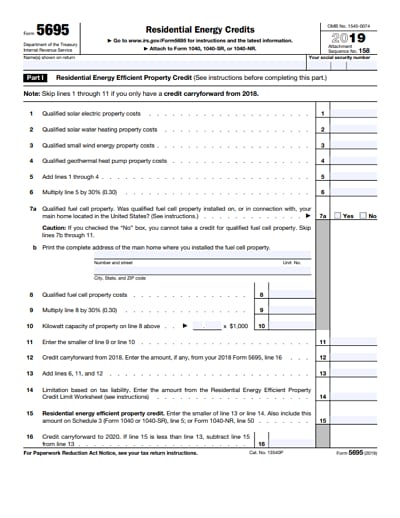
In Lines 1 through 5, enter your qualified expenditures by specific clean energy property type, such as solar electric property, solar water heating property, small wind energy property, geothermal heat pump property, or fuel cell property. Include only costs that qualify under IRS rules, such as equipment and installation expenses.
On Line 6, add together the amounts from Lines 1 through 5 to determine your total qualified residential clean energy expenditures for the year.
On Line 7, multiply the total on Line 6 by 30% to calculate your tentative Residential Clean Energy Credit for property placed in service during 2025.
In Lines 8 through 11, apply the fuel cell credit limitations, if applicable. Fuel cell credits are subject to a statutory limit based on the system’s capacity, and the property must be installed in your primary residence. If you did not install fuel cell property, these lines may not affect your calculation.
On Line 12, enter any unused Residential Clean Energy Credit carried forward from a prior tax year.
On Line 13, add Lines 7 and 12 (after applicable limitations) to determine your total Residential Clean Energy Credit available for the current tax year.
Step 3: Complete Part II – Energy Efficient Home Improvement Credit
In Lines 14a through 14h, enter qualified costs for each category of eligible energy-efficient home improvements, such as exterior windows and doors, insulation, heat pumps, heat pump water heaters, biomass stoves, central air conditioners, furnaces, boilers, and qualifying electrical panel upgrades. Only enter costs related to your primary residence and exclude any nonqualifying expenses.
On Line 15, multiply the applicable qualified costs by 30% to calculate the preliminary credit amounts for each improvement category.
In Lines 16 through 21, apply the IRS-required per-item limits and annual credit caps. These lines ensure that credits for specific items—such as windows, doors, heat pumps, and electrical panel upgrades—do not exceed their individual or combined annual maximums.
On Line 22, subtract any amounts previously claimed that reduce your remaining annual credit limit for the current year.
On Line 23, enter the final Energy Efficient Home Improvement Credit you are allowed to claim for the tax year after all limits have been applied.
Step 4: Apply the Tax Liability Limitation
In Lines 24 through 29, combine the credit amounts from Part I and Part II and compare the total to your federal income tax liability. These credits are nonrefundable, meaning they can reduce your tax to zero but cannot result in a refund by themselves.
If your Residential Clean Energy Credit exceeds your tax liability, the unused portion may generally be carried forward to future tax years. However, any unused Energy Efficient Home Improvement Credit generally cannot be carried forward and is lost if it exceeds your allowable limit for the year.
Step 5: Determine the Final Credit Amount
On Line 30, enter the total residential energy credit allowed for the year. This amount is carried to Schedule 3 (Form 1040) and ultimately reduces your total tax liability on your individual income tax return.
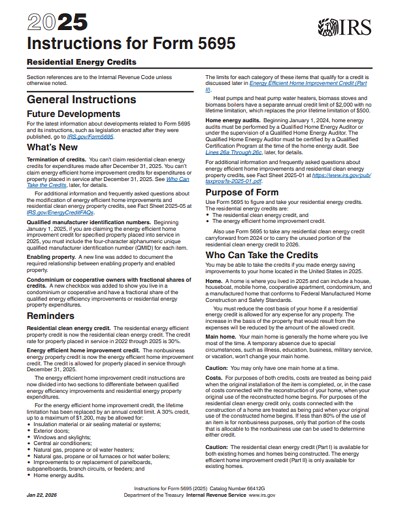
For additional help, visit the instructions of form 5695 on IRS website for more details.
How to File Form 5695 With Your Tax Return
Form 5695 must be filed together with your federal income tax return. Line 30 of Form 5695 flows to Schedule 3 (Form 1040). Schedule 3 totals all nonrefundable credits and then reduces your tax on Form 1040.
If you are filing tax electronically, tax software generates Form 5695 automatically and calculations and limits are applied programmatically.
If you are filing manually, you must complete Form 5695 manually, attach it behind Schedule 3 and send all forms together.
Tips and Warnings for IRS Form 5695
- If you got a funding from a public utility for buying or installing of an energy conservation product and that funding wasn't included in your gross salary, then you have to reduce your cost for the product by the amount of that funding before you calculate your credit. This rule also applies if a third party gets the funding for you.
- Only the residential energy efficient property credit is available for both existing homes and homes that are under construction. The nonbusiness energy property credit is only available for homes that already exist.
- If the total of any nonbusiness energy property credits you've taken in previous years is over $500, you normally can't take the credit in 2015.
FAQs About IRS Form 5695
Can unused credits be carried forward?
Residential Clean Energy Credit: Yes, unused amounts may be carried forward.
Energy Efficient Home Improvement Credit: No, unused amounts generally expire at year-end.
Can renters file Form 5695?
In most cases, no. Renters typically do not qualify because they do not own the home or the installed property. Ownership of the residence and the equipment is generally required
What receipts should I keep for Form 5695?
These records should be kept for the duration of the IRS audit period.
- Invoices showing itemized costs
- Proof of payment
- Manufacturer certification statements
- Prior-year credit records
Free Download or Buy PDFelement right now!
Free Download or Buy PDFelement right now!
Try for Free right now!
Try for Free right now!


Audrey Goodwin
chief Editor