

You open a document that needs an urgent signature and wonder whether you really need to pay for another tool just to get it signed. This is where a common question comes up: is Adobe Sign free, or does it always require a subscription? Adobe Sign is a popular eSignature solution used by individuals, freelancers, and businesses to send, sign, and manage documents online.
However, its pricing structure and free usage options often cause confusion. In this article, we break down what Adobe Sign offers for free, its limitations, and when upgrading to a paid plan actually makes sense.
In this article
- What is Adobe Acrobat Sign?
- Is Adobe Sign Actually Free?
- What You Can and Cannot Do With the Adobe Sign Free Trial
- Is Adobe Fill & Sign free?
- Is Adobe Sign included in Acrobat Pro?
- Adobe Sign Pricing Plans: What You're Paying For
- Do You Actually Need Adobe Sign for Signing PDFs?
- Signing PDFs Without Subscribing to Adobe Sign
- How PDFelement Fits Users Who Don't Want Adobe Sign
- Adobe Sign vs. Fill & Sign vs. PDF Editors
Part 1. What is Adobe Acrobat Sign?
Understanding what Adobe Sign is can be confusing because Adobe offers several tools that handle PDFs and signatures. Adobe Acrobat Sign is a dedicated e-signature service designed for sending documents, collecting legally binding signatures, and managing approval workflows online. It's built for businesses and teams that need structured signing processes, audit trails, and automation.
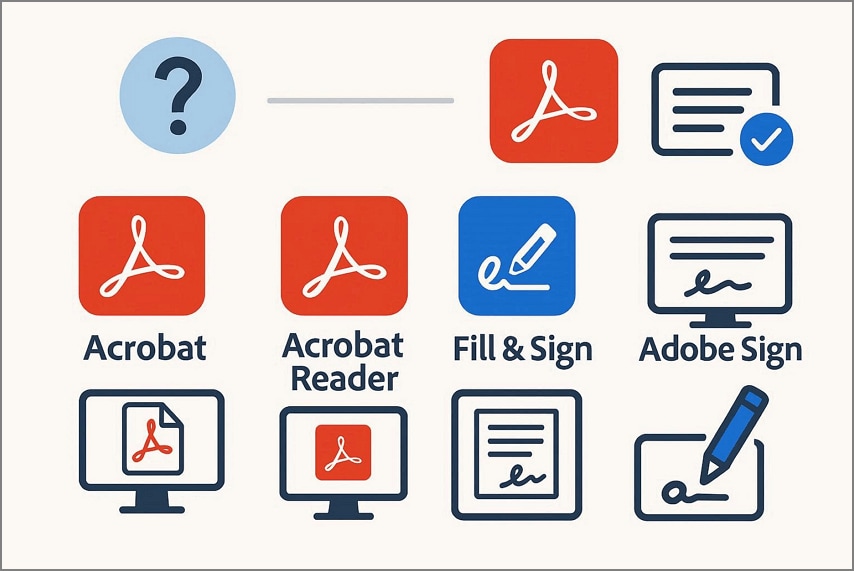
How Adobe Acrobat, Acrobat Reader, and Fill & Sign Differ from Adobe Sign
Adobe Acrobat: A complete PDF solution designed for creating, editing, converting, compressing, and organizing PDF documents. It's ideal for users who need advanced document control beyond signing.
Acrobat Reader: A free PDF viewer mainly used for opening, reading, and commenting on PDF files. Editing capabilities are minimal, making it suitable for basic document access only.
Fill & Sign: A simple signing feature built into Acrobat and Reader that lets users fill forms and add basic signatures. It does not support advanced signing workflows, tracking, or compliance tools.
Why Many Users Confuse These Products
Many users mix up these tools because Adobe positions them within the same PDF ecosystem, and they all support some form of signing. When users ask, "what is Adobe Acrobat Sign," they often assume it's just another feature inside Acrobat or Reader. In reality, Adobe Acrobat Sign is a standalone e-signature service built specifically for professional and business-grade signing workflows.
Part 2. Is Adobe Sign Actually Free?
Many users search "is Adobe Sign free" on the internet on different forums. The answer to this question is that the tool is not permanently free. Adobe does not offer an unlimited free plan for ongoing use. Instead, it provides free trial access that lets users explore premium e-signature features for a limited time.
In Adobe's ecosystem, "free" usually means temporary access rather than lifetime usage. The free trial allows you to send documents for signature, track signer activity, and test workflows, but these features expire once the trial ends. Continued use requires a paid subscription, especially for business, compliance, and workflow automation needs.
Part 3. What You Can and Cannot Do With the Adobe Sign Free Trial
Before committing to a paid plan, it's important to understand exactly what the Adobe Acrobat Sign free trial allows. Setting clear expectations upfront helps avoid surprises, especially for teams testing workflows or individuals handling time-sensitive documents.
What the Free Trial Includes
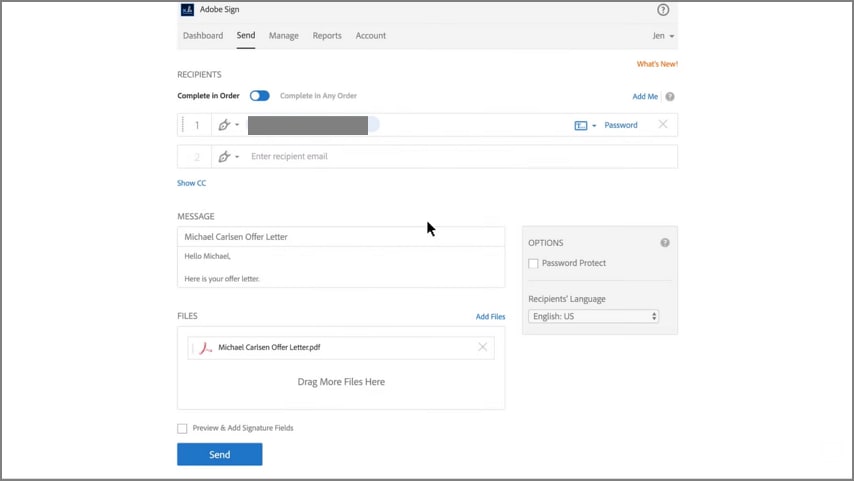
During the Adobe Acrobat Sign free trial, users get access to core e-signature functionality designed to mirror real-world use:
- Sending Agreements: You can create and send documents for signature just like in a paid plan, making it suitable for testing approval flows and document routing.
- Collecting Signatures: Recipients can sign electronically from any device, and you can track signature status in real time.
What Happens After the Trial Ends
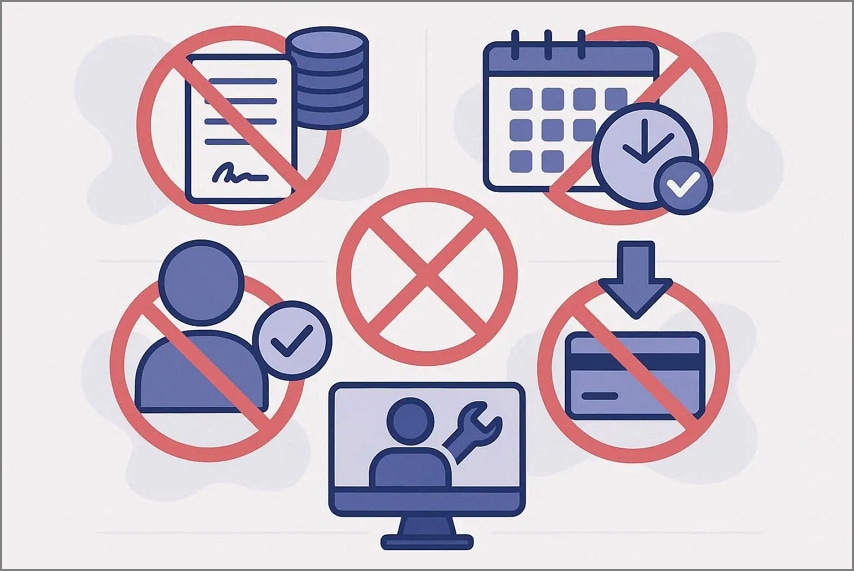
Once the trial period expires, the account is locked from active use. You won't be able to send new agreements or collect signatures unless you upgrade to a paid plan. Your documents and data remain temporarily available, giving you time to decide whether to convert or export what you need.
Common Limitations Users Encounter
Although the Adobe Acrobat Sign free trial is feature-rich, users often run into these practical constraints:
- Agreement Volume Limit: The free trial restricts how many agreements you can send for signature. This makes it unsuitable for high-volume contract workflows or bulk document sending.
- Trial-Only Access Window: Access is limited strictly to the trial duration. Once it ends, sending and signing are disabled unless you upgrade, which can interrupt ongoing approval cycles.
- User Eligibility Restrictions: In team or enterprise trials, added users must be new to Adobe Acrobat Sign. Existing or previously activated users may not be eligible during the free trial.
- No Downgrade from Paid Accounts: If an Adobe ID has already been used with a paid Acrobat Sign plan, it cannot be reused to activate a free trial, limiting flexibility for returning users.
- Limited Administrative Control Testing: Some advanced admin, compliance, or long-term retention controls can't be fully evaluated unless the trial is converted into a paid subscription.
Part 4. Is Adobe Fill & Sign free?
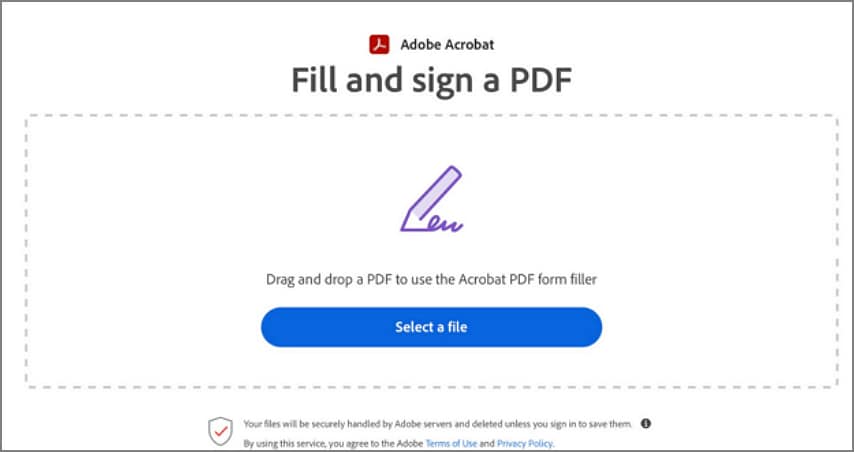
The Fill & Sign feature is built into Adobe Acrobat Reader, which is available at no cost on desktop and mobile. You don't need a subscription or an Adobe Acrobat Sign account to use it. This answers the question many users ask: Is Adobe Fill and Sign free? Yes, it is.
What Adobe Fill & Sign Can Do
- Add Simple Electronic Signatures: You can type, draw, or upload a signature and place it on a PDF.
- Fill Out Basic Form Fields: Add text, checkmarks, and initials to complete documents.
- Sign PDFs Locally: Ideal for forms or agreements that only require your signature.
What Adobe Fill & Sign Cannot Do?
- No Signing Workflow Management: You can't send documents to others for signature, track status, or set reminders.
- No Multi-Party or Automated Signing: It doesn't support sequential signing, approvals, or audit trails.
- Cannot Replace Adobe Sign: For legally robust e-signature workflows, compliance tracking, and business-scale use, Adobe Acrobat Sign is required.
Part 5. Is Adobe Sign included in Acrobat Pro?
Many users assume Acrobat Pro and Adobe Sign are the same product or fully bundled together. This section clarifies exactly how they relate and answers the common question: Is Adobe Sign included in Acrobat Pro?
Relationship Between Acrobat Pro and Adobe Sign
Acrobat Pro and Adobe Sign are closely connected but separate products. Acrobat Pro focuses on PDF creation, editing, and basic e-signature workflows. Adobe Sign is a dedicated e-signature platform built for scalable, compliant signing across teams and organizations. Acrobat Pro includes some Adobe Sign functionality, but it is not the full Adobe Sign service.
What Is Included by Default in Acrobat Pro
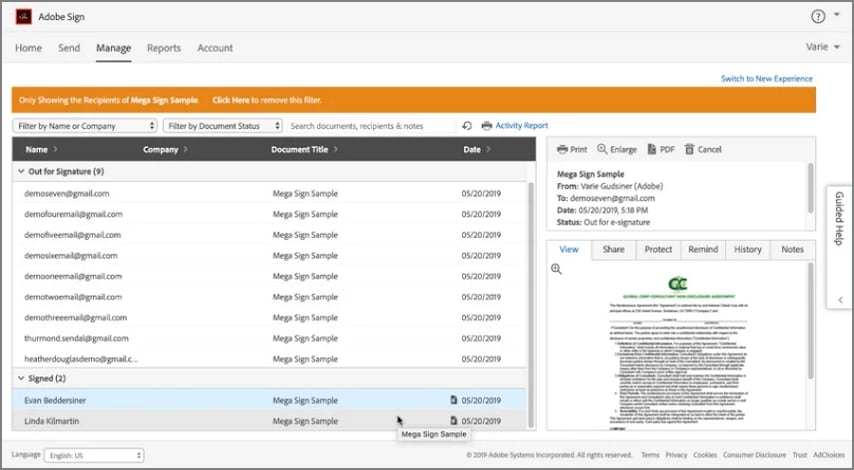
With an Acrobat Pro subscription ($19.99/month), Adobe includes basic Adobe Sign–powered features suitable for individual users.
- Basic E-Signature Sending: You can send documents to others for signature directly from Acrobat Pro. This works well for simple, one-off agreements without complex routing.
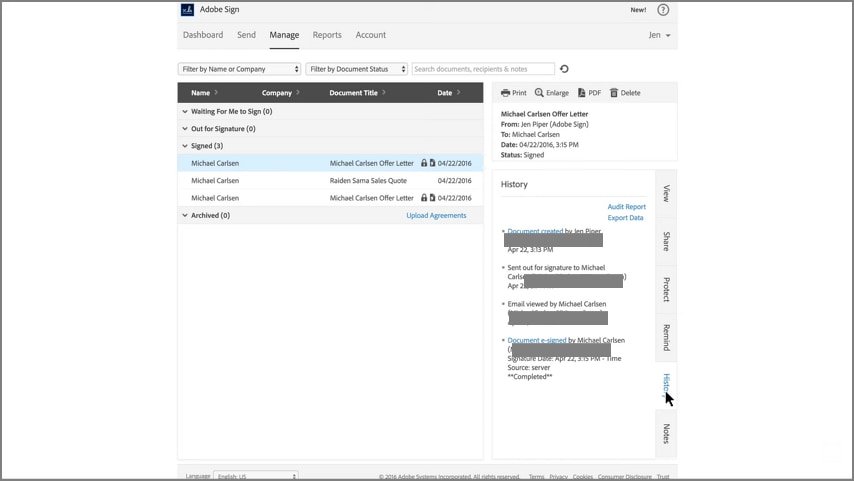
- Simple Signature Tracking: Acrobat Pro lets you see basic statuses such as sent, viewed, or signed. However, tracking is limited compared to full Adobe Sign dashboards.
- Single-User Signing Workflows: The subscription is designed for one user managing their own documents. It does not support team-wide workflow coordination at scale.
- Built-In Acrobat Integration: Signing tools are available inside Acrobat desktop, web, and mobile apps. There's no need to purchase Adobe Sign separately for basic use.
What Still Requires a Separate Adobe Sign Plan
Even with Acrobat Pro, full Adobe Sign functionality is not included. The following capabilities require a separate Adobe Sign subscription:
- High-Volume or Bulk Sending: Acrobat Pro does not support large-scale or batch agreement distribution. Sending hundreds of documents requires a dedicated Adobe Sign plan.
- Advanced Workflow Automation: Features like sequential approvals, conditional routing, and automated reminders are exclusive to Adobe Sign solutions.
- Multi-User & Enterprise Controls: Team management, role-based permissions, and centralized admin dashboards are not available in Acrobat Pro.
- Compliance & Regulatory Features: Advanced audit trails, identity authentication, and industry-specific compliance tools require Adobe Sign enterprise plans.
- Team Branding & Management: Custom branding, reusable templates, and organization-wide workflow control are only available with Adobe Sign plans.
Part 6. Adobe Sign Pricing Plans: What You're Paying For
This section breaks down the typical Adobe Sign price plan, explains what each tier unlocks, and helps you decide if the cost fits your business's signing needs:
| Plan | Pricing |
| Individual | $19.99/month |
| Business (Teams) | $22.19/month |
| Students and Teachers | $19.99/month |
What Paid Plans Unlock
Here's what you get at each level as you move up the Adobe Sign pricing tiers:
Unlimited Signing
In higher tiers (Teams and Enterprise), you no longer face restrictive send limits or per-transaction caps typical of ad-hoc tools. Most business plans are designed for frequent or ongoing e-signature use without artificial barriers.
Workflow Automation
Advanced plans let you automate signature flows:
- Sequential or conditional routing
- Bulk send to many recipients at once
- Web forms/self-service signing portals
These are critical for teams or organizations that handle complex document lifecycles.
Team and Enterprise Features
Business-oriented capabilities unlocked at higher price tiers include:
- Admin controls (user management, user groups)
- Branded signature experiences
- Role-based permissions and compliance tracking
- Integrations with enterprise systems (Salesforce, Microsoft 365, HR/payroll platforms)
These tools help large teams scale signing workloads securely and transparently.
Part 7. Do You Actually Need Adobe Sign for Signing PDFs?
Adobe Sign is a powerful platform, but its value depends on how often and how complex your signing needs are. While it excels in structured, large-scale workflows, it can feel excessive and costly for simpler tasks.
Scenarios Where Adobe Sign Makes Sense
- High-Volume Agreement Workflows: Ideal for businesses that send and manage large numbers of contracts daily with automated tracking.
- Multi-Party Signing: Well-suited for documents requiring signatures from multiple recipients in a defined order.
- Compliance-Driven Industries: Useful for legal, finance, and HR teams that need audit trails and regulatory compliance.
- Remote Team Collaboration: Helps distributed teams manage approvals and signatures across locations.
- Enterprise Integrations: Works best when integrated with CRM, ERP, or document management systems.
When Adobe Sign May Not Make Sense
- Occasional PDF Signing: Paying for Adobe Sign price plans is unnecessary if you only sign documents occasionally.
- One-Off Agreements: Simple, single-use contracts don't require advanced workflow features.
- Signing PDFs Locally: If you just need to sign and store PDFs on your device, Adobe Sign may be overkill.
- Budget-Conscious Individuals: Freelancers and students may find the cost hard to justify.
- Basic Form Completion: For filling and signing simple forms, lightweight PDF editors are often sufficient.
Part 8. Signing PDFs Without Subscribing to Adobe Sign
Not everyone needs the full capabilities of Adobe Sign. For many users, the core question isn't what Adobe Acrobat Sign is, but whether they really require advanced e-signature workflows. If your signing needs are occasional or limited to one-off agreements, a full subscription can be excessive. Many users can efficiently handle document signing, form filling, and basic PDF edits with simpler tools, avoiding the complexity and cost of enterprise-grade solutions.
A PDF editor with built-in signing tools can often be sufficient. These tools let you create, insert, and manage signatures directly within a PDF. Using a standalone PDF editor avoids ongoing subscription fees associated with Adobe Sign, making it ideal for personal or small-team use. For a reliable and cost-effective option, PDFelement is highly recommended for smooth PDF signing and editing.
Part 9. How PDFelement Fits Users Who Don't Want Adobe Sign
PDFelement is a powerful standalone PDF editor designed for users who need comprehensive PDF functionality without subscribing to Adobe Acrobat Sign. It allows individuals and small teams to manage, edit, and organize PDFs in a single application. By combining editing, annotation, and form-filling tools, PDFelement streamlines everyday PDF workflows, making it easy to handle documents efficiently without relying on separate e-signature services.
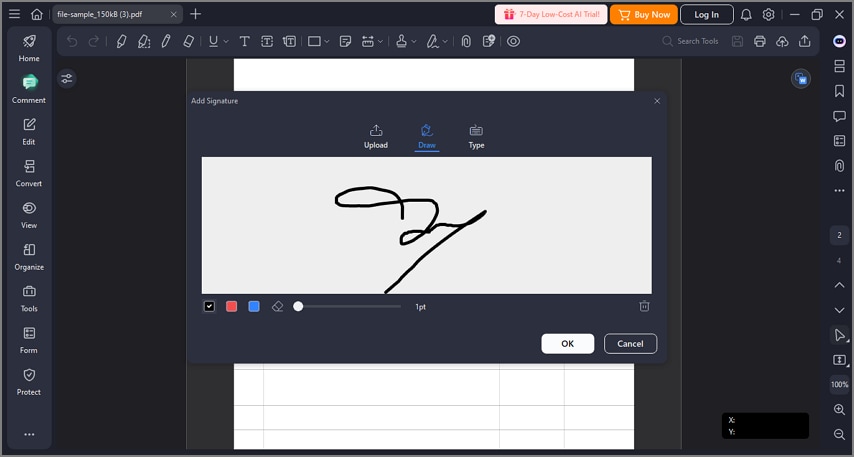
For users concerned about recurring subscriptions, PDFelement provides a self-contained PDF solution. You can create, sign, and secure documents all in one place, making it ideal for occasional or moderate signing needs. Its versatility ensures that users can complete legally recognized PDF signatures, maintain document integrity, and integrate signing tasks seamlessly into their workflow.
Key PDFelement Features for Signing PDFs
- Electronic Signature Insertion: Users can add custom electronic signatures directly to any PDF document, enabling quick approvals and personal sign-offs.
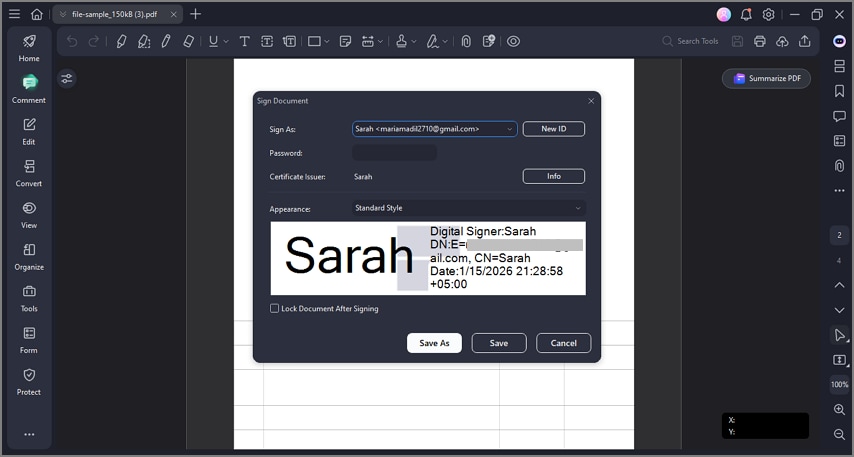
- Digital Signature Application: Supports secure digital signatures that verify the signer's identity and maintain document integrity, ideal for official or sensitive documents.
- Standalone PDF Signing: Allows signing of PDFs without requiring an external subscription, keeping all workflows in a single platform.
- Form Filling and Annotation: Users can fill interactive forms, highlight text, and add notes while signing, reducing the need for additional tools.
- Document Security Features: Includes password protection and permission controls to ensure signed documents remain secure and tamper-proof.
Part 10. Adobe Sign vs. Fill & Sign vs. PDF editors
When deciding how to sign PDFs, it's important to understand the differences between Acrobat Sign, Adobe Fill & Sign, and PDF editors like PDFelement. Knowing their capabilities helps choose the right tool for your needs:
| Adobe Sign | Adobe Fill & Sign | PDF Editors (PDFelement) | |
| Use Case | Full signing workflows | Basic, free signing | Flexible local signing |
| Key Capabilities | Multi-party signature routing, workflow automation, and bulk sending. | Add simple electronic signatures, fill forms, and basic text annotations. | Add electronic signatures, apply secure digital signatures, fill & annotate forms, edit PDFs, and organize documents. |
| Platform Support | Web, desktop, mobile | Desktop, mobile | Windows, Mac, iOS, Android |
| Security & Compliance | Advanced compliance (ESIGN, eIDAS), identity verification. | Basic e-signature, no advanced audit trail. | Password protection, digital signatures, and permission control. |
People Also Ask
-
Is Adobe Sign free to use?
No, Adobe Sign is not free for long-term use and only offers a limited free trial. For ongoing signing without high costs, tools like PDFelement provide more affordable e-signature options. -
Is Adobe Fill & Sign the same as Adobe Sign?
No, Fill & Sign is a basic feature for simple signatures, while Adobe Sign is a full e-signature workflow platform. Users who need more control without complexity often choose PDFelement as a middle-ground solution. -
Do I need Acrobat Pro to use Adobe Sign?
No, Adobe Sign works as a standalone service and does not require Acrobat Pro. However, Acrobat Pro bundles increase costs, making alternatives like PDFelement more budget-friendly. -
Can I sign PDFs without paying for Adobe Sign?
Yes, you can sign PDFs for free using built-in tools like Fill & Sign or third-party software. PDFelement allows users to add legally valid signatures at a lower cost than Adobe Sign. -
What's the cheapest way to sign PDFs?
Using PDF editors with built-in e-signature support is usually the most cost-effective option. PDFelement stands out by offering professional signing features without requiring an expensive subscription.
Conclusion
To wrap it up, this article provided a detailed answer to the question of many people, which is: "is Adobe Sign free?" Adobe Sign is a paid e-signature service that offers a free trial, not unlimited access. Fill & Sign is free but comes with clear limitations. Importantly, not every user needs a subscription-based signing platform. For simple PDF signing needs, tools like PDFelement offer a practical, cost-effective alternative.


 G2 Rating: 4.5/5 |
 100% Secure




