

Preview on macOS 27 can handle basic PDF signing, but a full contract workflow involves much more. Drafts need review, revisions must be checked, sensitive details may need redaction, and signatures still have to be collected. Moving between several apps can slow the process and make it harder to track.
PDFelement V13 brings these steps into one place, with AI drafting, risk review, version comparison, Smart Redact, and eSign tools. Learn how it helps you move through the contract from first draft to final signature.


 G2 Rating: 4.5/5 |
 100% Secure
In this article
Part 1. Why Traditional Contract Workflows Are Troublesome
Contract work gets harder when the same file keeps moving between people, apps, and versions. The same six problems appear whether the contract covers an employee, a vendor, or a customer:
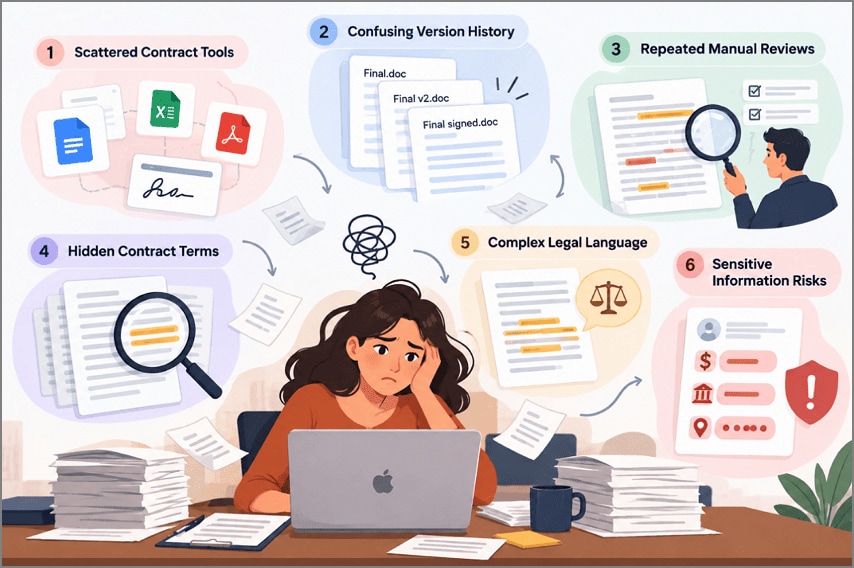
- Scattered Contract Tools: You may write the contract in one app, review it in another, and use a third tool for signatures.
- Confusing Version History: Copies such as "final," "final v2," and "final signed" can make it hard to know which version is current.
- Repeated Manual Reviews: Each new draft may need another review of dates, payment terms, and other important clauses.
- Hidden Contract Terms: Key terms can be buried in long contracts, making them harder to find quickly.
- Complex Legal Language: Words such as indemnification and liability can slow down people who do not work with contracts often.
- Sensitive Information Risks: Contracts may contain salaries, bank details, addresses, or ID numbers that should not be shared with everyone.
Part 2. How AI Revolutionizes the Entire Contract Workflow
PDFelement V13 combines Agreement Copilot with its existing PDF tools. This lets each stage flow into the next without creating another copy of the contract. Wondershare also warns that AI-generated results can be inaccurate, so the original wording still needs a human check.
Draft and Understand Contracts with AI
Drafting and review come first, since every later step depends on getting the wording right. PDFelement's AI Chat can help draft wording, while Agreement Copilot reviews an existing contract for potential risks.
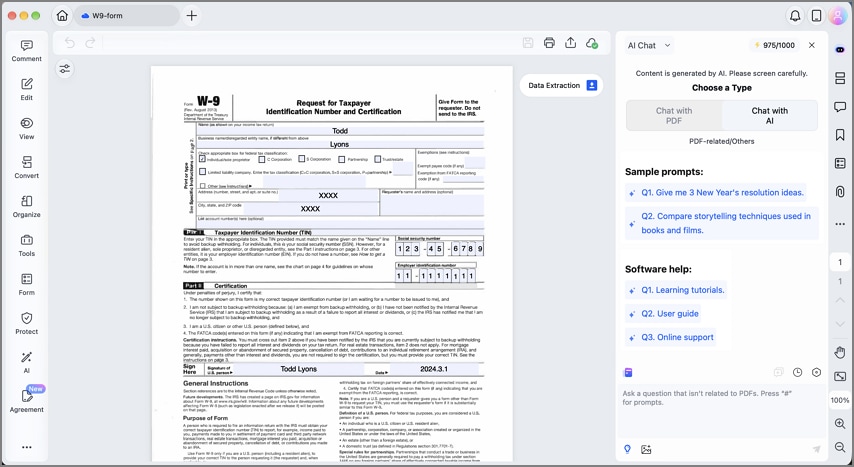
AI-Assisted Contract Drafting
You can start with a blank PDF or a contract template, then open the AI assistant and describe the agreement you need. Ask for an outline first, expand each clause, and edit the text directly in the PDF. The generated text can then be added to the PDF and edited before review.
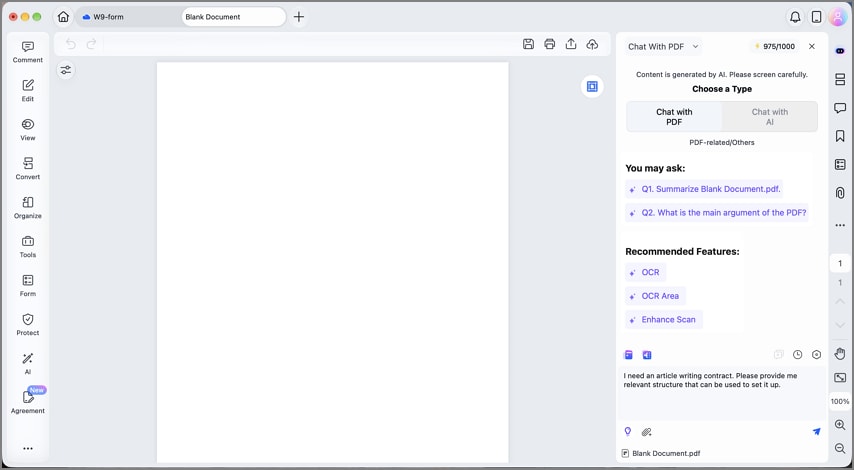
AI Contract Review
When the draft is ready, Agreement Copilot > AI Risk Review checks clauses that may need closer attention. Before analysis, you can set Your Position, Review Approach, and Agreement Type. The results are grouped into High, Medium, and Low risk levels.
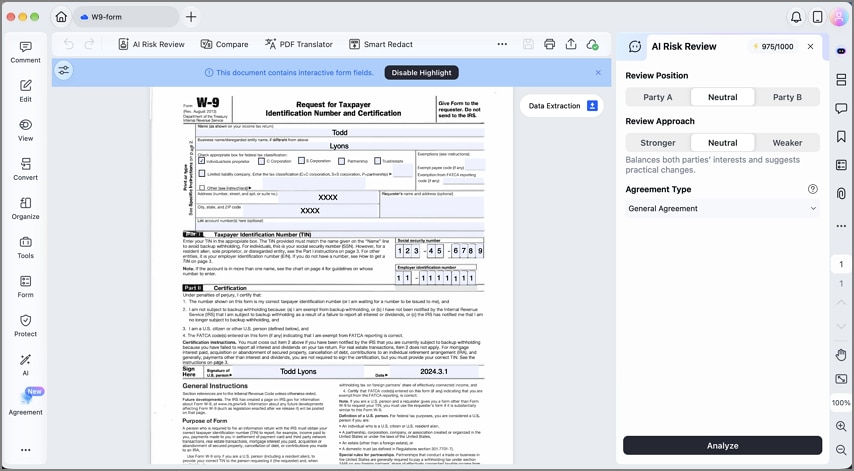
Compare Different Contract Versions
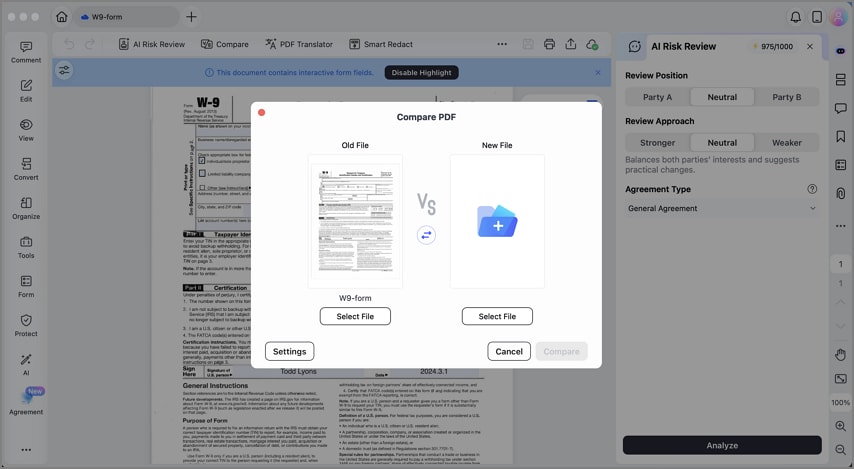
A reviewed contract often comes back with another round of edits. Agreement Compare places the old and new versions side by side and highlights additions, deletions, and other changes. This makes it easier to see what changed before you accept a revised draft.
Protect Sensitive Information Before Sharing
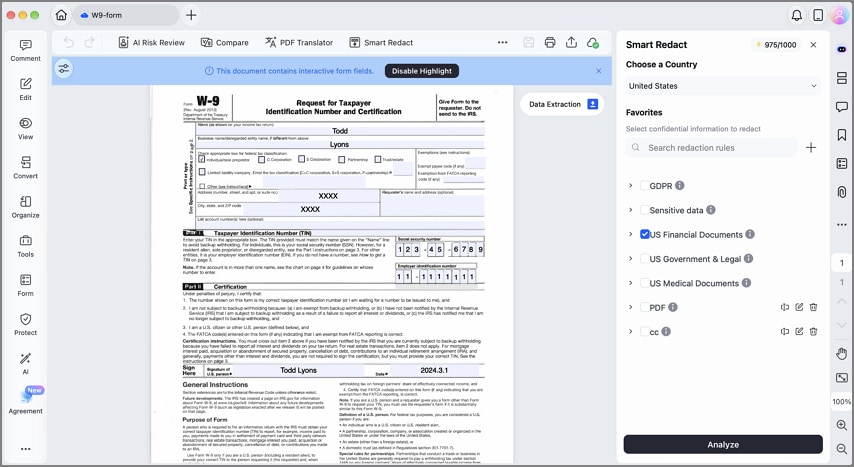
Before a contract leaves your team, check what personal or confidential details it still contains. PDFelement says Smart Redact detects more than 70 types of sensitive data and lets you review each match before it is permanently removed. Four situations call for it most often before a contract is shared:
- External Sharing: Remove bank account numbers and home addresses before a draft goes to the other party.
- Internal Review: Hide pay figures when colleagues outside HR or finance only need to check the terms.
- Legal Consultation: Send a matter to outside counsel without the unrelated personal data it contains.
- Template Creation: Clear names, dates, and ID numbers from a signed agreement before reusing it as a template.
Send, Sign, and Track the Contract
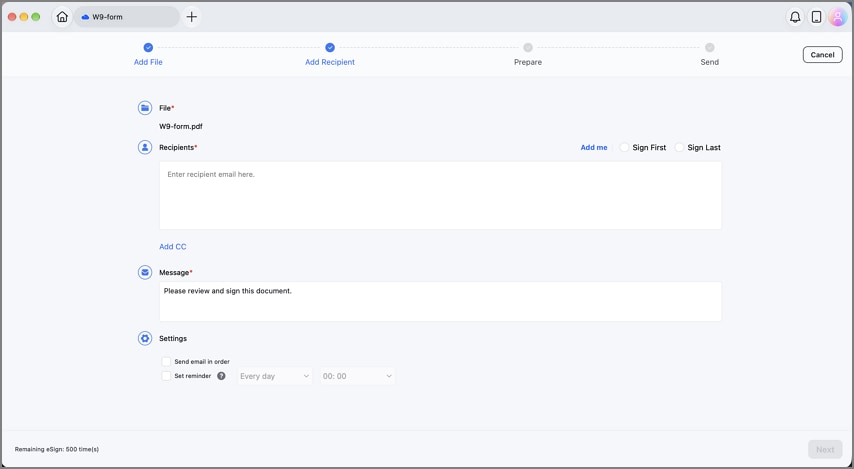
With review and redaction done, the last step in the contract workflow is getting signatures without printing anything. The "Request eSign" button under the "Protect" tab sends the file to each signer in the order you set, with scheduled reminders. Progress then shows in the Agreement List, and the signed file downloads together with an audit report.
In the United States, the ESIGN Act says a signature cannot be denied legal effect solely because it is electronic. Wills, family-law matters, and court documents are excluded, while employment, vendor, and customer agreements generally fall within its scope.
Part 3. Real-World Use Cases of AI in the Contract Workflow
The same tools line up differently depending on who owns the contract workflow. Three common teams show how the steps combine in daily work:
| Use Case | How the Workflow Runs in PDFelement |
| HR Teams Managing Employment Agreements | Start each agreement from a PDF template, add role-specific clauses with AI Chat, hide pay in the manager's copy, and collect the signature with reminders. |
| Legal Teams Reviewing a Revised Vendor Contract | Run Agreement Compare on the supplier's edits, then let AI Risk Review check the new liability and payment language before replying. |
| Sales Teams Preparing Customer Agreements | Draft terms with AI Chat, use Side-by-side Translation for an overseas buyer, and watch the Agreement List until the customer signs. |
Final Takeaway
AI tools on macOS 27 can shorten each stage, from a first draft and a risk review to a clean comparison of revisions. PDFelement V13 keeps those stages in one Mac app, adding Smart Redact for safe sharing and tracked eSignatures for the final step. Its AI output still needs a human check, yet for Mac teams that handle agreements every week, it earns a place in the process.
G2 Rating: 4.5/5 |100% Secure
![[Guide] How to Perform AI Contract Comparison in Seconds](https://images.wondershare.com/pdfelement/images2026/pdf-like-article-1.png)

![What AI Contract Generator Should You Use? [Top 6 Tools]](https://images.wondershare.com/pdfelement/images2026/pdf-like-article-3.png)

