Work Smarter with PDFelement User Guide


-
Get Started With PDFelement for Android
-
Create & Open PDF on Android
-
View PDF on Android
-
Edit & Comment PDF on Android
-
Convert PDF on Android
-
Sign & Protect PDF on Android
-
Organize PDF on Android
-
Search PDF on Android
-
PDF AI Tools on Android
-
Share & Print PDF on Android

PDF AI Tools on Android - Chat With AI
Besides answering queries within the PDF, PDFelement provides the Chat With AI feature that allows you to input general queries as well. The AI-integrated assistant intelligently analyzes the prompted queries and generates results accordingly. It also allows you to specify in what form you want the results, such as paragraphs and bullet points.
The advanced AI, Lumi, also allows you to copy the generated results and paste them wherever you want. Provided below are the steps to learn how to chat with AI using PDFelement on your Android:
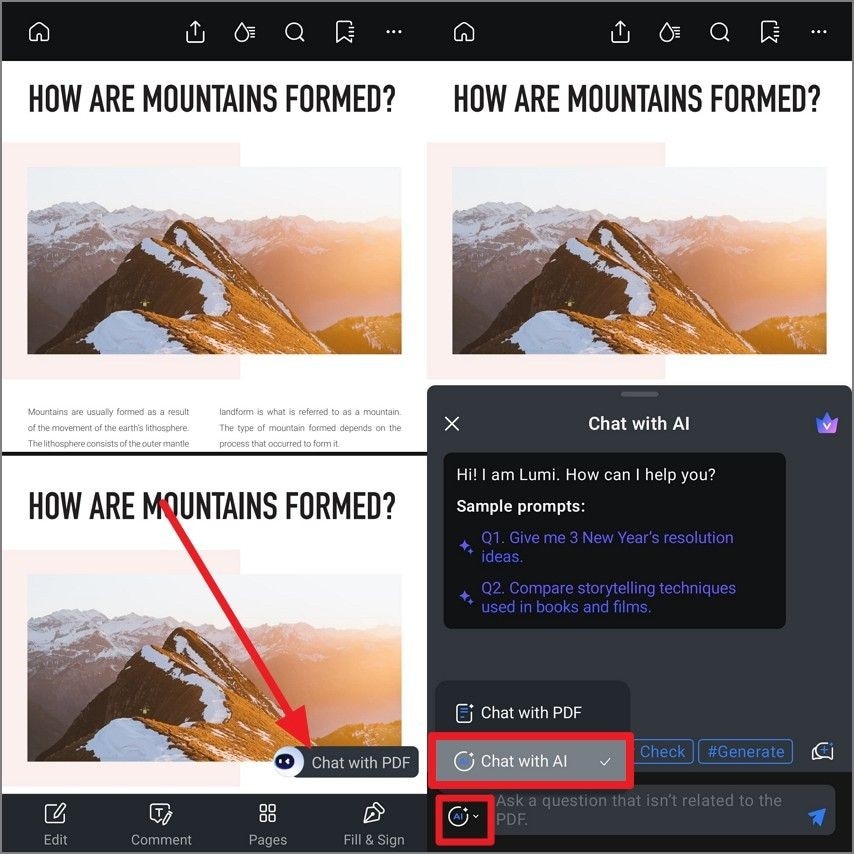
Step 1. Open Document and Select Chat With PDF
Once you have opened the document within the application, locate the "Chat With PDF" option and tap it. A chat prompt will appear, use the "AI" icon located at the bottom left corner of the screen, and select the "Chat With AI" option.
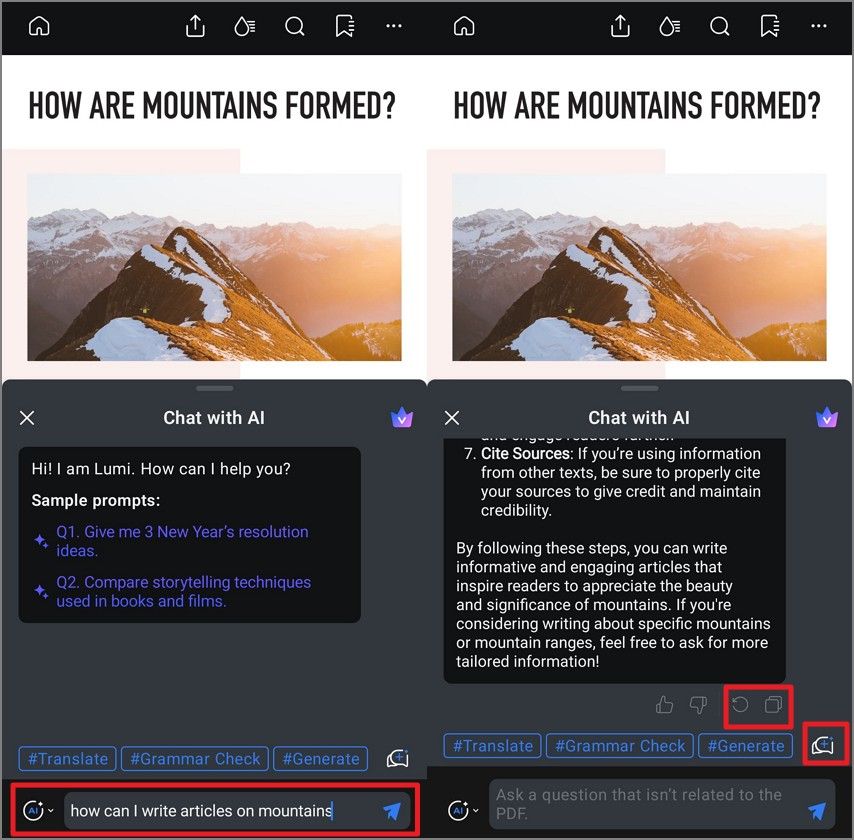
Step 2. Input the Query and Review Results
Type your query in the text box and hit the "Send" icon to command the AI to generate results. Tap the "Copy" icon to copy the results or "Regenerate" to generate the response again. To start a new chat with AI, use the "New Chat" icon to clear the current chat.