A 120 slide training deck lands in your inbox on Monday, demanding immediate attention before other priorities. An industry report follows from your manager, while lecture slides arrive from a tutor later. Reading everything page by page simply is not a practical option anymore.
An AI PPT summarizer takes over the first reading, separating central ideas from supporting details automatically. The comparison below weighs 5 leading tools, outlining where each performs well and where compromises appear. Later sections cover output formats, practical prompting approaches, and common reasons a PowerPoint summary falls short.


 G2 Rating: 4.5/5 |
 100% Secure
In this article
Part 1. What an AI PowerPoint Summarizer Actually Does
Slide decks are unusual documents, and that shapes what a summarizer has to do with them. Text arrives in fragments rather than sentences, hierarchy lives in layout rather than headings, and much of the meaning sits inside charts.
A 2026 Springer survey found that document understanding depends on combining text with layout and visual elements. The following 4 stages turn that raw material into readable output via AI PowerPoint Summarizer:
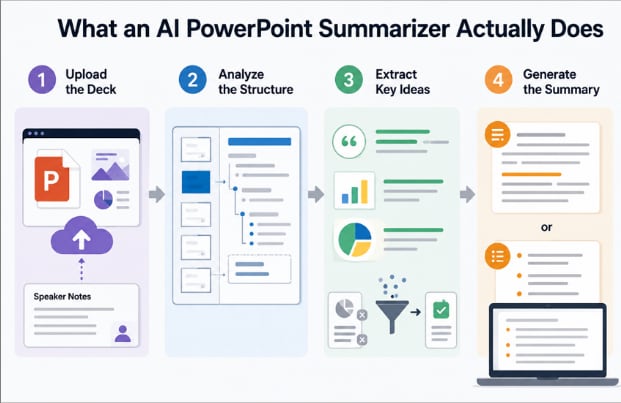
- Upload the Deck: The tool reads the entire presentation, including speaker notes that often contain key explanations missing from the slides.
- Analyze the Structure: It identifies section breaks, heading levels, and bullet hierarchy to understand how ideas are organized.
- Extract Key Ideas: Important arguments, data, and conclusions are separated from agenda slides, transitions, and supporting content.
- Generate the Summary: The final output is presented as clear paragraphs or structured bullet points, depending on your preferred format.
Part 2. Who Benefits Most From a PowerPoint Summarizer
Different users expect different outcomes from a PowerPoint summarizer. The 5 groups below represent the most common use cases, each requiring distinct features, output styles, and summarization priorities:
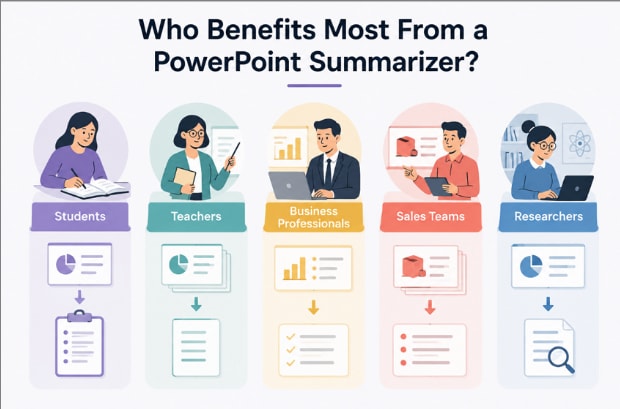
- Students: Lecture decks become revision notes, especially when courses include hundreds of slides before exams.
- Teachers: Presentation material from colleagues or other departments turns into concise handouts with far less manual effort.
- Business Professionals: Lengthy board presentations reveal the key decisions and recommendations without reading every supporting slide.
- Sales Teams: Product launches and competitor presentations become easier to review before meetings or client conversations.
- Researchers: Conference presentations outside a core field can be assessed quickly before investing time in the complete material.
Part 3. The Best AI PowerPoint Summarizers Compared
Not every AI PPT summarizer delivers the same results. 5 carefully selected options below reveal their strengths, weaknesses, and the workflows they suit best:
1. PDFelement
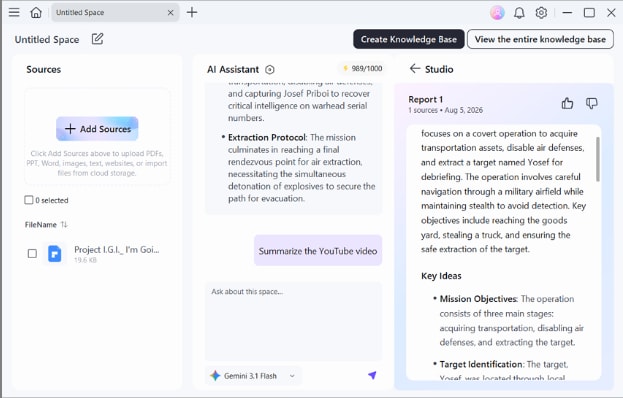
A project update arrives alongside a client presentation and supporting documents before an important meeting. Instead of reviewing every file separately, an AI PowerPoint summarizer keeps everything organized inside one workspace for faster understanding.
Unlike specialist tools, PDFelement handles presentations alongside PDFs, Word documents, and text files. It also supports OCR for scanned content, answers follow-up questions through chat, and combines multiple presentations into a single, connected summary.
2. Knowt AI
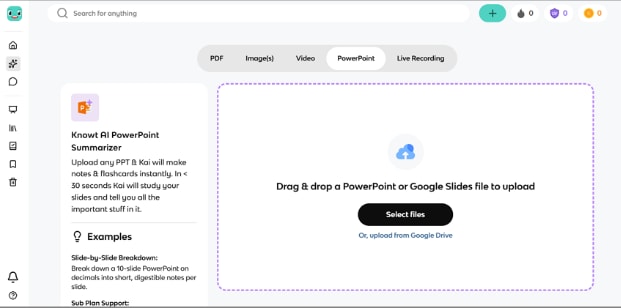
Built for students rather than adapted for them, Knowt AI turns an uploaded deck into notes, flashcards, quizzes, and scored practice tests. Its tutor-style chat explains anything the notes gloss over, and mobile apps keep material reachable away from a desk.
3. Mapify
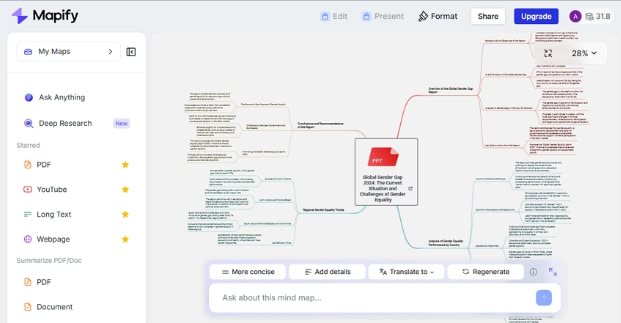
Unlike a traditional AI PowerPoint summarizer, Mapify organizes presentations as visual mind maps instead of plain text. Each deck becomes a structured outline showing how ideas connect, while chat and multilingual summaries support deeper exploration. That approach works especially well when presentation structure matters more than individual wording.
4. LightPDF
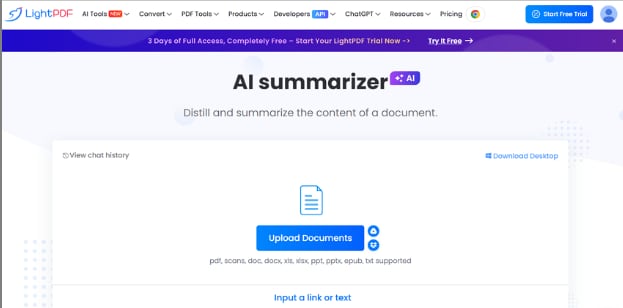
Browser access removes the need for installation, making deployment almost immediate. LightPDF accepts uploaded presentations, generates summaries within seconds, and supports document chat with source-grounded responses. Moreover, built-in file conversion further streamlines the workflow by keeping related document tasks in one place.
5. Notion AI
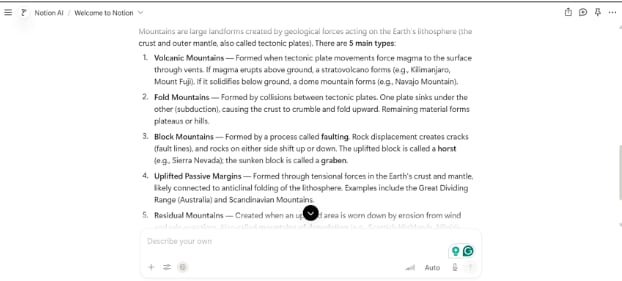
Teams already using Notion AI benefit from keeping every PowerPoint summary inside the same workspace. Presentation summaries, meeting notes, action items, and knowledge base search operate together without switching platforms. As a result, summarized decks remain connected to the wider project documentation and ongoing collaboration.
G2 Rating: 4.5/5 |100% Secure
Part 4. Summarizing Different Types of PPT Decks
Using an AI PowerPoint summarizer effectively starts with understanding the presentation itself. The 3 deck types below show why summarization requirements change from one scenario to another:
| Deck Type | What to Extract | Why It Matters |
| Marketing Deck | Campaign, target audience, ROI figures | Decisions rest on results rather than creative rationale |
| Lecture Slides | Definitions, formulas, worked examples | Assessment tests recall of specifics, not themes |
| Financial Report | Revenue, growth rates, stated risks | Numbers and caveats carry the meaning, and both vanish in prose |
Naming those fields in the prompt produces a far better result than a general instruction to summarize PPT content.
Part 5. Choosing the Right Output Format
Extraction is only half the job, since identical content reads very differently depending on the shape it arrives in. Recent research on AI presentation formats found that information structure influences cognitive load and decision efficiency. Matching format to purpose is where a PowerPoint summary becomes something you actually use rather than something you file.
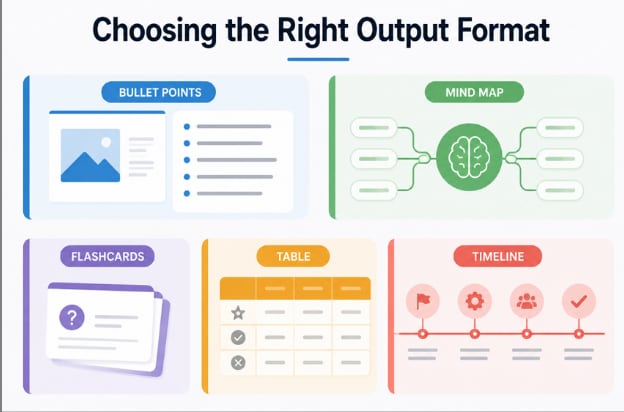
- Bullet Points: The default for review, since a deck's structure translates almost directly into a scannable list.
- Mind Map: Best for learning, because seeing how sections connect exposes reasoning that a linear list flattens.
- Flashcards: Suited to exams, where repeated recall matters more than rereading the material.
- Table: The right choice for comparison, particularly when a deck weighs several options against shared criteria.
- Timeline: Useful for project decks, where sequence and dependencies outweigh individual claims.
Part 6. Common Problems When Summarizing PPTs
Even the best PPT summarizer can return disappointing results when presentation content creates unnecessary obstacles. The four problems below explain the most common causes and how to correct them:
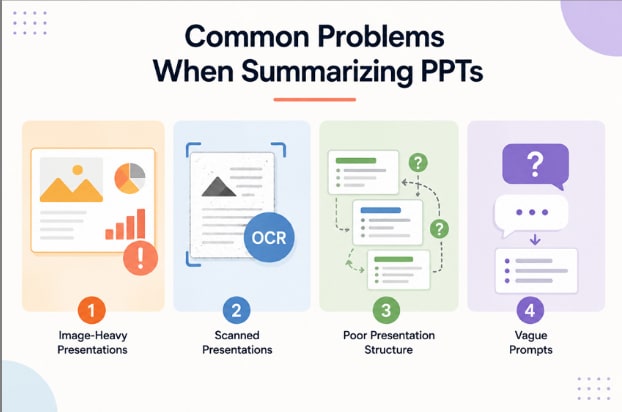
- Image-Heavy Presentations: Slides that rely primarily on visuals provide limited text for analysis. Adding brief speaker notes or chart descriptions gives the summarizer the context it needs.
- Scanned Presentations: Scanned slides remain image files until OCR extracts their text. Running OCR before summarization is essential for accurate results.
- Poor Presentation Structure: Missing headings and inconsistent slide organization reduce summary quality. Clear section titles and logical hierarchy produce more coherent output.
- Vague Prompts: Generic instructions generate generic summaries. Specifying the information you want, such as decisions, action items, or key findings, produces more useful results.
Frequently Asked Questions
Can a PPT summarizer read scanned presentations?
Only after OCR converts the slide images into selectable text. PDFelement includes that step, though scan quality affects how much detail survives.
What is the difference between a PPT summary and speaker notes?
Speaker notes are written by the presenter to guide delivery. A summary is generated from the finished deck and reflects what the slides actually contain.
Are AI PowerPoint summaries accurate enough for professional use?
For structure and stated conclusions, AI summaries are generally reliable. Figures, dates, and anything appearing only inside a chart should be checked against the original slides before circulation.
Final Takeaway
Choosing the right PPT summarizer depends on your documents, workflow, and the results you expect. Clear prompts and suitable output formats consistently improve summary quality, regardless of the tool. If your work involves presentations alongside PDFs, Word files, and scanned documents, PDFelement provides the most complete and flexible solution in one workspace.
G2 Rating: 4.5/5 |100% Secure