

Social media is fun to use because of the trends that keep coming and entertaining the users. Among the many viral trends, notes to brainrot are a notable concept that has engaged many people. For easy formation of brainrot videos, creators use various websites and apps. If you have a PDF file to transform, there are many platforms that can help you with it. Thus, the guide below sheds light on PDF to brainrot conversion for easy comprehension of educational concepts.
In this article
Part 1. Top 5 PDF to Brainrot Tools to Use in the Year 2026
Instead of manually curating a viral video, you can look into the brainrot-generating tools. The following list features all the information you might need about these platforms:
1. Coconote AI [Android/iOS]
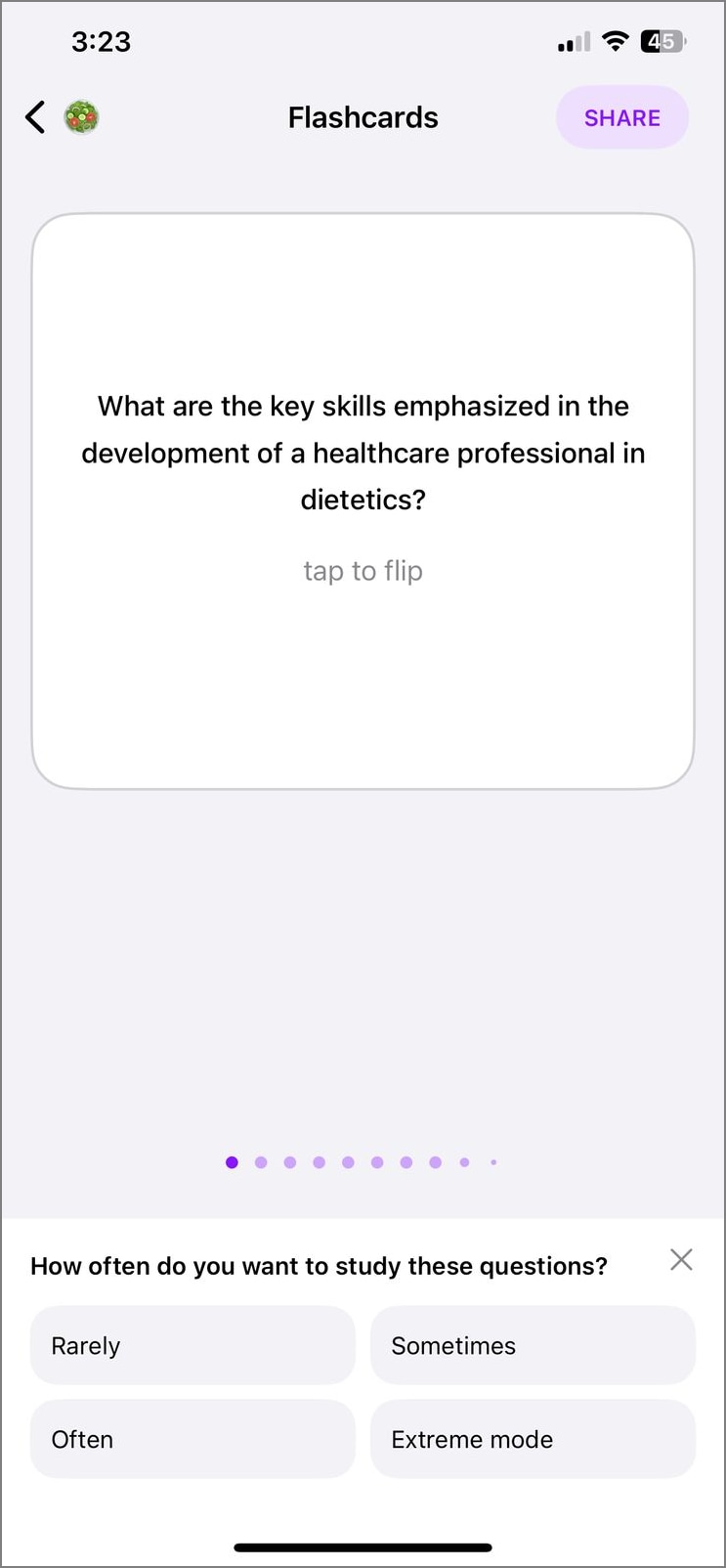
Designed especially for the ADHD community, Coconote is a productive mobile application that is making learning easy. Your notes input is converted into interactive quizzes, flashcards, podcasts, and more content.
Key Features
- This brainrot AI organizes your notes into folders, helping you access them whenever needed.
- When you need to convert a note into video, you can select the desired language and the AI voice for narration.
- Users can generate videos in more than 30 languages, catering to a diverse student community.
Limitations
- Coconote AI only offers 13 AI speakers, which is much less than the competitors.
Free Version
For 7 days only
2. PDF to Brainrot
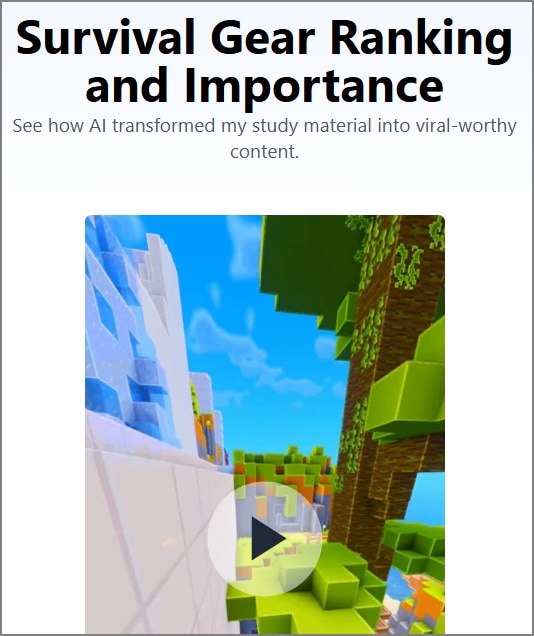
Enter your video specifics and generate bite-sized, consumable educational videos. The generated content has a vertical aspect ratio, making the videos ready to share across relevant platforms.
Key Features
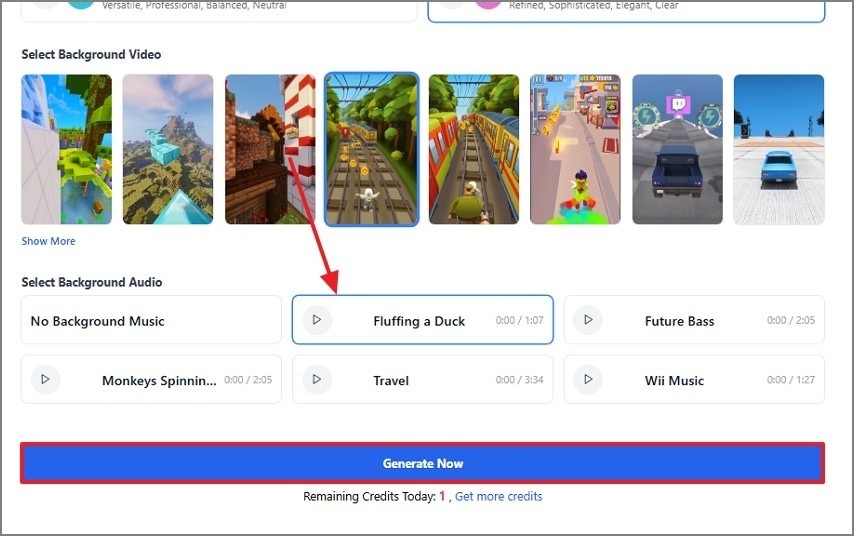
- Users can select their desired background videos to generate a tailored video.
- You can choose from a variety of background music tracks to make the content engaging.
- Besides uploading a PDF, this platform allows you to upload TXT files as well.
Limitations
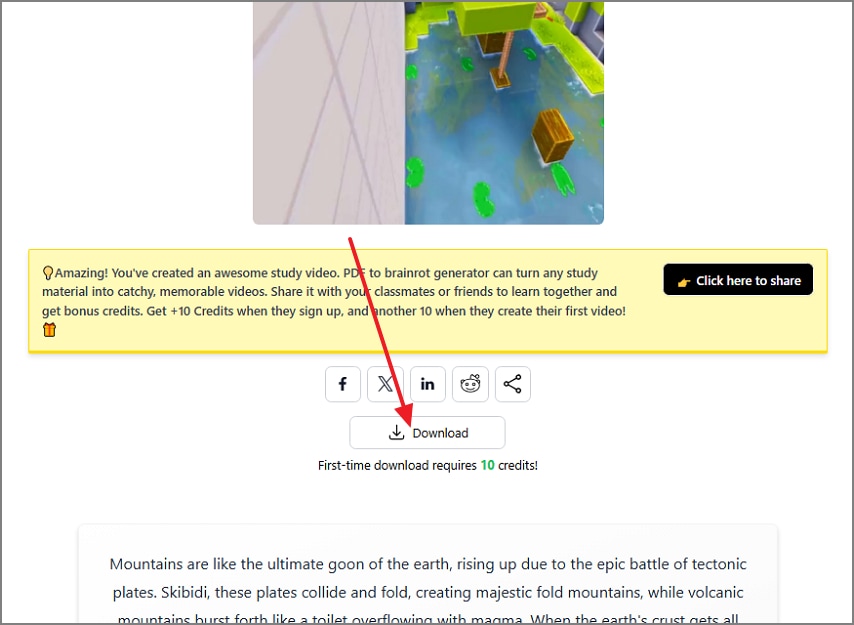
- The video downloading process offered by this tool is very slow.
Free Version
1 credit/day for 1 month
3. Memenome
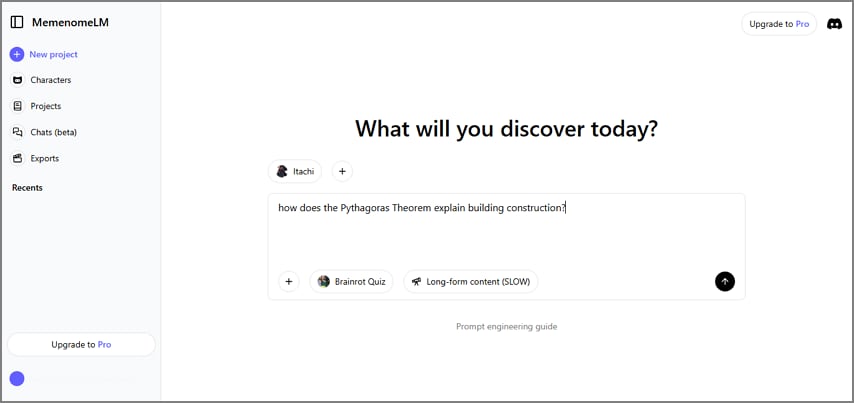
Use Memenome to either upload note files or enter a custom prompt to create AI-generated brainrot videos. The videos are created in a fun way, which includes animated content for an engaging impact.
Key Features
- Users can enter the desired AI voices from a mixture of human and animated speakers.
- This platform allows you to choose between a quiz and slow video generation.
- Memenome offers a collection of up to 20 different speakers.
Limitations
- You can only select up to 4 speakers per video, which might not be enough for a video with multiple characters.
Free Version
No free trial
4. aicut
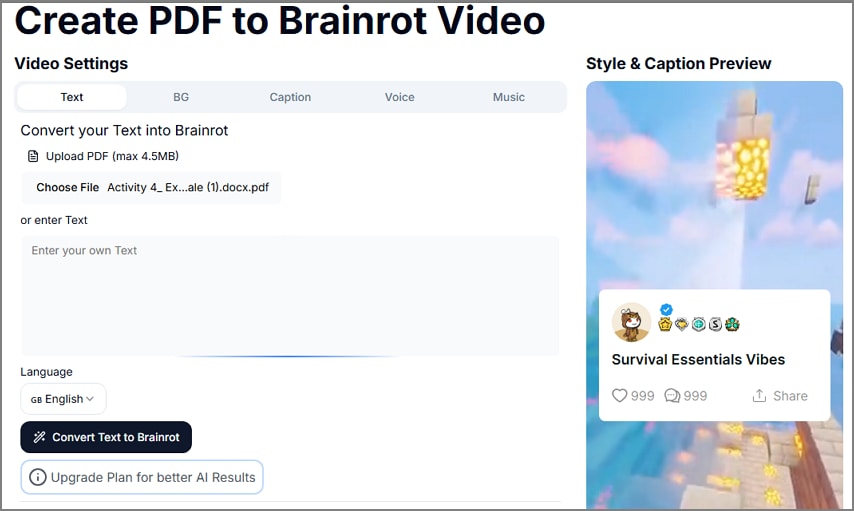
Save the hours required to generate a video from scratch by using aicut. This brainrot PDF generator lets you create content that is readily shareable across Reddit and TikTok.
Key Features
- Select the desired language and generate videos in up to 20 videos.
- While you finalize the video, you can pick the template of your choice for tailored outcomes.
- If you are using an AI speaker, aicut offers you the option to enter a script that will be narrated.
Limitations
- You can only upload a file up to 4.5MB in size.
Free Version
No free version
5. Studyfetch
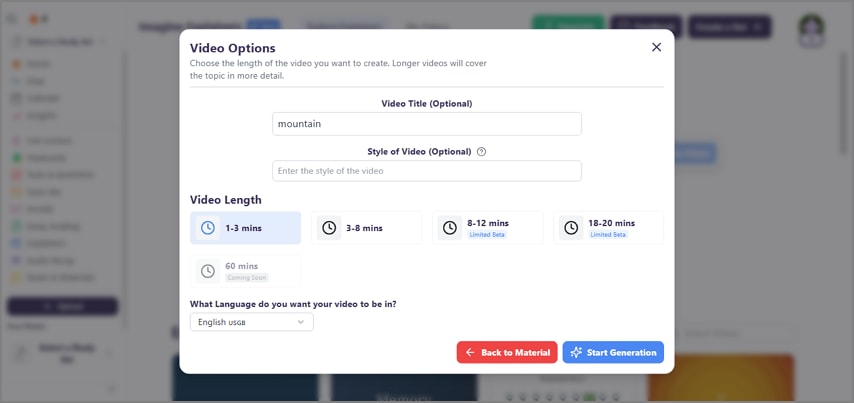
With its effective teaching tools, Studyfetch is specifically designed for students and educators. From 1 to 60 minutes, users can choose any desired video length.
Key Features
- Generate videos in more than 25 languages and understand content in any language.
- To create an engaging educational tutorial, you can enter a relevant title or keyword.
- This platform supports file uploads in PDF, PPT, and DOC formats.
Limitations
- The free version does not let you generate a brainrot video.
Free Version
No free version


 G2 Rating: 4.5/5 |
 100% Secure
Part 2. What is "PDF to Brainrot"? Why Is It Trending?
In this world of overthinking and hyperfixation, it is not uncommon to develop an obsession with tiny ideas. So, the PDF to brainrot concept is about starting with casual thinking and evolving it into an intensified idea. This originated from TikTok and has now spread to other platforms like Reddit as well. Students are often seen using this trend to simplify their complex educational concepts.
Besides being a helpful learning resource, this trend also enhances the engagement of your videos. Such content is ideal for people struggling to grasp knowledge through conventional ways.
Part 3. Popular Use Cases for PDF to Brainrot Conversion
This trend is a productive concept that encourages mindful usage and benefits. The following are the popular use cases that are benefiting all types of users:
- Students: Students often convert their PDF notes into brainrot-style videos to avoid large volumes of reading and complex material. The use of audio, visuals, and fast pacing caters to modern learning styles, especially for visual and auditory learners.
- Educators: By embedding explanations into clips, educators can maintain classroom engagement and reinforce concepts in a consumable format. These videos can also serve as supplemental resources outside the classroom, making learning more accessible and entertaining.
- Content Creators: Influencers looking to capitalize on trending formats can easily convert existing documents into AI-generated brainrot videos that perform well on platforms.
- Professionals: When professionals combine important information with visually stimulating edits and sound effects, these videos can increase retention and make learning at work more enjoyable.
Part 4. How to Prepare and Optimize Your PDF for Brainrot Conversion With Wondershare PDFelement
To make your PDF notes worthy of AI processing, you must focus on their quality. Polishing the quality may seem challenging but is possible with Wondershare PDFelement. With its various PDF-related tools, this platform allows you to make necessary changes in the file and export it in the format that is supported by your brainrot PDF generator. By refining the contents and outlook of the document, PDFelement ensures that your notes are AI-ready.
Top PDFelement Features for Brainrot Preparation
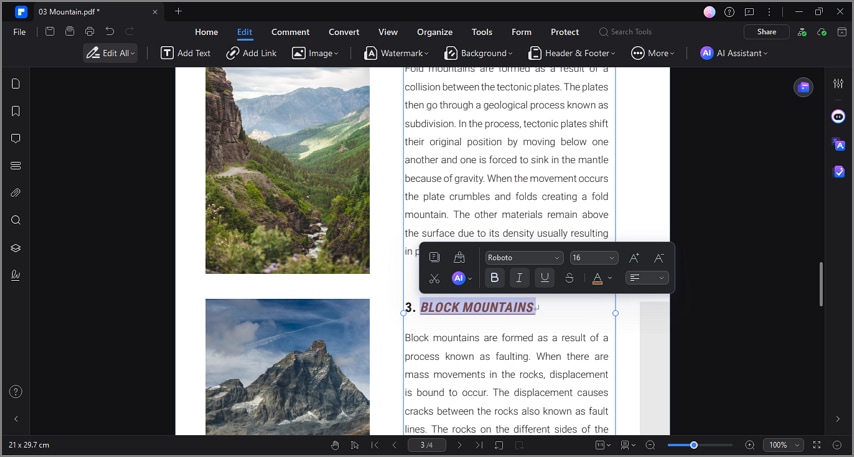
1. PDF Editing
Using the editing mode of this tool, you can add or delete information in the form of text, images, and URLs. To make the file visually appealing, this platform allows you to edit the formatting of your font.
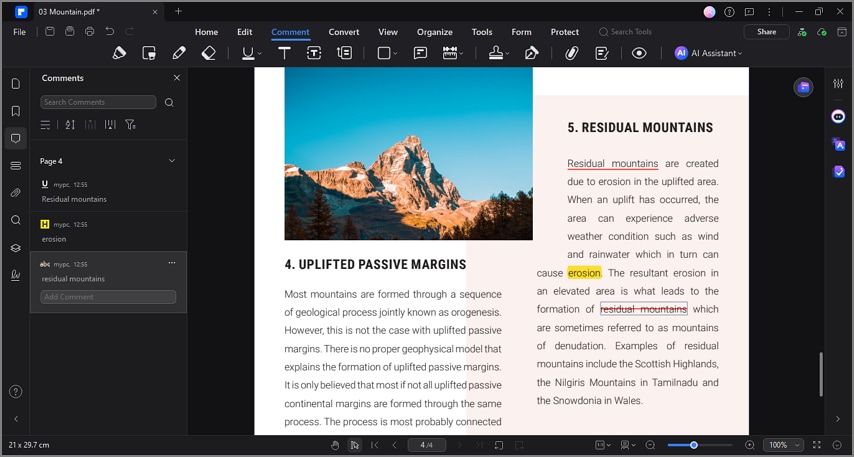
2. Annotation
If you do not have the time for instant editing, use the annotation tools to specify the text that you need to change. This mode allows for highlighting and underlining the text for changes in future.
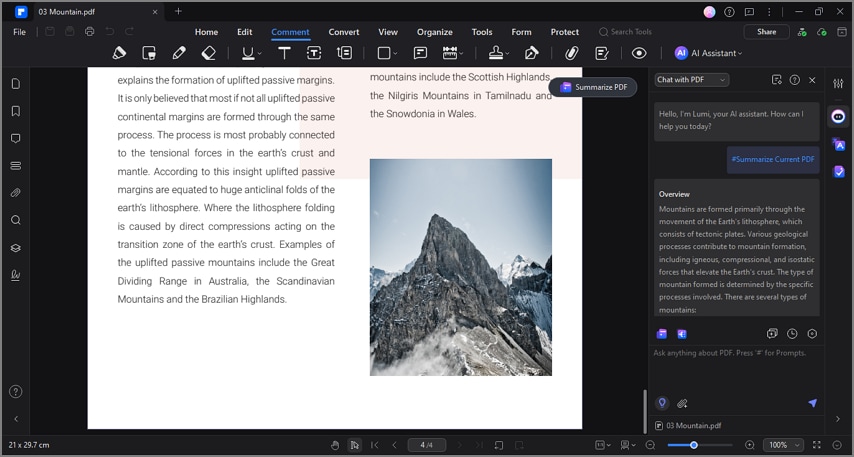
3. Extraction of the Key Points
The handy AI assistant of PDFelement allows for AI summarization of lengthy PDF documents, helping your AI tool focus on the key information only. You can generate a precis in bullet points or paragraphs, depending on your needs.
4. Read PDF Aloud
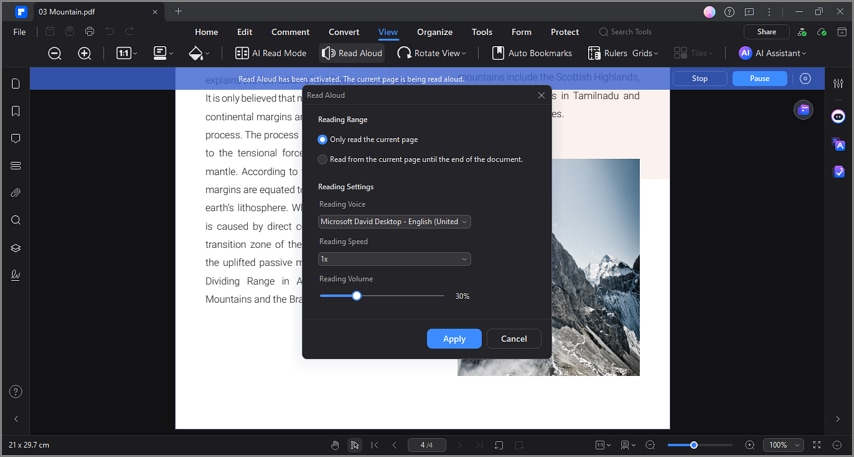
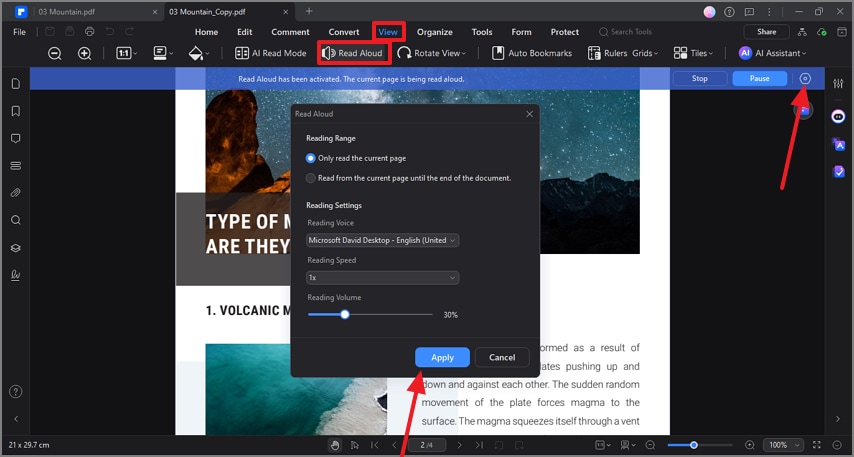
Before you export the content on a brainrot PDF converter, use the Read Aloud PDF feature to assess the flow and comprehension of the content. This utility allows you to specify custom text to speech settings for a comfortable experience.
5. Text Extraction from Scanned PDFs
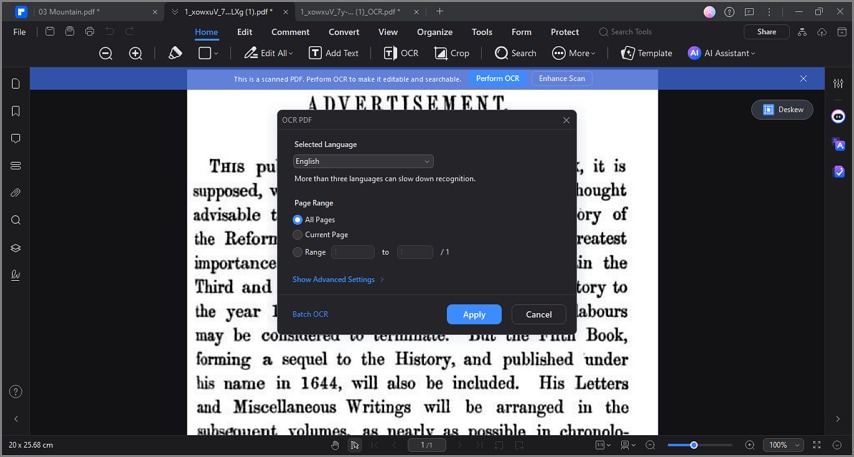
If your file has scanned images or if the entire file is scanned, you can use the OCR facilities to make the text editable. This tool supports up to 25 languages for diverse application across nations.
6. Optimize Through Compression
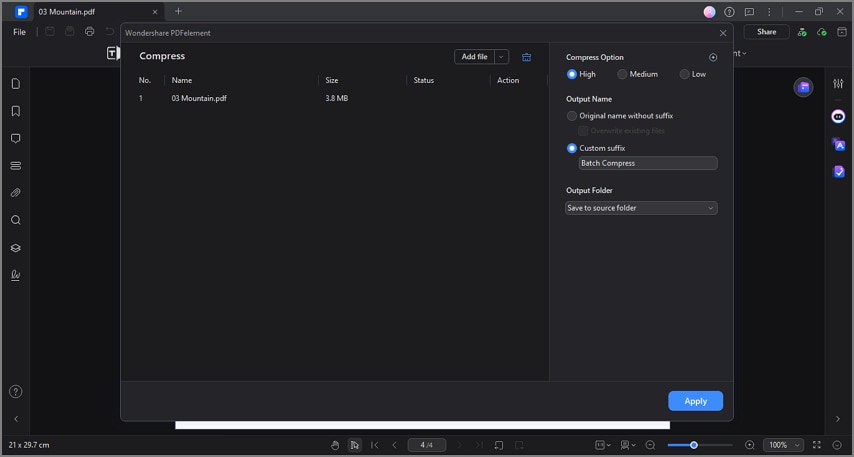
As each conversion tool has its specific file size requirement, compressing a large file can make it easily shareable. With the compression facilities at PDFelement, users can shrink their file size by low, medium, and high.
A Complete Walkthrough of Converting Your PDF to Brainrot Video
If you want an in-depth dive into the process of preparing your PDF notes before you brainrot your PDF, the following guide will be useful:
Step 1Select a PDF With the Notes
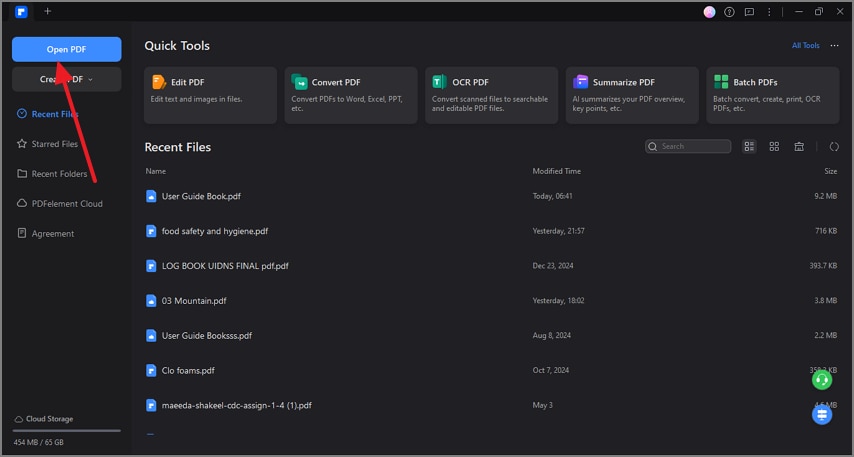
To begin with, open PDFelement and select the notes file from your device using the "Open PDF" button.
Step 2Read Aloud the PDF in Your Custom Settings
Access the "View" tab in the opened file and select the "Read Aloud" button to choose the "Settings" button at the top right. Using the next window, enter your custom settings and "Apply" the changes for a tailored experience.
Step 3Save the Edited PDF File to Integrate into a Brainrot Generator
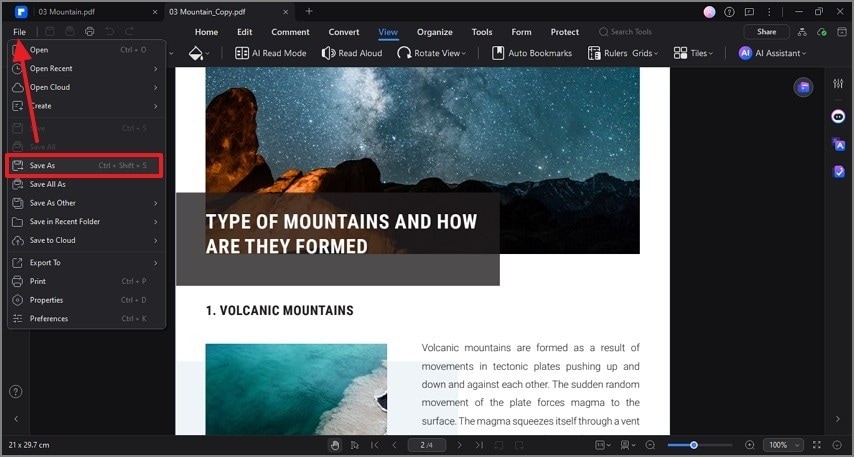
Complete the file, then use the "Save As" option under the "File" tab to export it as a PDF.
Step 4Upload the Curated Notes in the PDF to Brainrot Website
Head to the PDF to Brainrot site using your browser to upload a PDF file. After entering the required settings, select the "Generate Now" button to see the results on the next page.
Step 5Download the Video to Share it Elsewhere
When the file is ready, select the "Download" button at the bottom of the file to save it to your device.
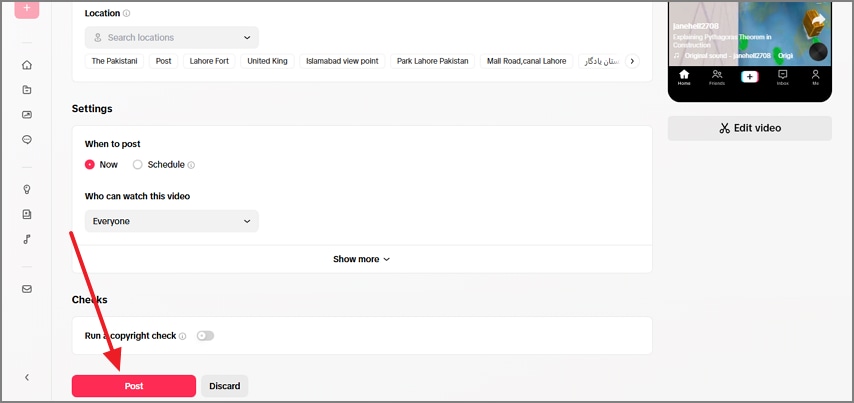
Step 6Head to TikTok Web and Send the Brainrot Video to Your Study Buddies
To share the video across TikTok, use its web version and hit the "Post" button to make your study peers see it.
Frequent Problems Encountered When Using PDF to Brainrot Tools
Conventional PDF to Brainrot tools is usable, but they have many limitations, some of which are mentioned below:
- File Size Limit: Many brainrot conversion platforms support just a limited size of file uploads. This can be overcome by using PDFelement, a PDF compression tool that significantly shrinks the file size.
- Limited Format Support: If your desired conversion tool does not support the format in which yur notes are, you can use PDFelement to enhance compatibility. Besides basic file conversion, this platform offers OCR services that convert scanned images and PDFs into editable text.
- Lack of Organization Tools: The excessive use of tables and other elements can make your file too complex for conversion tools to understand. You can use PDFelement and simplify the layout to declutter extra elements.
Conclusion
All in all, PDF to brainrot tools depend on a well-curated notes file to function well. To make these files ready to share, you can use PDFelement on Mac and Windows. When you combine its PDF tools with AI-driven conversion platforms, you can generate cool content for social media.
G2 Rating: 4.5/5 |100% Secure


![All the Methods to Convert a PDF to Black and White [2026]](https://images.wondershare.com/pdfelement/images2026/pdf-like-article-3.png)

