

In today's world, fandoms and niche interests have become immersive experiences that capture our minds. This concept has evolved into a trend where your casual interests shape into an obsession. The notes to brainrot trend revolve around a note in our diary that turns into an intensified engagement. In this article, let's learn about the tools that can be used to prepare for such notes and notable names that support your brainrot journey.
In this article
Part 1. Best Tools to Convert Notes to Brainrot Content
Catering to this trend, the market has introduced some smart tools that take your notes from basic to an obsession. The following list explores these platforms, each introducing a unique aspect:
1. Revid.ai
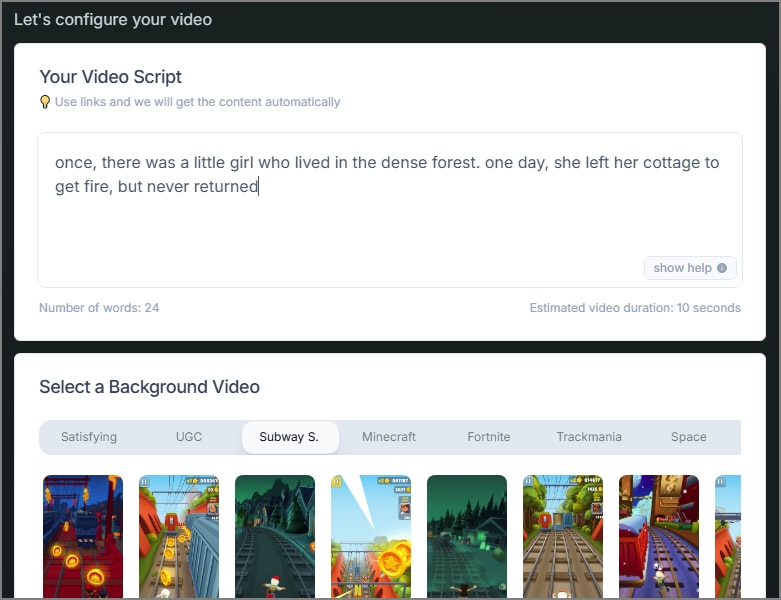
If you want to use the raw notes on social media platforms, Revid.ai is your ideal choice. This platform takes your scribbles and converts them into videos with AI voiceover. These brain rot notes can also be transformed into gameplay backgrounds and short clips for social platforms.
Key Features
- As you type your notes, the tool indicates the estimated duration of the to-be-generated video.
- Instead of typing notes, users can paste a link to a file to automatically fetch the text.
- If you intend on making gameplay content, you can choose from gameplay backgrounds to choose a relevant backdrop.
2. TurboLearn AI
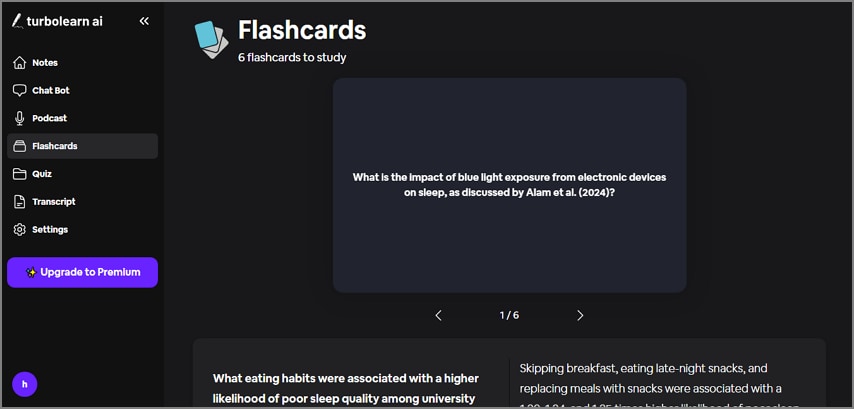
If you have a document file on your device, you can upload it and have it transformed into flash cards and quizzes. This platform also supports YouTube video links and instant audio recordings for this conversion. For social media-minded users, this also generates podcasts based on your input.
Key Features
- This tool organizes your brainrot notes into a folder, helping with easy access.
- You can type the language for content generation or choose from the list of 40 options.
- TurboLearn AI supports PDF, PPT, DOC, and more formats for brainrot conversion.
3. Memenome
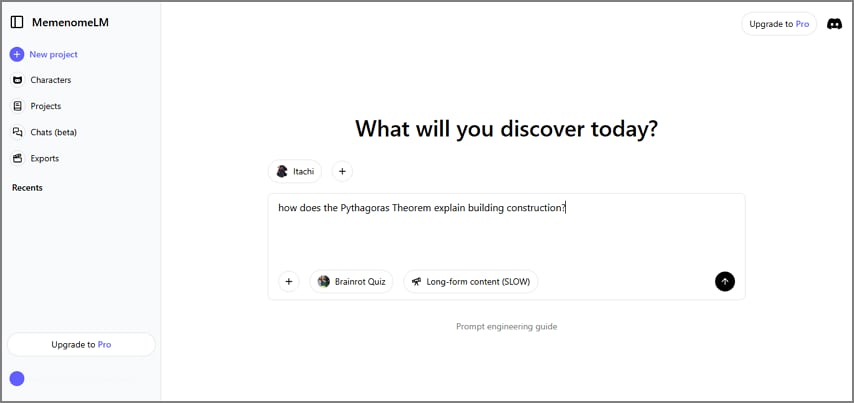
To get your mind-boggling questions answered, use Memenome and upload a PDF file that explains the background of your query. This platform answers your questions in a meme-like video that features an AI voiceover. From the library of about 20 speakers, you can choose an AI voiceover of your choice.
Key Features
- The voices library is a combination of human and animated voices, catering to all content types.
- You can select up to 4 AI speakers to give your video a conversational touch.
- From podcasts to animated explainer videos, Memenome can generate a diverse range of videos for you.
4. Coconote AI [Android/iOS]
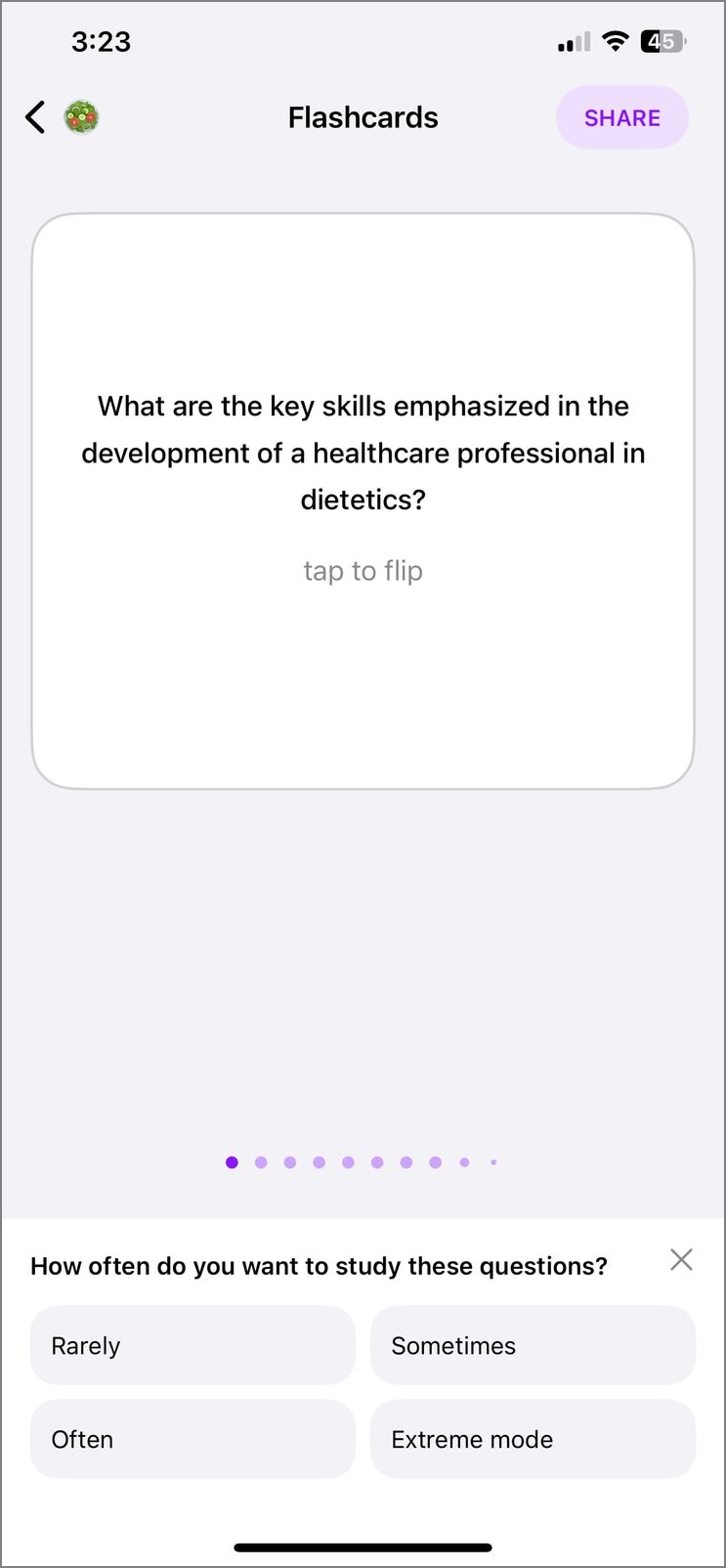
When looking for a mobile device to satisfy your brainrot obsession, Coconote AI will help. The functionality of this brainrot notes converter transcends entertainment and caters to real-life issues. Specially designed for ADHD patients, this platform converts your words into audio, flashcards, quizzes, podcasts, and more.
Key Features
- Coconote AI caters to a global audience by generating content in more than 100 languages.
- To generate compelling content for you, this tool allows uploading PDFs, videos and audio.
- This tool generates an auto summary of your notes and includes the key points in your video.
5. PDFtoBrainrot
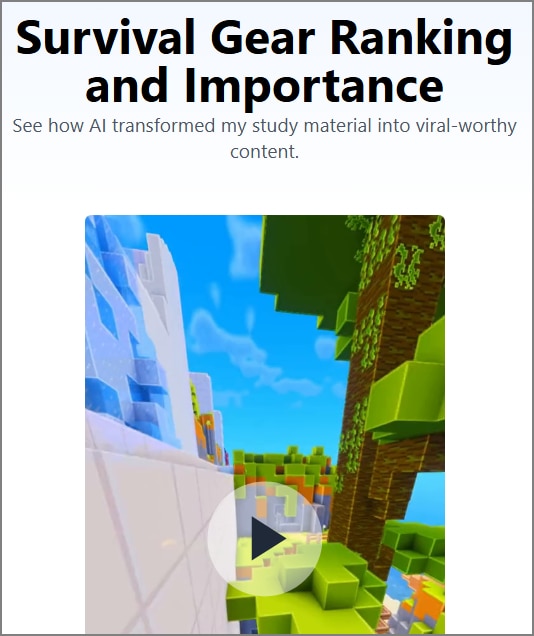
The last tool on our list is a complete notes to brainrot platform that allows a flexible input. Besides just uploading a PDF file, this platform allows URL, DOCs, plain text, and more input forms. From Quiz, Brainrot, and Raw, users can choose the desired mode to generate relevant results.
Key Features
- Users can pick a built-in background audio or leave the video silent.
- To give your videos an interactive touch, use one of the built-in AI voices for narration.
- This platform allows you to pick a gameplay video background to generate social media-appropriate content.
Part 2. What Is "Notes to Brainrot" and Why Is It Trending?
In the current times, anxiety and hyperfixation on an idea are very common among the youth. One day, we are casually thinking about something and before we know it, it turns into an obsession. This is the concept of notes to brainrot, and it has become a common trend everywhere. Such content features short, meme-inspired videos or summaries that are packed with audio-visual stimulation, designed to make information stick.
It is most commonly practiced by students and fandoms of games and comics. We must understand that the concept behind this trend is not limited to entertainment and offers many productive outcomes as well.
The Origin of the Trend
This concept first originated from TikTok when users began posting sped-up study guides, meme-style flashcards, and aesthetic summaries as a way to make learning look easy. What started as niche content, evolved into eye-catching edits to summarize dense topics in seconds. As the brainrot notes trend grew, creators began using these formats for fandoms and pop culture as well.
Why Students and Educators Love the Trend
Students are embracing this format because it transforms boring revision sessions into something energizing and fun. Educators have begun leveraging this trend in classrooms to increase engagement among audio-visual learners who struggle with reading materials. Also, this trend is specifically fruitful for students suffering with ADHD and reading disorders.
Part 3. Benefits of Turning Notes into Brainrot Content
Following a social media trend is okay, but we must know the significance of joining the bandwagon. The following list features the benefits of turning your notes into brainrot:
- An Engaging Aspect of Studying: Instead of re-reading plain text or memorizing dense textbooks, students can interact with visual formats of knowledge. Due to attractive sounds and motion, it taps into multiple sensory pathways to make the material far more engaging and easier to remember.
- Increases the Will to Study: When students can turn a chapter summary into an aesthetic video, they are more likely to stay energized. The satisfaction of creating something activates a sense of accomplishment, which naturally boosts motivation.
- Facilitates Collaboration: Another powerful benefit of brainrot notes is their ability to be shared across social platforms or study group chats. Students can exchange brainrot videos with peers to create a culture of collaborative learning that feels natural and rewarding.
- Easier Retention of Information: This type of studying serves as an incredibly effective visualization tool for abstract subjects. It breaks down complex ideas into smaller, digestible videos to allow students to form clear ideas.
Part 4. How to Prepare Your Notes for Brainrot Conversion with Wondershare PDFelement
To produce exceptional videos, your raw notes are your foundation, and the foundation must be solid. With tools like PDFelement, you can curate comprehensive notes using its cutting-edge features. This comprehensive PDF management tool offers an array of useful utilities that make your files easy to comprehend. Using the powers of AI, it makes further eases many processes.
To make your workflow productive, PDFelement offers a helpful batch processing feature that allows you to execute bulk processes. Before you turn your notes into brainrot, it is helpful to use the following tools of this platform to form well-crafted notes:
1. Edit the Notes for Precision
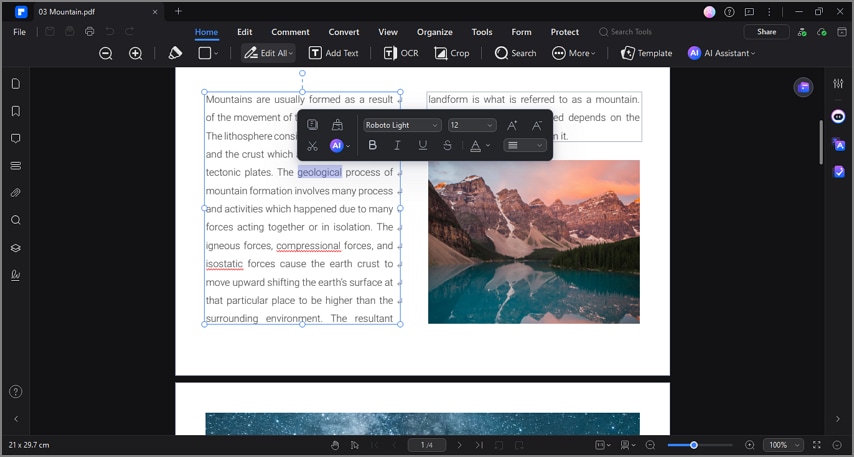
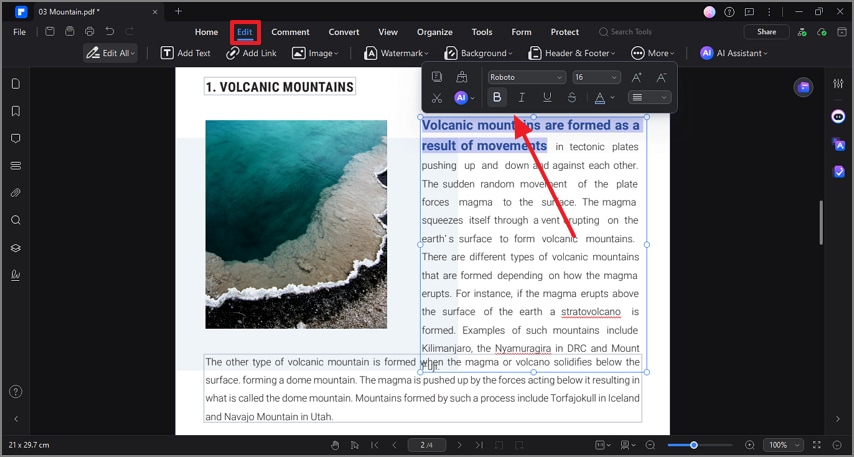
Once you open a PDF file on this tool, utilize the Edit mode to make changes in the document. This facility allows you to add or delete text, image, or links to and from the file. The editing mode enables you to change all font properties, like style, size, color, and more.
2. Shorten it Up Through AI Summarization
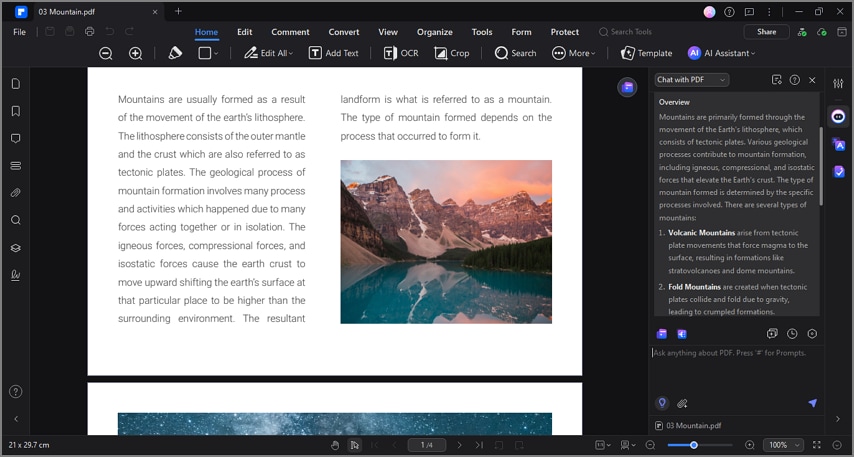
Before forming brainrot notes, it is important to input just the key points of a lengthy document. To do this, utilize the AI assistant of PDFelement and have your passage summarized. This utility allows you to generate a precis in bullets or paragraphs, as per your choice.
3. Mark and Annotate the Important Points
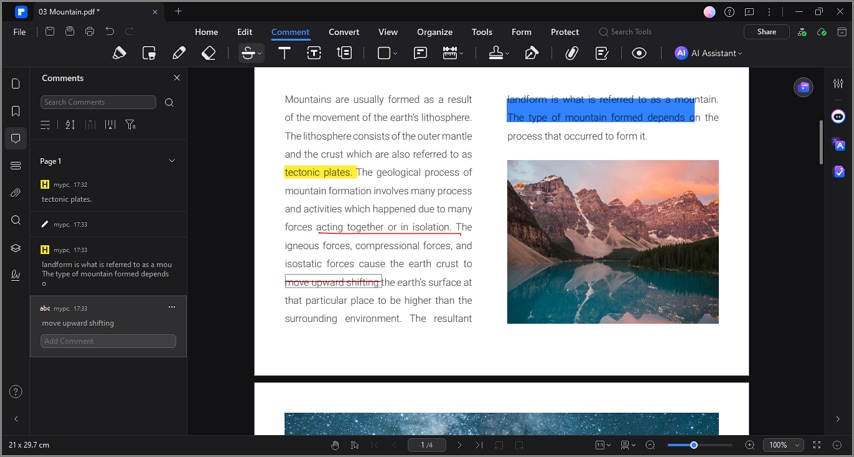
If you are aiming to tweak the notes before conversion, use the annotation mode to mark the required changes. Users can mark the important points and areas in the document in the desired color. You can also leave a note or underline and strike through an incorrect part of the file.
4. Text Extraction from Images
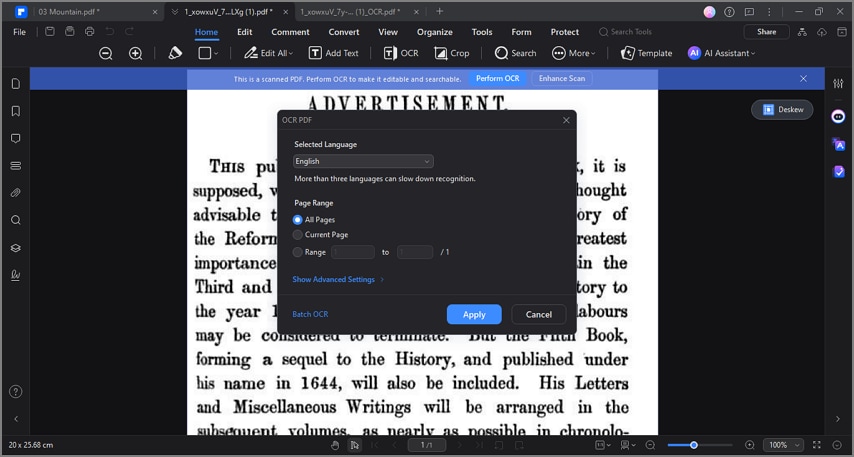
Only a handful of brain rot notes generators have the OCR facilities to detect the text in scanned images. With PDFelement, you can enjoy OCR along with many other useful features. This utility supports around 25 languages to make the text editable and lets you enter a custom page range for precision.
5. Convert and Export in the Compatible Format
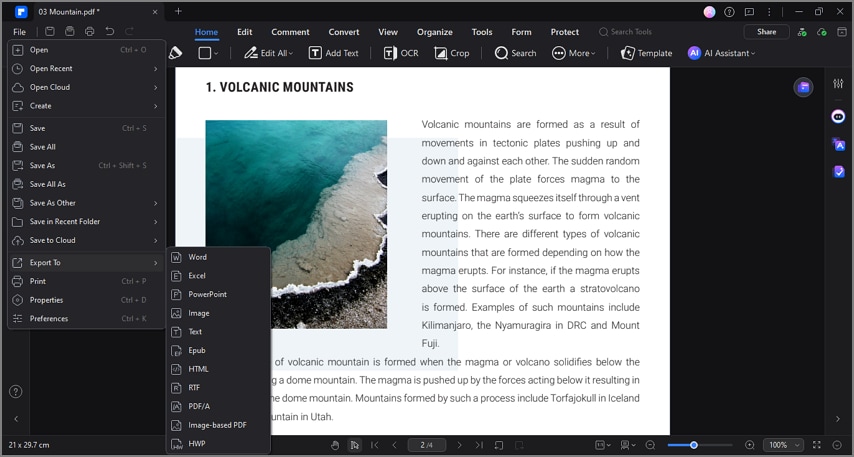
As each conversion tool has different file format supports, it is important to convert your finalized notes into a compatible format. Besides saving a file as PDF, you can convert it into Word, .txt, and more formats. The converted files are saved into your desired location for easy access.


 G2 Rating: 4.5/5 |
 100% Secure
A Step-by-Step Tutorial to Turn Your Notes into Brainrot Videos Using PDFelement
Now that you have an idea about the capabilities of PDFelement for document preparation, let's find out how to execute it. The following guide shows how to use this tool to generate brainrot notes:
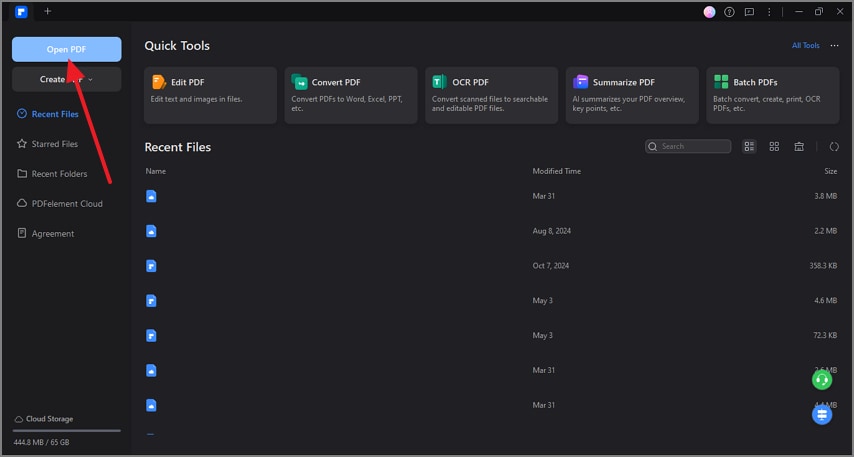
Step 1Open a PDF File to Start the Process
To begin with, launch the main interface of the tool and "Open PDF" in the next screen.
Step 2Make Changes to the File by Editing the Text
When the file appears, enter the "Edit" mode from the top to change the font properties of the text.
Step 3Extract the Key Points of the File to Form a Precise Document
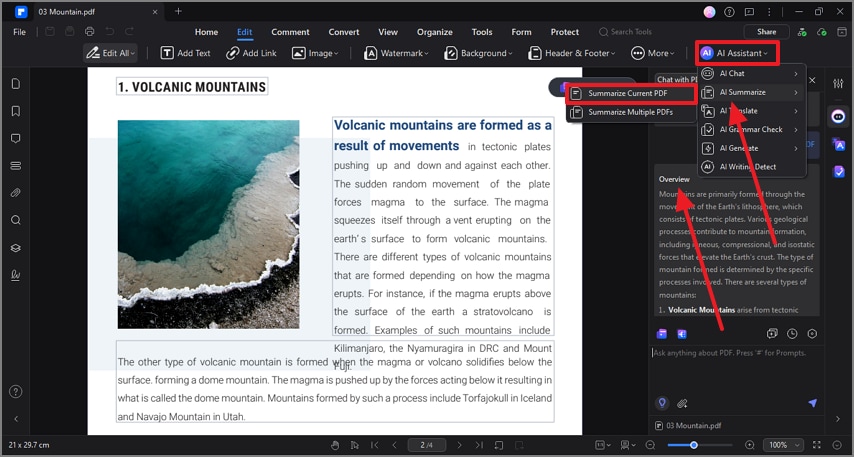
To summarize the opened PDF, access the "Summarize Current PDF" option from the "AI Assistant" and explore the generated summary on the right.
Step 4Save the TXT File to Share it Across the Next Tool
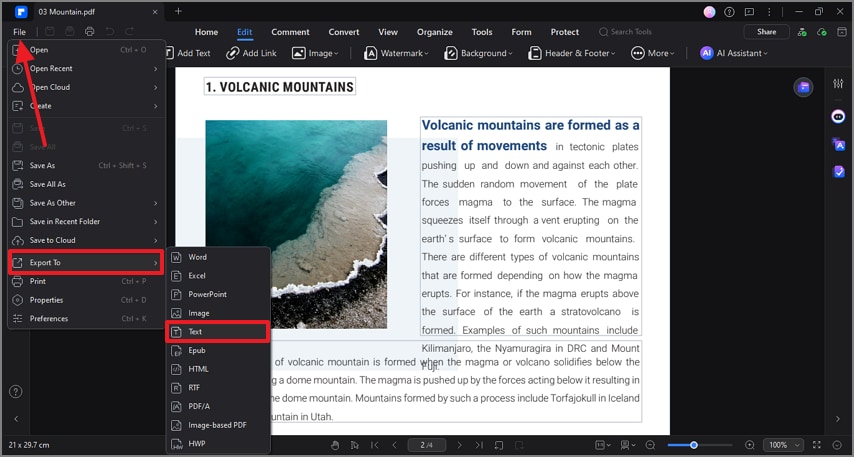
Export your ready-to-go file as a "Text" format by selecting it from the "File" tab.
Step 5Upload the Recently Generated Text File into a Brainrot Note Generator
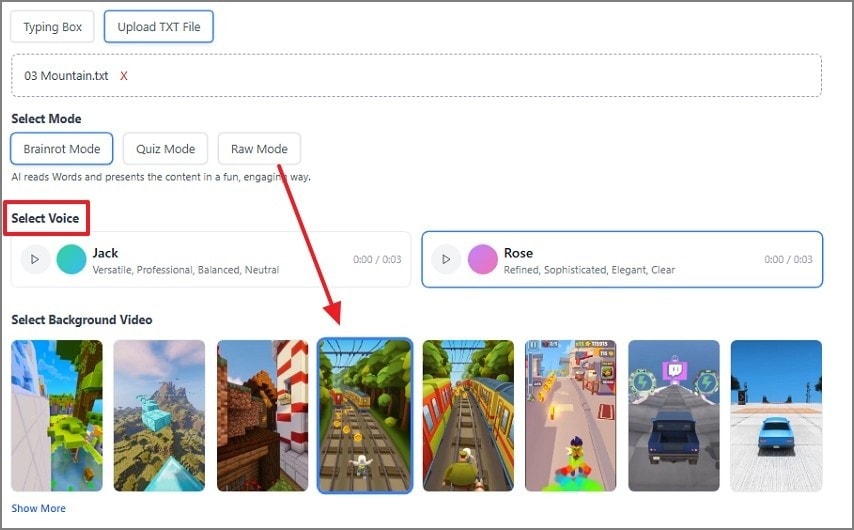
Open PDFtoBrainrot on the web, and shift to the "Upload TXT File" section to upload your text file. Then, select video mode when the file is uploaded. Go down to the "Select Voice" section and add a background video for a tailored touch.
Step 6Continue to Customize the Video Creation
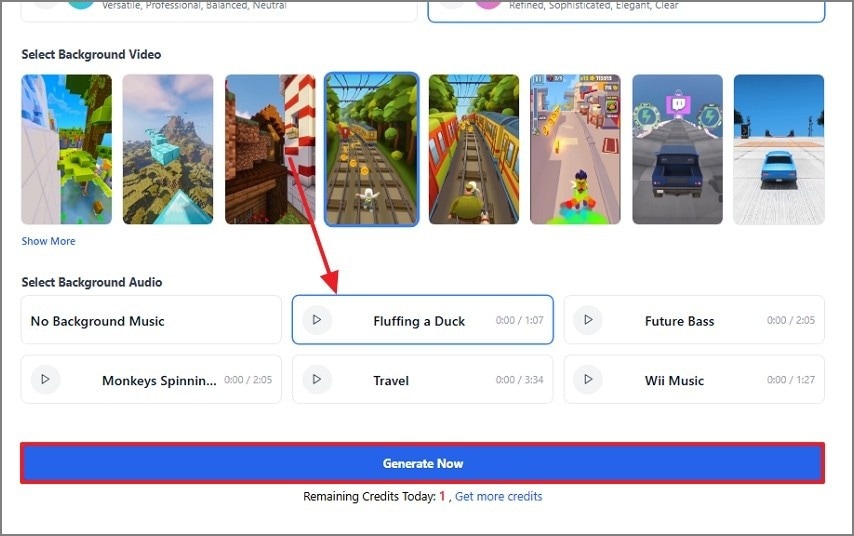
Next, select "Background Audio" and hit the "Generate Now" button to make a video on the next page.
Step 7Take a Look at the Generated Video on the Next Page
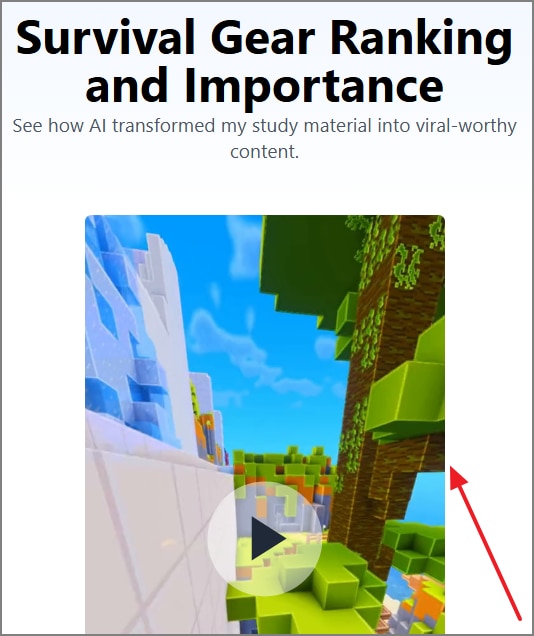
After a few moments, your generated video will appear on the next page, where you can download it.
Step 8Broadcast the Generated Brainrot Video with Your Study Groups
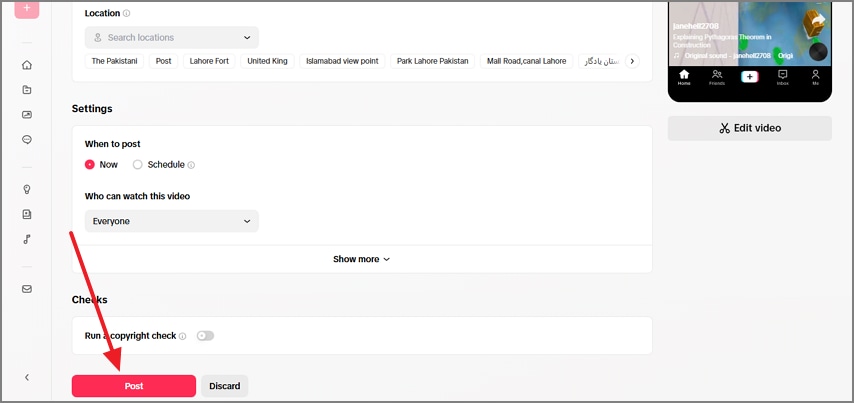
After opening the TikTok web, upload the recently generated video and enter the post specifications. Once done, select the "Post" button to share the educational video across this platform.
Final Thoughts
Summing it up, notes to brainrot conversions simplify the path to grasping advanced topics. Before you repurpose notes into videos, it is important to curate the text in a proper form. To help you generate easily consumable notes, PDFelement offers its intuitive PDF-related features. Once you have made the notes using this platform, convert them into interactive videos for social media or your study groups.
G2 Rating: 4.5/5 |100% Secure
![All the Methods to Convert a PDF to Black and White [2026]](https://images.wondershare.com/pdfelement/images2026/pdf-like-article-1.png)



