

In this article
- Quick Answer — What Is the Best Way to Convert MHTML to PDF?
- Which Steps Matter Most When You Convert, Check, and Clean Up a PDF?
- What Is an MHTML or MHT File?
- Which MHTML to PDF Conversion Method Should You Use?
- How to Convert MHTML to PDF Online with HiPDF
- How to Convert MHTML to PDF Using a Browser?
- How to Convert MHT to PDF?
- Can You Convert MHTML to PDF on Mobile?
- How to Convert MHTML to PDF Without Losing Formatting
- What Are Common Problems When Converting MHTML to PDF?
- Which Works Better: Online Converter, Browser Method, or Desktop Workflow?
- How HiPDF and PDFelement Work Together for MHTML to PDF?
Many users save web pages as MHTML or MHT and later struggle to reuse them. Opening these files can be confusing, and simple viewing often is not enough. Online tools appear first, but each converter has limits, privacy concerns, and layout issues.
Large or sensitive archives are harder to convert and often break during export. This guide explains how to pick an effective MHTML to PDF converter without losing control.
Part 1. Quick Answer — What Is the Best Way to Convert MHTML to PDF?
Users can convert MHTML or MHT files using HiPDF, other online tools, or a browser. Online converters are fastest for simple web archives that need quick PDF output. Browser print-to-PDF works well when the MHTML or MHT file displays correctly in Chrome.
Local or desktop workflows are better for private, large, or formatting-sensitive MHTML and MHT files. After you convert MHTML to PDF, PDFelement helps edit, compress, annotate, OCR, sign, and protect the finished PDF.
Part 2. Which Steps Matter Most When You Convert, Check, and Clean Up a PDF?
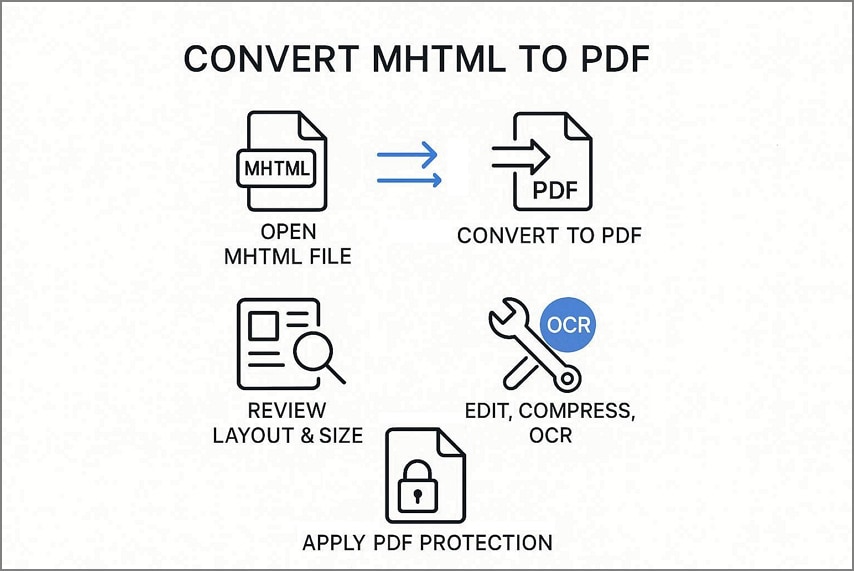
Many users want a simple way to convert MHTML or MHT into a stable PDF. Different methods work better for different files when privacy and layout matter. The workflow below helps you convert an MHT file to PDF and fix common issues afterward.
- Open or upload the MHTML or MHT file from your computer or storage location.
- Convert the file to PDF using your selected method, such as HiPDF for online conversion.
- Review the new PDF layout and file size.
- Use a PDF editor like PDFelement to edit, compress, and OCR the file.
- Apply protection in PDFelement or a similar editor when the converted PDF requires extra control.
Part 3. What Is an MHTML or MHT File?
An MHTML or MHT file saves a full web page and its related resources together. It can store images and other elements, so the page can still work offline later. The .mhtml and .mht extensions are closely related and behave similarly. Most browsers and tools treat these file formats similarly, including MHT-to-PDF converters.
Why Do Users Convert These Files to PDF?
Now, let’s see why many people prefer turning these web archives into PDFs.
- Easy Sharing: PDFs are easy to send by email and in messages without breaking the layout.
- Reliable Printing: Printing from PDFs yields more predictable page counts than printing via browsers.
- Smooth Uploading: Many websites and portals accept PDF uploads, yet do not accept MHTML files.
- Stable Archiving: PDFs are better for storage and consistent viewing across different devices.
Part 4. Which MHTML to PDF Conversion Method Should You Use?
Different users need different paths when converting web archives to PDF. Your file’s sensitivity, size, and how well it opens should guide how you convert MHTML to PDF.
Look at the table below to match your situation with a suitable conversion method.
| User Situation | Recommended Method | Why It Fits |
|---|---|---|
| Quick, non-sensitive MHTML or MHT | HiPDF HTML to PDF | Official Wondershare online tool for HTML, MHTML, and XHTML into PDF |
| Sensitive legal, medical, and work files | Browser print or local desktop tool | Keeps everything stored locally and avoids third-party uploads |
| Opens correctly in Chrome | Browser Save as PDF | Free option that runs directly on your computer |
| Large file or many pages | Desktop app or batch-enabled workflow | Online services often restrict file size |
| PDF looks rough | Convert, then open it in PDFelement | Designed for editing, OCR, compressing, and organizing pages |
Part 5. How to Convert MHTML to PDF Online with HiPDF
HiPDF offers a simple online way to turn saved web pages into standard PDF documents. It is useful when you need a fast browser-based solution for MHTML and MHT.
Follow the steps below to see how to convert MHTML to PDF with HiPDF.
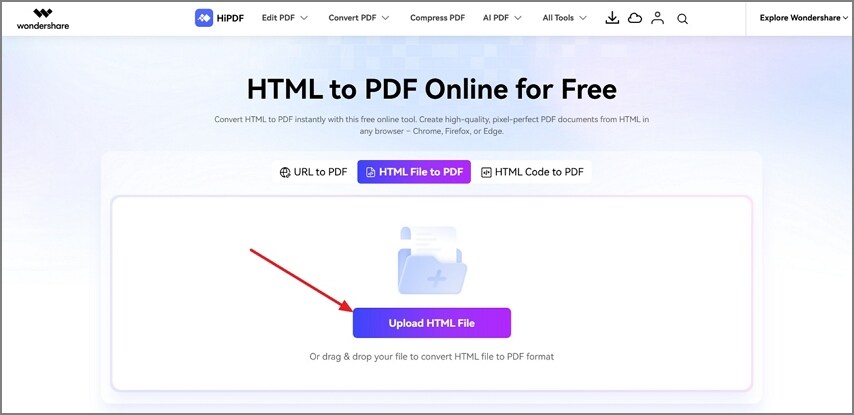
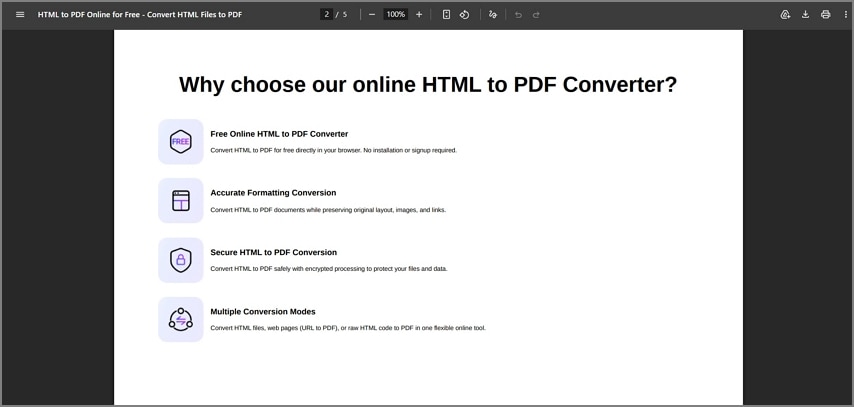
Step 1Access HTML to PDF Converter
Once you enter the HTML to PDF Converter, click Upload HTML File to upload the MHTML file. It also supports URLs and HTML code. File size upload limits vary by tool, so check them before uploading. HiPDF allows you to upload a file up to 30 MB.
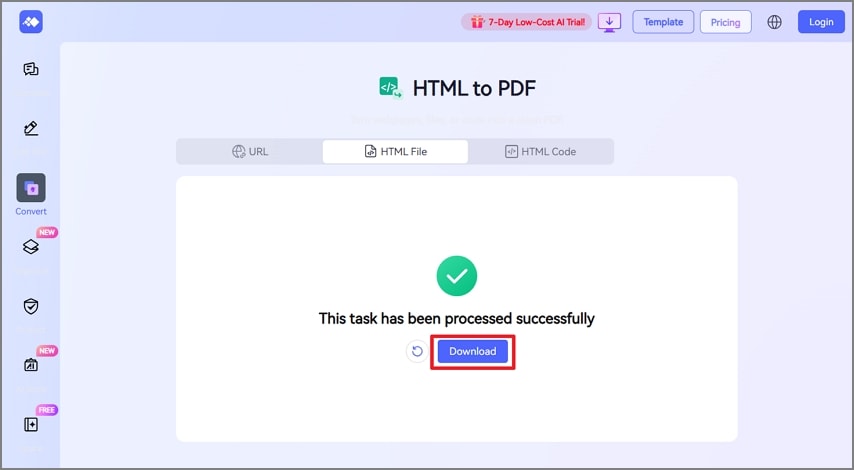
Step 2Download Converted File
After the file is converted, click the Download button to save the PDF.
Step 3Review the PDF File
Next, open the PDF in any browser or viewer and review the image, page breaks, file size, and links.

Part 6. How to Convert MHTML to PDF Using a Browser?
A browser can convert MHTML or MHT files locally, keeping everything on your own device. This method is convenient, yet results can vary because not every browser handles these files.
Go through the steps below to learn how to convert MHTML to PDF for free.
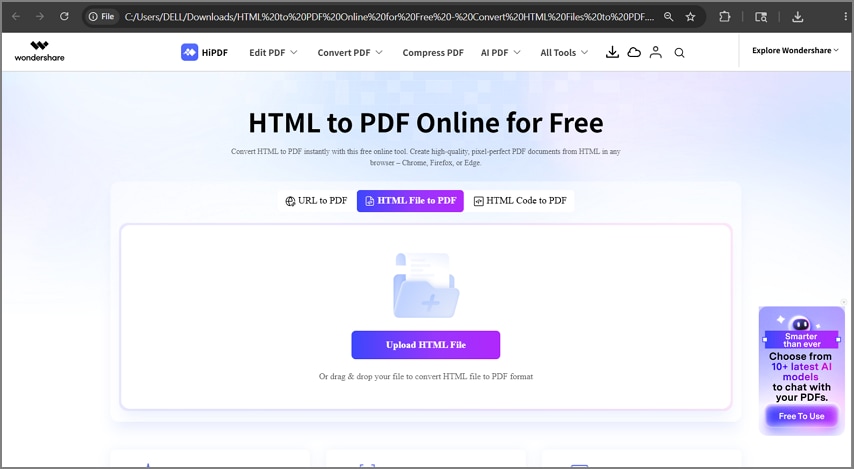
Step 1Open an MHTML File in a Browser
First, open an MHTML file in any browser. File support can vary by browser and OS. Many browsers, like Chrome and Edge, may open MHTML files depending on settings and file behavior. Next, inspect images, fonts, and long page sections.
Step 2Use Save as PDF
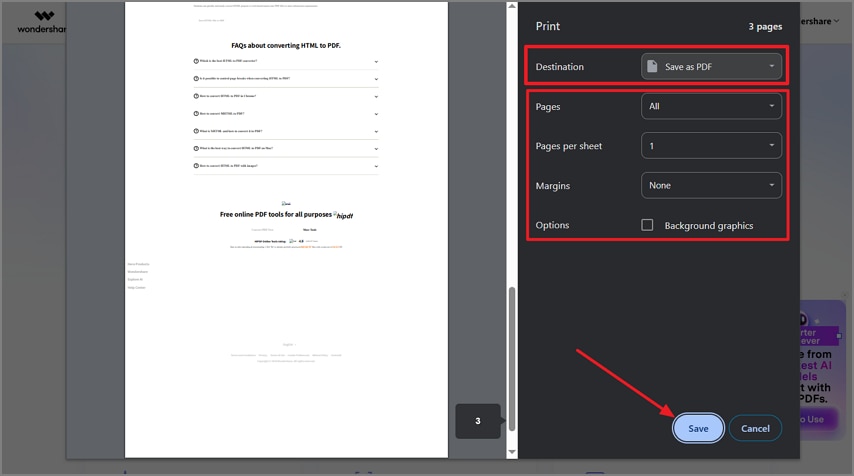
Afterward, press Ctrl + P and choose Save as PDF. Adjust the margin and layout settings, then click the Save button.
Step 3Check the Output
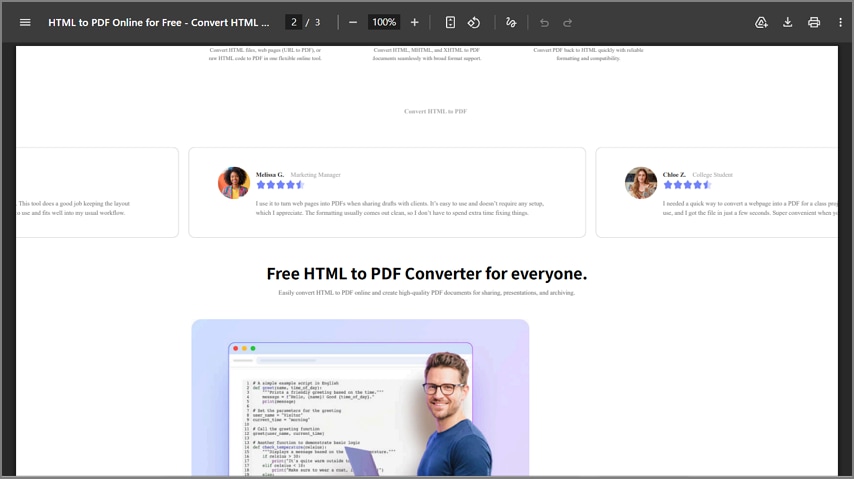
Lastly, open the PDF output and check orientation, page breaks, images, and links.
Part 7. How to Convert MHT to PDF?
MHT and MHTML are closely related web archive formats that store full web pages in one file. Most tools and workflows that handle MHTML can also serve as effective MHT-to-PDF converters. If one online converter rejects an .mht file, switch to another service that clearly supports MHT.
You can also open the .mht file in a compatible browser and print or save it as a PDF. Do not assume every browser or converter will support every MHT file, because compatibility varies.
Part 8. Can You Convert MHTML to PDF on Mobile?
Some mobile apps, especially on Android, claim they can convert MHTML or MHT files into PDF. Before using any mobile converter, always review its permissions, privacy policy, and data access requirements. For iPhone or iPad, support depends on whether installed apps can open, share, or print these files.
These options can help when you already have the web archive on your phone or tablet. However, the main focus remains on desktop, browser, and online workflows for converting an MHTML file to PDF.
Part 9. How to Convert MHTML to PDF Without Losing Formatting
Now, look at the simple points below before starting to learn how to convert MHTML to PDF. Perfect formatting is not always possible because pages depend on scripts, styles, and resources.
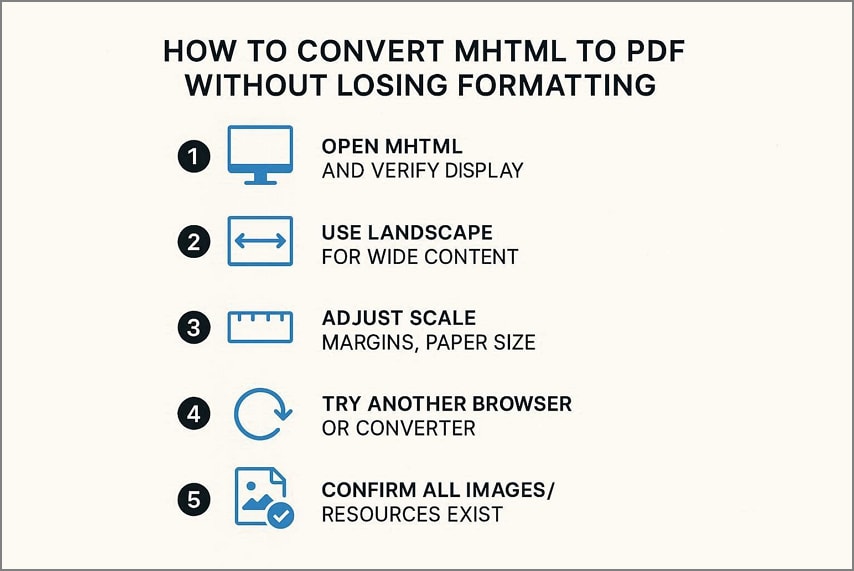
- First, open the MHTML file and check that everything displays as expected.
- Use landscape mode when pages have wide tables, charts, or dashboard layouts.
- Adjust print scale, margins, and paper size before saving the PDF file.
- Try another browser or converter when images, fonts, or spacing still look wrong.
- Make sure the original web archive actually contains all needed images and resources.
Part 10. What Are Common Problems When Converting MHTML to PDF?
Many users face layout, image, size, or link issues when they convert a web archive to PDF. So, let’s list each common problem with a simple cause and fix.
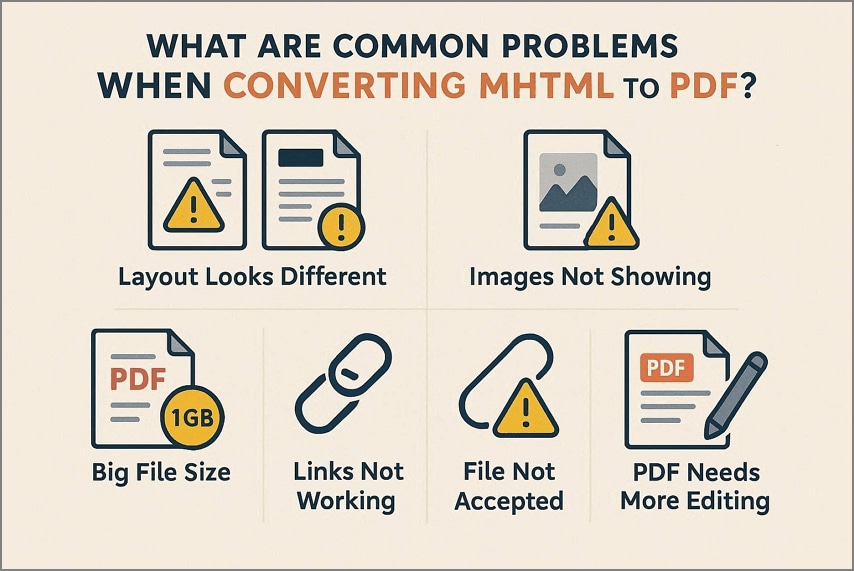
1. Layout Looks Different
Sometimes the PDF layout changes because the browser or converter reads the page differently. You can fix this by adjusting the scale and margins, or by trying another browser.
2. Images Not Showing
Images may not appear when the MHTML file or converter misses some image data. Open the file first to check images, then convert again with better settings.
3. Big File Size
The PDF can become very large due to long pages and large images. You can compress the PDF later with a good PDF tool to reduce its size.
4. Links Not Working
Links may stop working because the converter changes how clickable areas work inside pages. After conversion, test each link and repair or add links with a PDF editor.
5. File Not Accepted
Sometimes the converter refuses the file due to the size limit or unsupported format. You can try another tool that supports MHTML or use print to PDF.
6. PDF Needs More Editing
The converted PDF may look rough and still need changes for a clean result. You can open it in PDFelement to edit, comment, sign, or manage pages.
Part 11. Which Works Better: Online Converter, Browser Method, or Desktop Workflow?
You have several ways to convert an MHTML file to PDF with tradeoffs. The table below shows when each option works best and what to watch.
| Method | Best Use Case | Main Downside |
|---|---|---|
| HiPDF HTML to PDF | Quick online jobs with non-sensitive web files | Upload, account, privacy, and internet limits |
| Other Online Tools | Backup choice when one service will not work | Support and output quality can differ |
| Browser Print-to-PDF | Free local savings when the page loads correctly | Browser support and layout changes |
| Conversion via Desktop | Private, large, or frequent conversions on a computer | Needs installed software |
| PDFelement Post Conversion | Editing, OCR, shrinking, marking, signing, or organizing finished PDFs | Only works after conversion |
| Mobile App Workflow | Converting files already stored on a phone | App permissions and result quality vary |
Part 12. How HiPDF and PDFelement Work Together for MHTML to PDF?
HiPDF works as an online tool to convert MHTML to PDF from your browser. After conversion, PDFelement helps you handle the new PDF in a detailed way. The desktop app can fit into everyday document tasks at home or school.
Using both together creates a simple flow from online conversion to local document handling. This workflow keeps the first step online, then moves bigger changes to your computer.
Practical PDFelement Features
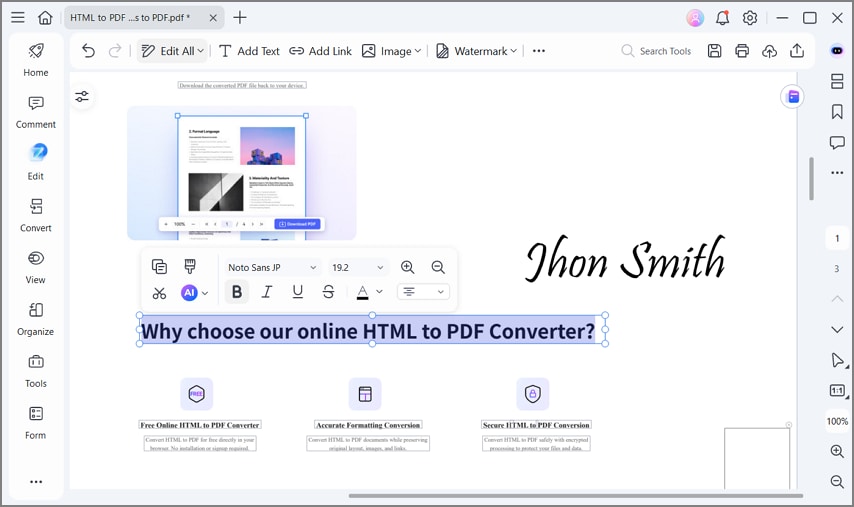
- Text Editing: A report from a web page can be fixed later when a typo appears.
- File Compression: Large converted documents become easier to email when their size is reduced.
- Comments and Highlights: Team members can review a shared PDF and mark important points for later discussion.
- Signatures and Approval: Forms or agreements sent as PDFs can be signed before returning them to others.
- Page Cleanup: Old or extra pages in a long document can be removed to stay focused.
- Make Text Searchable: Scanned pages turn into searchable text, helping students quickly find topics while studying.
- Password Protection: Confidential reports stay private when a password stops others from opening the file.


 G2 Rating: 4.5/5 |
 100% Secure
FAQs
-
What is the easiest way to convert MHTML to PDF?
Online tools or a PDF converter for MHTML files are usually the simplest option. -
Can I convert MHTML to PDF for free?
Yes, many online converters let you upload an MHTML file and download a free PDF. -
Is MHTML the same as MHT?
Yes, MHTML and MHT are different extensions for the same web archive format. -
Can I convert MHTML to PDF without uploading the file online?
Yes, use desktop software or browser print to PDF on your own computer. -
Why does my converted PDF look different from the MHTML file?
Layout can change because browsers, converters, fonts, and styles do not render identically. -
Why are images missing after converting MHTML to PDF?
Sometimes the archive misses resources, or the converter cannot load linked image files. -
What should I do if an online converter does not support my MHT file?
Try another MHT file to PDF online service, a desktop converter, or print directly to PDF. -
How do I reduce the size of a converted MHTML PDF?
Use compression in tools like PDFelement, then save a smaller version. Smaller files send easily by email and upload faster to sites. -
Can I edit the PDF after converting from MHTML?
Yes. Open the PDF in an editor that allows basic content changes easily. Tools like PDFelement can update text, adjust layout, and refine page flow. -
Can I use HiPDF to convert MHTML to PDF?
Yes, HiPDF and similar online platforms support converting MHTML or MHT files to PDF. -
What can PDFelement do after I convert MHTML to PDF?
It can edit text, add comments, or organize pages in documents. These options help clean the file before sharing, archiving, or printing.
Conclusion
In conclusion, MHTML and MHT files work with many MHTML to PDF converter options. Online tools suit quick jobs, while browser or desktop methods better respect privacy and heavier work. After conversion, a PDF editor such as PDFelement can refine layout, size, comments, security, and pages.


![All the Methods to Convert a PDF to Black and White [2026]](https://images.wondershare.com/pdfelement/images2026/pdf-like-article-3.png)

