

In this article
- Can FOB files be converted to PDF directly
- What kind of FOB file exists
- What is an FOB file
- Why FOB files cannot be directly converted to PDF
- How to turn a Dynamics NAV FOB file into PDF documentation
- How to convert IBM/FileNet image-based FOB files to PDF
- Can an online FOB to PDF converter be used
- What not to do with FOB files
- How PDFelement helps after FOB content becomes PDF
- What problems users face when converting FOB to PDF
- Best practices for handling FOB files safely
Many users searching for FOB to PDF assume that FOB is a normal file type like Word, JPG, or PNG. In reality, FOB files are usually tied to enterprise systems and often do not behave like ordinary readable documents.
Most FOB files are connected to Microsoft Dynamics NAV, Navision, or IBM/FileNet environments. Because of that, converting them to PDF is rarely a simple one-step action. This guide explains what FOB files actually are, how to identify the source, and when PDF conversion is realistically possible.
Part 1. Can FOB Files Be Converted to PDF Directly?
FOB-to-PDF conversion is only possible after identifying the real file type and source system. Most FOB files come from Microsoft Dynamics NAV or Navision and store application objects rather than readable document content. These files usually need to be opened, imported, or exported through Dynamics NAV or Business Central-compatible tools first.
Some IBM/FileNet-related FOB files may be closer to image-based content and can sometimes move through a TIFF-to-PDF workflow. After that stage, tools like PDFelement can help OCR, compress, organize, and protect the final PDF.
Part 2. What Kind of FOB File Exists?
FOB is not one single universal format. The meaning depends heavily on where the file came from. Checking the source system first helps prevent the wrong conversion path.
| FOB Situation | Likely Meaning | Best Next Step |
|---|---|---|
| From the Dynamics NAV/Navision system | ERP object container file | Open with NAV or Business Central tools, then export documentation |
| From IBM FileNet/Image Services | Image-based enterprise file | Convert using IBM workflow to TIFF or PDF |
| Looks like an image file | Possibly a misnamed extension | Test safely before processing |
| Unknown source and unclear format | Wrong extension from image export | Identify the system before any conversion |
Part 3. What Is An FOB File?
An FOB file commonly refers to a Dynamics NAV object file that stores items such as tables, forms, reports, code units, and related application objects. This means it is not a standard document format that opens like Word, Excel, or an image.
In some IBM/FileNet environments, the FOB extension may instead point to image-based or archived enterprise data. Users should also avoid confusing FOB with similar-looking extensions such as VOB or other unrelated file types.
Part 4. Why FOB Files Cannot Be Directly Converted to PDF?
FOB files do not follow a simple open and convert workflow like normal office or image files. Several technical reasons explain why direct conversion usually fails.
- Object-based structure: FOB files often store application objects instead of readable page content.
- ERP and development usage: They are built for import and management inside enterprise tools, not ordinary document viewers.
- Incompatibility with generic converters: Most online converters cannot interpret the internal FOB structure correctly.
- Security and confidentiality risks: Company FOB files may contain business logic, system customization, or sensitive records.



 G2 Rating: 4.5/5 |
 100% Secure
Part 5. How to Turn a Dynamics NAV FOB File into PDF Documentation?
Instead of treating this as a direct file conversion, handle it as a documentation and export workflow inside the correct ERP environment.
Step 1Confirm the file comes from Microsoft Dynamics NAV or Navision
Verify that the FOB file originates from Microsoft Dynamics NAV or Navision before any processing starts. When possible, open or import it only in a safe Dynamics NAV environment or a trusted development setup.
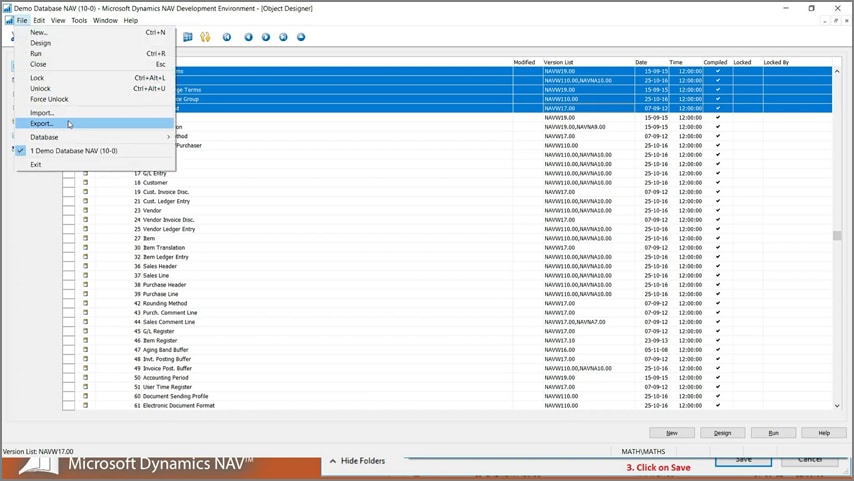
Step 2Export readable object information
Export readable content such as object lists, object text, reports, or related documentation into TXT or another compatible format that can be reviewed outside the ERP container.
Step 3Create the PDF from exported content
Save or convert the exported information into PDF using standard PDF creation tools or a print-to-PDF workflow.
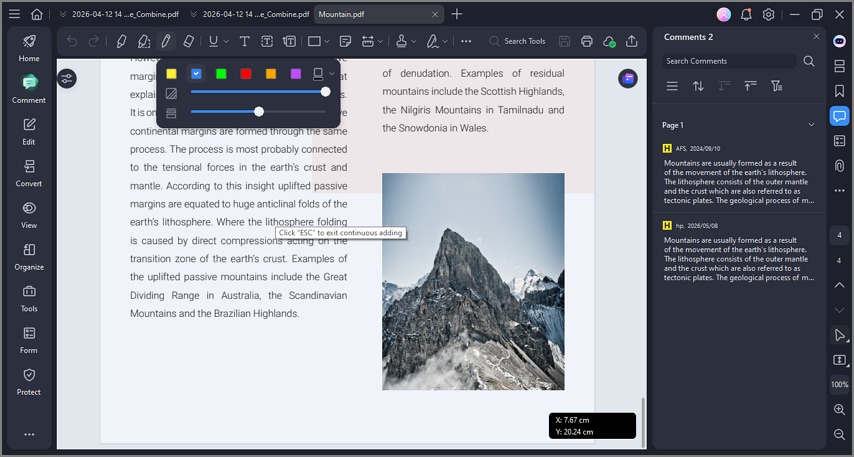
Step 4Refine the final documentation in PDFelement
Use PDFelement to merge related PDFs, add annotations about object changes, compress large documentation files, and protect the finished archive when needed.
Part 6. How to Convert IBM/FileNet Image-Based FOB Files to PDF?
In IBM/FileNet environments, some FOB files may represent image-based records rather than ERP object containers. That makes conversion more realistic, but only when handled inside the proper enterprise workflow.
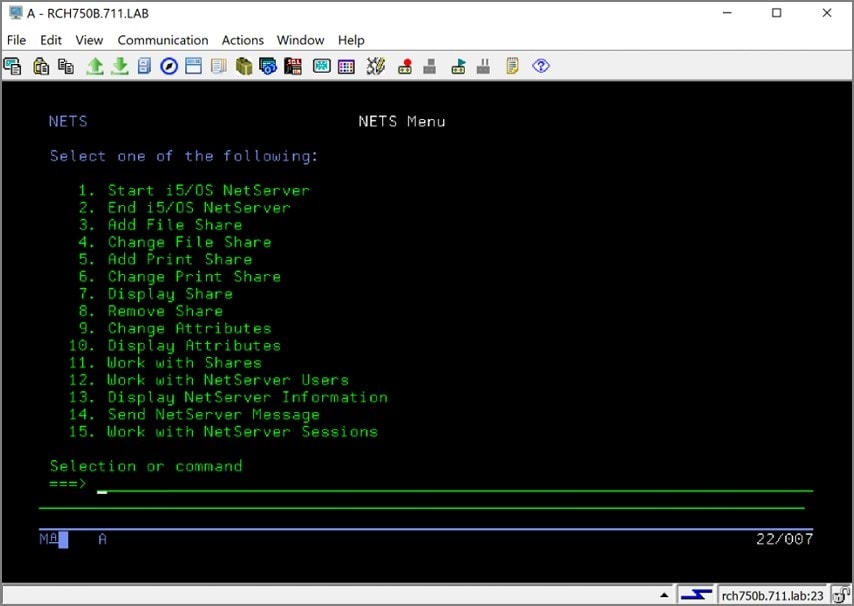
Step 1Retrieve the original content through the approved IBM workflow
Some files may reference image content that a viewer cannot display directly without extra processing. Use the approved IBM, IDM, or Image Services workflow to retrieve the original native file before attempting conversion.
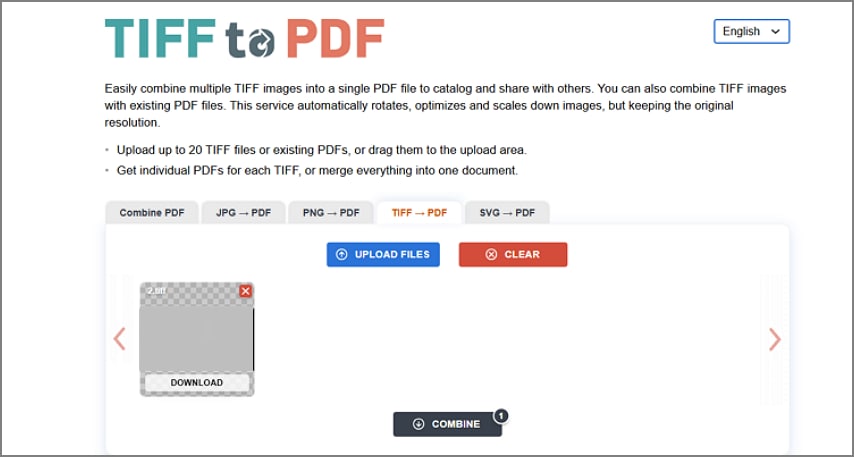
Step 2Convert TIFF or extracted image output to PDF
If the extracted output is TIFF or another image format, convert that file into PDF using a reliable image-to-PDF method.
Step 3Apply OCR and compression after conversion
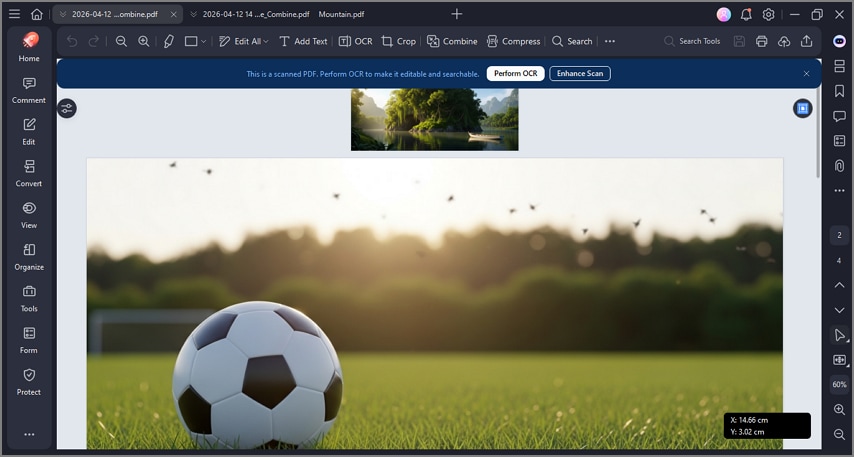
PDFelement can OCR scanned pages, compress large PDFs, and merge related records into one document after conversion.
Step 4Ask the system administrator when access is limited
Contact the system or records administrator if the required IBM/FileNet environment, APIs, or export permissions are unavailable.
Part 7. Can the Online FOB to PDF Converter be Used?
Converting FOB to PDF online may sound convenient, but it usually creates more risk than value. FOB formats are not standardized in the same way as common office files.
- Some generic file converter websites claim FOB-to-PDF support, but the results are often partial or unreliable.
- Dynamics NAV or Navision FOB files should not be uploaded to unverified websites because they may contain ERP customizations or sensitive company logic.
- IBM/FileNet FOB files depend on enterprise imaging workflows and should be handled within approved internal systems.
- Because FOB is not one universal format, generic converters cannot reliably interpret every variant.
Part 8. What Not to Do with FOB Files?
Mistakes happen easily when the FOB extension is misunderstood. The precautions below help reduce corruption, data loss, and security issues.
- Do not rename a Dynamics NAV FOB file to PDF and expect it to convert.
- Do not assume every FOB file is an image just because one enterprise workflow uses image-based content.
- Do not treat every FOB file as a Dynamics NAV object without checking the source first.
- Do not upload ERP or business-sensitive FOB files to unknown online converters.
- Do not edit or import FOB files into production systems without IT or administrator approval.
Part 9. How PDFelement Helps After FOB Content Becomes PDF
Wondershare PDFelement is useful after FOB-related content has already been exported or converted into a readable document. It does not directly process Dynamics NAV or IBM/FileNet FOB files, but it becomes very practical once the output is available as PDF, text, or image-based documentation.
- Convert scanned or image-based IBM/FileNet outputs into editable and searchable text with OCR.
- Merge NAV reports, screenshots, and exported files into one structured PDF.
- Compress large technical or archival PDFs for easier sharing and storage.
- Insert annotations for developer notes, audit feedback, or compliance review.
- Use bookmarks and page management to improve navigation in long reports.
G2 Rating: 4.5/5 |100% Secure
Part 10. What Problems Users Face When Converting FOB to PDF
Users often hit system-specific errors or dead ends when they try to convert FOB files like normal documents. These are some of the most common issues and the best next steps.
The FOB file cannot be recognized by any PDF converter
Likely cause: It is a Dynamics NAV or Navision object container rather than a readable document format.
Fix: Open or export it using Dynamics NAV or compatible ERP tools, then generate PDF documentation from the exported content.
The file opens in IBM/FileNet but shows no readable content
Likely cause: The FOB is stored as a system-level object or an incomplete image reference.
Fix: Use IBM/FileNet export or imaging-services workflows to retrieve the actual content before converting to PDF.
The PDF output contains only images instead of text
Likely cause: The conversion was done from screenshots or scanned image data.
Fix: Apply OCR using tools like Wondershare PDFelement to make the text searchable and editable.
The converted PDF loses structure or formatting
Likely cause: FOB content was not exported into a properly structured document before conversion.
Fix: Re-export from the source system as a report or another structured file before creating the PDF.
Part 11. What Are The Best Practices for Handling FOB Files Safely?
Safe handling matters because many FOB files belong to business systems and may contain sensitive operational data.
- Confirm the file source before opening or processing it.
- Consult IT or ERP administrators when files come from business or enterprise systems.
- Maintain a secure backup of the original FOB file for recovery or audit purposes.
- Use trusted internal Dynamics NAV or IBM/FileNet tools for safe access and export.
- Avoid uploading proprietary FOB files to public online converters.
FAQs
-
Can I convert an FOB file directly to PDF?
Most FOB files cannot be converted directly to PDF because they are not standard document formats. The content usually has to be opened or exported through the correct business or imaging system first. -
What is an FOB file?
An FOB file is commonly associated with Microsoft Dynamics NAV or IBM/FileNet enterprise systems. It may contain application objects, image-based content, or other system-level business data. -
Is an FOB file a document or a Dynamics NAV object file?
Most FOB files are Dynamics NAV object container files rather than normal readable documents. They are mainly used in ERP development and enterprise data workflows. -
Why will my FOB file not open in a PDF converter?
Generic PDF converters usually cannot interpret the internal structure of FOB files. Specialized ERP or imaging workflows are normally required before PDF creation becomes possible. -
How do I convert a Dynamics NAV FOB file to PDF?
First open or export the FOB content using Dynamics NAV or compatible business tools. After exporting readable reports or documentation, convert that output into PDF. -
Can I export FOB objects to TXT before making a PDF?
Yes, in some workflows Dynamics NAV objects can be exported into TXT format for documentation or comparison. That TXT output can then be converted into PDF with standard tools. -
What if my FOB file is from IBM FileNet?
IBM/FileNet FOB files may contain image-based or archived enterprise content rather than ERP objects. The content often needs to be extracted into TIFF or another readable format before PDF conversion. -
Is it safe to upload an FOB file to an online converter?
No, not by default. Uploading FOB files to unknown online converters can expose sensitive ERP, business, or records-management information. -
Can PDFelement open FOB files directly?
PDFelement cannot directly interpret Dynamics NAV FOB files. It becomes useful after the source content has already been exported or converted into PDF or another compatible format. -
How can PDFelement help after I convert or export FOB content?
PDFelement can OCR scanned PDFs, merge reports, compress large files, add annotations, apply protection, and improve long-term PDF organization after export.
Conclusion
FOB-to-PDF conversion depends almost entirely on the file’s origin and the enterprise system behind it. Dynamics NAV FOB files usually require ERP-based export and documentation before any PDF can be created, while some IBM/FileNet workflows may follow an image-to-PDF path.
Direct conversion is generally not supported. Once the content has been safely exported, however, PDFelement can help organize, compress, OCR, annotate, and manage the final PDF for professional use.


![All the Methods to Convert a PDF to Black and White [2026]](https://images.wondershare.com/pdfelement/images2026/pdf-like-article-3.png)

