

Command-Shift-Space now selects any window on a Mac, PDFs included, and lets you ask Siri about what it shows. With a rebuilt Siri and a clearer Liquid Glass design, that shortcut makes PDF reading on macOS 27 more interactive. Long documents test patience, whether the issue involves small text beneath a translucent toolbar or a figure buried deep within an appendix.
Furthermore, research rarely stops at a single file, because one report frequently depends on several others. Golden Gate, as Apple calls macOS 27, improves the interface and answers quick questions about a page. A dedicated PDF reader such as PDFelement goes further, with a restyled Mac design and a workspace that lets you read several documents at once.


 G2 Rating: 4.5/5 |
 100% Secure
In this article
Part 1. What's New in macOS 27 Golden Gate
Before you learn how the changes affect PDFs, see what macOS 27 adds first. Four updates shape PDF reading on macOS 27, although Apple built none of them for documents alone. Three come from Apple Intelligence, and the fourth refines the Liquid Glass design that frames every window.
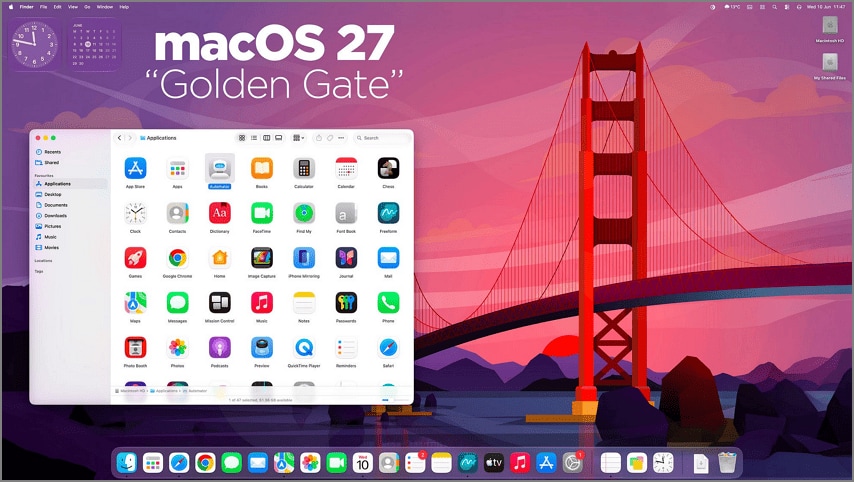
- New Siri AI: Rebuilt on Apple Intelligence, the assistant now responds to what your screen shows. It launched in beta in English, with French, Japanese, Korean, Portuguese, and Spanish coming in October.
- Visual Intelligence Comes to Mac: First seen on iPhone, it handles any window you select, and Siri can answer questions or act on what it finds.
- Refined Liquid Glass Design: Apple improved contrast and window shadows for readability and added a slider that sets the glass from transparent to opaque.
- Apple Intelligence Across More Apps: Safari groups open tabs by topic, Finder suggests file names, and Shortcuts builds automations from a plain description.
Part 2. How macOS 27 Changes the Way You Read PDFs
The macOS 27 changes matter once a PDF is actually open. For PDF reading on macOS 27, the biggest differences are a clearer interface, direct questions about what is on the page, and more help with dense documents.
A Better Reading Interface
Appearance comes first, since a PDF opened in Preview now sits beneath a Liquid Glass toolbar. Apple says the update improves contrast and makes refraction more uniform. A new slider lets you adjust Liquid Glass from ultra-clear to fully tinted.
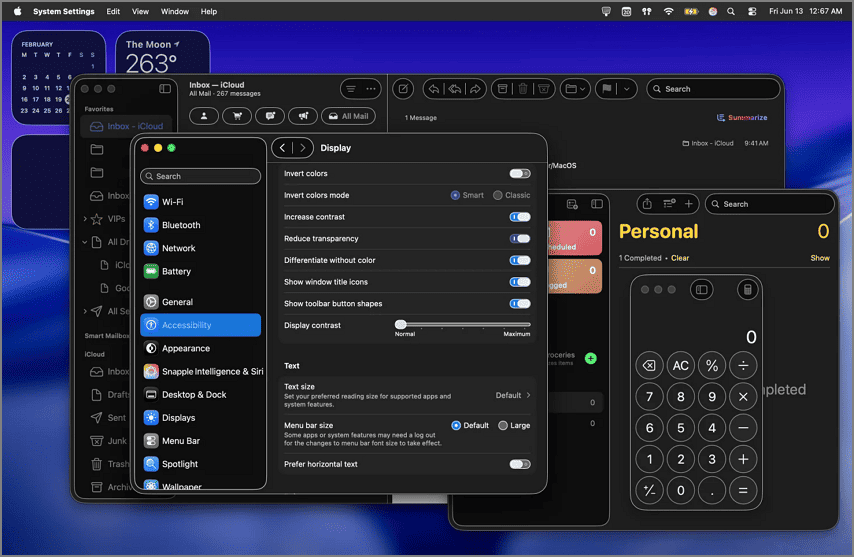
If toolbar controls are hard to see, go to System Settings > Accessibility > Display. You get options like Increase Contrast, Reduce Transparency, and Show toolbar button shapes, which adds visible borders around toolbar controls.
Smarter On-Screen Interaction
Once the page reads clearly, Visual Intelligence turns the window you select into something Siri can act on. Apple specifically shows PDF regions as supported onscreen content. Siri can also act on recognized information, such as adding an event to Calendar. This means you no longer have to copy a date, chart, diagram, or unfamiliar term into another app before you ask about it.
More AI-Assisted Reading
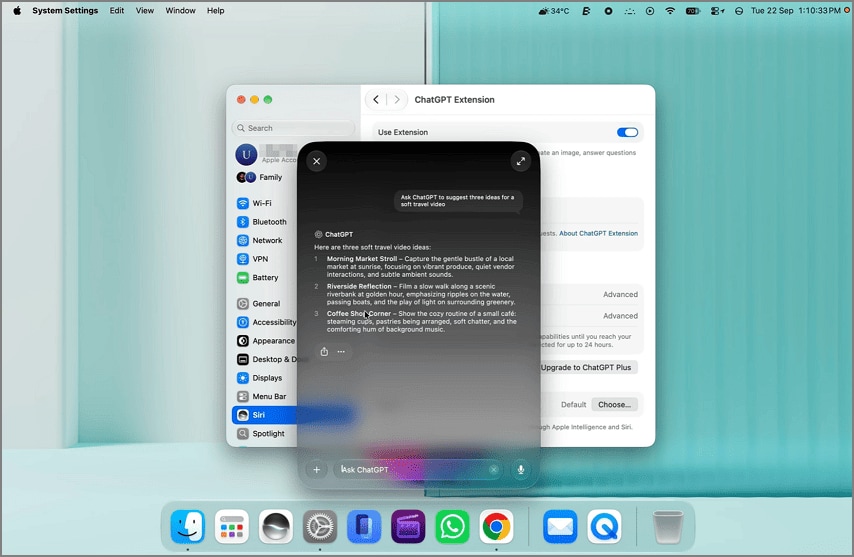
Siri AI can explain onscreen material and answer follow-up questions about it. Apple also lets you select documents in Finder and ask Siri questions across them, such as comparing information in two reports. For longer summaries, Siri can use the ChatGPT extension to summarize an open PDF. Write with Siri can summarize text, proofread notes, rewrite them, or give feedback on what you wrote.
Part 3. A PDF Reader Built for the New macOS 27 Experience
macOS 27 improves what happens around a PDF, while PDFelement V13 adds tools for working inside the documents themselves.
Refreshed Visual Experience for macOS 27
The refreshed interface comes first, as V13 restyles the Mac app to match the Liquid Glass look of Golden Gate's own windows. Wondershare also says the update opens and renders documents faster, even large ones, and makes page-to-page browsing feel smoother.
Read Multiple PDFs in AI Space
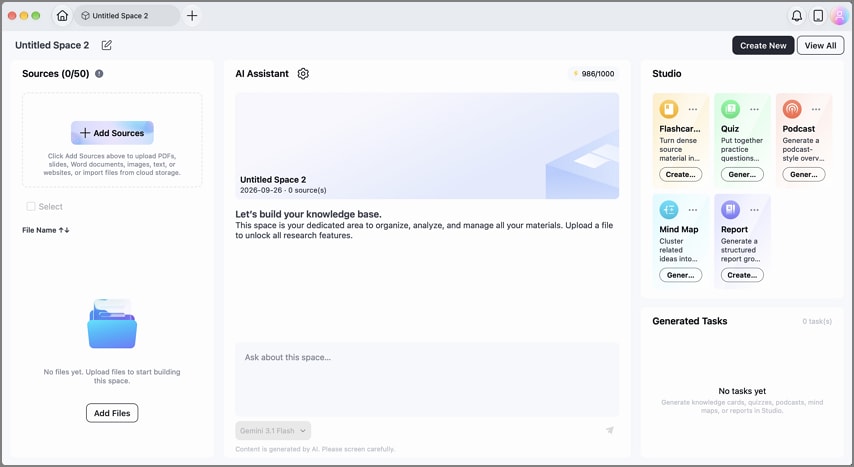
Alongside the new look, the release introduces AI Space, a workspace that holds related files so you can read them as a set. For PDF reading on macOS 27 that spans a course or project, it accepts PDFs, slides, Word files, images, text, and YouTube links.
Chat with Multiple PDFs
AI Space can answer questions across several files at once rather than limiting the conversation to one PDF. PDFelement also says answers include source references, and you can jump from a cited answer back to the supporting content in the original document.
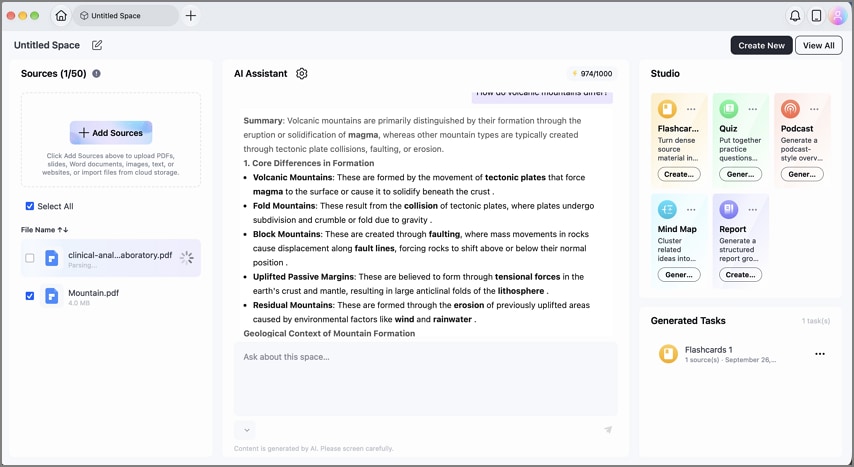
Summarize Multiple PDFs Together
You can ask AI Space for an overview of material spread across the collection or ask comparison questions about the documents. This works well for research papers, reports, or course readings that cover the same topic from different angles.
Turn What You Read into Reports and Mind Maps
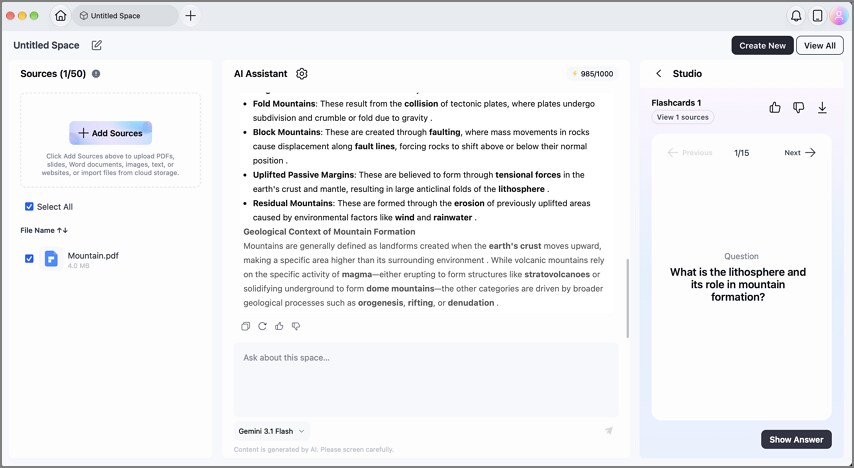
After you finish reading, the same Space can produce reports, mind maps, quizzes, flashcards, and podcasts from its sources. A report briefs a colleague, while a mind map shows how the ideas connect.
Frequently Asked Questions
Can Visual Intelligence understand PDF content on macOS 27?
It can, as long as the part you need is visible when you select the document's window. From there, Siri explains, summarizes, or translates what you see, supporting PDF reading on macOS 27 one screen at a time.
Can AI read multiple PDFs?
Siri AI compares documents shown on your screen, while AI Space in PDFelement draws on every file you add to a project. Each AI Space answer cites the source file and passage, so claims from different PDFs stay easy to check.
Is PDFelement compatible with macOS 27?
Yes, PDFelement for Mac supports Apple silicon, the chip family every Golden Gate Mac uses, and needs only macOS 11 or later. The V13 release adds AI Space and, according to Wondershare, faster rendering of large files.
Final Takeaway
PDF reading on macOS 27 now benefits from clearer glass, onscreen actions, and AI help that explains or translates a page on request. Show Borders and the transparency slider tune the interface around the page, while Visual Intelligence and Siri AI handle quick questions.
PDFelement's V13 release builds on that experience with a refreshed Mac interface and AI Space for questions that span several PDFs. For research built on more than one file, this PDF reader is worth adding once you've upgraded.
G2 Rating: 4.5/5 |100% Secure




