

You open a contract on your Mac, and you come across clauses that are difficult to understand, struggle to spot what changed between two versions, or need to remove sensitive information before sharing a document. When these tasks pile up, switching between different tools is time-consuming.
With macOS 27 bringing a refreshed experience and new capabilities to Mac, it's a good time to rethink how you handle contracts. What should a modern contract tool offer to make contract management simpler on macOS 27?


 G2 Rating: 4.5/5 |
 100% Secure
What Is Contract Management?
Contract management is the process of managing a contract throughout its lifecycle, from identifying a business need and drafting an agreement to reviewing, negotiating, signing, monitoring, renewing, or terminating it.
1. Contract Request & Planning
This is where the contract process begins. Teams identify why a contract is needed, who is involved, what type of agreement is required, and what key terms or requirements need to be included.
2. Contract Drafting
The contract is created based on the business requirements, often using a template or an existing agreement as a starting point. Key information, terms, responsibilities, pricing, and other conditions are added or customized.
3. Contract Review
The draft is reviewed to check whether its terms are clear, complete, and appropriate. This may involve identifying potential risks, unclear clauses, missing information, or terms that need to be revised.
4. Internal Approval
Before a contract is sent to the other party, it may need approval from relevant people or departments, such as legal, finance, management, or compliance teams. The approval process helps ensure that the agreement meets internal requirements.
5. Contract Negotiation
The parties review the proposed terms and may request changes to items such as pricing, responsibilities, deadlines, or legal conditions. The contract may go through several rounds of revisions before both sides reach an agreement.
6. Version Management & Comparison
Contract negotiations often create multiple versions of the same document. Version management helps teams keep track of different drafts.
7. Contract Signing
Once the terms are finalized and approved, the contract is signed by the relevant parties. This stage may involve sending signature requests, completing electronic signatures, and tracking whether all required parties have signed.
8. Contract Distribution & Information Protection
After or during the signing process, contracts may need to be shared with clients, partners, employees, or other third parties. Before sharing, sensitive information may need to be reviewed or redacted to protect confidential or personal data.
9. Contract Storage & Organization
Completed contracts need to be stored in an organized and accessible way. This makes it easier to find the correct version, retrieve historical agreements, and keep contract-related records in one place.
10. Contract Performance & Obligation Tracking
Contract management continues after signing. Teams may need to track deadlines, payments, deliverables, renewal dates, and other obligations to make sure both parties fulfill their responsibilities.
The Contract Management Tool Worth Adding to Your macOS 27
Start a Contract from Scratch or a Template
When you need to create an agreement, PDFelement gives you two ways to get started. You can describe what you need with the AI assistant to develop a contract outline and draft clauses, giving you a starting point instead of working from a blank page. You can also choose an existing contract template from the Template Mall and customize the content to fit your specific requirements.
Review Contracts
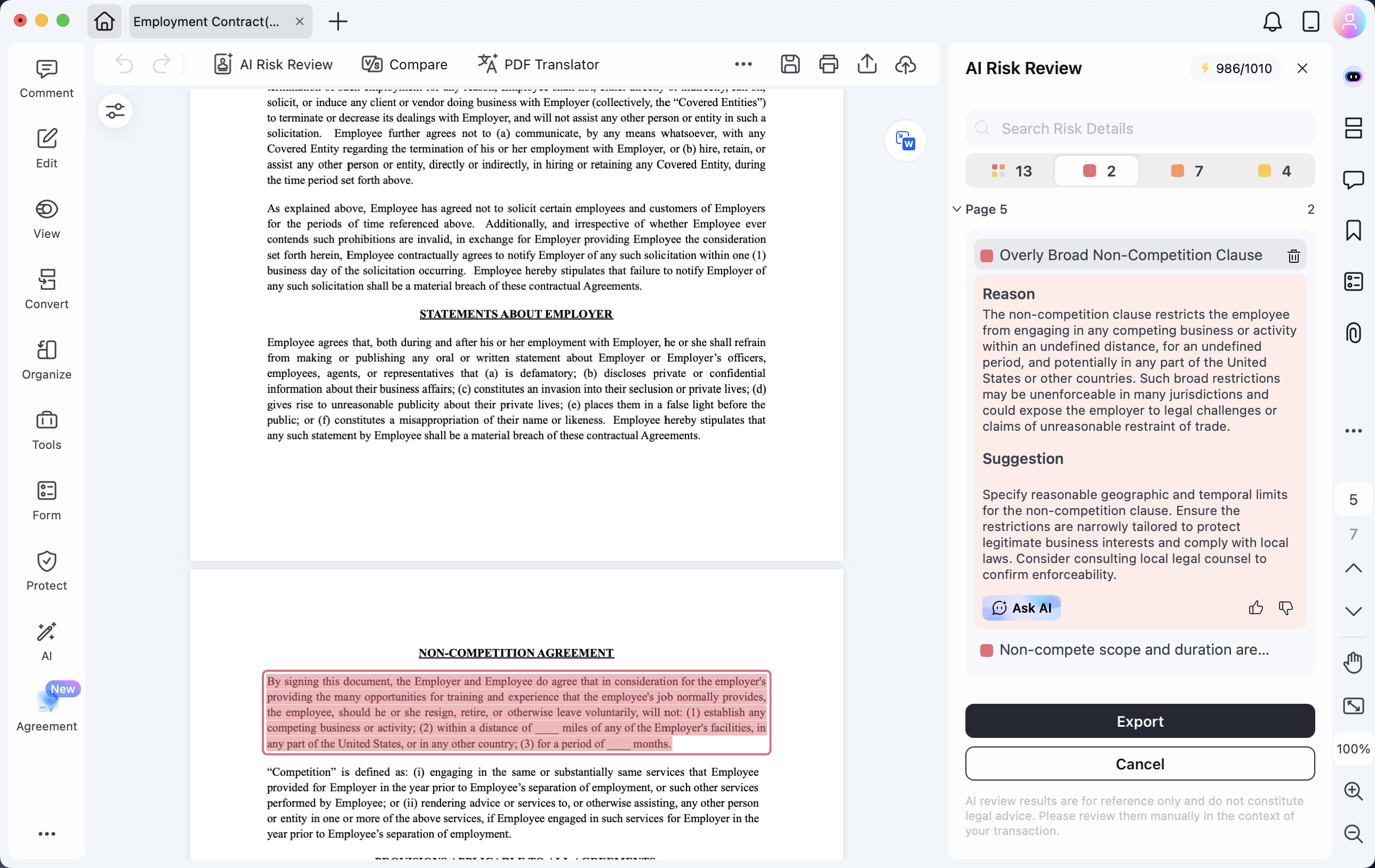
Once a contract is ready, you can review it with AI. You can specify your position, review approach, and agreement type before starting the analysis. PDFelement then identifies clauses that may require attention, explains why they may present a risk, and provides suggested revisions. You can also jump from a flagged item back to the original clause and use Ask AI for additional clarification.
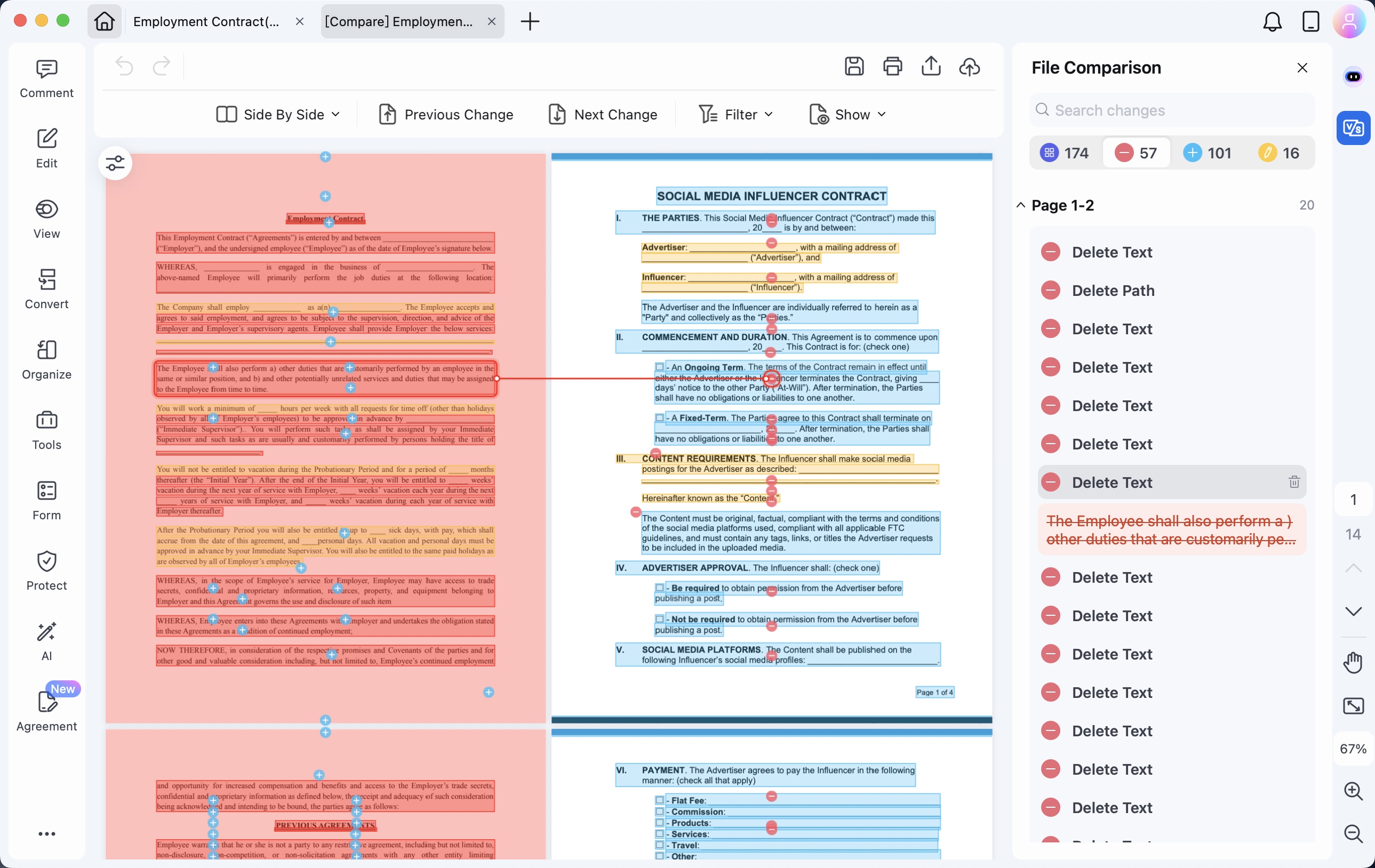
Compare Contract Versions Side by Side
Contracts often go through multiple rounds of revisions. With the Compare feature, you can view two contract versions side by side and quickly identify additions, deletions, and other changes. This makes it easier to see what has changed before moving forward with the latest version.
Translate Contracts
For contracts involving different languages, contract translation helps you work with the agreement without losing the original context. You can translate an entire contract within a few seconds while keeping the original text available for reference, making it easier to review wording across languages.
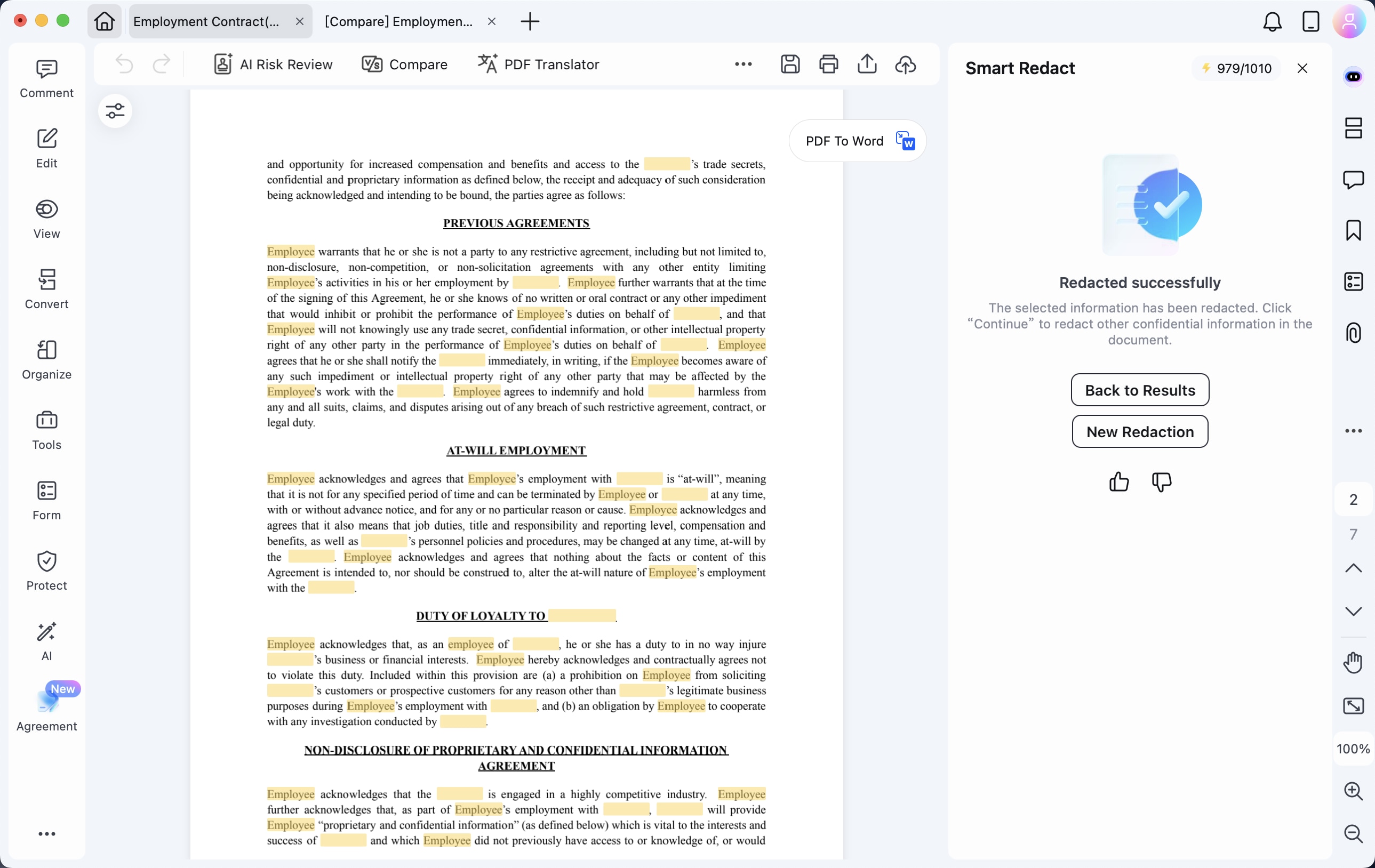
Redact Sensitive Information
A contract may be ready for review but still contain information that should not be shared. Smart Redact can automatically detect sensitive information and smartly redact the content before the document is distributed.
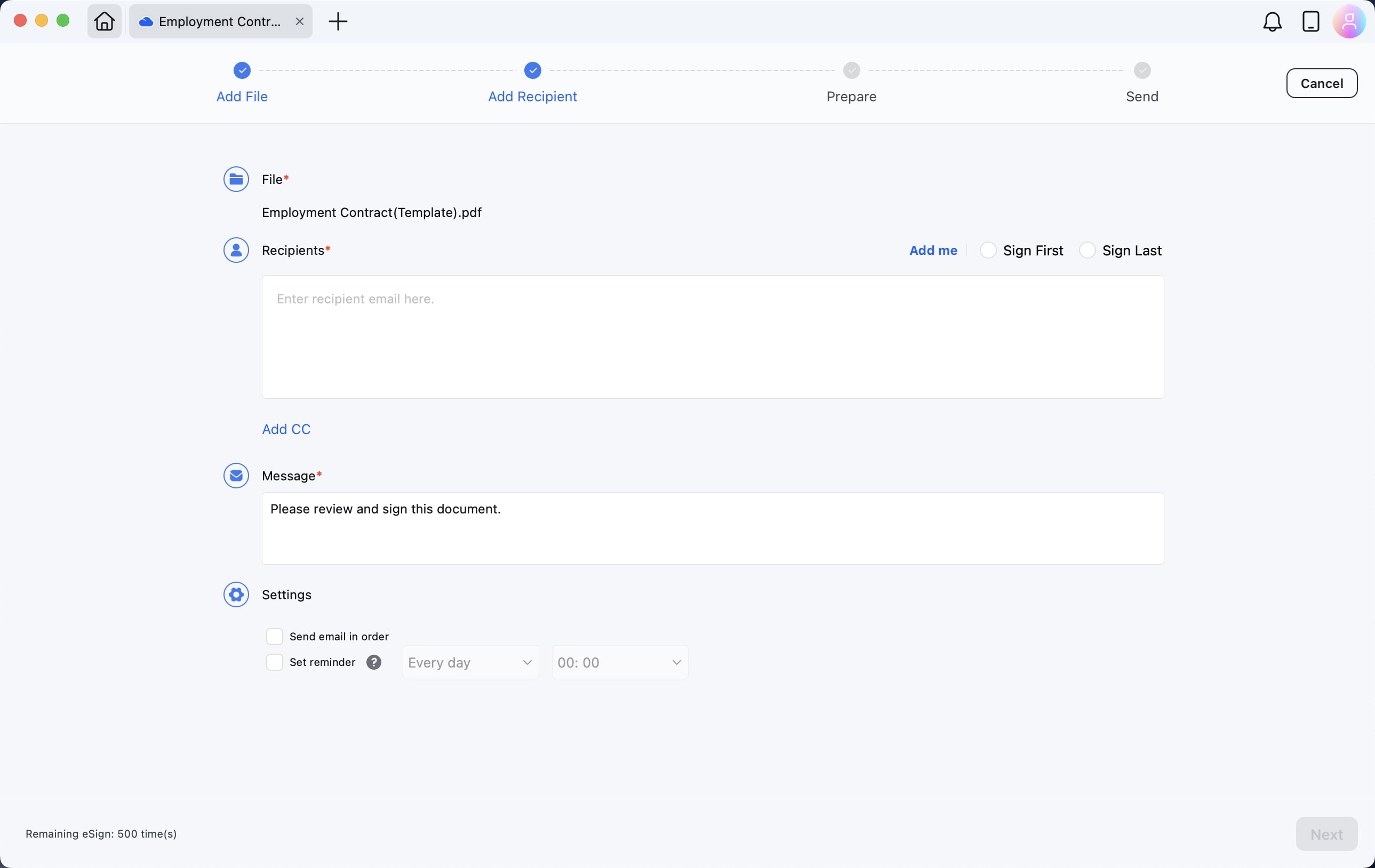
Send Contracts for eSign
After the agreement is finalized, PDFelement can help move it to the signing stage. With Request eSign, you can add recipients, place signature fields, send the document for electronic signature, and track the signing process. PDFelement also supports certificate-based digital signatures, allowing you to create a Digital ID and apply a digital signature directly to a PDF.
Final Takeaway
Managing a contract involves more than getting from one draft to a signed document. Each stage, from understanding the terms and checking revisions to protecting sensitive information and completing signatures, can add time and complexity to your workflow.
As you move to macOS 27, it is worth considering whether your contract tools can keep up with the way you work. With AI-assisted drafting and review, version comparison, translation, redaction, and eSignature in one workflow, PDFelement provides a practical way to handle more of your contract work in one place.
G2 Rating: 4.5/5 |100% Secure




