

Reading a valuable PDF becomes difficult when its content uses an unfamiliar language. Book-length PDFs create bigger translation problems because many tools have strict processing limits. Large files can lose formatting, skip content, or produce inconsistent terms across chapters.
Scanned books add another challenge because image-based pages require OCR before text translation. Finding a suitable book translation PDF solution requires checking accuracy and layout support. This guide compares 4 AI tools for translating PDF books with fewer common problems.


 G2 Rating: 4.5/5 |
 100% Secure
In this article
Part 1. The Benefits of Using an AI PDF Book Translator
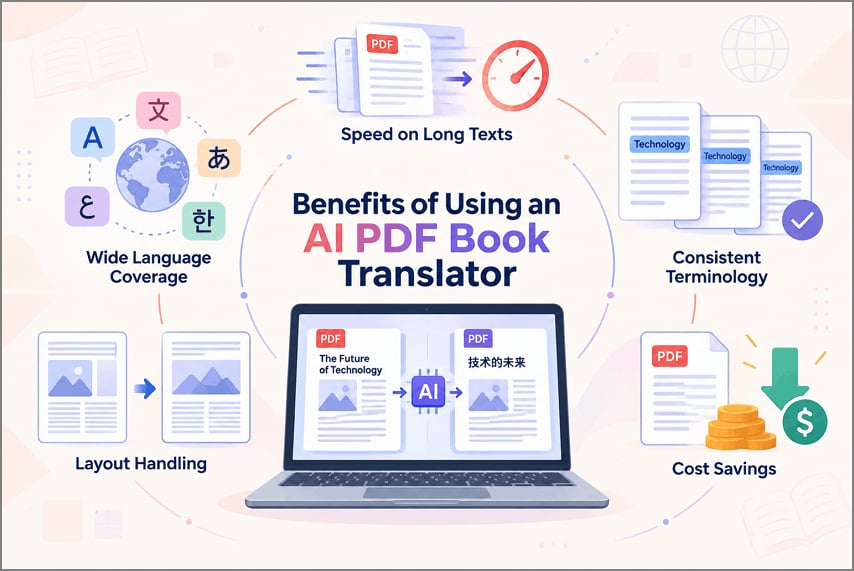
Professional translation delivers strong results, but translating full books can become expensive fast. A PDF book translator reduces translation effort while supporting long documents and languages. Now, let's explore 5 benefits of using AI for translating PDF books:
- Speed on Long Texts: AI tools can process book-length text faster than manual translation. Processing time depends on file size, format, and tool limits.
- Wide Language Coverage: Major AI translation services support many languages and language pairs. This coverage gives readers access to books from different regions.
- Consistent Terminology: AI can help keep repeated terms consistent across book chapters. Terminology controls can reduce unwanted variations in names and technical terms. NIST uses human assessments of adequacy and fluency when evaluating machine translation quality.
- Layout Handling: Some PDF translators retain page structure during the translation process. Results can vary with tables, images, fonts, and complex formatting. Adobe states that scanned PDFs contain image data instead of searchable document text.
- Cost Savings: For a full book, AI can keep translation expenses down. Some plans cap how many pages, characters, or files you process.

Part 2. What Types of Books You Can Translate with AI
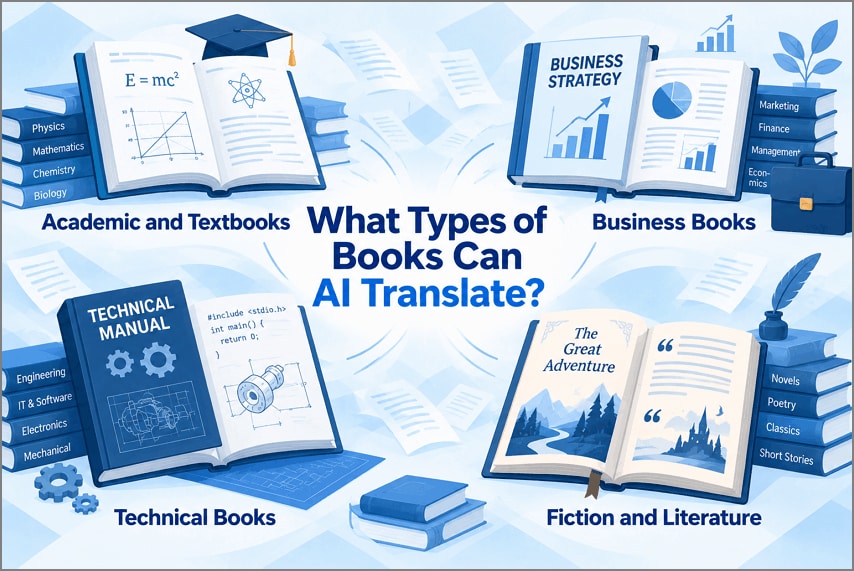
Content type can affect results when you translate a book with AI. Terminology, writing style, and structure also influence the final translation quality. Below are 4 common book categories that work well with AI translation:
- Academic and Textbooks: AI can handle structured educational content across many academic subjects. Formulas, diagrams, citations, and subject terms still require careful review.
- Business Books: Business content often contains repeated concepts, industry terms, and acronyms. Jargon, idioms, and case studies may require extra human review.
- Technical Books: Technical books contain specialized terms, instructions, code, and measurements. Product names, commands, units, and technical details need careful checking.
- Fiction and Literature: AI translation can struggle to preserve the author’s intended voice. Human review helps retain meaning without weakening the original writing style. The U.S. Copyright Office identifies translations as derivative works based on existing works.
Part 3. 4 Best AI Tools to Translate a PDF Book
Different AI tools offer distinct features when you need to translate PDF book files. File size, translation limits, and document support can affect which tool fits your needs. Below, we explore 4 AI tools and what each offers for PDF book translation.
1. PDFelement: Best for an All-in-One PDF Translation Workflow
Scanned PDF books create translation problems because their pages contain image-based text. PDFelement combines OCR, translation, editing, and document tools within one PDF workspace. Its OCR converts scanned book pages into searchable text before starting translation.
The PDF translator supports over 50 languages for diverse book translation needs. It preserves layouts, including clauses, tables, and signatures during the translation process. Translated files remain editable, helping users correct text overflow and formatting issues.
How to Translate a Book in PDFelement
Follow these steps to use the PDF book translator in PDFelement for book translation:
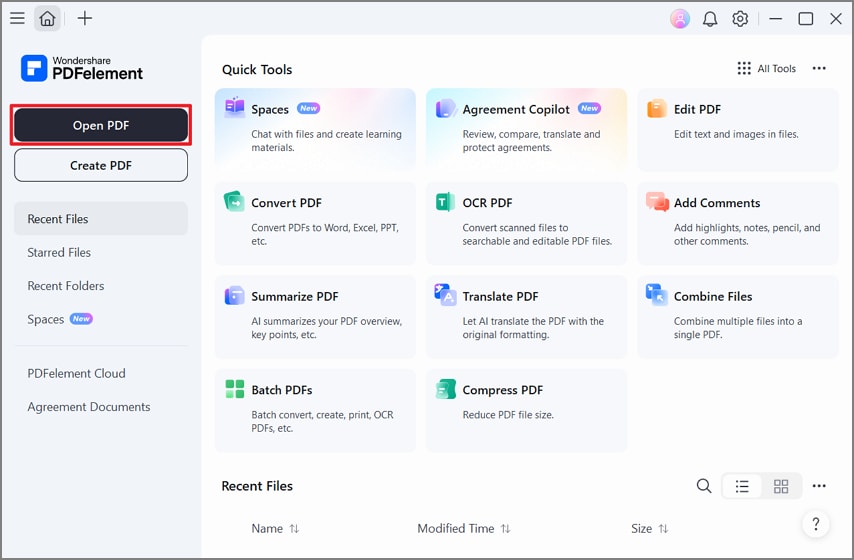
Step 1. Open the PDF in PDFelement
Once you open PDFelement, press the “Open PDF” option and choose your PDF book to import it.
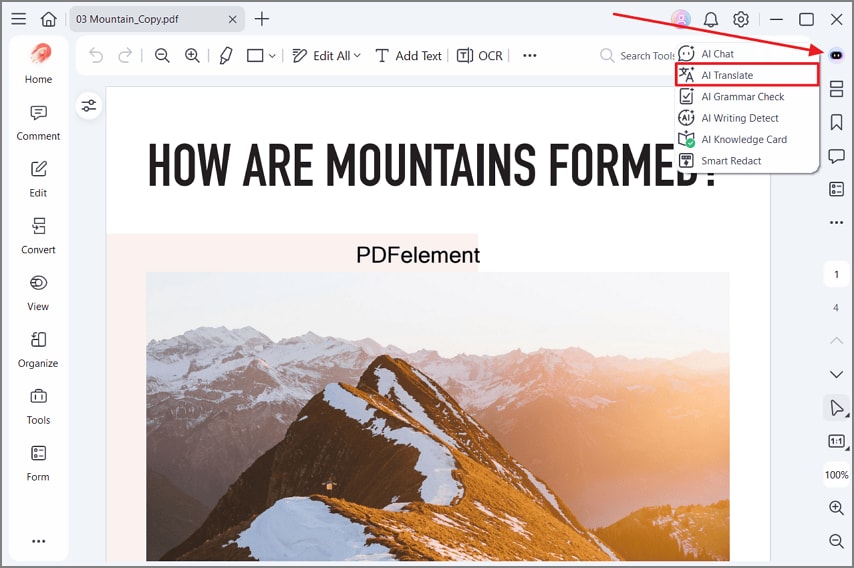
Step 2. Choose AI Translate
After that, press the “AI Sidebar” icon in the top right corner and select “AI Translate.”
Step 3. Pick the Translation Language
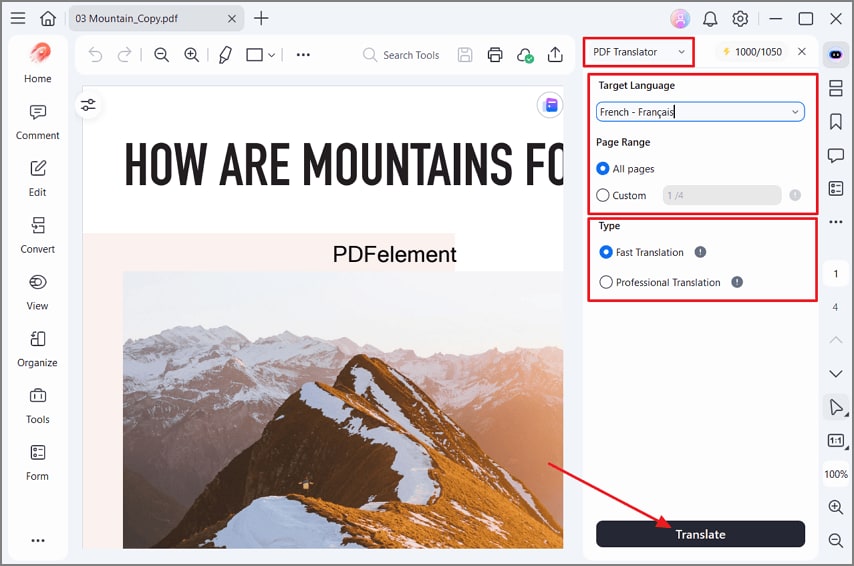
Then, choose “PDF Translator” from the top and select the target language. Next, choose the page range you want to translate and select the translation type. Once done, press “Translate” to begin the process.
Step 4. Review the Translated PDF
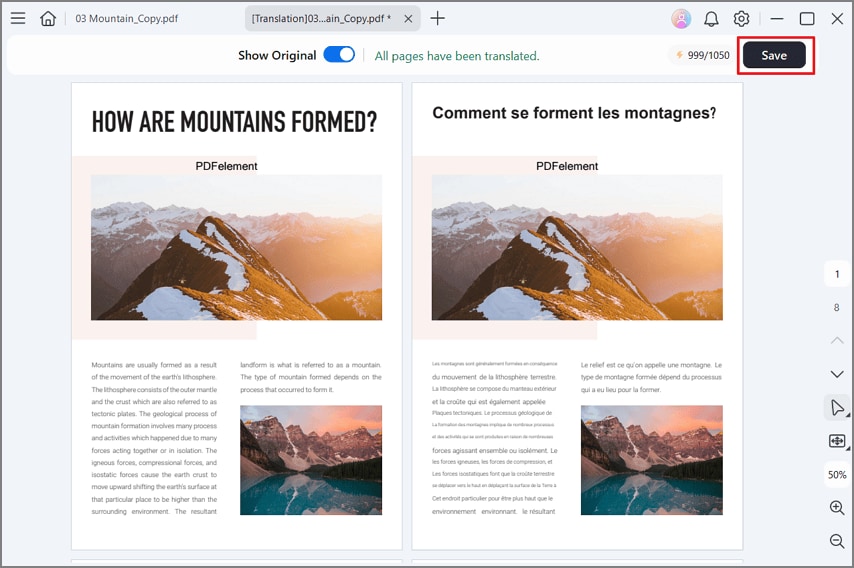
After the PDF is translated, review and compare it side by side with the original version and press the “Save” option to export the translated copy.
G2 Rating: 4.5/5 |100% Secure
2. DeepL: Best for Translation Quality
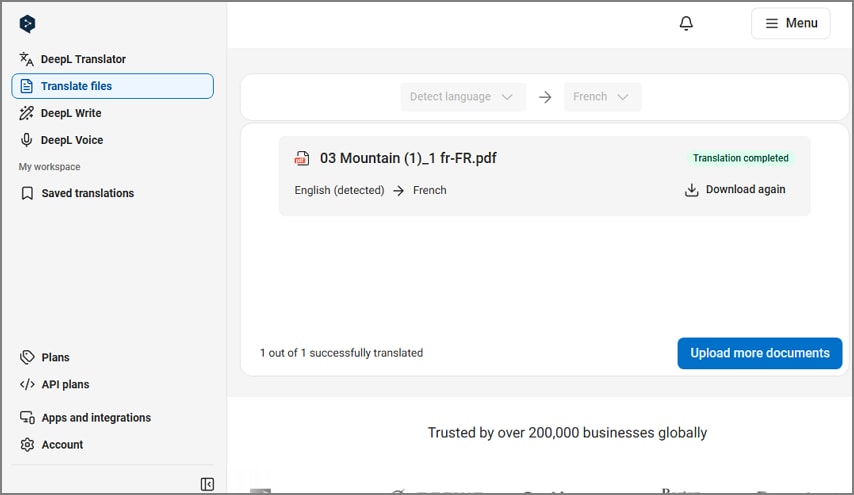
Poor scans can reduce translation quality when PDF books contain unclear image-based text. DeepL offers a book translation PDF workflow through its document translator tool. Its file translator preserves original formatting, images, and fonts across translated document files. DeepL supports glossaries, style rules, translation memories, and tone controls for document translation.
3. Google Translate: Best Free Option
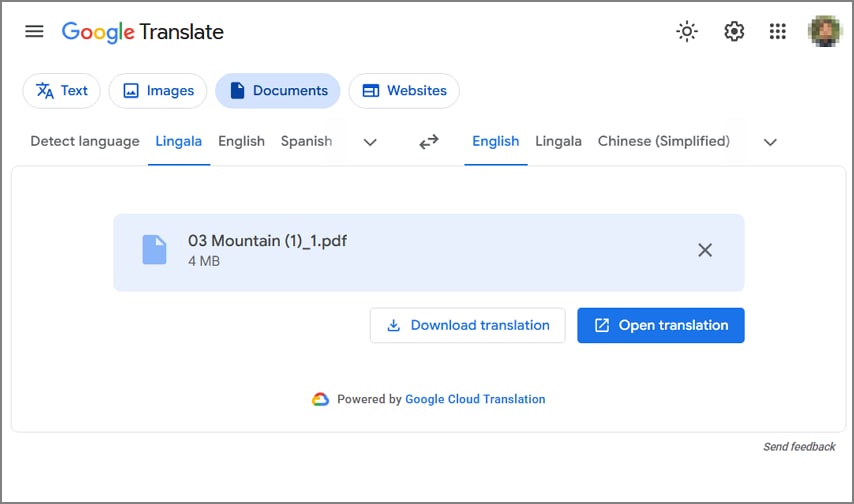
Large book files can create problems when free translation services impose document limits. Google Translate provides browser document tools for users who translate PDF book content. The Documents tab accepts PDFs and lets users select source and target languages. Completed translations can be downloaded from the browser without installing separate desktop software.
4. DocTranslator: Best for Large Documents
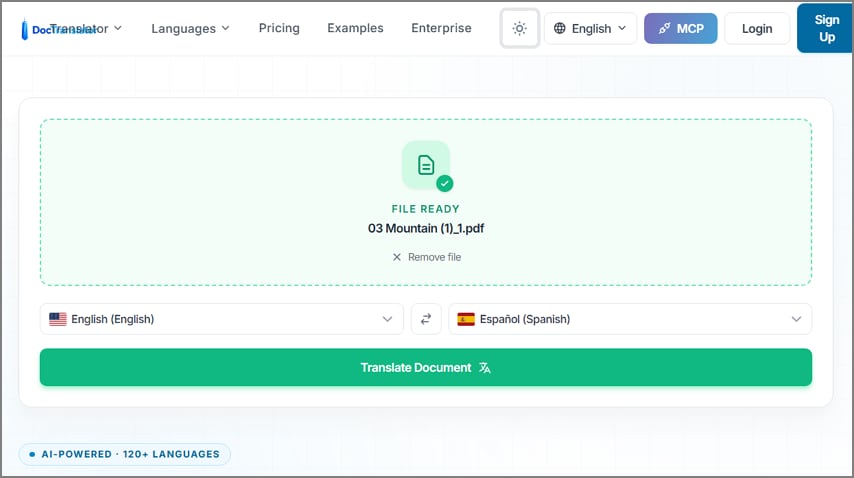
DocTranslator accepts files up to 1GB for large book translation projects. Its eBook translation support includes EPUB files alongside several common document formats. Documents can reach 5,000 pages, making the service suitable for long book files. Built-in OCR reads scanned PDF pages and images before translating their extracted text.
Part 4. Which PDF Book Translator Should You Choose
Choosing the right tool depends on your PDF size, format, and translation needs. These factors matter when you translate a book with AI without facing processing problems. The table below compares 4 tools across features that can guide your choice:
| Tool | Best For | Handles Scanned Books | Main Limit |
| PDFelement | Complete workflow with editing | Yes, built-in OCR | Paid plan for full AI |
| DeepL | Natural phrasing on European pairs | Yes, scan quality matters | Character caps per file |
| Google Translate | Free, quick, casual reading | No, scanned image text stays untranslated | 10 MB and 300-page PDF limits |
| DocTranslator | Long files without a subscription | Yes, built-in OCR | No editing or correction |
Some of these 4 tools support scanned books without requiring separate OCR software. This feature matters when translating photographed pages, archived books, or image-based PDF files.
Part 5. Tips for Getting Better PDF Book Translations
Good preparation helps your PDF book translator produce clear results with fewer errors. Below are the key tips for improving your PDF book translation results:
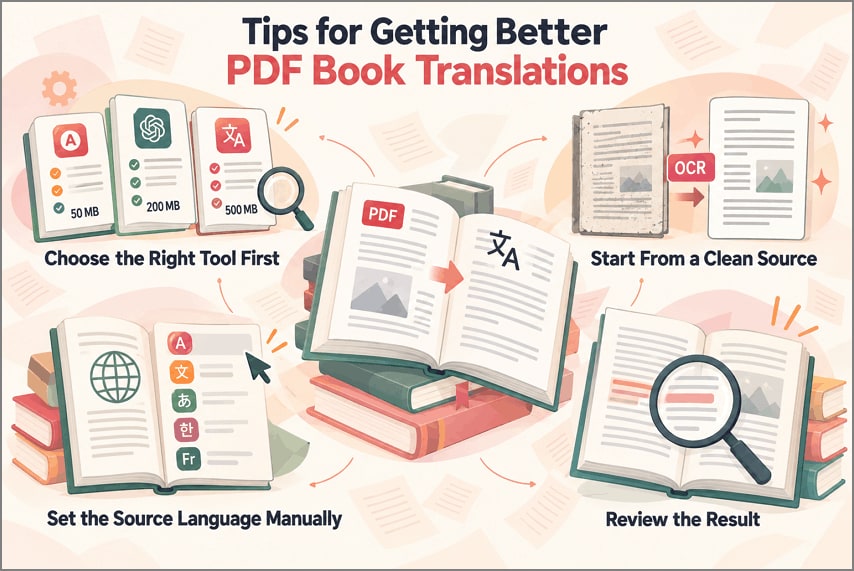
- Choose the Right Tool First: Check file size, page limits, and scan support before uploading. Matching tool features with document needs prevents failed translation attempts.
- Start From a Clean Source: Clear text-based files give translation tools easier content to process. Run OCR on scanned pages before starting the translation process.
- Set the Source Language Manually: Select the source language when detection may confuse mixed content. This choice can prevent language errors from affecting the entire book.
- Review the Result: Check several translated pages before processing the complete book for translation. Review names, numbers, and specialist terms for errors needing correction.
Frequently Asked Questions
Can I translate an entire PDF book?
Yes, but file size and character limits may restrict full book translation. Splitting large books into chapters can help when services reject complete files.
Can I translate a scanned PDF book?
Yes, PDFelement uses built-in OCR to recognize text from scanned book pages. You can then translate recognized content without using separate OCR software first.
Can I translate a book into Hindi?
Yes, all 4 tools discussed here support Hindi as a translation language. Review complex passages when you translate a book with AI into Hindi.
How accurate is AI translation?
AI translation can preserve core meaning well across clear nonfiction book content. Humor, cultural references, and writing style may still require human review afterward. The European Commission says machine translation quality can vary across different language pairs.
Final Takeaway
To conclude, choosing the right translation tool starts with understanding your PDF book. File size, scan quality, and layout can affect translation results across different tools. Readers who translate PDF book files should compare OCR, limits, and editing support. PDFelement combines OCR, translation, layout preservation, and editing within one complete PDF workspace.
G2 Rating: 4.5/5 |100% Secure




