

Best Small Business Billing and Invoicing Software to Simplify Payments
Running a growing company often means juggling client emails, payment follow-ups, and endless spreadsheets late into the night. Small business owners face constant pressure to send accurate invoices, track unpaid bills, and keep cash flow steady without wasting valuable time. This is where small business billing and invoicing software becomes a practical solution rather than a luxury.
By automating routine billing tasks, reducing manual errors, and offering clear payment tracking, the right software helps businesses stay organized and professional. In this article, we will discuss everything you need to know about small business billing and invoicing software.
In this article
- What Small Businesses Really Need From Invoice Software
- Types of Invoice Software for Small Businesses
- Best Invoice Software for Small Businesses
- Free Invoicing Software for Small Business: What to Expect
- Online Invoicing vs Desktop Invoicing Software
- Invoice Creation is Only Half the Job
- Managing Supplier Invoices and Receipts with PDFelement
- Building a Simple Invoice Workflow For Small Businesses
- Common Mistakes Small Businesses Make with Invoicing Software
Part 1. What Small Businesses Really Need From Invoice Software
As billing challenges grow with daily operations, choosing the right tools becomes a strategic decision rather than a technical one. Understanding what small businesses really need from invoice software helps narrow options that truly support efficiency.
Common Invoicing Challenges for Small Businesses
As operations expand, manual billing processes often fail to keep up with daily demands and customer expectations. This is where invoicing software for small businesses becomes essential to overcome common obstacles. Here are some of the challenges that small businesses face in invoicing:
- Late Payments: Invoices are often overlooked or delayed when reminders are not automated. This leads to inconsistent cash flow and financial uncertainty.
- Manual Errors: Handwritten or spreadsheet-based invoices increase the risk of miscalculations and missing details. Even small mistakes can damage client trust.
- Time-Consuming Processes: Creating, sending, and tracking invoices manually consumes hours each week. Valuable time is taken away from core business activities.
- Poor Payment Tracking: Without a centralized system, it becomes difficult to monitor paid and unpaid invoices. This results in missed follow-ups and lost revenue.
- Lack of Professional Appearance: Basic invoice formats can appear unpolished to clients. A lack of branding may reduce credibility and perceived reliability.
Why Simplicity and Reliability Matter More Than Advanced Features
- Ease of Use: Simple interfaces reduce the learning curve for small teams. Tasks get completed faster without technical training.
- Consistent Performance: Reliable systems minimize crashes and errors during invoicing. Payments and records remain accurate at all times.
- Faster Adoption: Straightforward tools encourage immediate use across the business. Employees stay productive without resistance.
- Lower Risk of Mistakes: Fewer complex features mean fewer chances of incorrect settings. Invoices stay clear and accurate.
- Better Daily Efficiency: Essential functions work smoothly without distractions. Businesses focus on billing, not troubleshooting.
Sending Invoices vs. Managing Invoices: Key Differences
- Purpose: Customer billing is about issuing an invoice, while invoice management oversees the full billing lifecycle.
- Scope of Work: Invoice delivery covers creation and emailing, whereas management includes reminders, tracking, records, and reporting.
- Time Involvement: Each invoice is sent once, but managing invoices demands continuous monitoring and follow-ups.
- Payment Tracking: Delivery alone doesn't verify payments, but management clearly tracks paid, unpaid, and overdue invoices.
- Business Impact: Sending invoices closes a single step, while proper management strengthens cash flow, accuracy, and financial control.
Part 2. Types of Invoice Software for Small Businesses
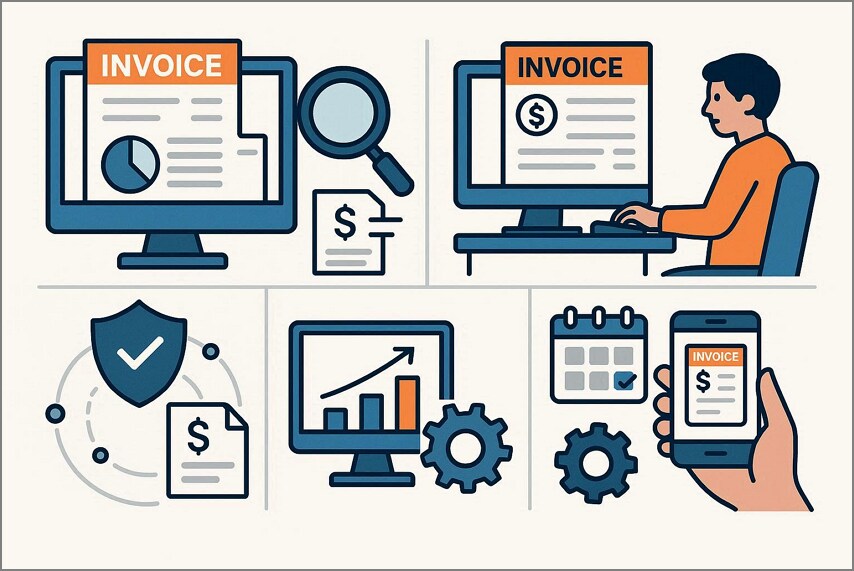
As billing needs vary by industry and workflow, not every solution fits every company. Understanding the different types of small business billing and invoicing software helps business owners choose tools that align with their size, budget, and payment processes. Mentioned below are some of the major types of invoice software that are usually used:
Online Invoicing Software
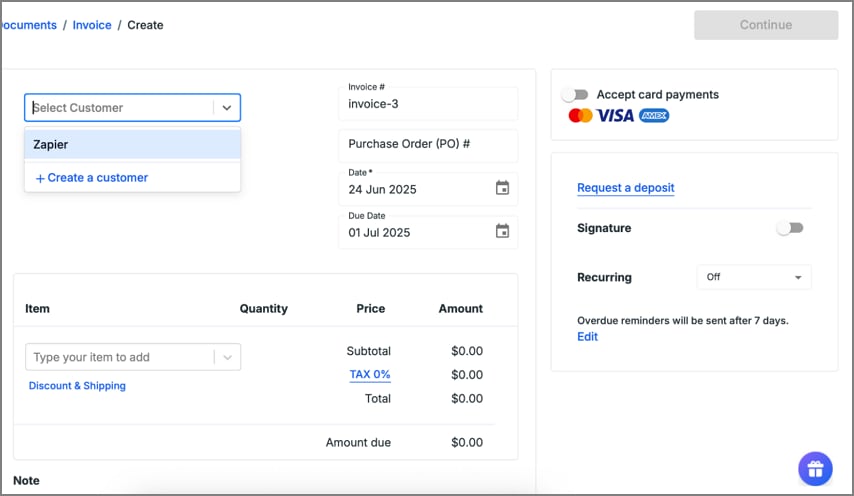
Online invoicing software allows small businesses to create, send, and manage invoices through cloud-based platforms. It enables access from any device with an internet connection, making remote work easier. Automated reminders, real-time payment tracking, and secure online payments help reduce delays and improve cash flow while keeping billing records organized and accessible.
Free vs. Paid Invoicing Tools
Free invoicing software for small businesses is ideal for startups and freelancers on tight budgets, offering basic features like invoice creation and simple tracking at no cost. However, paid tools provide advanced capabilities, such as automated reminders, integrated payments, and detailed reports. Choosing between them depends on your billing volume, growth goals, and need for scalability.
Invoicing and Accounting Software
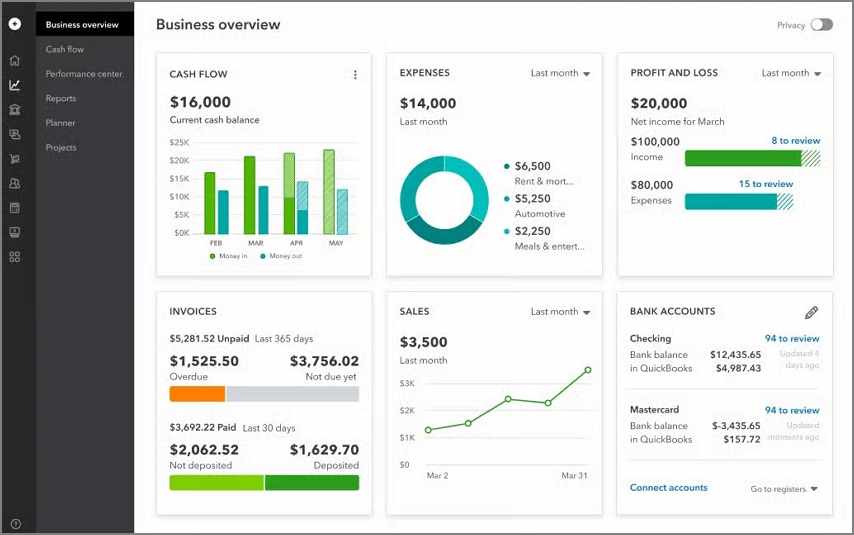
Invoicing and accounting software combines billing functions with broader financial management, letting small businesses handle invoices, expenses, payroll, and tax tasks in one place. This integrated approach reduces data entry errors and gives clearer insights into overall financial health. For businesses needing more than just billing, it streamlines bookkeeping and reporting, making it easier to stay compliant and make informed decisions.
Quote and Invoice Software
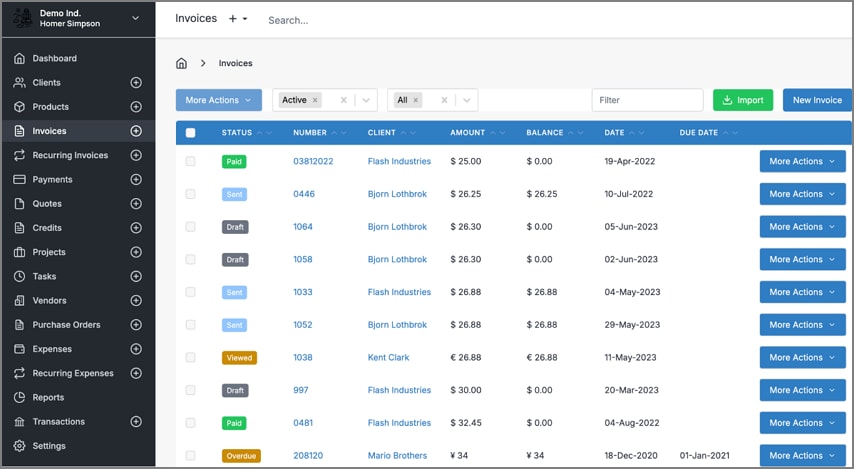
Quote and invoice software streamlines the transition from sales estimates to billing, letting small businesses generate professional quotes and convert them into invoices with a click. Using reliable business invoice software, teams can maintain consistency in pricing, reduce manual entry, and improve client communication. This all‑in‑one approach speeds up approval cycles, enhances accuracy, and supports a smoother sales‑to‑payment workflow.


 G2 Rating: 4.5/5 |
 100% Secure
Part 3. Best Invoice Software for Small Businesses
Before choosing a tool, it's helpful to see how top options stack up based on key business needs. Here's a quick comparison of the best invoice software for small businesses to help you evaluate its features:
| Zoho Invoice | Invoice Ninja | Wave | Hiveage | Billdu | |
| Ease of Use | Beginner-friendly, intuitive interface | Simple, customizable, cloud-accessible | Very easy for basic small business use | Clean, intuitive UI for freelancers & small teams | Easy mobile-first interface for small billing tasks |
| Pricing | Free | Ninja Pro:$140/year Enterprise:$180/per year Premium Business: Starts From $280 |
Pro Plan: $19/month | Basic: $19/month Recommended: $29/month Plus: $49/month |
Lite:$7.99/month Standard: $14.00/month Premium: $29.99/month |
| Invoice Templates | Customizable professional templates | 4 free templates; Pro includes 11+ | Customizable with logo/colors | Professional templates included | Customizable invoice templates available |
| Online Payments | Yes – integrates with Stripe, PayPal, etc. | Yes – many gateways (Stripe, PayPal, etc.) | Yes – online payments supported, fees apply | Yes – supports multiple payment gateways | Yes – accept debit/credit & mobile payments |
| Basic Reporting | Yes – basic reporting & analytics | Yes – includes invoice/expense reports on paid plans | Yes – basic accounting & invoice reports | Yes – financial & invoice reporting | Yes – basic tracking & reporting tools |
Part 4. Free Invoicing Software for Small Business: What to Expect
As budget concerns grow, many owners start with solutions that keep costs down without sacrificing core functionality. Understanding what to expect from simple invoicing software for small business helps you set realistic goals and avoid surprises when relying on free tools.
What Free Plans Typically Include
Getting started with free invoicing tools gives small businesses essential billing capabilities without upfront costs. While these plans are limited, they cover the core functions needed to create, send, and track invoices effectively.
- Basic Invoice Creation: Generates and sends professional invoices quickly, though customization options may be minimal.
- Client Management: Stores essential customer details for easier invoicing and follow-ups.
- Payment Tracking: Tracks paid, unpaid, and overdue invoices to maintain steady cash flow.
- Limited Templates: Provides a few professional invoice designs to maintain consistent branding.
- Email Delivery: Sends invoices directly via email, eliminating the need for printing.
- Simple Reporting: Offers basic summaries like total billed, outstanding amounts, and invoice status.
Common Limitations of Free Invoicing Software
While free invoicing software can be useful for small businesses, it often comes with limitations that may affect efficiency and growth. Understanding these drawbacks helps owners plan for future needs or consider upgrading to paid versions.
- Limited Features: Free plans usually provide only basic invoicing, lacking advanced tools like recurring invoices or automated reminders.
- Restricted Templates: The number of invoice templates is often minimal, limiting customization and professional branding.
- User Limitations: Some platforms restrict how many team members can access the account.
- Storage Caps: Free versions may limit the number of invoices or client records that can be stored.
- No Priority Support: Customer support is often delayed or limited compared to paid plans.
When Free Tools are Sufficient and When They Are Not
Free invoicing software for small businesses can cover basic billing needs, but it's important to know when they might fall short. Assessing your business size, transaction volume, and required features helps determine if a free plan is sufficient or if upgrading to a paid solution is necessary.
- Sufficient for Startups: Ideal for solo entrepreneurs or very small teams with low monthly invoices and simple billing requirements.
- Sufficient for Low Volume: Works well when only a handful of clients need occasional invoicing without complex tracking.
- Not Sufficient for Growing Businesses: Limited features and storage make free tools inadequate for expanding client bases or recurring services.
- Not Sufficient for Multiple Users: Free plans often restrict team access, creating inefficiencies when collaboration is needed.
- Not Sufficient for Advanced Reporting: Businesses requiring in-depth financial insights or detailed analytics will need paid options.
- Not Sufficient for Multiple Payment Options: Free tools may not support diverse online payment gateways, potentially delaying cash flow.
Part 5. Online Invoicing vs. Desktop Invoicing Software
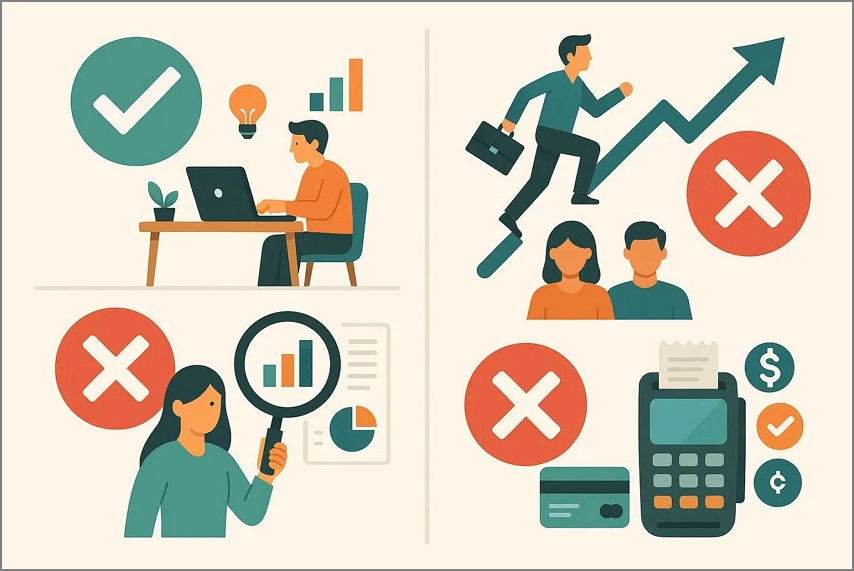
When choosing the right tool for your business, it's important to understand the difference between accessibility and control. Comparing online invoicing software for small businesses with desktop invoicing software helps determine which setup best fits your workflow.
Cloud-Based Invoicing Benefits
Moving your invoicing to the cloud offers flexibility and efficiency that traditional methods can't match. Cloud-based invoicing provides real-time access, automation, and collaboration features that help small businesses streamline billing and improve cash flow.
- Access Anywhere: Invoices and financial data can be accessed from any device with an internet connection, supporting remote work.
- Automatic Updates: Software updates and new features are applied automatically, ensuring you always use the latest version.
- Real-Time Collaboration: Multiple team members can work simultaneously on invoices, reducing errors and improving coordination.
- Secure Data Storage: Cloud platforms often include encrypted storage and backups, protecting sensitive financial information.
- Faster Payments: Integrated online payment options allow clients to pay instantly, improving cash flow.
Offline Access Considerations
While cloud-based invoicing offers flexibility, offline access remains an important consideration for businesses with unreliable internet or on-the-go operations. Ensuring your software can function without connectivity helps maintain productivity and prevents billing delays.
- Local Data Storage: Some platforms allow invoices to be created and stored locally, syncing automatically once online.
- Limited Functionality: Offline mode may restrict features like automated reminders or online payment processing.
- Data Backup: Offline access should include safeguards to prevent data loss before synchronization with the cloud.
- Business Continuity: Being able to generate invoices offline ensures operations continue uninterrupted during internet outages.
Part 6. Invoice Creation is Only Half the Job
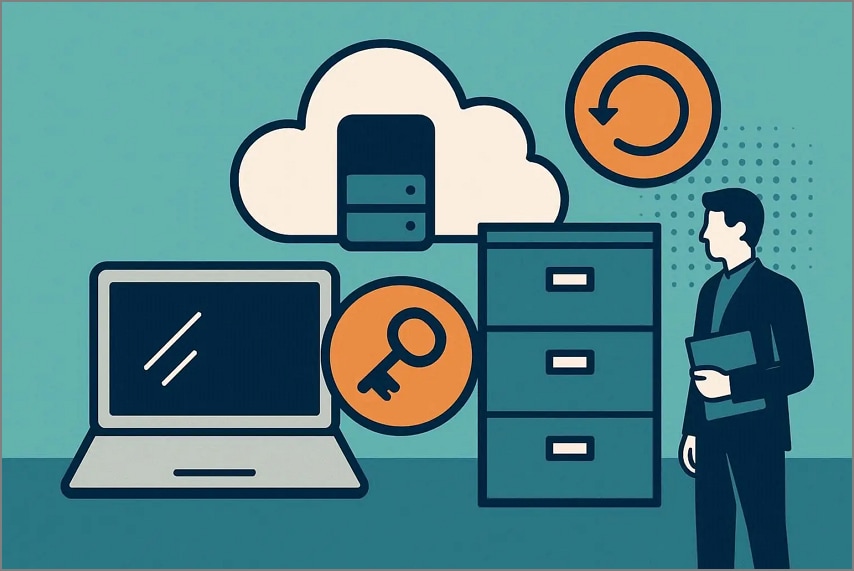
Creating and sending invoices is essential, but it only covers one side of a small business's financial workflow. To stay organized and financially healthy, businesses must also manage what comes in, not just what goes out. This is where proper invoice management makes a real difference.
- Managing Incoming Invoices from Suppliers: Supplier invoices need to be collected, reviewed, and stored systematically to avoid missed payments, duplicate charges, or compliance issues.
- Tracking Receipts and Expenses: Keeping receipts and expenses organized ensures accurate records and prevents last-minute stress during audits or financial reviews.
- Preparing for Reimbursement and Tax Reporting: Well-organized invoices and expense records simplify reimbursements and make tax reporting faster, more accurate, and less error-prone.
Why Many Small Businesses Struggle Here
Despite using invoicing tools, many small businesses still struggle with managing the full billing lifecycle. Gaps in processes, tools, and organization often create inefficiencies that go unnoticed until financial issues arise.
- Focus on Outgoing Invoices Only: Most tools and workflows prioritize sending invoices while ignoring supplier bills and incoming documents.
- Scattered Documents: Invoices and receipts are stored across emails, folders, and paper files, making them hard to track.
- Manual Expense Tracking: Relying on manual entry increases errors and consumes valuable time.
- Lack of Centralized Systems: Using multiple disconnected tools leads to data inconsistencies and poor visibility.
- Unclear Approval Processes: Without defined review steps, invoices may be delayed, misplaced, or paid incorrectly.
- Limited Reporting Readiness: Disorganized records make reimbursement claims and tax preparation stressful and time-consuming.
Part 7. Managing Supplier Invoices and Receipts with PDFelement
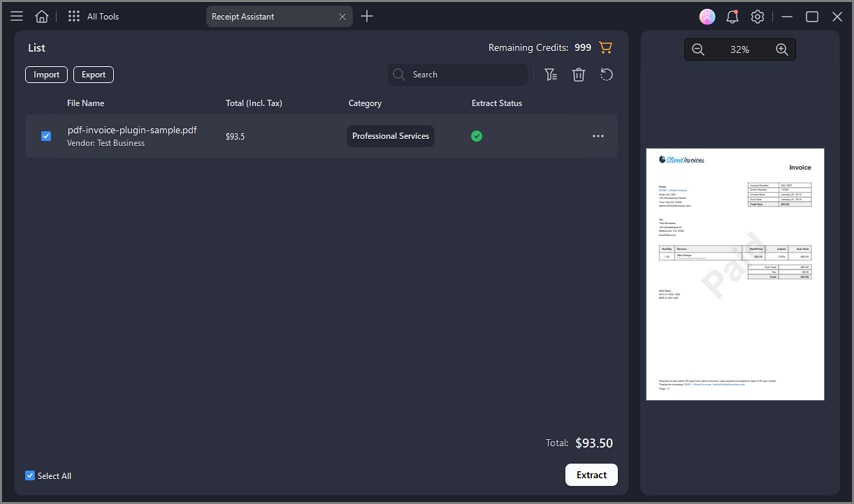
Managing supplier invoices and receipts is often where small businesses lose time and accuracy, especially when documents arrive in mixed formats. PDFelement fits naturally into this workflow by offering the Receipt Assistant feature, complementing invoicing software that focuses on outgoing bills. Instead of juggling paper invoices, email attachments, and scattered files, businesses can centralize everything in one organized system.
By digitizing and structuring supplier documents, PDFelement helps businesses stay audit-ready and financially organized. It reduces manual data entry, improves accuracy, and ensures invoices and receipts are easy to retrieve when preparing reimbursements, expense reports, or tax filings. Used alongside invoicing software, it creates a complete billing and document management setup.
G2 Rating: 4.5/5 |100% Secure
How PDFelement Helps in Invoice Generation
- Scan Paper Invoices and Receipts: Convert physical invoices and receipts into searchable digital files within minutes.
- Cross-Device Scanning and Desktop Access: Scan documents on mobile devices and access them instantly on a desktop for review and processing.
- Automatic Extraction of Key Invoice Fields: Automatically identifies fields like invoice number, date, vendor, and total amount.
- Jump-to-Field Verification for Accuracy: Allows quick navigation to extracted fields for fast review and error correction.
- Cloud Storage for Organized Invoice Records: Stores invoices securely in the cloud, keeping records structured and easy to find.
Part 8. Building a Simple Invoice Workflow For Small Businesses
Pairing invoicing software with PDFelement and its Receipt Assistant creates a workflow that covers both outgoing billing and incoming records, helping small businesses reduce manual work and stay organized for reporting or tax purposes. Here is how you can build a simple invoice workflow for your business:
Sending Invoices to Customers
Use your invoicing software to generate, send, and track customer bills efficiently. Once finalized, export or save these invoices as PDFs and organize them within PDFelement for long-term record-keeping and easy retrieval during audits or reviews.
Capturing and Organizing Supplier Invoices
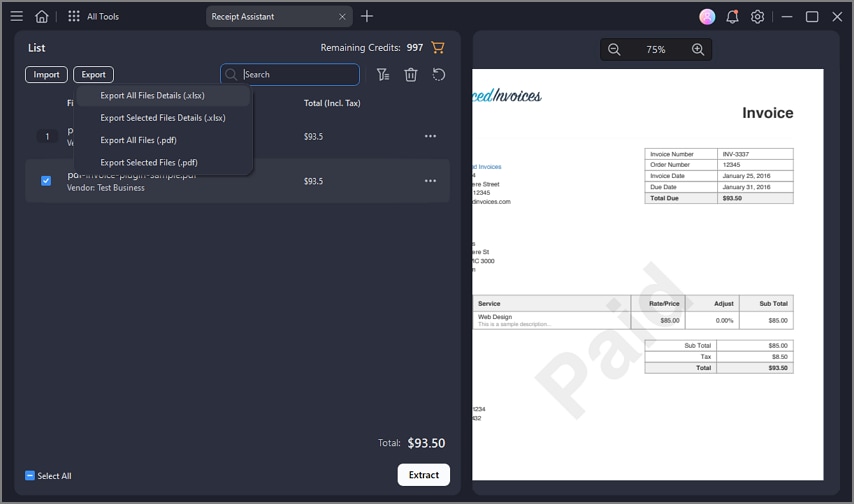
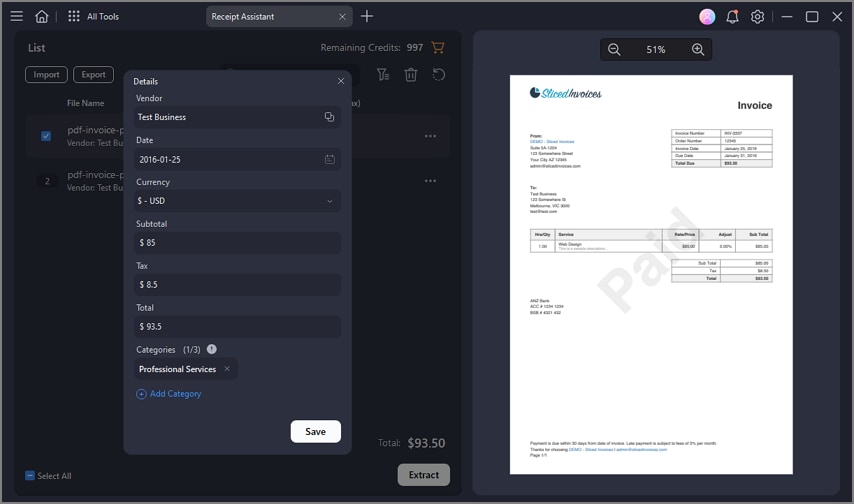
Paper invoices and emailed bills can be captured using PDFelement's Receipt Assistant, which lets you scan physical documents or upload electronic receipts from mobile or desktop. The feature automatically extracts key details (like vendor name, total, and date) and classifies receipts, so your records stay neat and searchable.
Using Structured Data for Expense Tracking
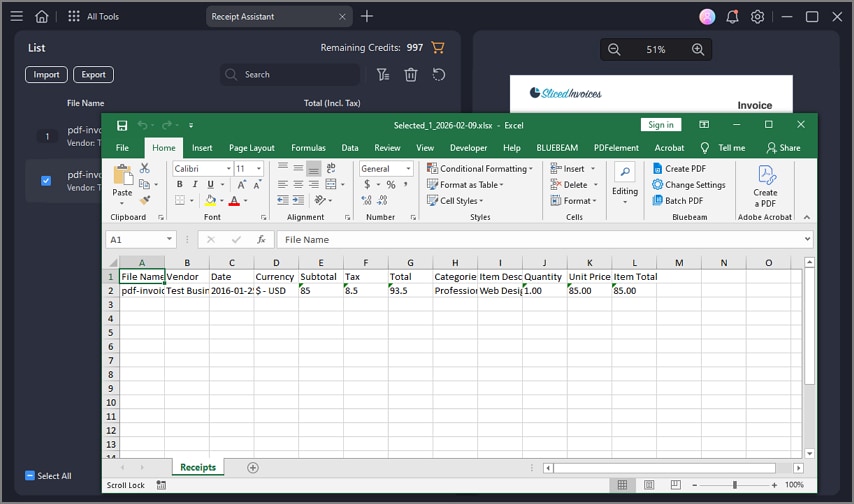
With intelligent extraction, PDFelement transforms unstructured invoice and receipt data into structured files that can be exported to Excel sheets. This makes it far easier to track business expenses, prepare budgets, or integrate with bookkeeping workflows.
Preparing Records for Accountants or Tax Filing
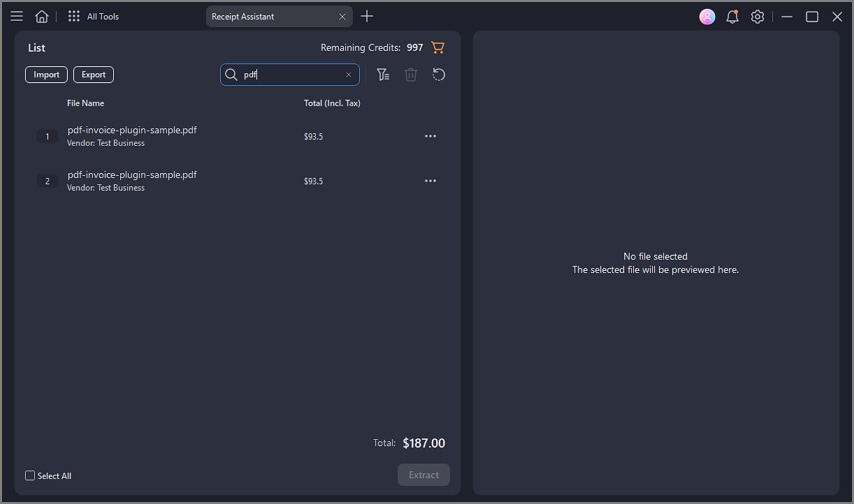
Well-organized digital invoices and receipts speed up tax preparation and reconciliation. Since PDFelement lets you centralize classified documents with searchable fields and cloud storage, handing over records becomes less stressful and more accurate.
G2 Rating: 4.5/5 |100% Secure
Part 9. Common Mistakes Small Businesses Make with Invoicing Software
Even with the right invoicing software, small businesses can make mistakes that reduce efficiency and create financial headaches. Being aware of common pitfalls helps owners optimize their billing processes and avoid costly errors.
- Choosing Tools That Are Too Complex: Overly complicated software can overwhelm small teams, leading to underutilization or mistakes.
- Ignoring Incoming Invoice Management: Failing to track vendor bills properly can result in late payments, fees, or strained supplier relationships.
- Relying on Manual Receipt Tracking: Manual methods increase the risk of lost receipts and accounting errors.
- Mixing Personal and Business Records: Combining finances makes reporting, taxes, and cash flow management more difficult.
- Skipping Regular Reconciliation: Not reconciling invoices with bank statements can lead to unnoticed discrepancies and financial inaccuracies.
People Also Ask
-
What is the best invoice software for small businesses?
The best invoice software depends on your business size, workflow, and budget. Tools that offer ease of use, customizable templates, and online payment options are usually the most effective. -
Is free invoicing software enough for small businesses?
Free invoicing software can work for startups or low-volume billing but often lacks advanced features like recurring invoices, reporting, and multi-user access. For more robust management, consider upgrading or using tools like PDFelement to generate professional invoices efficiently. -
Do small businesses need accounting software with invoicing?
Accounting software with invoicing is useful for businesses that want to track expenses, payments, and taxes in one place. Integrating invoicing with accounting ensures accuracy and saves time on financial reporting. -
How should small businesses manage supplier invoices?
Supplier invoices should be organized, tracked, and reconciled regularly to avoid late payments or errors. Using software like PDFelement can help digitize and manage incoming invoices efficiently. -
What is the simplest invoicing setup for a small business?
The simplest setup involves cloud-based or standalone invoicing software with ready templates, email delivery, and payment tracking.
Conclusion
To wrap it up, this article provided a detailed guide to choosing the right invoicing approach for small businesses with practical, real-world needs in mind. Outgoing and incoming invoices require different tools and workflows, making it important to select solutions that address both sides of billing. Simplicity and organization remain essential for maintaining accuracy and avoiding delays.
Combining invoicing software with effective invoice management significantly improves efficiency and cash flow. Tools like PDFelement further support small businesses by digitizing, organizing, and managing received invoices, helping teams stay in control of their financial records.
G2 Rating: 4.5/5 |100% Secure




