

Invoice Scanner Software: How to Scan and Capture Invoices Efficiently
Many businesses still handle invoices by hand, losing time, money, and focus daily. Paper bills pile up, emails get missed, and simple tasks slowly become stressful work. However, people need an easier way to save invoices, find details, and stay organized everywhere. This is where invoice scanner software helps by turning papers into digital records. So, this guide explains simple ways to scan, capture, and manage invoices with confidence.
In this article
- What is Invoice Scanner Software?
- Why Scanning Invoices Manually No Longer Works
- What Automated Invoice Scanning Actually Means
- Invoice Capture vs. Simple Invoice Scanning
- Key Features to Look for in Invoice Scanning Software
- Best Invoice Scanning Software: Evaluation Criteria
- Scanning and Capturing Invoices With PDFelement
- From Invoice Scanning to Expense Tracking and Tax Preparation
- Common Mistakes When Using Invoice Scanner Software
Part 1. What is Invoice Scanner Software?
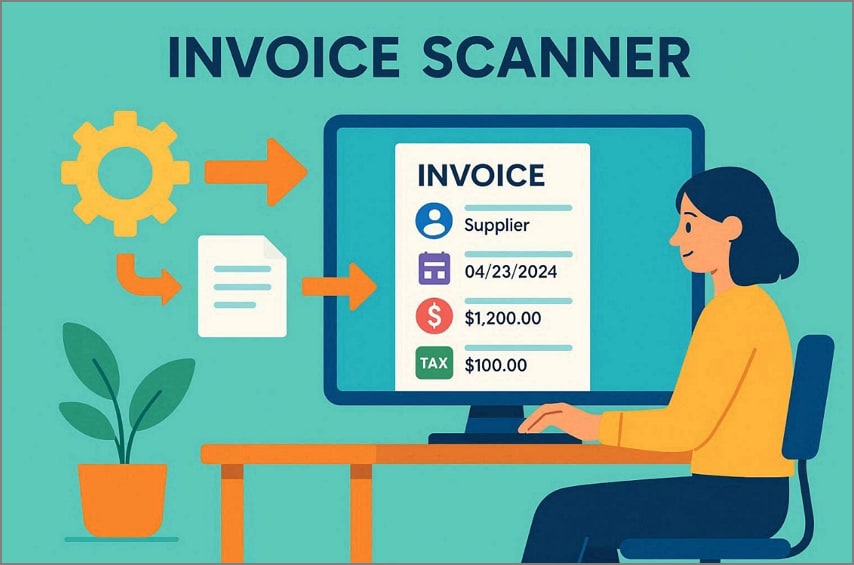
Invoice scanner software is a digital tool designed to read invoices quickly and accurately today. Also, it reads invoices and identifies details like suppliers, dates, totals, and taxes. The tool reduces manual typing by capturing information automatically with consistent results. Businesses rely on invoice scanning software to lower errors and speed processing overall. It checks missing details, duplicate invoices, and simple total mistakes before further processing.
Difference Between Basic Scanning and Invoice Capture
Basic scanning and invoice capture may sound similar, but they serve very different business needs. Below is a table showing how invoice scanner software separates simple storage from usable data:
| Basic Scanning | Invoice Capture |
| Creates image or PDF files only | Extracts usable data from invoices |
| Data cannot be processed automatically | Data flows into finance systems |
| Requires manual typing of details | Reduces manual data entry work |
| Used mainly for storage purposes | Supports full invoice processing |
| No checks or data validation | Includes validation and error checks |
| High effort for accounting teams | Faster and more efficient handling |
Why Businesses Need Invoice-focused Scanning Tools
Stacks of bills arrive daily, and a smart invoice scan keeps chaos away. This section explains why businesses need invoice-focused scanning tools:
- Save Time: Focused tools process invoices faster, reducing waiting and daily stress for teams.
- Cut Costs: Automation reduces paper and storage costs while preventing costly corrections later.
- Fewer Errors: Automatic capture avoids typing mistakes, flags duplicates, and keeps records clean.
- Faster Approvals: Digital invoices move for review, approval, and payment without delays or confusion.
- Clear Visibility: Teams see invoice status to improve cash planning and spending awareness across teams.
Part 2. Why Scanning Invoices Manually No Longer Works
Manually scanning invoices slows businesses down and creates too many mistakes. This part explains why automation is necessary for efficiency and accuracy:
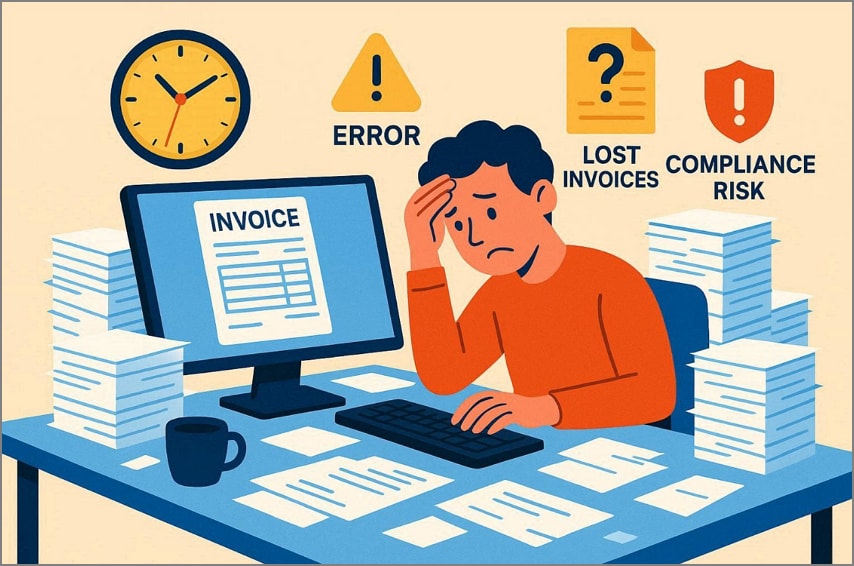
- Slow Process: Manually scanning invoices takes too long, significantly delaying approvals. Teams spend hours entering data, which affects overall business workflow efficiency.
- Poor Visibility: Paper invoices hide important data, making daily tracking very difficult. Missing documents block proper approvals and disrupt cash‑flow management processes.
- Supplier Frustration: Late or lost invoices quickly damage supplier trust and relationships. Also, suppliers may reduce priority or stop offering discounts due to delays.
- Compliance Risk: Incorrect or missing invoice information may violate tax or legal requirements. However, manual processes increase the chance of penalties or failed audits.
- Frequent Errors: Human error happens often when scanning invoices manually every day. Mistakes like wrong amounts or duplicate entries create serious issues.
Part 3. What Automated Invoice Scanning Actually Means
Automated invoice scanning uses software to read invoice images and extract key data. Invoices arrive as paper scans, PDFs, email attachments, or photos, which the system processes. OCR technology converts visual characters into machine-readable text, enabling accurate data capture. AI also identifies fields like supplier invoice number and all the essential details of the item.
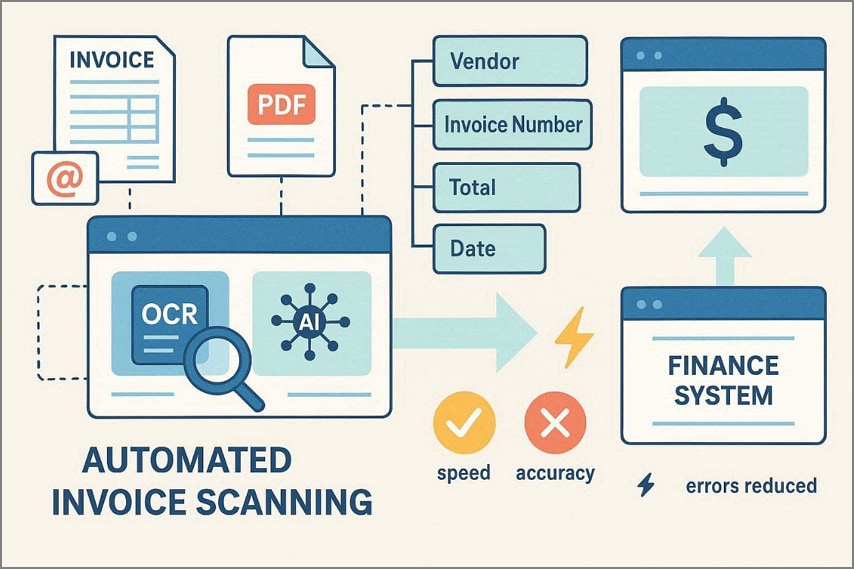
Moreover, the software validates extracted data against business rules and maps information into finance systems. Consequently, automated invoice scanning will save the processing cost by 70 to 80%, and the accuracy will go up to 98 to 99%. As a result, companies will be able to transact larger volumes, improve cash flow visibility, increase approval speeds, and better guard against mistakes and fraudulent payments.
Part 4. Invoice Capture vs. Simple Invoice Scanning
Capture Invoice goes beyond simple scanning by automatically extracting detailed invoice data. This section explains how invoice capture improves accuracy and supports workflows via a table:
| Feature/Aspect | Invoice Capture | Simple Invoice Scanning |
| Output | Structured digital data | PDF/image only |
| Data Understanding | Yes, interprets the invoice | No, just creates an image |
| Key Field Extraction | Vendor, totals, dates, line | None, manual entry required |
| Validation | Automatic checks applied | Manual checking needed |
| Integration with AP/ERP | Direct integration | Needs manual input |
| Automation | Supports touchless workflow | Manual processing only |
| Error Reduction | High accuracy | Higher errors likely |
| Scalability | Handles hundreds easily | Not scalable |
Why Invoice Capture Software Delivers More Value
Invoice capture software turns invoice images into structured data for finance workflows. It reduces manual data entry and cuts costs by 60 to 80% per invoice. However, errors drop as data is standardized, improving compliance and overall accuracy. Approvals and payments speed up with automated routing and minimal human touches. Structured data matches POs and receipts, syncing into AP and ERP systems. Moreover, searchable, indexed records simplify audits and vendor queries.
Part 5. Key Features to Look for in Invoice Scanning Software
Invoices keep arriving and creating a mountain of work for finance teams. Review the key features of invoice capture software to simplify processing tasks:
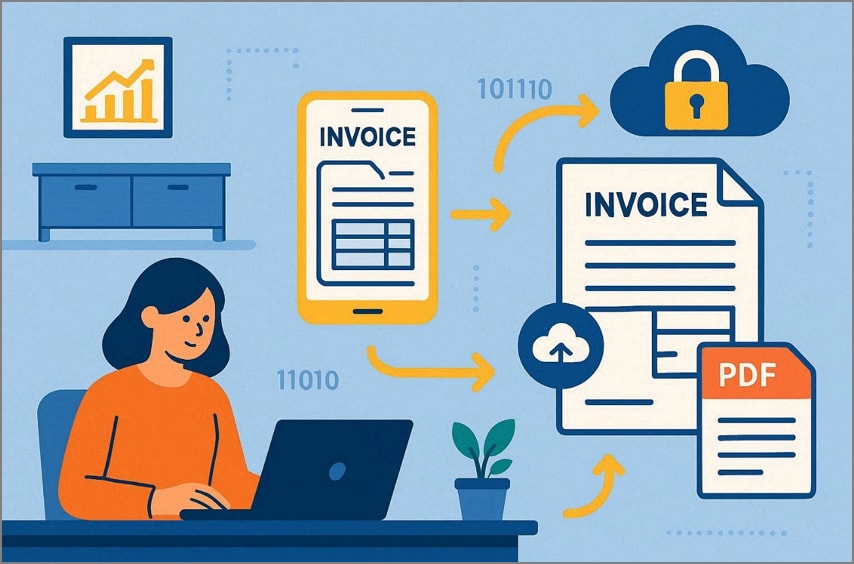
- Format Support: Manages paper scans, PDFs, email attachments, and e-invoices. Single-page and line-item table processing is smart, ensuring no information is lost during processing.
- Invoice Security: Secures all invoices scanned with encryption, backups, and role-based access controls. Assists with adherence, audit trails, and safe sharing across teams and devices.
- PDF Support: Invoice capture software also works with PDFs and email attachments. Multi-format handling avoids manual conversion and saves staff valuable time.
- Field Extraction: Automatically extracts invoice fields like amounts, dates, and vendor information. However, structured data output reduces manual typing and simplifies financial workflow.
- Cloud Storage: Cloud storage keeps all invoice data safe and easily searchable anytime. Therefore, remote access enables staff to manage invoices securely and quickly from anywhere.
Part 6. Best Invoice Scanning Software: Evaluation Criteria
Invoices pile up everywhere, creating stress for employees handling them manually. Below are the capabilities to check when choosing the best invoice scanning software:
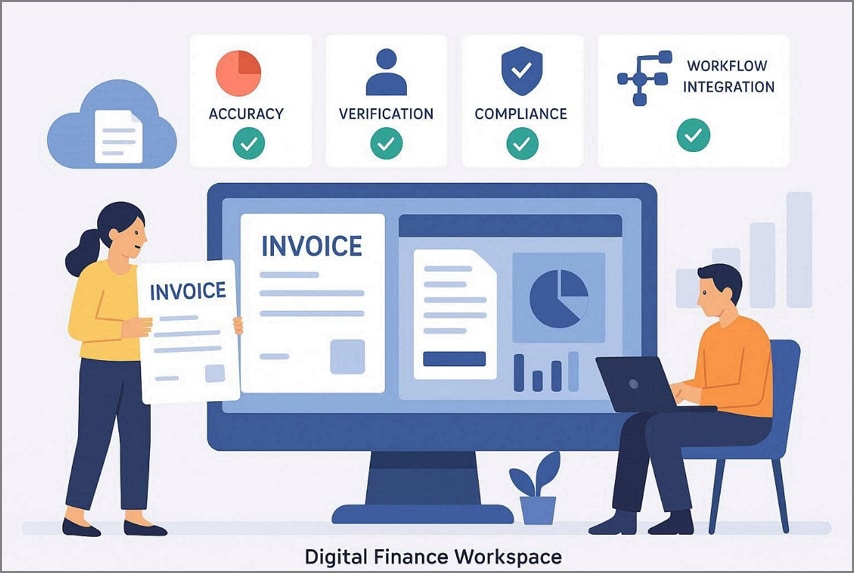
- Real Accuracy: Test the best invoice scanning software using your own messy invoices. Moreover, high accuracy ensures that fields, totals, and vendor information are correct consistently.
- Fast Processing: Check speed from document arrival to verified data entry in systems. However, quick software reduces waiting times and keeps invoice workflows smooth on a daily basis.
- Verification Tools: Built-in checks compare totals, POs, and taxes to catch errors. Plus, exception queues and confidence scores make human review faster and easier.
- Compliance Support: Must support local tax rules like VAT, GST, or withholding requirements. Digital audit trails also help your business stay ready for financial inspections.
- Workflow Integration: Combines fully with accounting, ERP, and expense or tax applications. Thus, the information flows easily into systems without the need to re-enter it manually or take any additional steps.
Part 7. Scanning and Capturing Invoices With PDFelement
With growing invoice volumes, teams often face delays, scattered receipts, and repeated manual checks. Invoices get scanned and saved across emails, folders, and systems without proper organization. Finance staff switch between tools and devices just to verify basic invoice details. These gaps cause slow processing, errors, and tracking issues during reimbursements and tax seasons.
Businesses choose PDFelement as an invoice scanning solution to reduce errors and save time. It converts scanned invoices into searchable, editable files with accurate multilingual text recognition, reducing human error. You can also process multiple invoices at once, saving time and reducing the need for manual scanning. The goal is to eliminate redundant tasks while maintaining accuracy and control for expense, reimbursement, and tax invoices.


 G2 Rating: 4.5/5 |
 100% Secure
Detailed Guide to Use PDFelement for Automated Invoice Processing
You need to review the given steps to know how PDFelement can be used within an automated invoice processing workflow:
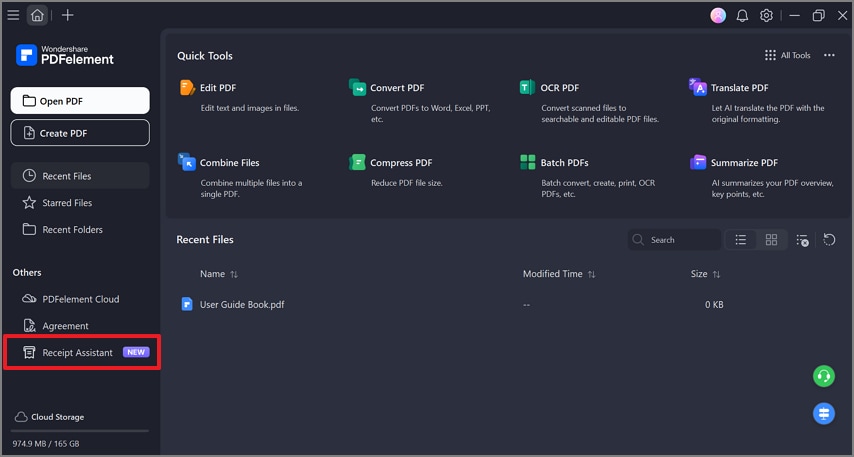
Step 1Access the Receipt Assistant Feature
Open the PDFelement, and select "Receipt Assistant" from the left sidebar.
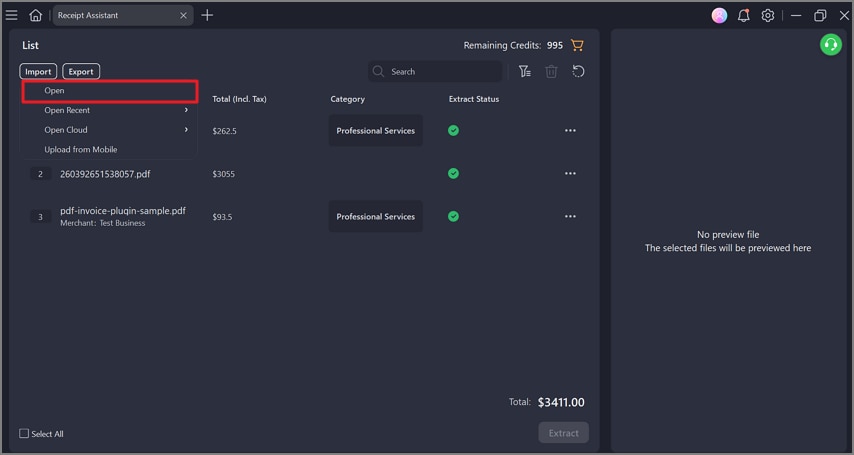
Step 2Add the Invoice
Next, click "Import," then choose "Open" to add a receipt from your computer. You can even choose recent invoices, open cloud files, or upload invoices scanned using mobile devices.
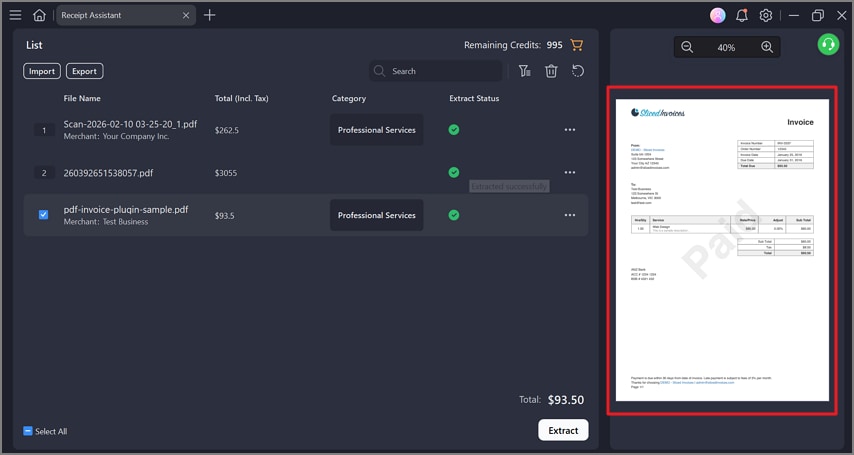
Step 3Preview the Imported Invoice
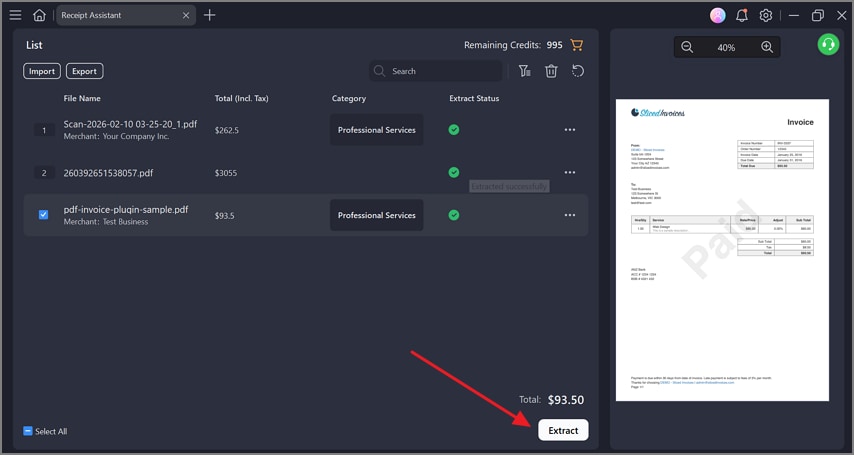
After adding it, the invoice shows in the list with a live preview on the right. This preview helps users quickly check clarity, layout, and completeness before extraction starts.
Step 4Begin Invoice Data Extraction
Select the invoice, then click the "Extract" button to allow PDFelement to capture key invoice details automatically.
Step 5Review Extracted Invoice Details
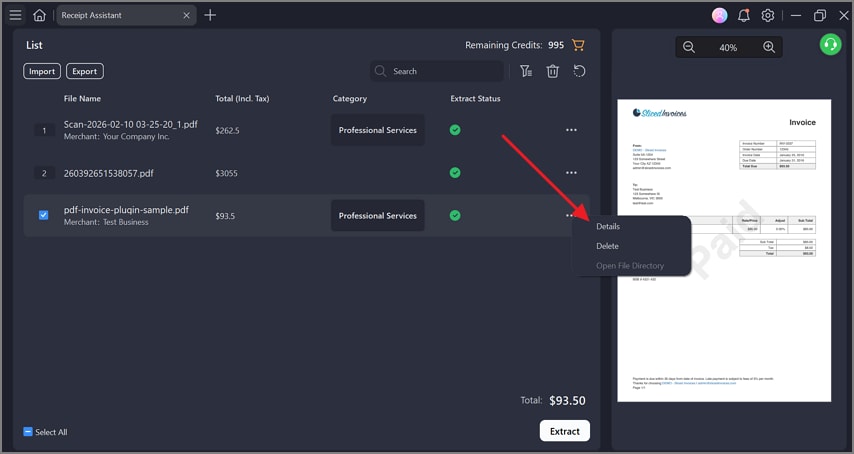
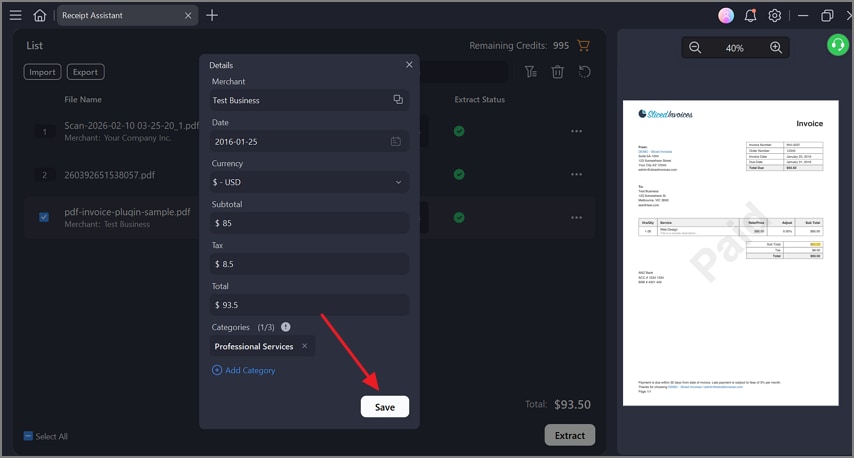
After extraction, click the three dots and select the Details option. Now, users can check all the essential details of the invoice, like vendor name, date, currency, subtotal, tax, total amount, and category. Each field can be edited, allowing careful human review and accurate invoice verification.
Step 6Save Invoice Data
After confirming all details are correct, click the "Save" button to store invoice data in Receipt Management.
G2 Rating: 4.5/5 |100% Secure
Part 8. From Invoice Scanning to Expense Tracking and Tax Preparation
After invoices are scanned, businesses can use the data for more than storage. An invoice scanning app turns paper or PDF invoices into structured digital information. This data also feeds directly into expense tracking systems, creating draft expense lines. Employees only review exceptions, while rules handle policy checks and approvals quickly.
Moreover, monthly summaries can be generated by vendor, department, or project with ease. Tax preparation becomes simpler because VAT, GST, and totals flow directly into reports. However, digital audit trails support compliance, showing approval history and matched payments clearly. Overall, invoice scanning app integration speeds finance workflows, overcomes errors, and saves time.
Importance of Cloud-based Invoice Management
A cloud-based invoice management lets businesses capture invoices and manage them online. However, teams can access and track invoices from anywhere to improve workflow speed. Automation overcomes manual steps for sending reminders and preventing lost or late invoices.
Therefore, centralized storage keeps all records easy to back up. Scalable cloud systems grow with business needs without costly IT upgrades. This approach improves visibility and compliance across the entire finance process.
Part 9. Common Mistakes When Using Invoice Scanner Software
Stacks of scanned PDFs sit idle, while staff still retype each line manually. Below are common mistakes businesses make when using invoice scanner software inefficiently:
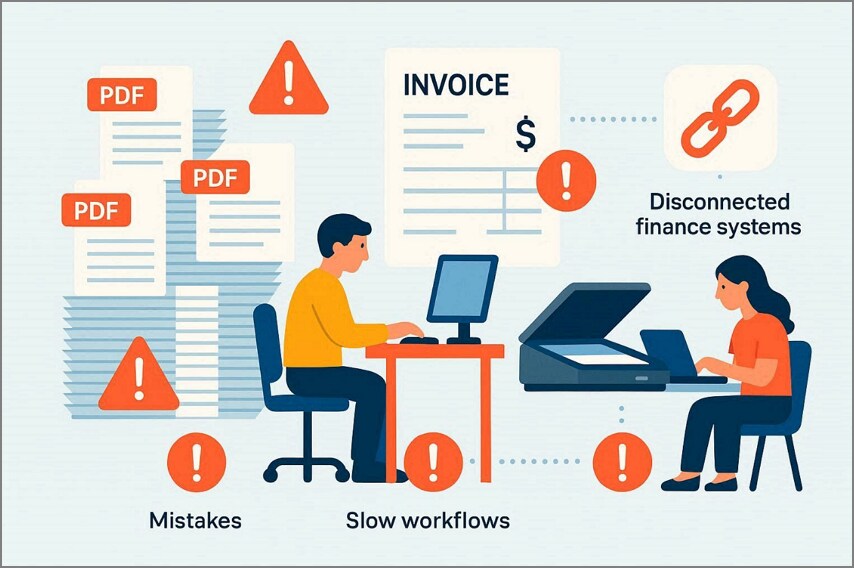
- Incomplete Workflow: Stopping at scanning alone prevents data from flowing into finance systems. Invoices stay static, forcing staff to retype details and slow down approvals.
- Unverified OCR: Using OCR without validation often produces errors in totals or vendor names. Mistakes appear later during reconciliation, reporting, or tax audits, increasing the extra work.
- Generic Tools: Using generic scanners instead of invoice-focused tools misreads important table data. Moreover, multi-page invoices and POs often appear wrong or incomplete.
- Missing Validation: Skipping built-in verification rules leads to duplicates and wrong payments quickly. Approval workflows or exception queues catch errors before they affect finance.
- Limited Integration: Not connecting software to ERP, accounting, or tax systems wastes captured data. Manual re-entry defeats automation benefits and increases human errors significantly.
FAQs about Invoice Scanner Software
-
What is the best invoice scanner software?
PDFelement is one of the best invoice scanner software available for businesses today. It quickly captures invoices from paper, PDFs, and email attachments with high accuracy. Its OCR and automation features reduce manual work, errors, and speed up invoice processing. Finance teams can review, edit, and save data efficiently for approvals and records. -
Can invoice scanner software extract data automatically?
Yes, the invoice scanner software may retrieve the data with the help of on-board OCR technology. It records the vendor, date, totals, taxes, and line items automatically. This minimizes the time and errors and accelerates the processing of accounting, approvals, and reporting. -
Is an invoice scanning app enough for business use?
A simple scanning app is not enough for full business requirements today. It only creates PDFs but cannot verify, validate, or organize data efficiently. Invoice scanner software with automation and workflows is needed for proper finance handling. -
How accurate is automated invoice scanning?
Automated invoice scanning is very accurate and typically over 95 percent correct. Machine learning and validation rules improve accuracy over time for real invoices. Still, human review may be required for unusual layouts or complex vendor documents. -
Do scanned invoices meet tax requirements?
Yes, scanned invoices are tax-compliant, provided the software keeps appropriate audit trails. The use of an invoice scanner software makes sure that the local tax regulations and reporting policies are met. Audits and government inspections are facilitated by correct metadata, secure storage, and verification features.
Wrap-up: Choosing the Right Invoice Scanning Solution
In conclusion, invoice scanner software enhances efficiency and control in finance processes. Manual operations introduce delays, mistakes, and compliance hazards that delay approvals and payments. Thus, companies require a system that will scan, confirm, and sort the invoices automatically. Moreover, PDFelement serves as a complete invoice scanning solution, turning paper and PDF invoices into editable, structured data. It reduces errors, saves time, and supports accurate financial management for finance teams.
G2 Rating: 4.5/5 |100% Secure




