

In this article
- What is True Document Redaction? (Redaction vs. Masking)
- Best Document Redaction Software for Desktop (2026 Top Picks)
- Best Free PDF Redaction Tools Online
- How to Redact a PDF File Securely on Windows and Mac
- The Limitations & Risks of Free Online Redaction Tools
- FAQs About Free PDF Redaction
- Conclusion
Companies, legal professionals, and even government agencies sometimes fail to do redaction properly, leading to catastrophic leaks of confidential information. However, securing your documents can be a highly straightforward task if you are using the right document redaction software.
Redaction software is a specialized program designed to permanently remove visible text and images containing sensitive information from a document, ensuring it cannot be recovered. In this comprehensive guide, we will list the top desktop programs and online free pdf redaction solutions that you can use to protect your information. Whether you are looking for a heavy-duty desktop program or a quick web-based redact app, we have compiled the ultimate list of the best PDF redaction tools 2026 has to offer.
What is True Document Redaction? (Redaction vs. Masking)
Before diving into the best redaction software, it is critical to understand what true redaction is. Many people mistakenly believe that drawing a solid black rectangle over sensitive text in a basic PDF editor or image viewer is enough. This is called masking, and it is incredibly dangerous. Anyone can simply click on that black box, delete it, or copy the text underneath and paste it into a word processor to read your sensitive data.
True document redaction tools do two things:
- They place a visual blackout (or whiteout) mark over the text.
- They sanitize the document by permanently deleting the underlying text, metadata, and hidden code strings associated with that specific area.
When searching for the best free pdf redaction tool, you must ensure the application actually destroys the underlying data.
Best Document Redaction Software for Desktop (2026 Top Picks)
Desktop software generally provides the highest level of security because your files never leave your computer. Here is the best pdf redaction software available for offline use.
1. Wondershare PDFelement
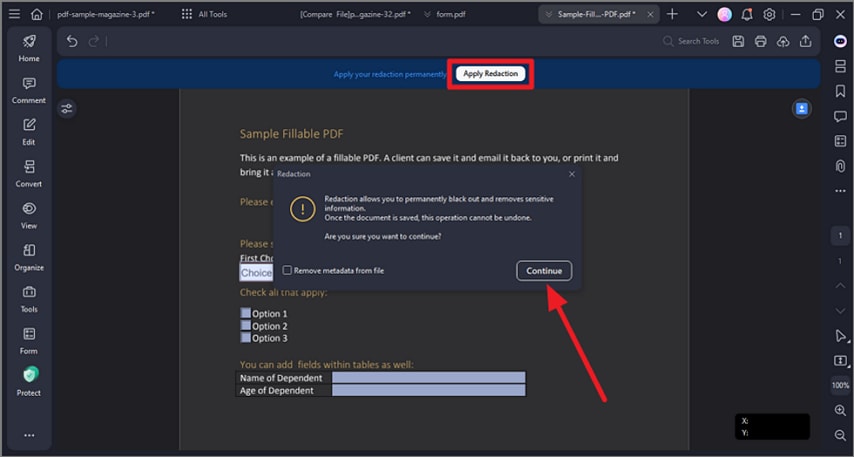
At the absolute top of the list for the best free pdf redaction tool 2026 is Wondershare PDFelement. Available for Windows, Mac, iOS, and Android, this application makes redaction incredibly secure and intuitive. PDFelement allows you to permanently remove sensitive information—like Social Security numbers, credit card details, and confidential names—that you do not want to be featured in your document.
With this free software to redact pdf files (available via a robust free trial), you can simply select the redaction tool, highlight the text or image, and click "Apply." The data is permanently sanitized.
Key Features:
- Search and Redact: Automatically search for specific words or patterns (like emails or phone numbers) and redact them all simultaneously.
- Customizable Redaction: Change the color of the redaction box or overlay custom text (e.g., "[REDACTED]").
- Full Editing Suite: Annotate, insert, replace, split, merge, and add digital signatures to your PDF.
- OCR Technology: Turn scanned image-based PDFs into editable text, which you can then securely redact.
Review for Wondershare PDFelement:
"We needed a product that would easily allow us to redact private customer info from documents with ease and efficiency. It was easy to install and distribute amongst team members and was easy to train people up to use the software." – 4.5/5 Stars (Source: G2)


 G2 Rating: 4.5/5 |
 100% Secure
2. Intradyn
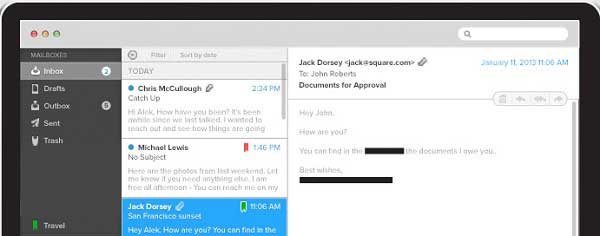
Intradyn is primarily an email archiving company that stores several years of emails and makes files unalterable. They protect sensitive information by using advanced redaction methods while still allowing secure access to authorized users. Redacting files is a specialized service they offer. While it is available to everyone, it is most beneficial as a document redaction tool for corporate users handling bulk data that requires maximum protection. Think of it as a virtual filing cabinet with high-security features.
Review for Intradyn:
"Simple and intuitive interface, no unique expertise required by the user. Works amazingly well with lots of options available." – 4.3/5 Stars (Source: G2)
3. RapidRedact
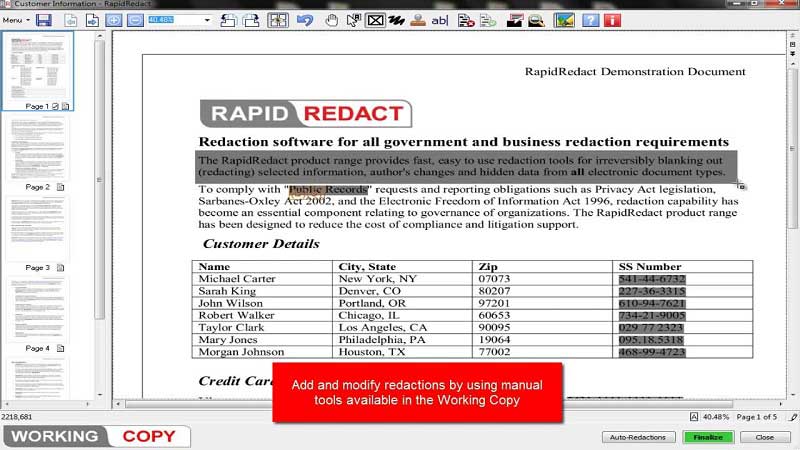
RapidRedact is a program designed specifically and exclusively to redact documents. It is one of the best pdf redaction tools 2026 for deep administrative use because it not only redacts PDFs but also seamlessly integrates with MS-Word documents, Excel, and Outlook files. As you redact files, you'll have a real-time view of the redaction process. It is a highly user-friendly software that allows you to OCR scanned files before redacting them.
Review for RapidRedact:
"The cost-effective redaction solution for government agencies." (Source: Redacta)
4. Adobe Acrobat Pro
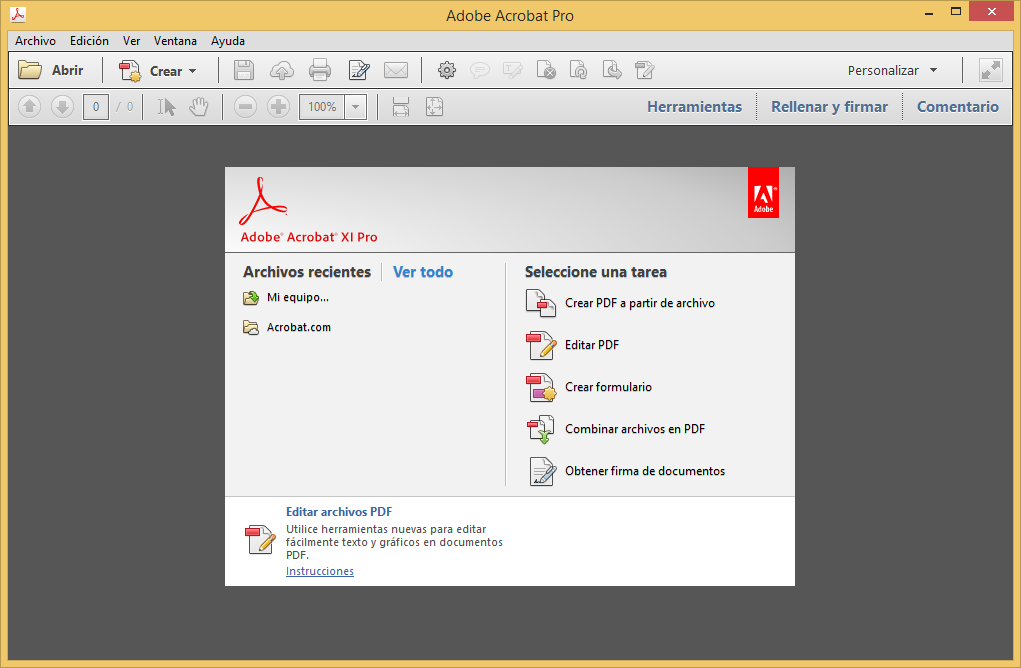
If you are looking for an industry-standard program that lets you redact, create, sign, and share PDF files quickly, Adobe Acrobat Pro is a formidable choice. This program helps you completely black out text and images in a PDF to hide sensitive information. In addition to redaction, it allows you to create PDF files from scratch and convert PDFs to Word, Excel, and PowerPoint.
(Note: While Acrobat XI is officially discontinued and poses security risks, modern Adobe Acrobat Pro DC provides ongoing security updates. It offers a free trial, though long-term use requires an expensive subscription).
Review for Adobe Acrobat:
"A reliable industry standard, though occasionally the cursor selection can be slightly clunky when trying to redact very specific small areas." – 4.5/5 Stars (Source: G2)
5. PDF Studio Pro
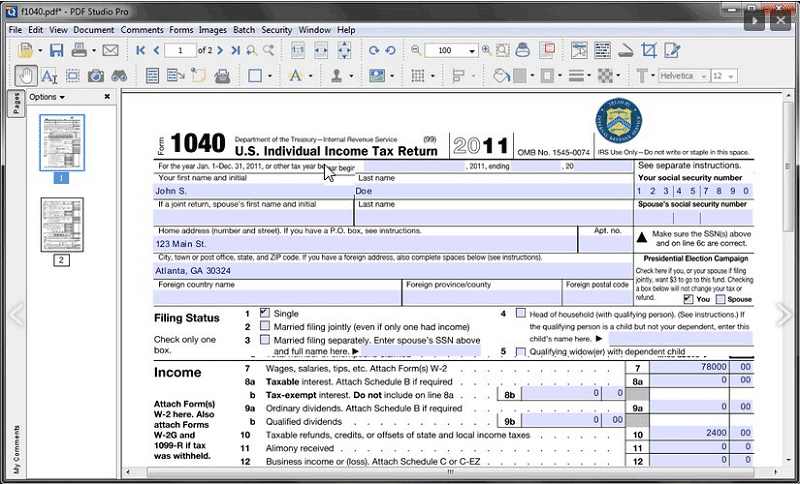
PDF Studio Pro is an excellent alternative to Adobe and is built with a powerful native redaction feature. It can redact images, text, and shapes securely. This software also allows you to edit text and images within your PDF file, crop, rotate, or resize objects. PDF Studio Pro also lets you add password security to your files and offers comprehensive form-filling tools.
Review for PDF Studio:
"PDF studio is a very easy way to manage PDFs. It allows me to easily redact documents when necessary before sending them out to clients." – 4.5/5 Stars (Source: G2)
Best Free PDF Redaction Tools Online
Redacting sensitive information from your PDF files online is incredibly convenient. While you must trust the online host with your data, the best free pdf redaction tool options on the web use secure, encrypted connections and automatically delete your files after processing. If you just need a quick free pdf redact online, here are 7 great solutions.
6. PDFzorro
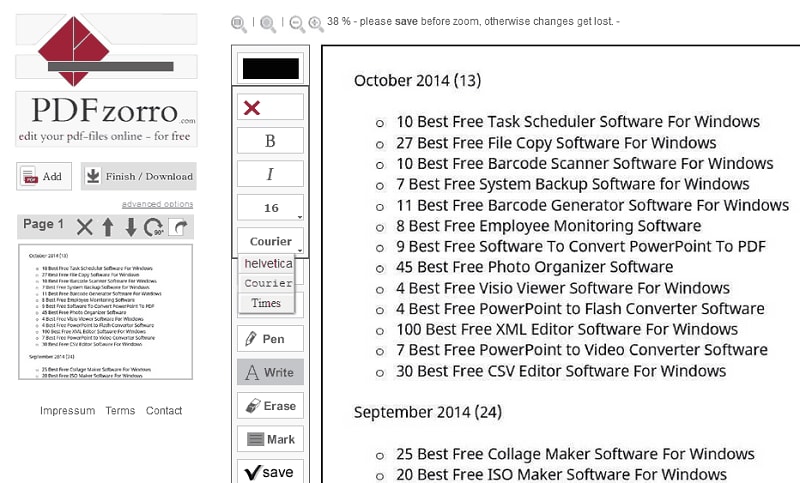
PDFzorro is a web-based redact app that you can use to sanitize your PDF without downloading any software. Remove any sensitive information from your document with this fast, easy, and free tool. It also allows you to fill forms, highlight text, white-out sections, and add a personal signature. Once you've finished editing your file, you can manually force-delete your PDF files from their cloud. The file cannot be retrieved, ensuring your information is secure.
7. PDFfiller
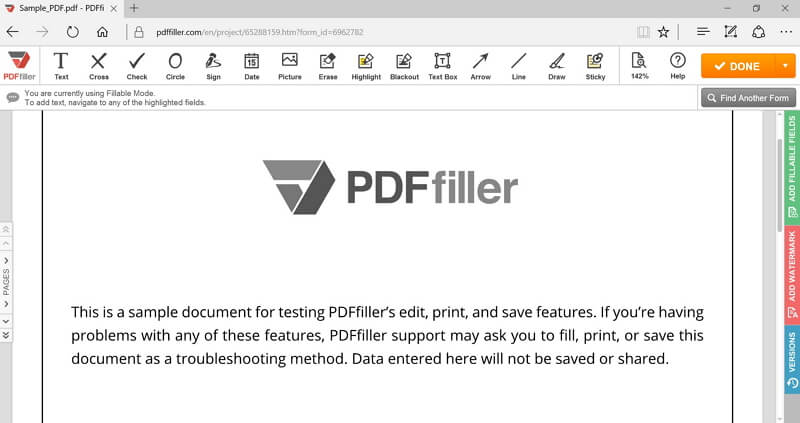
PDFfiller is a brilliant online free redaction pdf tool that lets you upload your document and edit it completely. You can use it to black out sensitive text, add a signature, and generate secure sharing links. This website also supports cross-format management, meaning you can handle Word, PowerPoint, Excel, and Plain Text files in one place.
Review for PDFfiller:
"Signing documents. Editing PDFs. Redacting sensitive documents. Easier than DocuSign." – 4.6/5 Stars (Source: G2)
8. PDF Buddy
If there is any private and confidential information you wish to remove, PDF Buddy is a fast web utility that will allow you to easily scrub it from your PDF file. It is recognized as a powerful, straightforward online PDF redaction tool. You can also add text, signatures, and annotations.
9. Pdf-editor-online.com
Step 1Upload your PDF
Before going further, note that this service is free, but you must register to download your edited documents. Go to the "Upload Document" section and click the "Browse for Document on Your Computer" button.

Step 2Use the Blackout tool
When the tool finishes processing your PDF, you will see the editing options. Click on the "Blackout" button on the top panel and select the document area you need to cover.

Step 3Download your file
To finish, select your PDF in the list of "Recent Documents" and click on the "Download" button.

10. PDF.online
Step 1Upload your PDF
Go to the official website of PDF.online. Drag and drop your document inside the window or click on "Local device" to upload.

Step 2Redact your PDF
Once uploaded, you will see the editing interface. Select the areas you want to hide, then click "Apply redactions" and download your secured document.

11. FreePDFredactor.com
Step 1Upload your file
FreePDFRedactor offers a free access tier that is perfect for quick jobs, giving you a 30-minute window to use the service for free. Drag and drop your document inside the upload box.

Step 2Redact your PDF
Select the area you want to cover with the selection tool. When you're done, click "Next" to apply the permanent blackout and download your document.

12. AvePDF.com
Step 1Upload your file
Visit the official AvePDF website and choose the "Redact PDF" option. Drop your document into the upload zone.

Step 2Redact PDF
To cover an area, click on "Add redaction marks" and highlight the specific text to hide. Click the "Save" button to apply and download.

How to Redact a PDF File Securely on Windows and Mac
If you want absolute peace of mind, using a desktop tool like PDFelement is the best route. Here is a quick guide on how to sanitize a document properly using the best redaction software.
G2 Rating: 4.5/5 |100% Secure
Step 1Open Your PDF
Launch PDFelement and click "Open File" to import the document containing sensitive data.
Step 2Access the Redaction Tool
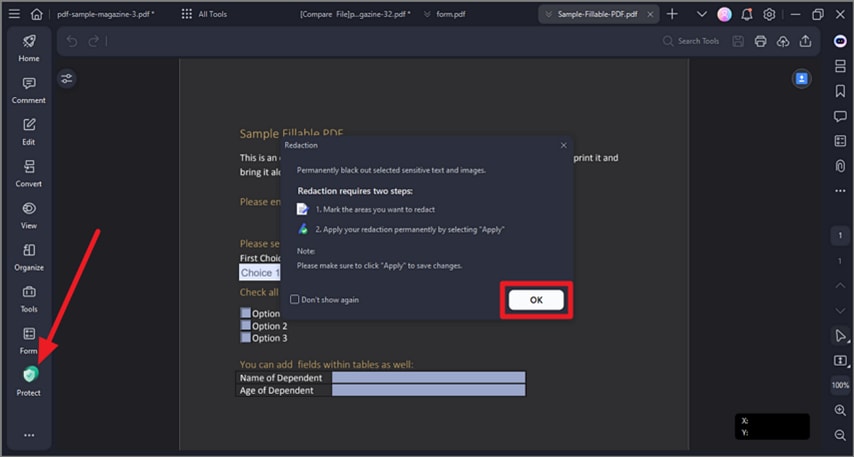
Navigate to the "Protect" tab on the top menu bar. Here, you will see the "Mark for Redaction" button. Click it to activate the tool.
Step 3Select Sensitive Information
Use your cursor to drag a box over the text, images, or specific paragraphs you want to hide. The selected area will be highlighted (usually in red or black) to indicate it is marked.
Step 4Apply the Redaction
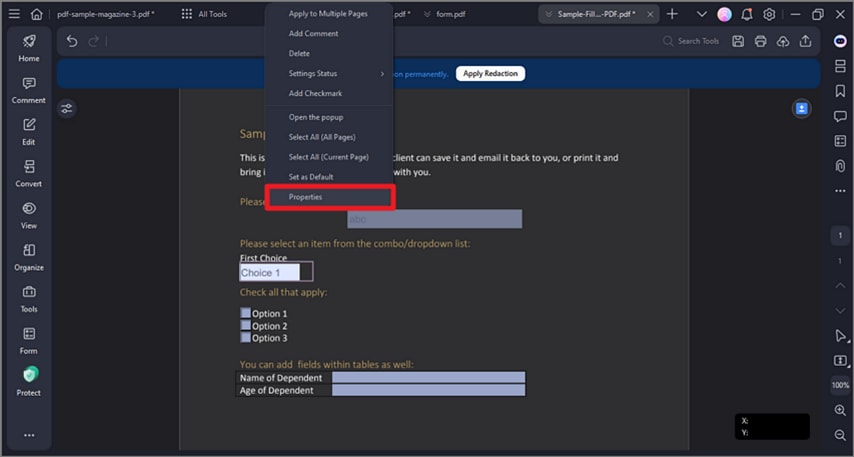
Right-click the marked area and select "Apply Redaction," or click the "Apply" button in the top ribbon. A warning will pop up reminding you that this action will permanently remove the data behind the black box. Confirm the action and save your newly secured PDF.
The Limitations & Risks of Free Online Redaction Tools
While searching for the best free pdf redaction tool, many users gravitate toward online web apps because they require no installation. However, it's important to keep in mind that free and online document redaction software tools do have some notable limitations:
- File Size and Upload Limits: A major disadvantage of online free redaction pdf tools is that they impose strict server limits. Most of these tools restrict file uploads to 10MB or 20MB, making them useless for large legal or medical files.
- Privacy Concerns: Even though reputable sites use SSL encryption and promise to delete files, you are still uploading highly sensitive data (like tax forms or legal briefs) to a third-party server. For strict compliance (HIPAA, GDPR), offline desktop tools are mandatory.
- Lack of Advanced Features: Web apps often lack essential features like OCR (Optical Character Recognition) or "Search and Redact." If you have a 100-page document and need to remove a specific name from every page, doing it manually on a web app is tedious. Software like PDFelement can do it in seconds.
- Risk of "Masking": Some low-quality online tools do not actually destroy the text code; they just layer a black vector shape over the text. This means tech-savvy individuals can still extract your sensitive data.
FAQs About Free PDF Redaction
-
What is the best free pdf redaction tool?
The best tool depends on your needs. For quick, one-off tasks, web tools like AvePDF or PDF.online are great. For comprehensive, secure, and permanent redaction, utilizing the free trial of desktop software like Wondershare PDFelement or Adobe Acrobat Pro is the safest choice. -
Can someone remove redaction from a PDF?
If a document is properly redacted using professional document redaction software, the data is permanently destroyed and cannot be recovered or removed. However, if the text was merely "masked" (covered with a black shape or highlighted in black), anyone can easily remove the shape and read the text. -
Is there a free software to redact pdf files offline?
Yes, tools like PDF Studio Pro, PDFelement, and Foxit offer free trials or basic versions that allow you to test their robust offline redaction tools without paying upfront. -
How do I redact text in PDF without Adobe?
You do not need Adobe to redact PDFs. You can use strong alternatives like PDFelement, which offers the same professional redaction, search-and-remove, and OCR capabilities at a more accessible price point and with a highly intuitive interface.
Conclusion
In today's digital landscape, transferring PDF documents loaded with sensitive information is a daily occurrence. However, digital documents are easily replicable, which can completely compromise your personal or corporate data if preventive measures are not taken.
When searching for the best pdf redaction tool 2026 has to offer, remember to prioritize true data sanitization over simple visual masking. While online web apps are convenient for quick, non-critical tasks, investing time into a robust desktop redact app like PDFelement ensures your confidential data remains permanently hidden from unauthorized eyes.


