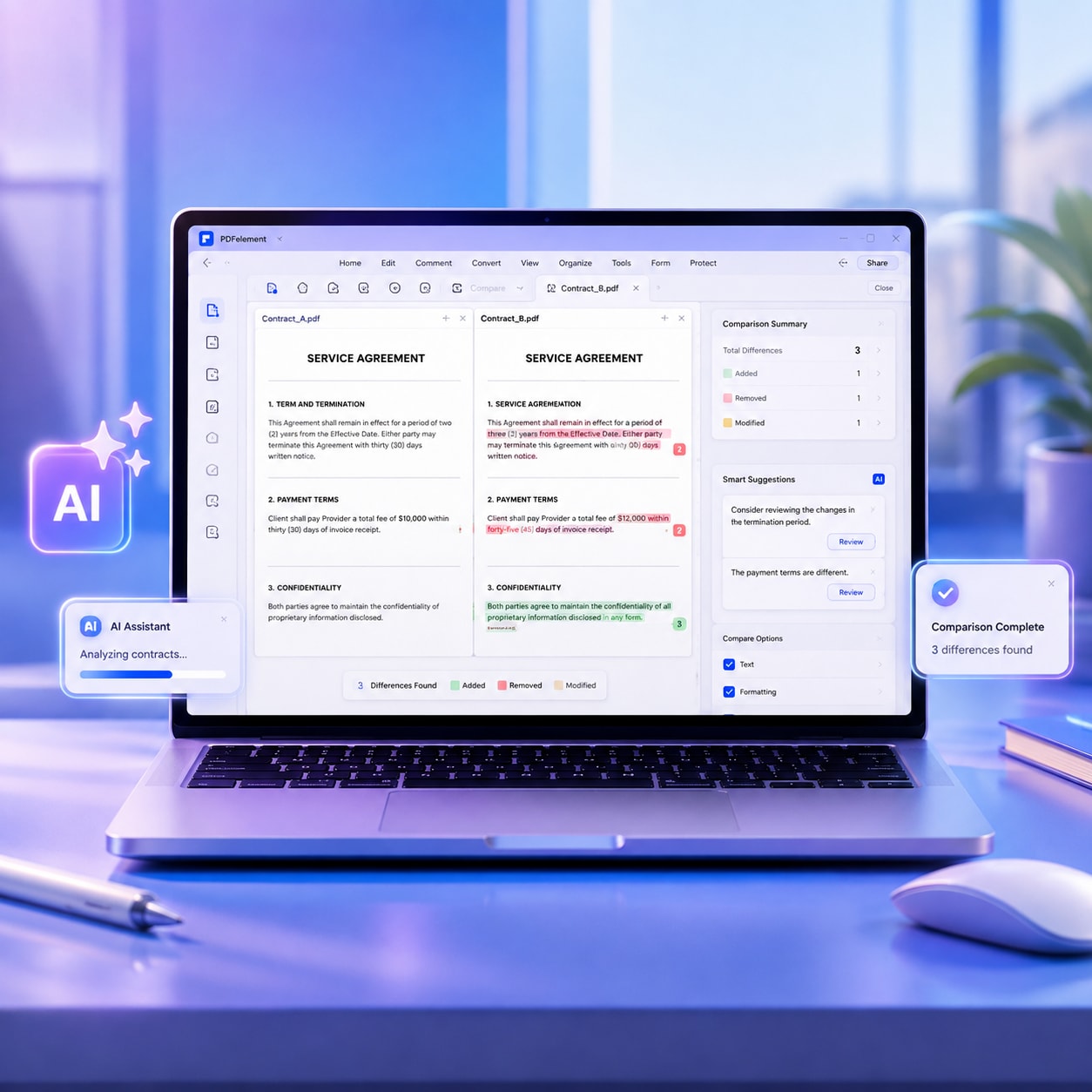
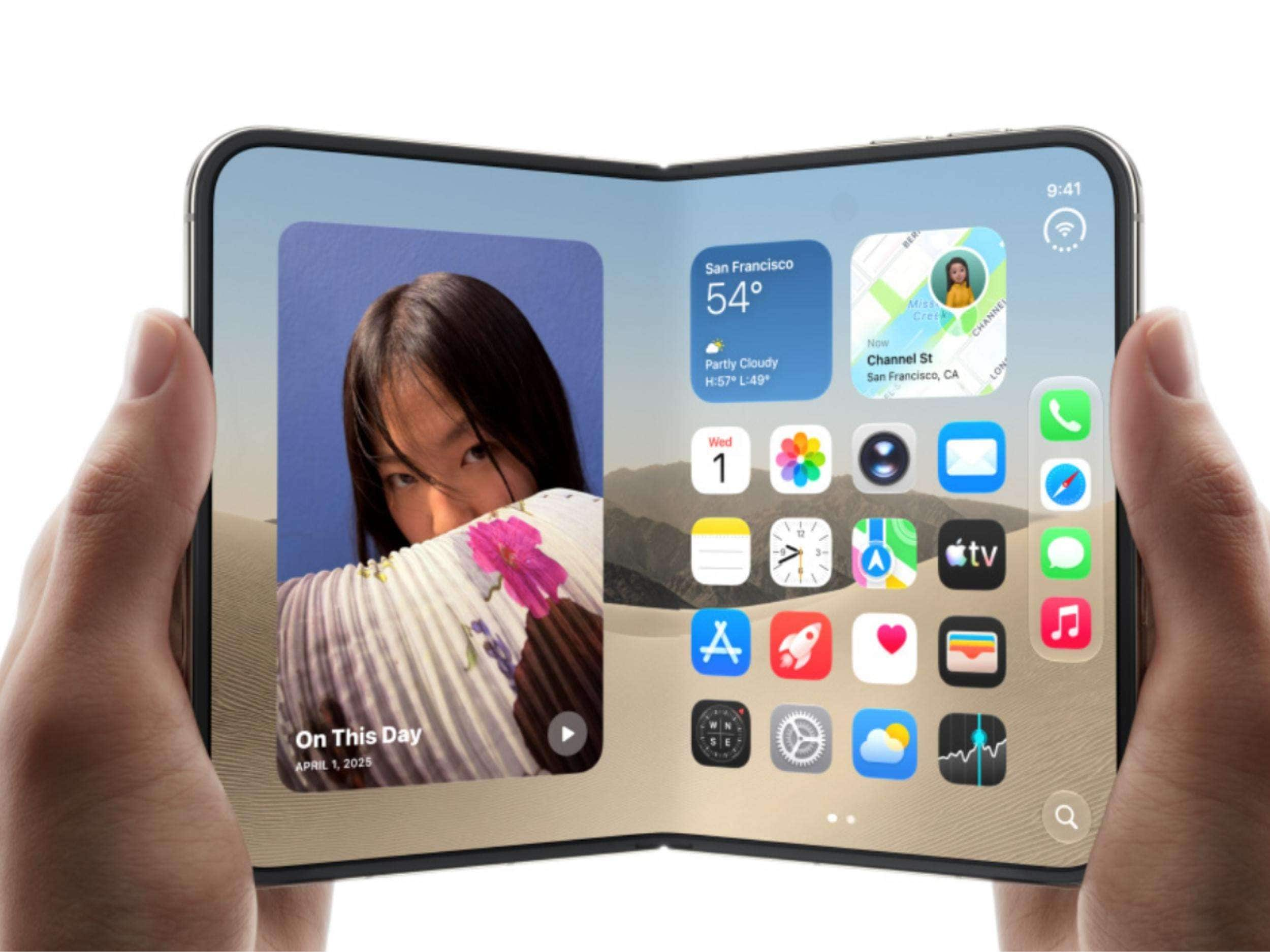
The iPhone Duo changes what users can expect from a mobile device. With more screen space available for reading and reviewing content, it makes long documents, contracts, reports, and other PDFs easier to view on the go.
However, a larger display is only part of the experience. To make mobile PDF work genuinely productive, users also need an app that allows them to edit documents and understand complex content without returning to a computer. This is where PDFelement becomes a practical PDF solution for the iPhone Duo.


 G2 Rating: 4.5/5 |
 100% Secure
Part 1. What's New in the iPhone Duo?
The iPhone Duo introduces a more flexible way to view and work with content on a smartphone. Its foldable design, larger inner display, and multitasking capabilities can make everyday PDF tasks more convenient. Here are three features that can improve the mobile document experience.
A 7.6-Inch Foldable Display Creates More Room for Documents
The iPhone Duo's 7.6-inch foldable inner display gives PDF documents more room to breathe. Compared with a traditional iPhone screen, the larger viewing area can make long reports, contracts, research papers, and digital books easier to read. Users can view more content at once, spend less time zooming in and out, and follow a document's layout more naturally.
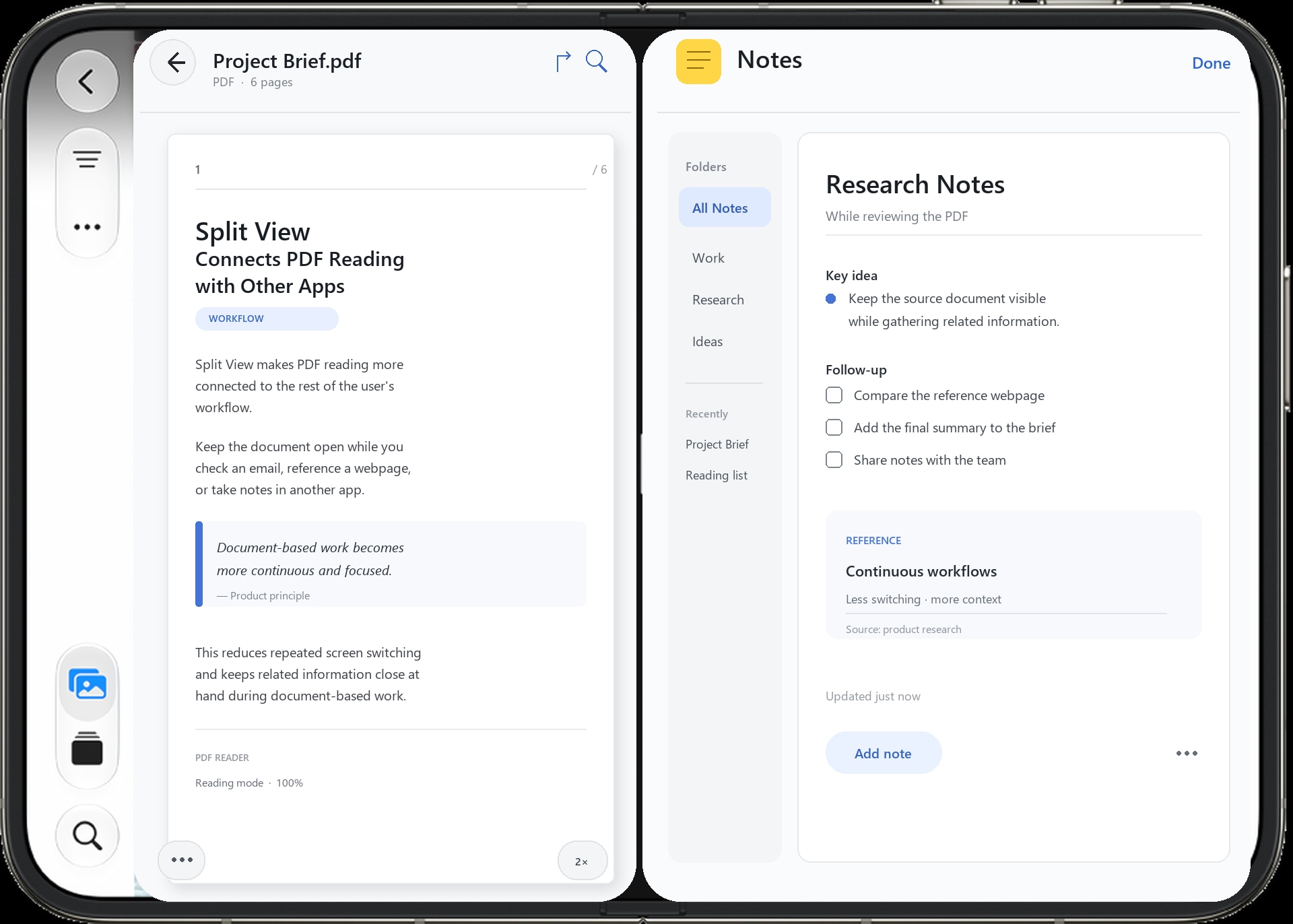
Split View Connects PDF Reading with Other Apps
Split View makes PDF reading more connected to the rest of the user's workflow. Users can keep a PDF open while checking an email, referencing a webpage, taking notes, or reviewing related information in another app. This reduces the need to repeatedly switch between screens and makes document-based work more continuous.
Multiple Screen Forms Support Different PDF Tasks
The iPhone Duo also gives users different ways to approach the same document. The unfolded mode can provide a more spacious reading environment, landscape mode may be useful for wide tables and charts, and portrait mode can feel more natural for reading continuous text. When the device is folded, users can still quickly check a page or locate specific information.
Part 2. A Must-Try PDF App for iPhone Duo: PDFelement
The iPhone Duo can provide the screen space needed for a more comfortable mobile document experience, but the app running on that device determines what users can actually do with that space. PDFelement builds on this potential by combining a flexible reading experience with mobile PDF editing and AI-powered document assistance.
Instead of using the iPhone Duo only to view PDFs, users can use PDFelement to read, modify, and understand documents in one place. Here are some ways it can make mobile PDF work more productive.
G2 Rating: 4.5/5 |100% Secure
Make Better Use of the Larger Display
With PDFelement, the larger display of the iPhone Duo can become more than a place to open a file. It provides a more natural environment for reviewing documents, following page layouts, and reading long sections of content with fewer interruptions.
Whether you are checking a business report, reviewing a contract, or studying a digital book, the combination of a spacious display and convenient PDF reading tools makes it easier to work with documents on the go.
Edit PDF Documents Without Returning to a Computer
Receiving a PDF while away from a desk should not always mean waiting until you can return to a computer. Documents often need small but important changes at short notice.
A contract may contain an outdated date. A proposal may need a price update. A report may include an incorrect contact detail. A client may request a quick change shortly before a meeting.
With PDFelement, users can open a document on the iPhone Duo, make necessary changes, and continue with their workflow from the same device. This reduces the need to transfer files between a phone and a computer before completing a simple edit.
G2 Rating: 4.5/5 |100% Secure
The process becomes especially practical when users are traveling, attending meetings, or working somewhere without immediate access to a desktop.

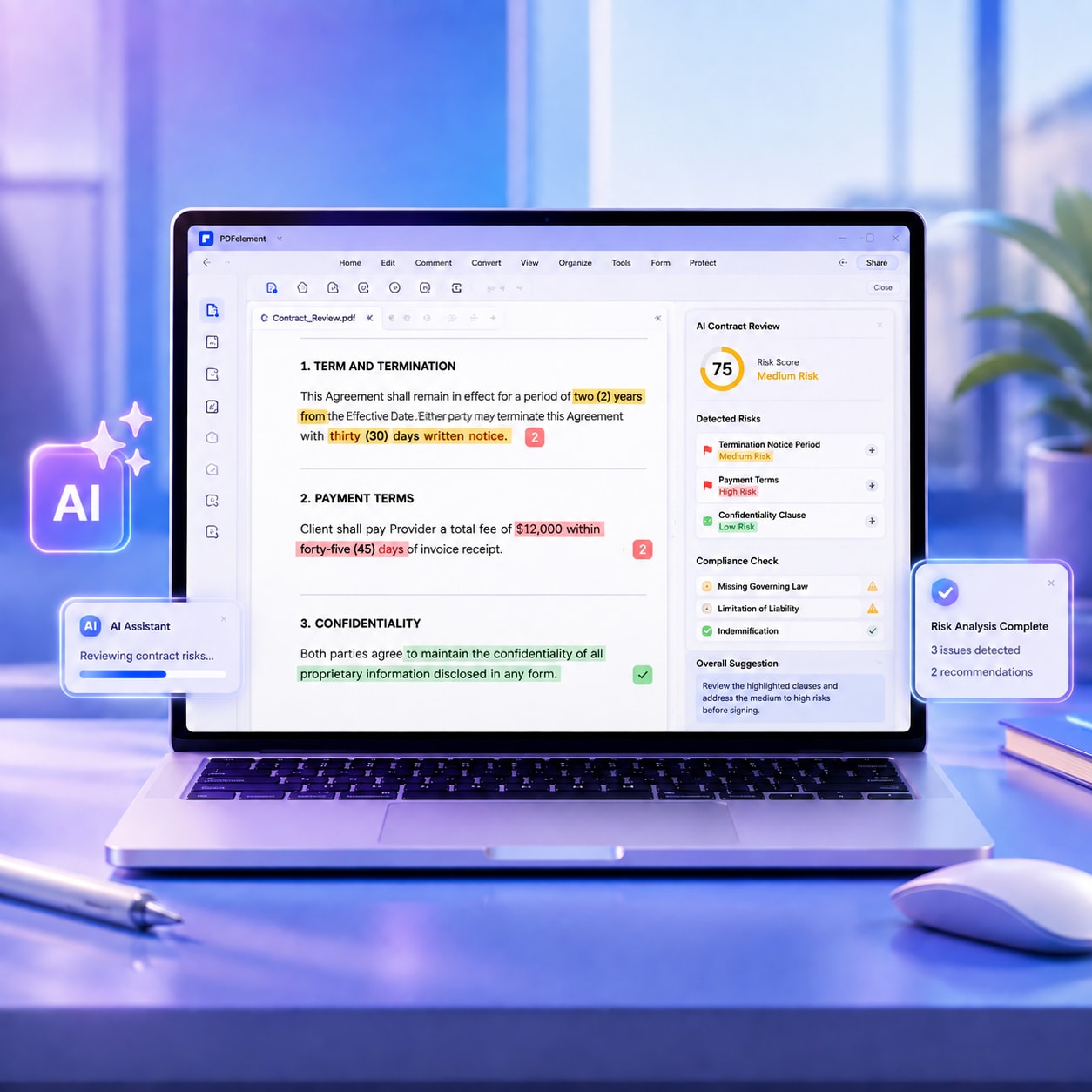
Understand PDF Content Faster with PDFelement AI
Business reports, research papers, contracts, and technical documents can often span dozens or even hundreds of pages. Users may not have time to read every page. Important conclusions might be scattered throughout a document, and locating specific data or key terms manually can be time-consuming.
The AI tools integrated into PDFelement enable users to interact with PDF content more efficiently. They can summarize documents, extract key points, and answer questions based on the document's content.

For instance, when reviewing a lengthy report, users can use AI to get an initial overview before exploring the most relevant sections. Rather than searching through the entire document manually, they can identify important topics and focus their attention where it matters most.
AI assistance does not replace careful document review, especially when absolute accuracy is required. However, it can make it easier to identify key areas of focus and reduce the time spent searching through large amounts of information.
Add Notes and Annotations While Reading PDFs
Reading a PDF often involves more than simply moving from one page to the next. Users may want to highlight an important paragraph, underline a key sentence, add a note, or mark a section for later review.
With PDFelement, the iPhone Duo can become a more interactive reading workspace. While viewing a document on the larger display, users can add highlights, comments, underlines, and other annotations directly to the PDF. The extra screen space can also make it easier to select content and view annotations in context.

This is useful when reviewing contracts, studying research papers, preparing for meetings, or checking business reports. Instead of keeping separate notes in another app, users can place their thoughts and feedback directly next to the relevant parts of a document.
G2 Rating: 4.5/5 |100% Secure
Final Thoughts
The iPhone Duo offers a more spacious and flexible way to work with documents. Its 7.6-inch foldable inner display makes PDFs easier to view, Split View connects document work with other apps, and different screen forms support different reading situations.
PDFelement builds on these strengths by helping users read PDFs more comfortably, edit documents without returning to a computer, and understand content faster with AI-powered assistance. Try PDFelement on your iPhone Duo and discover a smarter way to read, edit, and understand PDF documents on the go.
G2 Rating: 4.5/5 |100% Secure