

Not everyone wants a long, decorative signature. Many people prefer something shorter, cleaner, and easier to use in everyday document workflows. A short signature maker can help users design a compact signature style that still feels personal, readable, and professional.
However, creating the signature is only the first step. In real-world use, people still need to place that signature into forms, contracts, and PDFs without ruining layout or readability. This article explains how short signatures work, why they are popular, and how to use them more effectively in PDF documents with PDFelement.
In this article
- Short Signature Maker Explained: Meaning, Purpose, and Benefits
- Why a Short Signature Can Be Better Than a Long One
- How to Create a Short Signature That Works for You
- How a Short Signature Maker Helps You Design Faster
- Using Your Short Signature Effectively in PDF Documents
- Why PDF Tools Become Important After Creating a Short Signature
- How to Improve the Look of Your Short Signature
- Mistakes to Avoid When Designing a Short Signature
- Smart Workflow for Creating and Using a Short Signature
- Frequently Asked Questions
Short Signature Maker Explained: Meaning, Purpose, and Benefits
A short signature is a simplified version of a full signature that removes unnecessary strokes and extra complexity. It may be built from initials, a shortened name, or a minimal handwritten style that is easier to repeat consistently.
What a Short Signature Maker Does: These tools let users create, sketch, test, and refine signature styles on-screen. They make it easier to compare different looks and export the final result for use in PDFs and other digital files.
Why People Prefer Short Signatures: Short signatures save time, improve consistency, and usually look cleaner inside digital forms. They also reduce clutter in small signing areas where long handwriting can become messy.
Why a Short Signature Can Be Better Than a Long One
A shorter signature is often more practical than a long and highly detailed one, especially when the same name has to be signed repeatedly across digital documents.
Faster and Easier Use: A short signature takes less time to write and is easier to repeat over and over.
Cleaner Digital Appearance: A compact signature usually fits PDF signing fields more naturally without looking cramped.
Practical Everyday Choice: It balances convenience and style, making it useful for both personal and professional paperwork.
How to Create a Short Signature That Works for You
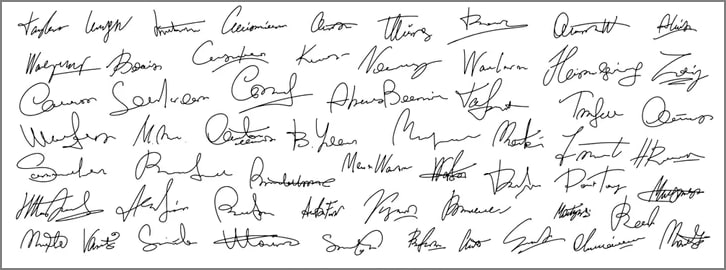
The best short signature is one that feels natural to write and still looks stable when reused in documents. Simplicity matters more than decoration.
Use Initials or a Simple Name Form: Start with first and last initials or a shortened version of your name, then remove extra loops and ornamental strokes.
Try Different Styles: Test an initial-based version, a minimal handwritten style, or a compact professional form to see what feels most repeatable.
Keep It Simple and Clear: Avoid adding too many design details. The goal is a signature that remains readable and easy to recreate.
How a Short Signature Maker Helps You Design Faster
These tools speed up the design process by letting users compare styles quickly instead of redrawing from scratch every time.
Type-Based Creation: Generate possible signature styles from typed names or initials and compare different looks instantly.
Draw-Based Creation: Freely sketch the signature for a more natural handwritten result and refine it across repeated attempts.
Upload-Based Creation: Convert an existing handwritten signature into a cleaner digital format and adjust it afterward.
Choosing the Right Tool
A useful short signature maker should be simple to navigate, offer multiple style options, and make it easy to save or download the final signature. It should also fit smoothly into the user's broader document workflow instead of stopping at the design stage.
Using Your Short Signature Effectively in PDF Documents
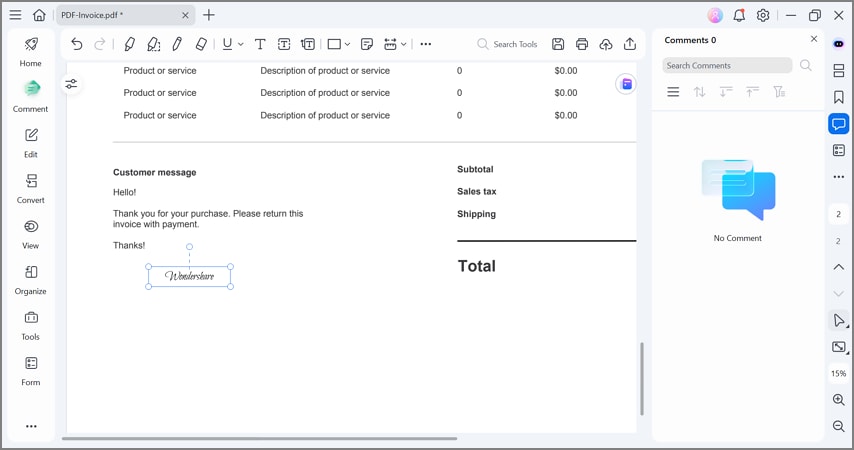
Designing the signature is only half of the job. To make it useful in real workflows, users need to insert it into a PDF, place it correctly, and review how it looks inside the full document.
Adding a Short Signature to a PDF
Step 1
Open the PDF where the signature needs to appear.
Step 2
Insert the Signature into the correct signing area using your saved signature file or signature tool.
Step 3
Adjust Size and Position so the signature fits naturally within the page layout.
Step 4
Save the Document after checking that the signature is placed correctly.
Checklist Before Saving the PDF
Visibility: Make sure the signature is easy to read against the document background.
Positioning: Confirm that it sits in the proper signing area.
Page Layout: Check that it does not overlap text, margins, or other content.
Natural Appearance: Review whether it looks realistic and well integrated into the document.



 G2 Rating: 4.5/5 |
 100% Secure
Why PDF Tools Become Important After Creating a Short Signature
Once the signature exists, users still need tools that work with the document itself. That is where PDF editors become important, because the workflow usually includes placement, review, adjustment, and final export.
Signature Maker vs PDF Tool: A short signature maker helps design the signature, while a PDF tool helps place and manage it inside real documents.
After Creating a Signature: Users often need to insert the signature, resize it, review formatting, make annotations, and reuse it across multiple files.
Why PDFelement Helps
After creating a signature, users often need a practical way to manage and finalize PDFs efficiently. This is where PDFelement fits naturally into the process.
Opening and Managing PDFs: It helps users access and work with PDF documents smoothly.
Adding Signatures to Documents: Signatures can be placed directly into forms, agreements, and professional files.
Adjusting Layout and Appearance: It supports resizing, positioning, and organizing document elements so signatures look cleaner inside PDFs.
Preparing Files for Final Use: Users can save, review, and share finalized files more easily after edits are complete.
How to Improve the Look of Your Short Signature
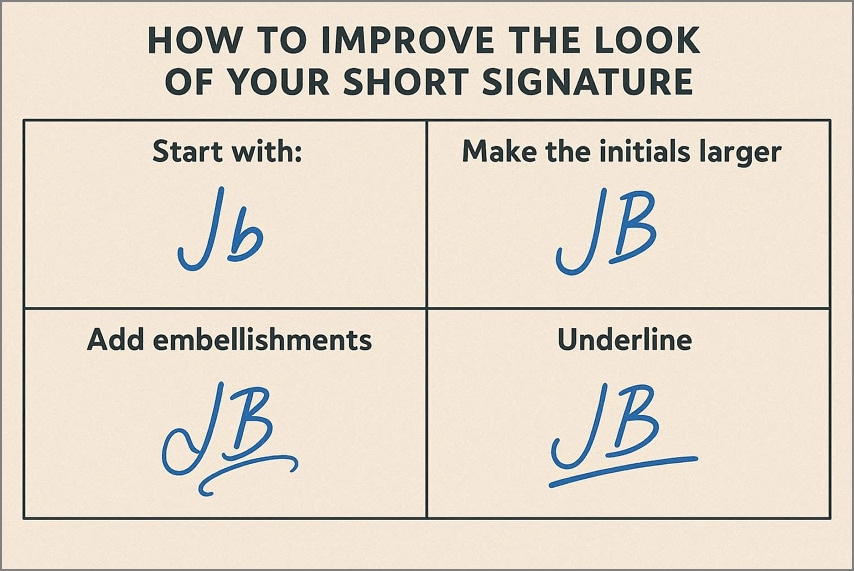
Even a simple signature can look much better with a few visual adjustments.
Clean Strokes: Too many loops and decorative flourishes can make a short signature look cluttered.
Balanced Shape: A signature that is too wide or too compressed may look awkward inside standard document fields.
Real Document Testing: Insert the signature into actual PDFs to see how it looks in context instead of judging it only on a blank canvas.
Mistakes to Avoid When Designing a Short Signature
Many signature problems come from overdesigning something that should stay simple and reusable.
Making It Too Complex: Adding too many details defeats the purpose of a short signature.
Choosing an Inconsistent Style: A stylish signature that cannot be repeated consistently may create problems in formal use.
Ignoring Document Appearance: A signature can look fine by itself but awkward inside a PDF if it is not tested in real layout conditions.
Forgetting the Document Workflow: Designing the signature is only one stage; users often still need PDF tools for placement, review, and finalization.
Smart Workflow for Creating and Using a Short Signature
A clear step-by-step process helps users move from signature creation to real document use without wasting time.
Style Choice: Pick a short signature style based on initials, a simplified name, or a minimal handwritten design.
Creation: Use a short signature maker to generate or sketch the signature digitally.
Refinement: Improve clarity, spacing, and consistency so the signature is easy to repeat.
PDF Insertion: Add the finalized signature into PDF documents where needed.
Final Adjustment: Resize and position it properly before saving the file.
Benefits of Combining Signature Creation with PDF Workflow Tools
Faster Reuse: Saving a digital signature makes future signing quicker and more repeatable.
Cleaner Presentation: Proper placement and formatting help signatures look more polished in forms and official documents.
Better Digital Fit: Compact signatures work more naturally in modern digital paperwork and limited signing fields.
G2 Rating: 4.5/5 |100% Secure
Frequently Asked Questions
What is a short signature maker?
A short signature maker is a tool that helps users create, draw, or refine compact signature styles for digital use.
How can I create a short signature?
You can build one from initials, a shortened version of your name, or a simplified handwritten style that is easier to repeat consistently.
Can I use a short signature in a PDF?
Yes. A short signature can be inserted into PDF forms, contracts, and approval documents, then resized and positioned to fit the page properly.
What makes a good short signature style?
A good short signature is simple, clear, repeatable, and able to fit naturally inside document fields without looking overcrowded.
Do I need a PDF tool after using a short signature maker?
In many cases, yes. The signature maker helps create the signature, while a PDF tool helps place it, adjust it, review the file, and finalize the document.
G2 Rating: 4.5/5 |100% Secure




