

A 2-hour recorded lecture often stretches beyond 5 hours with manual notes. Pausing, rewinding, and searching later quickly adds unnecessary time every session too. However, AI YouTube video to notes converters remove much of that effort.
They understand arguments before producing organized notes instead of raw transcripts automatically. Still, note quality differs noticeably between available tools today. This comparison clearly explains the strengths, weaknesses, and ideal users for each option.


 G2 Rating: 4.5/5 |
 100% Secure
In this article
Part 1. What a YouTube AI Note Taker Actually Does
The category name causes confusion, because half the tools marketed as note takers are really summarizers with a different label. The distinction is worth settling first.
The Outputs an AI Video Note Taker Produces
A summary is one output among several. A capable AI video note taker reads the transcript, works out the structure underneath, then offers the material in whichever shape fits:
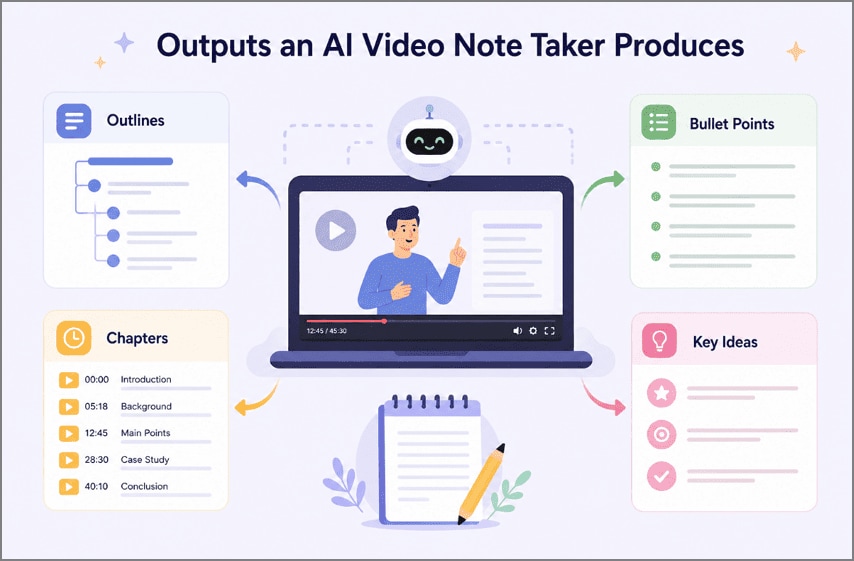
- Outlines: The argument arranged hierarchically, sub-points nested under the claims they support.
- Bullet Points: Discrete takeaways, each short enough to scan without rereading.
- Chapters: Timestamped divisions letting you jump straight to the section you need.
- Key Ideas: The few claims the video exists to make, separated from supporting detail.
Note Takers Versus YouTube Summarizers
Both tools shorten videos, so people often confuse their purpose during everyday use. However, the difference becomes obvious once you rely on the final output. A YouTube video to notes tool creates structured material for studying, reviewing, or quoting later.
Meanwhile, a summarizer helps decide whether a video deserves your attention first. As Educational Psychology research on note-taking and learning shows, organized notes improve later review and retention. One filters content efficiently, whereas the other supports lasting learning and revision.
Part 2. When Should You Use a YouTube Video Note Taker?
Not every video justifies the step. A five-minute explainer is faster watched than processed. A YouTube video note taker pays off when the recording is long, dense, or worth returning to:
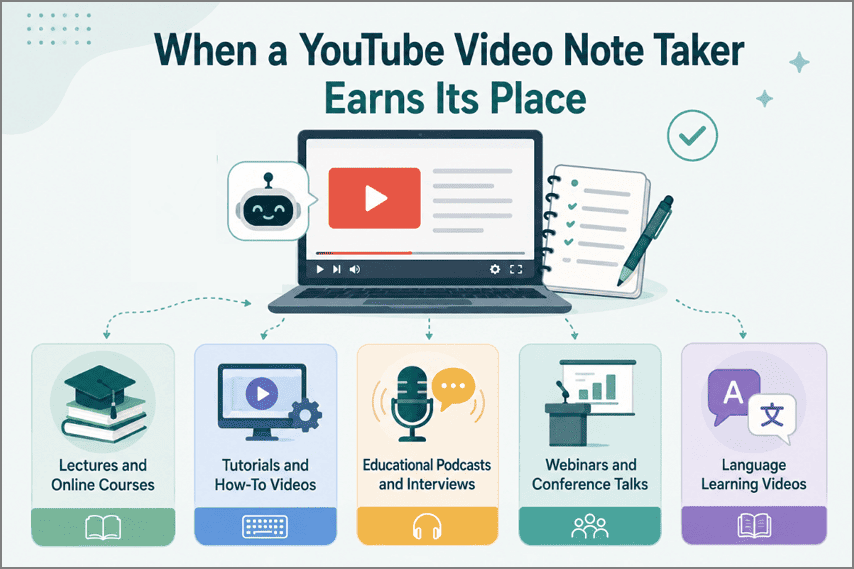
- Lectures and Online Courses: The clearest case, since course material is structured, testable, and revisited.
- Tutorials and How-To Videos: Written steps beat scrubbing a timeline when following along at a keyboard.
- Educational Podcasts and Interviews: Conversational formats bury their best points inside long digressions.
- Webinars and Conference Talks: Watched once, rarely rewatched, and forgotten within a fortnight.
- Language Learning Videos: Transcripts and translated notes turn passive listening into reviewable vocabulary.
Part 3. How These Tools Were Compared
Every tool below claims to turn videos into notes, so feature lists alone reveal very little. Instead, we compared each YouTube lecture to notes tool across five practical criteria that matter in everyday use.
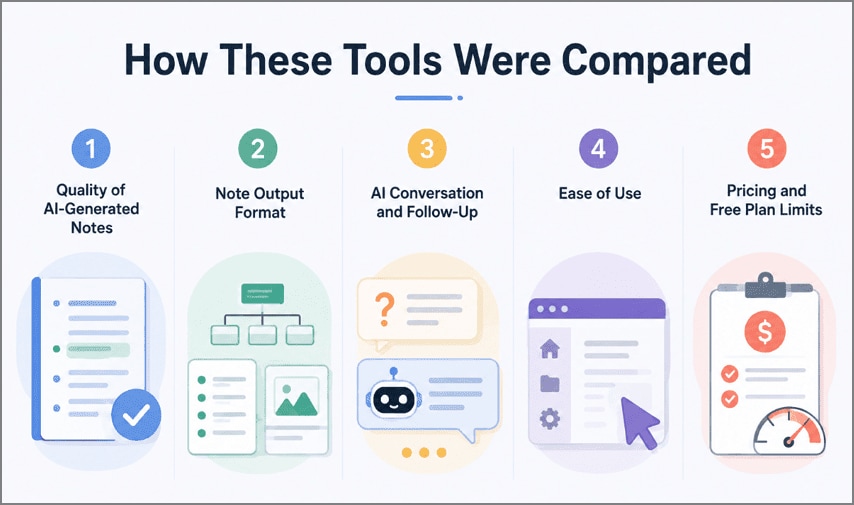
- Quality of AI-Generated Notes: Whether the output preserves the argument or flattens it into disconnected bullets.
- Note Output Format: How many shapes one video can take, from outlines to flashcards.
- AI Conversation and Follow-Up: Whether you can question the material afterward or only accept what returns.
- Ease of Use: Setup cost and whether the tool fits an existing workflow.
- Pricing and Free Plan Limits: Where the ceiling sits, since most free tiers cap daily minutes.
Part 4. The Best YouTube Video to Notes Converter Tools
With the comparison criteria established, the next step is evaluating each YouTube video to notes converter in real-world use. First, review the quick comparison table for an at-a-glance overview. Then, explore the detailed breakdown of all seven tools, including their strengths, limitations, and ideal use cases.
Quick Comparison
| Tool | Best For | Free Access |
| PDFelement | Video and documents in one workspace | Paid plan for full AI |
| NoteGPT | Notes plus mind maps and quizzes | Tight daily cap |
| Eightify | Screening videos before watching | Trial only |
| YouLearn | Students working across mixed materials | Free plan available |
| Mindgrasp | Exam and certification preparation | Short trial only |
| NotebookLM | Research across several sources | Free |
| Notta | Accurate transcripts in many languages | Monthly minute cap |
1. PDFelement
Best for: Anyone whose material arrives as a mix of recordings and documents rather than video alone.
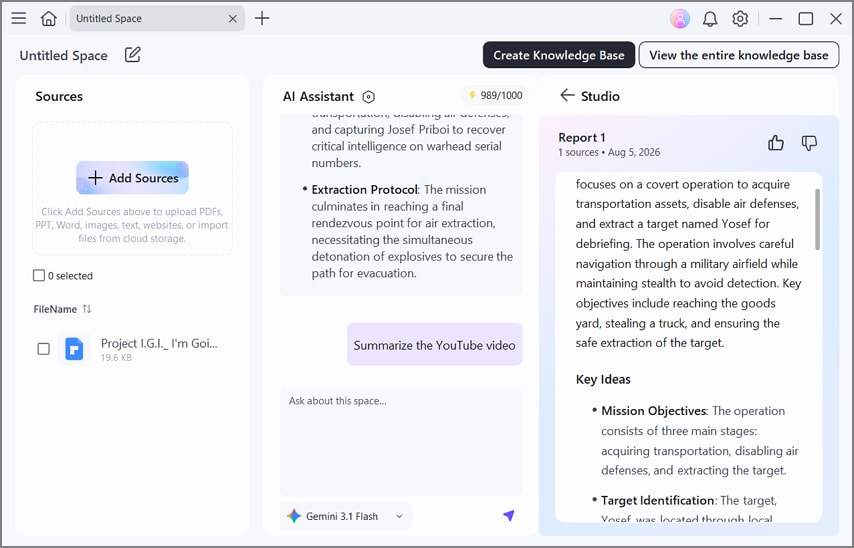
PDFelement stands out because it handles far more than a single YouTube lecture-to-notes workflow. Instead of treating videos as isolated inputs, it places YouTube lectures, PDFs, and other study materials in one workspace, making it easier to keep related resources together.
That approach becomes especially useful when lectures and supporting readings need to be reviewed side by side. Rather than generating a raw transcript, PDFelement produces structured, organized notes that are easier to revise, reference, and build upon later.
2. NoteGPT
Best for: Regular learners willing to pay for volume of generated study material.
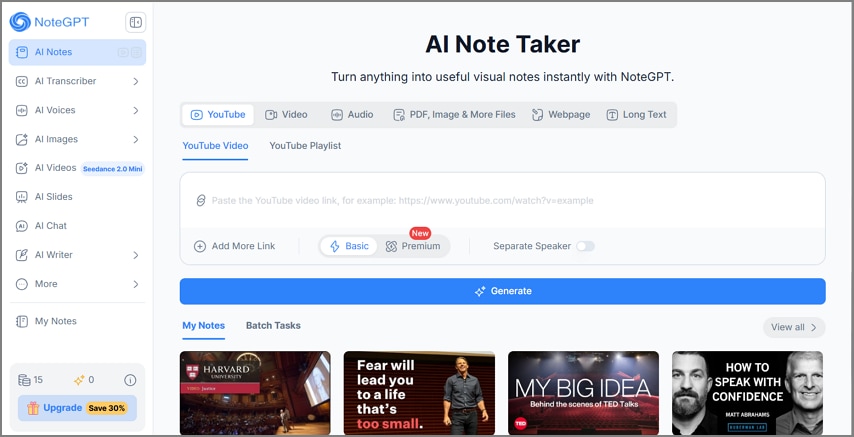
The most established name in this category arrived at video from general AI study tools, and the range shows. NoteGPT handles videos, PDFs, and documents through a web app and a Chrome extension. A pasted link is processed in seconds, with study material offered on top.
3. Eightify
Best for: Deciding quickly whether a long video deserves a full watch.
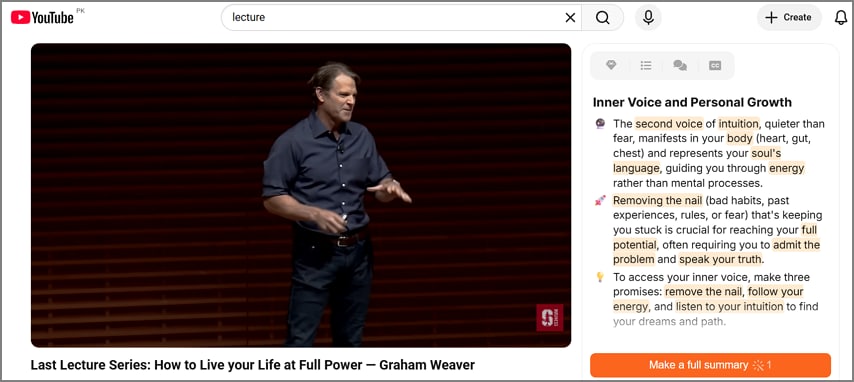
Eightify is a YouTube AI note taker built for speed rather than deep note-taking. Running as a Chrome extension, it summarizes YouTube videos with timestamped highlights across multiple languages. Instead of detailed study notes, it provides quick overviews that help you decide whether a video is worth watching fully.
4. YouLearn
Best for: Coursework where several formats have to be revised together.
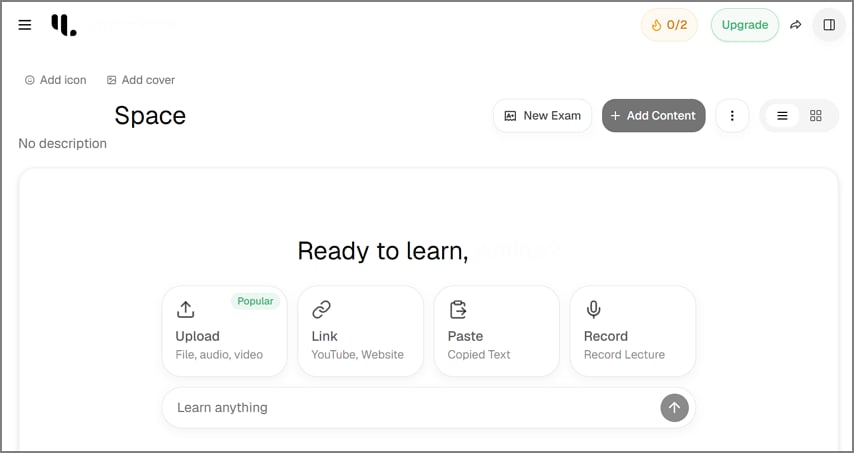
Built around coursework rather than general use, YouLearn lets slides, recordings, PDFs, and video links share one study set per subject. Everything uploaded becomes notes, flashcards, quizzes, transcripts, or audio, and the tutor-style chat answers from that material rather than from general knowledge.
5. Mindgrasp
Best for: Certification candidates and students preparing for assessed material.
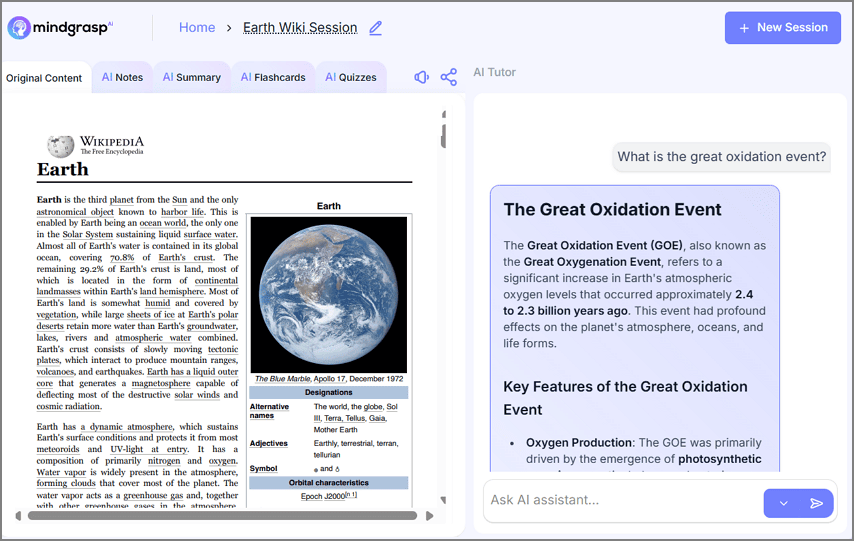
Unlike most tools, this AI video note taker continues beyond creating notes by turning them into study material. Mindgrasp generates quizzes and other learning aids from the extracted content while handling mathematical and scientific topics more accurately than many general-purpose summarization tools.
6. NotebookLM
Best for: Literature reviews and any work that will be cited.
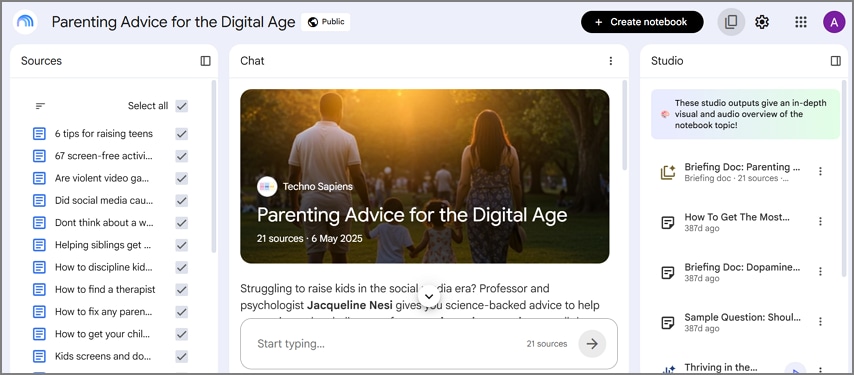
Google's entry accepts YouTube videos alongside documents and web pages, so a talk can sit beside the papers it references. What sets NotebookLM apart is traceability, since every answer points back to the passage it came from.
7. Notta
Best for: Interviews, lectures, and anything likely to be quoted verbatim.
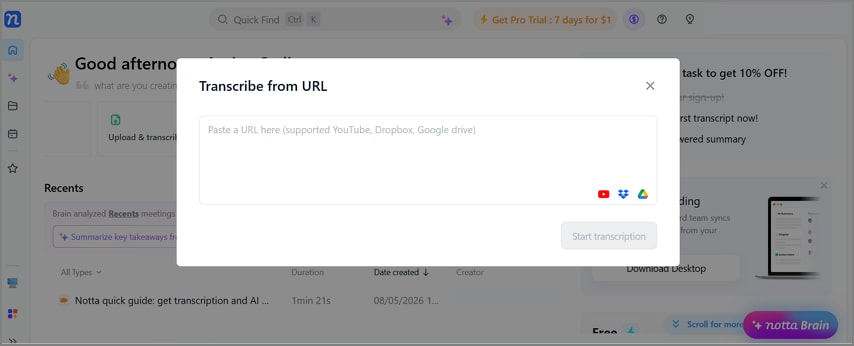
Designed with transcription first, this YouTube AI note taker produces accurate, well-formatted transcripts across numerous languages before generating notes. That foundation makes Notta especially effective when exact wording, speaker attribution, and reliable records matter more than study-focused features.
G2 Rating: 4.5/5 |100% Secure
Part 5. Which YouTube Video Note Taker Should You Choose?
The 5 comparison criteria make choosing much easier once you know how you plan to use the content. Most users fall into one of these 3 common situations:
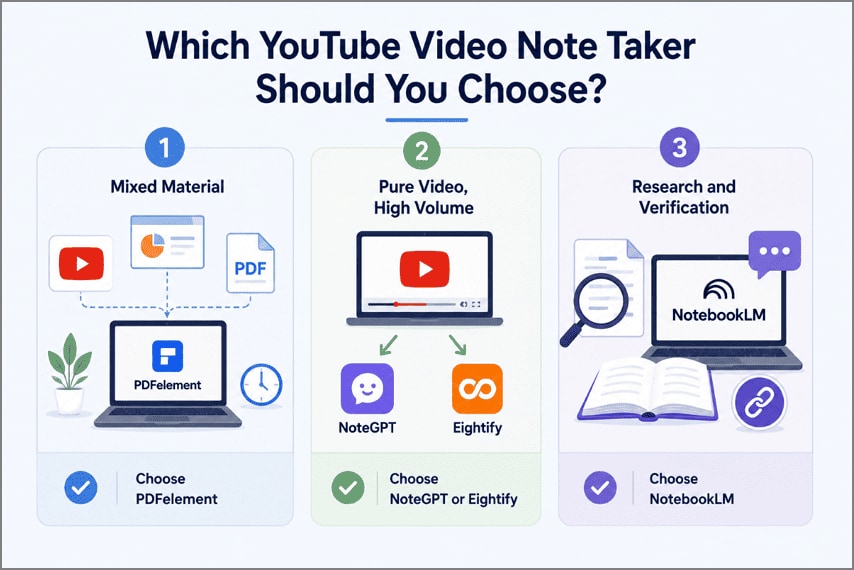
- Mixed Material: Choose PDFelement when a YouTube lecture-to-notes job also involves the slides and papers that came with it. Keeping them together saves the most time.
- Pure Video, High Volume: Choose NoteGPT for generated study material, Eightify for triaging a watchlist.
- Research and Verification: For research-heavy workflows, source traceability matters as much as note quality. Google's NotebookLM Help explains how responses include citations that link back to the original uploaded sources, making verification easier.
Frequently Asked Questions
What is the best YouTube video to notes converter?
There is no single winner. PDFelement suits mixed video and document work, NotebookLM suits research needing citations, Mindgrasp suits exam preparation.
Can I turn a YouTube lecture to notes automatically?
Yes. Every tool here accepts a video URL and returns notes without manual input. Reviewing the output still matters for names and figures.
What is the difference between a YouTube video note taker and a YouTube summarizer?
A summarizer condenses the video into an overview for screening. A note taker keeps the structure intact, producing material you can revise from.
Are YouTube AI note takers accurate?
Broadly reliable on main arguments. Accuracy drops with poor audio, heavy accents, and specialist vocabulary, so check technical terms against the video.
Do YouTube video note taker tools support multiple languages?
Most do, though coverage varies. Eightify, YouLearn, and Notta advertise wide language support, while others perform best on English content.
Is it safe to use a YouTube video to notes converter?
For public videos, generally yes. Check the provider's data policy before uploading private recordings, since retention practices differ between tools.
Final Takeaway
Most YouTube video to notes tools produce reliable notes, so the deciding factors are workflow, source traceability, and free plan limits. Choose a dedicated tool for video-only learning. However, if your lectures include PDFs, slides, or supporting documents, PDFelement keeps everything in one workspace, making it a practical choice for organized study.
G2 Rating: 4.5/5 |100% Secure




