

In this article
When DocuSign pioneered the e-signature market over two decades ago, it effectively eliminated the friction of paper-based document signing. Yet for many organizations today, that friction has reemerged in a different form: restrictive envelope limits, escalating subscription costs, and workflows that require multiple disconnected tools to accomplish what should be a seamless process. If you've found yourself calculating whether that additional envelope bundle fits your quarterly budget, you're not alone.
The e-signature landscape has evolved considerably. What began as a narrow market dominated by a single solution has fragmented into specialized tools addressing specific industries, compliance requirements, and workflow patterns. Whether you're a freelancer sending your first independent contractor agreement or an enterprise IT manager evaluating contract lifecycle management platforms, the right DocuSign alternative exists—but finding it requires understanding how your specific needs diverge from the one-size-fits-all approach.

For organizations that regularly work with PDF documents—from contracts and proposals to forms and reports—a solution that combines document editing with e-signature capabilities can eliminate the friction of exporting, signing, and re-importing files across multiple applications. PDFelement has emerged as a practical option in this space, offering not just signature collection but comprehensive document preparation, editing, and management within a unified platform. Wondershare PDF


 G2 Rating: 4.5/5 |
 100% Secure
Why Organizations Are Leaving DocuSign
The Hidden Costs of Envelope-Based Pricing
DocuSign's pricing structure centers on the concept of "envelopes"—essentially containers for documents sent for signature. While this model works predictably for organizations with stable, predictable document volumes, it creates significant friction for businesses with seasonal fluctuations or growth trajectories. A real estate agency might process ten contracts in January and three hundred in June. Under an envelope-based model, that June volume either requires expensive overage fees or pre-purchased envelopes that sit unused for months.

The psychology of envelope limits creates perverse incentives as well. Team members become reluctant to send documents for signature when envelopes run low, potentially delaying critical agreements. Organizations looking at DocuSign alternatives frequently cite this unpredictability as a primary migration driver. Solutions like SignNow and BoldSign have gained traction by offering unlimited envelopes on certain plans, removing the mental overhead of envelope accounting entirely.
When Document Editing Becomes a Workflow Bottleneck
DocuSign excels at one specific function: capturing legally binding electronic signatures. However, modern document workflows rarely begin at the signature stage. A contract typically requires drafting, negotiation, redlining, formatting, and preparation before it ever reaches the signing phase. Organizations using DocuSign frequently find themselves exporting documents to Word or Google Docs for editing, then converting back to PDF for signature collection—a friction point that consumes time and introduces version control errors.
This gap has driven interest toward alternatives that handle the complete document lifecycle. PandaDoc addresses this through built-in document editing and proposal generation. PDFelement approaches the challenge from the opposite direction, starting with robust PDF editing capabilities and adding e-signature functionality on top. For teams that frequently modify PDFs—adding form fields, rearranging pages, or redacting sensitive information before sending for signature—this integrated approach eliminates the export-import cycle entirely.
Support and Integration Limitations
As DocuSign has scaled toward enterprise dominance, smaller customers sometimes report challenges with support responsiveness. The platform's extensive feature set also creates complexity for simple use cases—users who just need to send a few documents per month find themselves navigating enterprise-grade administration panels and pricing tiers designed for thousands of users.
Integration limitations present another frustration. While DocuSign connects with major CRM and cloud storage platforms, organizations using niche or custom tools may find the API access restricted to higher-tier plans. Alternatives like Zoho Sign offer deeper integration within their respective ecosystems, while open-source options like OpenSign provide complete API flexibility for technically sophisticated teams.
How to Evaluate DocuSign Alternatives
Legal Compliance and Security Standards
Not all electronic signatures carry equal legal weight. Before selecting any DocuSign alternative, verify compliance with relevant regulations:
- United States: ESIGN Act and UETA compliance ensure enforceability in court
- European Union: eIDAS regulation defines three signature tiers (Simple, Advanced, Qualified), with Qualified Electronic Signatures holding the highest legal standing
- Healthcare: HIPAA compliance requires additional safeguards for protected health information
- Financial Services: SOC 2 Type II certification and ISO 27001 indicate robust security practices
Most established alternatives—including Adobe Acrobat Sign, Dropbox Sign, and PDFelement—maintain compliance with major standards. However, specialized use cases may require specific certifications. OneSpan Sign (formerly eSignLive) emphasizes banking-grade security, while solutions like SIGNiX focus on highly regulated industries with specific audit trail requirements.
Total Cost of Ownership Calculations
When comparing DocuSign alternatives, list pricing tells only part of the story. Consider these factors:
Volume-Based Pricing vs. Unlimited Models
DocuSign's Business Pro plan provides 100 envelopes per user annually. For a five-person team, that's 500 envelopes total. If your organization typically sends 600 envelopes annually, you'll need either envelope add-ons or a higher-tier plan. Alternatives offering unlimited envelopes—such as certain SignNow and BoldSign plans—may prove more economical despite higher base pricing.
Implementation and Training Costs
Switching platforms incurs migration expenses: template recreation, user training, and workflow reconfiguration. Open-source alternatives like DocuSeal may have zero licensing costs but require significant technical setup. Factor these hidden costs into your evaluation.
Perpetual License Options
Some alternatives, including PDFelement, offer perpetual licenses in addition to subscription models. For organizations with stable, long-term needs, a one-time purchase can yield substantial savings over multi-year subscription commitments.
Integration Requirements Assessment
Map your current technology stack before evaluating alternatives. Organizations heavily invested in the Microsoft ecosystem may find Adobe Acrobat Sign's SharePoint and Teams integrations compelling. Google Workspace users might prefer the native integration of Dropbox Sign. Zoho ecosystem adherents have a natural fit with Zoho Sign.
For organizations requiring custom workflows or proprietary system integration, evaluate API availability and documentation quality. DocuSign alternatives like SignNow and PDFelement provide API access across most pricing tiers, while others restrict advanced integrations to enterprise plans.
Best DocuSign Alternatives by Use Case
For Small Businesses and Freelancers: SignNow and SignWell
Small businesses prioritize simplicity and predictable pricing over enterprise feature depth. SignNow has built a reputation as a cost-effective alternative, offering core e-signature functionality—unlimited envelopes on higher-tier plans, template creation, and basic workflow automation—at roughly half DocuSign's equivalent pricing. Its straightforward interface reduces training time for teams without dedicated IT support.
SignWell (formerly Docsketch) takes a different approach, offering a generous free tier that accommodates occasional signature needs. For freelancers sending a handful of contracts monthly, this free tier often suffices indefinitely. The platform's focus on simplicity—stripping away complex approval workflows and enterprise administration features—resonates with independent professionals who need to send, sign, and move on.
For Enterprise Compliance: Adobe Acrobat Sign
Organizations in regulated industries—healthcare, financial services, government contracting—face stringent compliance requirements that generic e-signature tools cannot satisfy. Adobe Acrobat Sign, integrated with the broader Adobe Document Cloud ecosystem, provides enterprise-grade security certifications, advanced authentication options (including government ID verification), and detailed audit trails that satisfy regulatory examination.
Adobe's market position also ensures broad compatibility. When your counterparties already use Adobe products, the friction of platform negotiation disappears. The integration with Microsoft 365, Salesforce, and Workday covers most enterprise software environments. However, this comprehensiveness comes at a premium—Adobe Acrobat Sign typically prices above DocuSign's equivalent tiers.
For Sales Teams: PandaDoc and Dropbox Sign
Sales workflows differ fundamentally from general document signing. A sales proposal typically requires interactive pricing tables, product configuration, and embedded payment options—not just signature capture. PandaDoc addresses this through built-in CPQ (configure-price-quote) functionality, allowing sales representatives to generate customized proposals with dynamic pricing, then collect signatures and payments within a single document.
Dropbox Sign (formerly HelloSign) offers a middle path—cleaner and simpler than DocuSign, with stronger cloud storage integration through its Dropbox parent company. For sales teams already storing documents in Dropbox, the seamless workflow from draft to signature to archived contract proves efficient. The platform's API also enables deeper CRM integration for organizations wanting to automate proposal generation from opportunity data.
For PDF-Centric Workflows: Integrated Document Management Solutions
Certain workflows center on PDF documents that require manipulation before signing. Real estate agents modifying purchase agreements, legal teams redacting privileged information, HR departments filling in employee data on standard forms—all need document preparation capabilities alongside signature collection.
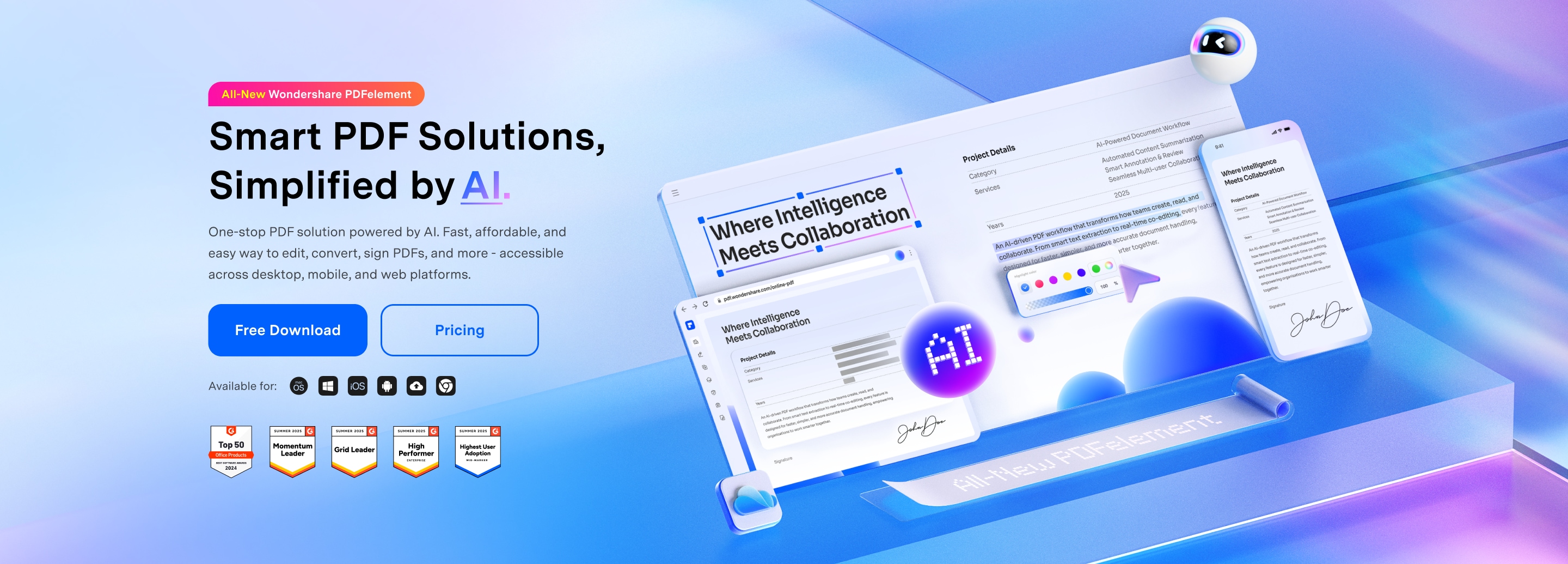
PDFelement addresses this use case by combining full-featured PDF editing with e-signature functionality. Users can edit text, rearrange pages, add form fields, and redact content before initiating the signature process—without switching applications. The platform supports certificate-based digital signatures for high-security requirements and bulk sending for high-volume scenarios. For organizations that would otherwise need both a PDF editor and a separate e-signature tool, this integration eliminates subscription duplication and workflow friction.
G2 Rating: 4.5/5 |100% Secure
Free and Low-Cost DocuSign Alternatives
Understanding Free Tier Limitations
The term "free DocuSign alternative" requires careful interpretation. Most commercial platforms offer free tiers with significant restrictions:
- DocuSign: 3 free sends (total, not monthly)
- Dropbox Sign: 3 signature requests per month
- SignWell: 3 documents per month
- PDFelement: Free trial with full feature access; paid plans for continued use
These free tiers suit very occasional users—perhaps a freelancer sending a single contract monthly—but quickly become inadequate for active business use. Evaluate whether the free tier represents a sustainable long-term option or merely an extended trial.
Open-Source Options for Technical Teams
For organizations with development resources, open-source alternatives eliminate licensing costs entirely while providing unlimited customization:
- DocuSeal: Self-hosted e-signature platform with per-document pricing ($0.20/document) for cloud version or free self-hosting
- OpenSign: Open-source alternative with active community development; suitable for privacy-conscious organizations wanting data sovereignty
These solutions require technical implementation—server setup, security configuration, and ongoing maintenance. The total cost of ownership may exceed commercial alternatives when factoring in engineering time. However, for organizations with existing DevOps capacity or specific data residency requirements, open-source options provide unmatched flexibility.
Freemium Models That Scale
Several platforms offer freemium models that grow with your organization:
Inkless provides unlimited free e-signatures with branding on documents—acceptable for internal use but potentially unprofessional for client-facing contracts. Paid tiers remove branding and add team features.
DocHub offers substantial free functionality for PDF editing and signing, making it suitable for educational and personal use. Business features require paid plans.
When evaluating freemium options, assess the pricing cliff—the point at which your usage triggers paid tier requirements. Some platforms escalate pricing dramatically once free limits are exceeded, while others offer gradual scaling.
Feature Comparison: What DocuSign Competitors Offer
E-Signature Methods and Authentication
Modern e-signature platforms support multiple signature capture methods:
Basic Electronic Signatures: Click-to-sign, typed signatures, and uploaded image signatures. These satisfy legal requirements for most commercial transactions under ESIGN and eIDAS Simple Electronic Signature standards.
Digital signatures: Certificate-based signatures using PKI (Public Key Infrastructure) that cryptographically bind the signer to the document. These provide non-repudiation—technical proof that the specific individual signed the specific document. Solutions like Adobe Acrobat Sign, OneSpan Sign, and PDFelement support certificate-based signatures for high-value or regulated transactions.
Advanced Authentication: SMS verification, government ID verification, and knowledge-based authentication add identity assurance layers for sensitive transactions. These become important for high-value contracts or regulated industries.
Document Preparation and Template Capabilities
DocuSign's document preparation is limited to placing signature fields on existing PDFs. Alternatives vary significantly in their document creation capabilities:
- Template Libraries: PandaDoc and GetAccept provide extensive template libraries for common business documents—proposals, quotes, contracts—accelerating document creation.
- Form Field Creation: Advanced tools allow adding text fields, checkboxes, dropdown menus, and calculation fields before sending for signature. PDFelement and DocHub excel here, essentially functioning as PDF form creators with signature collection.
- Dynamic Content: Some platforms support conditional logic—showing or hiding sections based on earlier inputs—useful for complex agreements with variable terms.
Workflow Automation and Bulk Sending
High-volume users require automation capabilities:
Sequential and Parallel Signing: Routing documents to multiple signers in specified order (CEO signs after Legal reviews) or simultaneously (all department heads sign concurrently).
Bulk Sending: Distributing the same document to many recipients—useful for annual policy acknowledgments, NDAs for event attendees, or standard contractor agreements. Solutions like Foxit eSign and PDFelement support bulk sending with personalized field population.
Reminders and Escalation: Automated email reminders when signers don't respond, with escalation to managers for critical documents. Most alternatives match DocuSign's capabilities here, though reminder customization varies.
FAQ: DocuSign Alternatives
-
Are DocuSign alternatives legally binding?
Yes. Reputable DocuSign alternatives comply with the same legal frameworks—ESIGN in the United States, eIDAS in the European Union, UETA across most US states—that make electronic signatures enforceable. The key requirement is consent: all parties must agree to electronic signing. Solutions like Adobe Acrobat Sign, Dropbox Sign, SignNow, and PDFelement maintain compliance with these standards and provide audit trails demonstrating that consent was obtained. -
What is the cheapest alternative to DocuSign?
For very low volume (under 3 documents monthly), free tiers from SignWell, Dropbox Sign, or DocHub suffice. For moderate volume, SignNow and PDFelement offer competitive pricing with unlimited envelopes on certain plans. For high volume, open-source self-hosted solutions like DocuSeal minimize per-document costs, though they require technical setup. The "cheapest" option depends on your volume, required features, and technical capabilities. -
Can I use DocuSign alternatives for free?
Most alternatives offer free tiers with limitations—typically 3 signature requests monthly. Some open-source alternatives like OpenSign are completely free if self-hosted. However, business use generally requires paid plans for features like custom branding, team management, and bulk sending. -
What is the best DocuSign alternative for small businesses?
SignNow and SignWell receive frequent recommendations for small business use due to their balance of features and affordability. For small businesses heavily using PDF documents, PDFelement offers the added benefit of integrated document editing alongside e-signature capabilities, potentially replacing separate PDF editor and e-signature subscriptions. -
Are there open-source alternatives to DocuSign?
Yes. DocuSeal and OpenSign are actively developed open-source e-signature platforms. These solutions suit organizations with technical resources to self-host and customize. -
Can I migrate my DocuSign templates to alternatives?
Migration complexity varies. Basic templates—single documents with signature fields—can usually be recreated manually in a few minutes per template. Complex templates with conditional logic, multiple routing rules, or custom integrations require more effort. Some alternatives offer import tools for DocuSign templates, though these vary in completeness. Before switching, audit your template library to assess migration scope. -
Do DocuSign alternatives work with Salesforce?
Most established alternatives offer Salesforce integration, though feature depth varies. Adobe Acrobat Sign, Dropbox Sign, PandaDoc, and SignNow provide native Salesforce apps with varying levels of functionality—from basic "send for signature" buttons to advanced contract lifecycle management. Check specific integration capabilities if Salesforce connectivity is critical to your workflow. -
What is the difference between electronic signature and digital signature?
Electronic signatures broadly refer to any electronic process indicating acceptance—clicking "I agree," typing your name, or uploading a signature image. Digital signatures specifically refer to certificate-based cryptographic signatures that use PKI to bind the signer to the document. Digital signatures provide technical non-repudiation and are required for certain regulated transactions. Most business use cases only require electronic signatures; digital signatures become relevant for high-value contracts or specific compliance requirements.
The e-signature market has matured beyond the monopoly of a single dominant platform. Whether your priority is cost reduction, workflow simplification, compliance certification, or document lifecycle integration, viable alternatives now exist. The key to a successful transition lies not in finding the "best" alternative in absolute terms, but in identifying the solution that aligns with your specific document workflows, technical environment, and budget constraints.
For organizations evaluating DocuSign alternatives, we recommend conducting a two-week trial with your top three candidates. Test not just the signature capture itself, but the entire document journey—from creation through negotiation to final archiving. Only through hands-on evaluation can you determine which platform truly reduces friction in your specific context. Many providers, including PDFelement, offer free trials that allow this real-world testing before commitment.




