PDF-XChange Coupons & Discounts (2026): Real Promo Codes, How to Verify, and Best Alternatives
Imagine you need to find the best PDF software deal but are overwhelmed by countless coupon codes and conflicting offers. This article aims to guide you through identifying legitimate PDF-XChange coupon codes for 2026. You will learn how to verify authenticity, avoid expired or fake coupons, and understand pricing structures. Empower yourself to make a confident, informed purchase and save money with ease.
In this article
Part 1. Quick Answers Related to PDF XChange Coupons
When looking to save on PDF-XChange coupon software, understanding the reliable sources of legitimate discounts is key. Here's a breakdown of where to find trustworthy savings on PDF-XChange:
- Official Promotions: PDF-XChange periodically runs discounts or special offers directly on its website or through its official social media channels.
- Newsletter and Reseller Events: Subscribing to PDF-XChange's newsletter or following authorized resellers can grant early access to exclusive deals.
- Volume and Education Pricing: Businesses purchasing multiple licenses or educational institutions qualifying for academic pricing receive special volume discounts.
Things to Remember
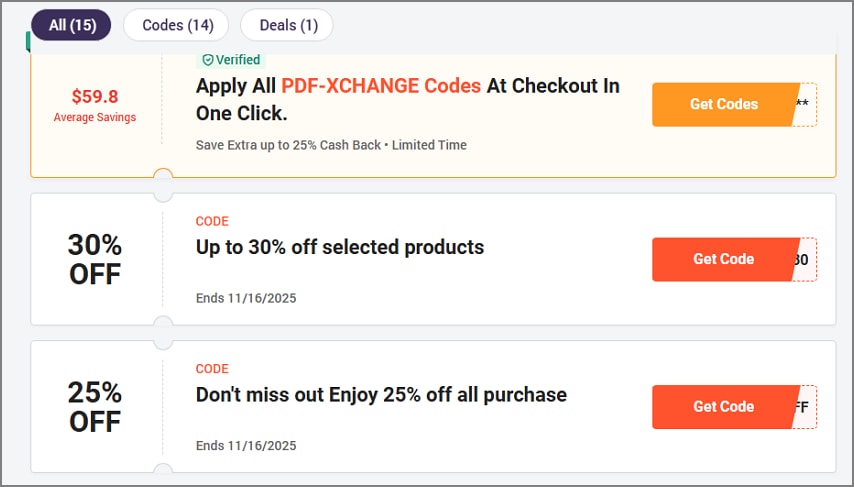
- Avoid generic coupon farms as these sites frequently advertise PDF-XChange discounts that are invalid or misleading.
- Always check the final price in your shopping cart before completing a purchase. Many third-party coupon codes may not work as claimed.
- Confirm that the discounted version includes the features you need, such as OCR or annotation capabilities.
- Compare promotions with the leading discounted platforms to look for the best prices.
PDFelement often runs promotions covering a broad range of editing tools. The promotion includes OCR, form creation, annotation, and page organization across multiple platforms (Windows, macOS, iOS, Android). This offers comprehensive features or better cross-platform compatibility at a similar or better price point.


 G2 Rating: 4.5/5 |
 100% Secure
Part 2. What to Know Before You Hunt for a Code
When preparing to hunt for discount codes for PDF editing software, it's essential to understand where genuine deals come from. Mentioned below are some of the things that you must know before hunting for a PDF-XChange promo code:
Where Real Deal Appears
- Official Seasonal Promotions: Companies often run time-limited sales around holidays, Black Friday, back-to-school, or product launch events. These promotions are hosted on the official website and guarantee legitimate discounts.
- Email and Newsletter Links: Subscribing to the vendor's mailing list gives you access to exclusive coupon codes, early-bird sales, or subscriber-only offers.
- Authorized Resellers: Authorized partners and resellers may offer bundled deals, volume discounts, or regional promotions.
- Official Social Media Announcements: Vendors may announce flash sales or giveaways on their verified social media pages, a good place to catch short-term offers.
Choosing the License Type
- Perpetual License vs. Maintenance/Upgrade Add-on: A perpetual license is a one-time purchase granting indefinite use of the purchased version.
- Edition Choice (Editor vs. Pro): The Editor version typically offers core editing tools sufficient for basic to intermediate tasks, while the Pro edition includes advanced functionalities such as deeper form handling.
- OCR Language Packs: Language packs in PDF-XChange Editor are sometimes sold separately based on the languages you need to recognize.
- Device Activation: Licenses usually limit how many devices you can activate the software on simultaneously.
Why Codes Fail When Applied
- SKU/Region Mismatch: If your product or location doesn't match the code's restrictions, the discount won't apply.
- New-User-Only Restrictions: Returning buyers or existing license holders won't be able to use them.
- Non-Stackable Promotions: If you try to apply multiple codes or use a coupon alongside another promotion.
- Expired or Invalid Pages: Codes from old promotions or unofficial sources might be expired or no longer supported.
Compare the Final Cost
When making a purchase, it is important to compare the final cost of the PDF-XChange Editor coupon. It is essential to look beyond the advertised base price and understand all the components.
- Base Price: This is the starting cost of the software license, whether it's a perpetual license (one-time payment) or a subscription model.
- Promotional Discounts: Any legitimate promotional or seasonal discounts reduce the base price.
- Taxes and Fees: Depending on your region, applicable sales taxes or VAT will add to the final price.
- Future Upgrades: If you buy a perpetual license, major version upgrades might not be included and could require additional purchase later.
G2 Rating: 4.5/5 |100% Secure
Part 3. Get a Valid PDF-XChange Discount
If you want to get the best out of this PDF editor, you must know how to avail yourself of the discounts. To learn how to get the best results on the PDF-XChange Editor discount, read the steps provided next:
Step 1Begin By Accessing the Pricing Page
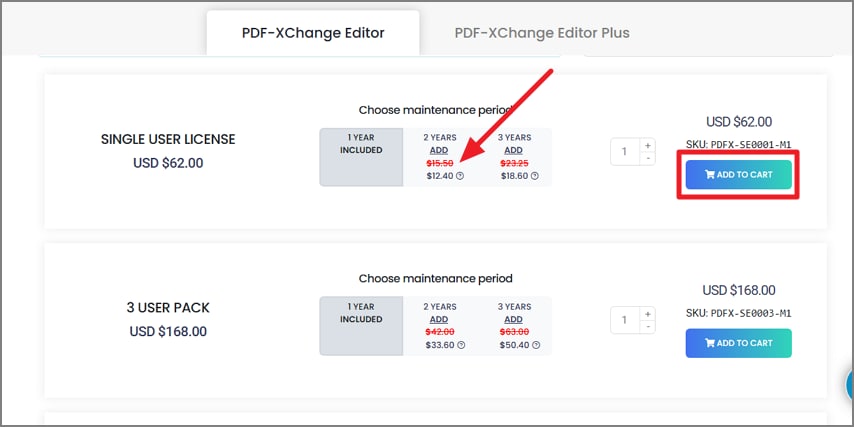
After acquiring the website of PDF-XChange on your browser, head to its pricing page and select your plan and period according to your preferences. Once selected, press the "Add To Cart" button located on the right of each plan to proceed.
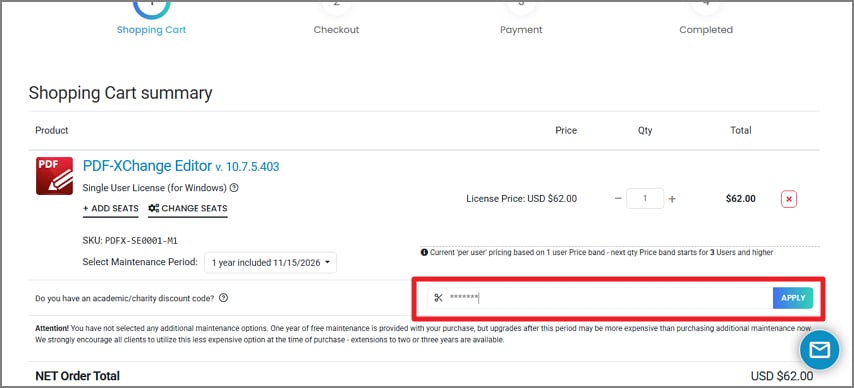
Step 2Apply Discount Code
In the following interface, input the discount code in the designated field and press the "Apply" button located on the right.
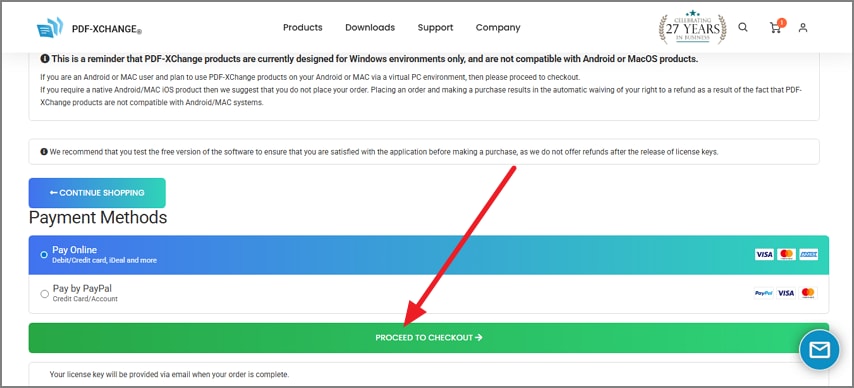
Step 3Select Payment Method and Proceed
Moving forward, select the payment method of your choice and press the "Proceed to Checkout" option to move to the next interface.
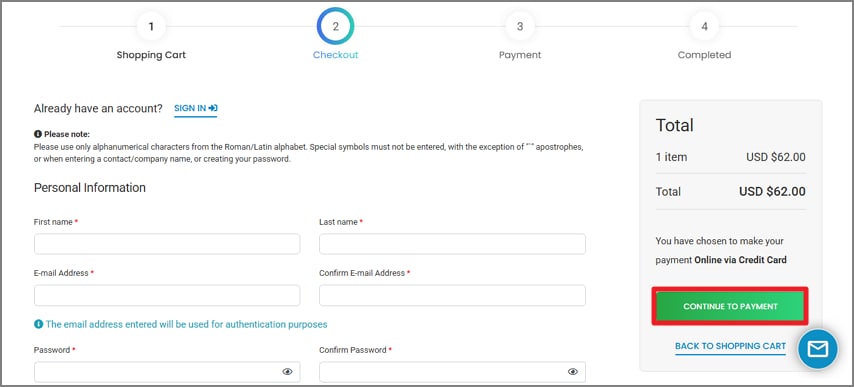
Step 4Enter Details and Purchase
Next, input your details in the provided fields and hit the "Continue To Payment" button to confirm payment and purchase the discounted bundle.
Pro Tips To Consider
- For teams, requesting a volume quote for the PDF-XChange Editor promo code usually provides better pricing than public coupon codes.
- During peak sales events like Black Friday or Cyber Monday, discounts may be automatically applied at checkout without needing a promo code.
- Testing the trial on your largest PDF files and typical tasks lets you ensure the software meets your performance and feature needs
Part 4. Value Check in 60 Seconds: PDF-XChange vs PDFelement
If your discount code won't apply or the cart total isn't compelling, here's a quick value check for PDF-XChange versus PDFelement:
Feature Checklist
| Features | PDF-XChange | PDFelement |
| Core Features | Edit text/objects, OCR, annotate/markup, forms (fill/create), convert/merge, page organize, redaction. | Robust editing, forms, OCR, annotation, conversion, redaction |
| Advanced Features | Batch tools, compare docs, Bates numbering less common, limited AI features, e-sign quotas moderate. | Batch processing, compare docs, Bates numbering, AI read/summarize, and higher e-sign quotas. |
| Platform Fit | Windows-centric | Cross-platform: Windows, macOS, iOS, Android |
| Pricing | Single User: $62.00/year Multiple Users: Starting from $168.00/year Corporate Site Pack: USD $10,151/year |
Single User: Starting from $79.99/year Multiple Users: Starting from $139/year For Business: Customized Plans |
| Workflow Flexibility | Best for Windows-based workflows, technical-heavy users | Ideal for cross-device use, including Mac and mobile, collaboration-friendly |
PDF-XChange Editor coupon offers granular, Windows-focused power tools with a light system footprint. This is ideal for technically savvy users needing detailed control. PDFelement provides broader editing and OCR capabilities in a friendlier user interface. All this, coupled with OS-device support, including macOS and mobile platforms.
G2 Rating: 4.5/5 |100% Secure
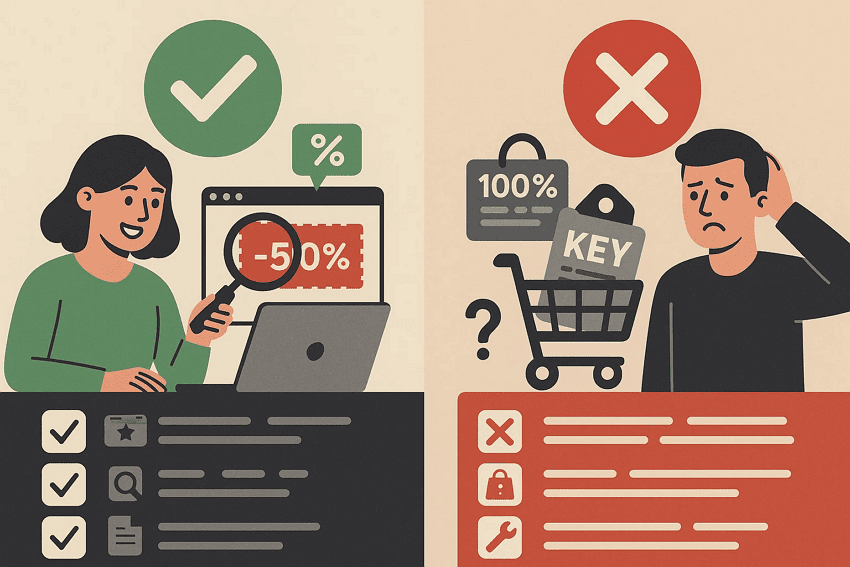
Part 5. Safe Coupon Hunting: Do's & Don'ts
When hunting for PDF software deals, it's crucial to stick to certain rules to make the whole experience fruitful. Read the dos and don'ts to consider while hunting for a discount coupon:
Part 6. Real World Scenarios For Availing Discount Coupons
Finding genuine discounts for PDF-XChange software can sometimes feel overwhelming due to the variety of offers and sources available. Mentioned below are some of the real-world examples that will help you understand which types of users can avail themselves of these offers:
Windows Power User Needs OCR + Page Tools
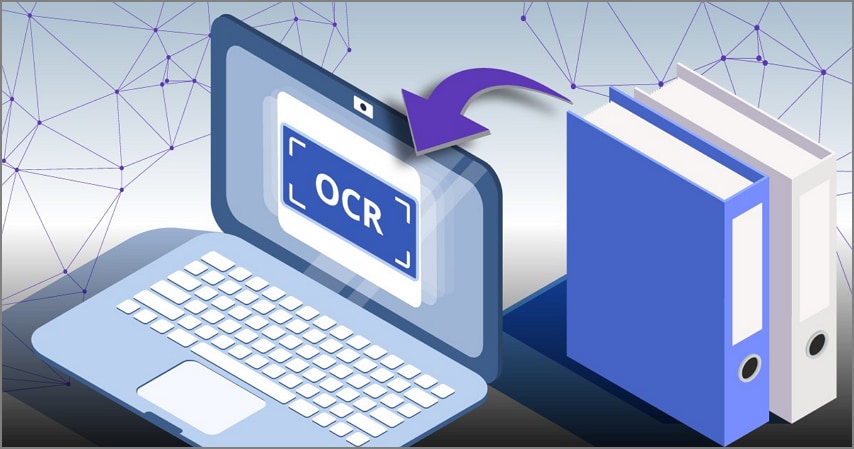
One of the professionals who frequently processes scanned documents and needs advanced page organization tools will benefit from the PDF-XChange discount code. The person can check whether the promotional bundle includes the required OCR packs or not. If it did, they could go for it and buy the bundle. Otherwise, comparing it with the pricing bundle of PDFelement to get the best pricing is the right option.
Small Team
A small business team looking to equip multiple members should actively request volume pricing from both PDF-XChange and PDFelement to get tailored discounts. This allows the team to compare total costs across all seats, including any maintenance or upgrade fees, to understand the full financial commitment. By aggregating these details, small businesses can optimize their budget and ensure smooth collaboration with compliance.

Cross-Device Requirement
Someone working across platforms, such as a hybrid home and office setup with Mac, iPad, and Windows, will find PDFelement's cross-device license practical and economical. This flexibility is not available in PDFX-Change, and for this, PDFelement is ideal, as it offers extensive cross-platform compatibility from anywhere and any place.
Occasional Editing and Heavy Annotation
A freelance writer who predominantly reviews documents but annotates extensively for feedback and notes would greatly benefit from testing both PDF-XChange promo codes and PDFelement free trials. PDF-XChange offers powerful, precise annotation tools favored by technically oriented users, while PDFelement provides a more intuitive and visually friendly interface.

Part 7. Mini Troubleshooting
When looking for discounts and coupons, you might go through certain hurdles in finding and applying the codes. Mentioned below are some of the troubleshooting ideas that you can apply:
Code "Invalid/Expired"
If your discount code is rejected as invalid or expired, ensure you are using the official promotional link, which often applies discounts automatically. Also, double-check your product SKU and region align with the code's restrictions to avoid mismatches.
Discount Smaller Than Banner
Sometimes the PDF-XChange discount shown at checkout is less than advertised due to added taxes or regional fees. Another common cause is selecting a different edition or plan than the promo covers, so carefully re-examine your cart and product plan for accuracy.
Can't Stack Codes
Most vendors only allow one promotion per purchase, so combining multiple codes usually isn't possible. Prioritize and choose the code that provides the highest net savings to maximize the discount.
Wrong Edition (Editor vs Pro)
If your discount code doesn't apply, verify that the license edition in your cart matches the code's scope, as many promotions are edition-specific. Switching SKUs to the correct edition often resolves the issue.
OCR Language Missing Post-Purchase:
If OCR functionality lacks certain languages after buying, confirm whether those language packs were included or require a separate purchase, since many vendors sell these add-ons individually.
Moving PCs Later
If you are planning to switch your license to another computer, ensure you understand the official deactivation process. It often involves first removing the license from the old device and then reactivating it on the new one to avoid activation conflicts.
People Also Ask
-
Where do I find a real PDF-XChange coupon?
Start with official promotions on the PDF-XChange website or authorized resellers. Always verify that the discount is applied correctly in your shopping cart before completing the purchase. -
Is there a PDF-XChange Editor discount code for upgrades?
Occasionally, PDF-XChange offers discount codes through maintenance or upgrade plans. Review the specific terms to confirm eligibility and applicable versions. -
Perpetual vs. subscription, which PDF-XChange option is better?
PDF-XChange primarily offers a perpetual license model with optional maintenance plans. PDFelement provides both perpetual and subscription options to suit different user preferences. -
Why won't third-party codes work?
Third-party discount codes often fail because they have expired or are limited to specific regions. Other reasons could be that the discount codes are tied to certain software SKUs, making them incompatible with your purchase. -
Do I need a Mac/iPad for using PDF-XChange?
Compare the total cost of PDF tool subscription and any Mac-specific tools you need. PDFelement offers cross-platform license and promotions to find the most economical and convenient option as PDF-XChange doesn't come up with a Mac subscription.
Conclusion
To wrap it up, this article discussed the key considerations for availing PDF-XChange discounts, including understanding licensing models and official promotion sources. However, if the discount code won't apply or the final cost increases significantly after add-ons, compare it to PDFelement's current promotion for a potentially better price-to-features balance. This is effective primarily since PDFelement works seamlessly across Windows, macOS, iOS, and Android, covering editing, OCR, forms, and annotation needs.