Black Friday is the perfect time to grab a PDF Expert subscription at a significant discount. Whether you need advanced PDF editing, annotation, OCR, or form tools, these deals make premium features more affordable. Students, professionals, and businesses can benefit from limited-time promotions, newsletter offers, and official discounts.
With Apple-focused optimization for Mac and iPad, PDF Expert delivers a smooth workflow, especially for heavy annotation and document management. In this guide, we will highlight the best PDF Editor Black Friday deals and compare features and pricing so you can get maximum value.
In this article
Part 1. Quick Answer
Black Friday and Cyber Monday are the best opportunities to grab premium PDF editors at their lowest prices. This section helps you shortlist top tools and choose the right deal quickly:
Why Black Friday/Cyber Monday Matters
- Lowest Total Cost: These events typically offer the best prices for full PDF editors, whether on perpetual licenses or first-year subscriptions.
- Opportunity for High-Value Tools: It's the ideal time to invest in professional-grade software with significant discounts, saving upfront and long-term costs.
- Plan Ahead: Knowing your requirements before the sale ensures you grab the best deal without overspending or buying unnecessary add-ons.
Shortlist & Quick Selection Guide
There are various PDF tools that offer special occasion sales. Follow the section below and explore the platforms that can be bought at a good bargain at PDF Editor Black Friday sale:
- PDFelement (Black Friday): PDFelement offers a balanced feature set and strong value, with cross-platform support for Windows, macOS, iOS, and Android.
- PDF Expert (Black Friday): PDF Expert is an Apple-centric editor with fast performance, smooth annotation, and optimized Pencil workflow for Mac and iPad.
- Adobe Acrobat (Black Friday): Adobe Acrobat is a powerful Windows tool with professional-grade editing, OCR, and workflow features at discounted prices.
How to Choose in 60 Seconds: List your must-have features, confirm platforms, select perpetual vs subscription, then compare renewal cost, seats, and included add-ons.


 G2 Rating: 4.5/5 |
 100% Secure
Part 2. How to Compare PDF Editors (One Screen)
Choosing the right PDF editor requires more than just looking at the discount. It is important to compare deal structure, features, platform support, and total cost to make a smart purchase on a PDF Editor Black Friday sale:
- Deal Mechanics: Understand whether the offer is a perpetual license or a subscription, whether it's a first-year promo or lifetime pricing. Also, look into the upgrade policies and whether the purchase is from a reseller or the official store.
- Core Features: Check essential capabilities such as text and object editing, annotation, and OCR. The tool should also have form filling and creation, PDF conversion, page organization, and redaction tools.
- Modern Extras: Evaluate value-added tools like batch processing, document comparison, and e-sign functionalities. Explore the automated features of AI read or summarize, and accessibility features like read-aloud.
- Platform Fit: Confirm compatibility with Windows, macOS, iPad, iOS, or Android. It is also useful to consider license seats, device activations, and cross-device flexibility.
- Total Cost of Ownership: Check the renewal price after the promo, any paid add-ons, and the upgrade path for major version releases.
G2 Rating: 4.5/5 |100% Secure
Part 3. Top 5 Popular PDF Editors to Watch This Black Friday (Reader-Magnet Cards)
Black Friday is the perfect time to bag premium PDF editors at their lowest prices. Here is a quick guide to the top tools, their strengths, and what to check during the PDF Editor Black Friday sale:
PDFelement — Best Value, Cross-Platform
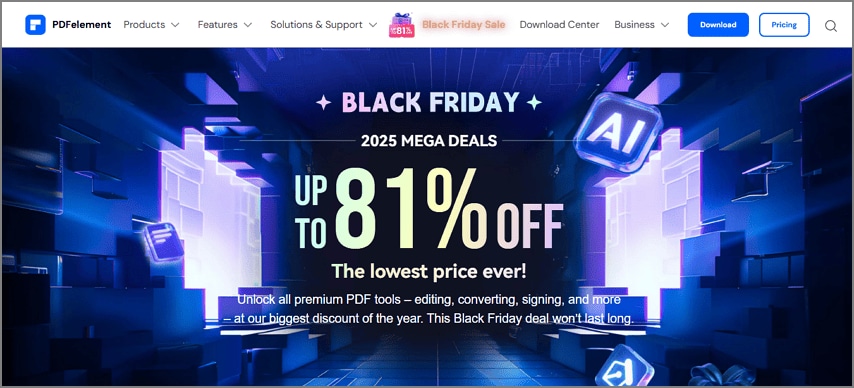
Why People Like It: PDFelement offers a full editing toolkit that has features like edit, annotate, convert, merge, OCR, forms, page organization, and batch actions.
Best For: Students, freelancers, and teams needing a complete editor across Windows, macOS, iOS, and Android.
Black Friday Checklist: Check deal type, seats or activations for desktop + mobile, and inclusion of OCR, e-sign credits, and AI tools.
G2 Rating: 4.5/5 |100% Secure
PDF Expert — Best for Apple-Only Workflows
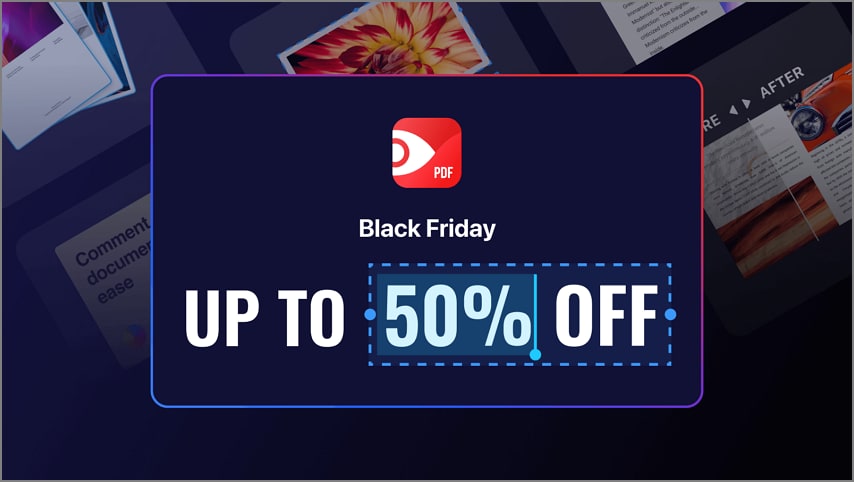
Why People Like It: PDF Expert is a fast, elegant experience on Mac and iPad. It has excellent annotation and smooth Apple Pencil integration.
Best For: Users fully embedded in the Apple ecosystem.
Black Friday Checklist: Check Mac + iPad bundle, OCR, or advanced editing limits in the promo tier. Also, check for any cloud collaboration restrictions.
G2 Rating: 4.5/5 |100% Secure
PDF-XChange Editor — Best for Windows Power User
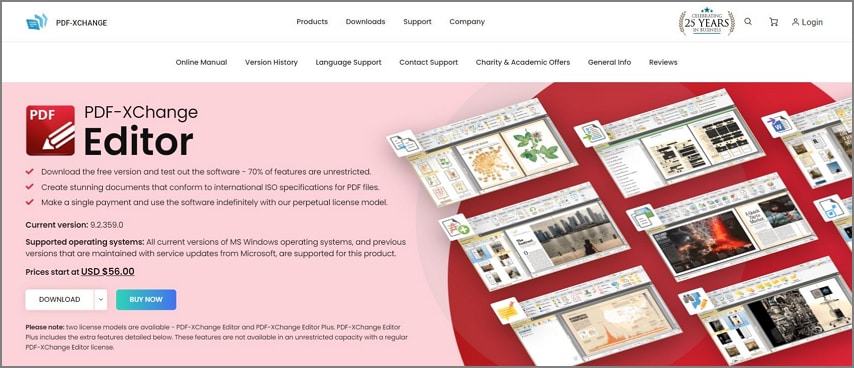
Why People Like It: PDF-XChange Black Friday has fine-grained controls, detailed toolbars, light on resources, strong page and markup utilities.
Best For: Windows users wanting granular control with lots of customization options.
Black Friday Checklist: Compare perpetual vs maintenance and upgrade paths. Check for OCR language packs and watermark conditions for specific tools.
Adobe Acrobat Pro — Best for Compatibility & Ecosystem
Why People Like It: Adobe Acrobat Pro has broad compatibility and is trusted in enterprises. It has advanced tools like preflight, compare, accessibility checks, and Adobe Cloud integration.
Best For: Teams needing industry-standard workflows, advanced compliance, and collaboration features.
Black Friday Checklist: Look for first-year promo vs ongoing renewal. Check for e-sign quotas and admin controls for multi-user plans.
Foxit PDF Editor — Business Features at Mid-Range Cost
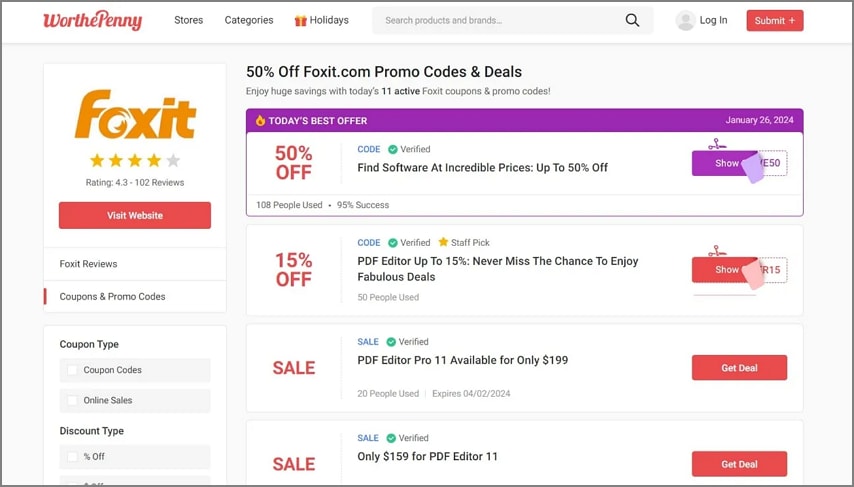
Why People Like It: Robust editing with business tools such as redaction, Bates numbering, and admin/licensing, with fast performance.
Best For: SMBs seeking professional features and admin controls without full enterprise costs.
Black Friday Checklist: Compare perpetual vs subscription deals, inclusion of OCR, and e-sign. Also, look for multi-seat and device limits.
Part 4. Price & Plan Comparison (Fill at Publish Time)
The section above explains the pros and cons of each PDF tool in detail. In order to make a quick decision about the tool to buy, go through this PDF editor price comparison table:
| Editor | Black Friday Deal Type | License Model | Seats/Devices | Key Features (Edit/OCR/Forms/AI/E-sign) | Platforms | Upgrade Path | Notable Limitations |
| PDFelement | Up to 81% off, multi-year and perpetual deals | Perpetual & Subscription | Usually single-user; multi-device bundles available | Edit, OCR, Forms, AI, E-sign, batch processing | Windows, Mac, iOS, Android, Cloud | Discounted upgrades, periodic sales | Cloud features may require separate plan; mobile/license splits |
| PDF Expert | Lifetime plan 10% off Black Friday, annual sub up to 25–30% off | Perpetual & Subscription | Single-user, up to 3 devices (Mac/iOS/iPad) | Edit, OCR (Mac), Forms, E-sign, AI Copilot | Mac, iPhone, iPad | New versions require re-purchase or upgrade fee | Windows not supported; OCR only on Mac |
| PDF-XChange Editor | Perpetual discounted license, usually ~20–30% off | Perpetual (with paid upgrades) | Single-user/device | Edit, OCR, Forms, limited E-sign, advanced markup | Windows | Upgrades paid after 1 year free period | Mac not supported; interface is utilitarian |
| Adobe Acrobat Pro | 50% off first year subscription (annual) | Subscription only | Multiple devices (Adobe account linked) | Edit, OCR, Forms, E-sign, AI, Cloud storage | Windows, Mac, Mobile, Web | Discounted new-user pricing, on renewal/full price | No perpetual option, requires login/cloud account |
| Foxit PDF Editor | Up to 70% off; 50–70% off sub, discounted perpetual | Perpetual & Subscription | Multi-device (3–5), team licenses for business | Edit, OCR, Forms, AI, E-sign, collaboration | Windows, Mac, iOS, Android, Web | Perpetual or discount renewal | Perpetual license fewer updates than sub; some features add-on |
If you have chosen the PDF tool to buy, there are some tips you need to follow. The following points must be double-checked before you make the payments:
- Pricing Type: Confirm whether the advertised price covers only the first year or provides a true perpetual lifetime license.
- Feature Inclusions: Check if essential features like OCR, AI tools, or e-sign services are included or require additional paid upgrades.
- Device Limits: Review how many devices you can activate simultaneously and whether deactivation is simple when switching hardware.
- Refund/tax Terms: Verify the vendor's refund duration and confirm if VAT or local taxes are already included in the PDF Editor Black Friday offer.
Part 5. Fast Picks by Use Case (Skip the Overthinking)
Users are often not sure which PDF editor to choose this PDF Expert Black Friday sale. These quick recommendations help match tools to your workflow without overanalyzing every feature:
Cross-Platform Value and Complete Toolkit: PDFelement
PDFelement is best for users who need a full-featured editor that works on Windows, macOS, iOS, and Android. It is ideal for professionals who want a tool with OCR, forms, annotations, and batch tools.
Mac and iPad + Apple Pencil Flow: PDF Expert
It is ideal for Apple ecosystem users who prioritize fast annotation, smooth Pencil support, and a polished Mac and iPad workflow.
Windows Power Features and Fine Control: PDF-XChange Editor
This platform is perfect for Windows users who want granular control, detailed toolbars, and deep page and markup customization.
Enterprise Workflows and Compatibility: Acrobat Pro
Suited for teams requiring industry-standard tools, it offers broad compatibility. Adobe Acrobat Pro is also equipped with advanced compliance features and collaboration within Adobe Cloud.
Business Features with Admin Controls: Foxit PDF Editor
Great for small and medium-sized businesses needing professional editing and redaction. It is also ideal for Bates numbering, admin tools, and multi-seat device management.
Part 6. Black Friday Buying Tips (Scan in 30–40 Seconds)
Black Friday deals can be overwhelming, but a few quick checks ensure you get the best price and avoid post-purchase headaches. Follow these tips for a smooth experience on a PDFelement Black Friday sale:
- Watch Deal Duration: Track promotions from early Black Friday through Cyber Monday, noting that some offers may be extended or time-limited.
- Look for Bundles: Check if the deal includes valuable extras like OCR language packs, AI tools, e-sign credits, or additional seats.
- Confirm the Renewal Price: Don't focus only on the initial promo; verify what the subscription or license will cost in future renewals.
- Prefer Official Stores: Purchase from the official site or authorized resellers to ensure valid licenses and safe transactions.
- Install the Trial First: Test the software with your largest PDFs to evaluate speed, accuracy, and performance before committing.
- Keep Proof of Purchase: Save receipts, license keys, and note the account email to simplify future updates or support requests.
Conclusion
PDF Editor Black Friday is the ideal moment to lock in a complete PDF editor at the year's strongest price point. Take a minute to list your essential features, including editing, OCR, form tools, e-signing, AI assistance, or redaction capabilities.
Ensure the app fully supports your device ecosystem, whether you work across Windows, macOS, iOS, or Android. Before completing checkout, compare one-time versus subscription deals, double-check renewal terms, and verify whether future upgrades are included or sold separately.
People Also Ask
-
Is Black Friday the cheapest time to buy a PDF editor?
Black Friday is usually the cheapest period to buy a PDF editor, offering strong discounts on first-year subscriptions and many perpetual license options. -
Which is the best value right now?
The best value depends on your platform and feature needs, though PDFelement Black Friday often delivers strong cross-platform performance with editing, OCR, and form capabilities. -
PDF Expert vs PDFelement?
PDF Expert offers polished Apple-focused performance, while PDFelement provides broader cross-platform coverage, stronger feature depth, and better value for users needing editing tools. -
PDF-XChange vs PDFelement?
PDF-XChange delivers robust Windows-centric power controls, while PDFelement offers a cleaner interface, stronger cross-platform consistency, and balanced editing features suitable for mixed-device workflows. -
Perpetual or subscription?
Perpetual licenses provide predictable one-time pricing, while subscriptions supply continuous updates. Comparing renewal costs helps determine which licensing model best matches your usage. -
Will my deal include upgrades?
Upgrade eligibility varies by vendor, so always review maintenance or major-version policies because many promotional deals exclude future upgrades unless included in writing.