

In this article
Finding the right PDF editor can drastically improve your workflow, especially when managing digital documents on a daily basis. While Sejda has made a name for itself as a convenient, user-friendly tool, its strict usage limits—such as the frustrating three-tasks-per-hour cap on the free version—leave many professionals searching for a more capable solution. If you need a powerful, unrestricted tool, PDFelement stands out as the premier alternative, offering desktop-grade editing, advanced AI features, and offline security. However, the market is filled with various options tailored to different needs, from quick browser-based tweaks to comprehensive enterprise document management.
Whether you are looking for a complete desktop replacement, a reliable sejda alternative free of hourly restrictions, or simply exploring other websites like Sejda for quick cloud conversions, this guide covers everything you need to know. Below, we break down the best Sejda alternatives in 2026, comparing their features, pricing, and ideal use cases to help you make an informed decision.


 G2 Rating: 4.5/5 |
 100% Secure
Top Sejda Alternatives
When searching for a PDF editor like Sejda, you need to consider whether your priority is offline security, advanced text editing, or cloud-based convenience. Here are the top six alternatives that address the gaps left by Sejda.
1. PDFelement
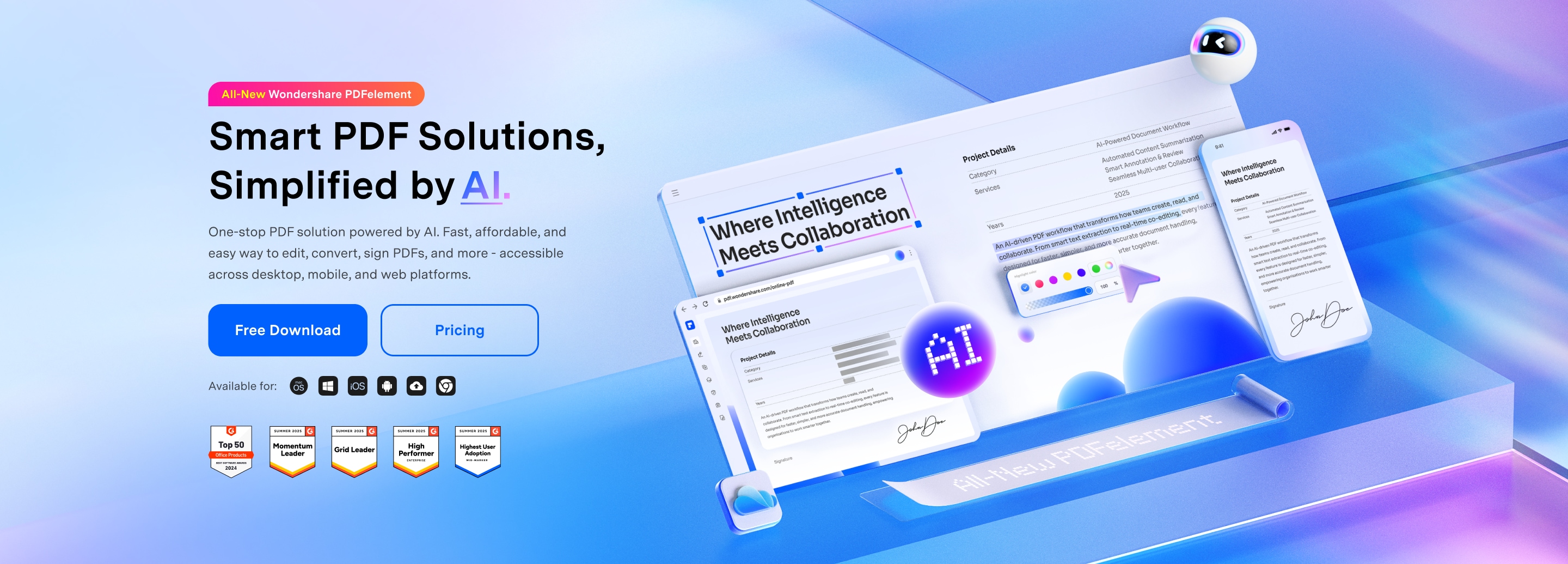
Wondershare PDFelement is widely regarded as one of the most comprehensive PDF editors on the market today. It bridges the gap between lightweight web tools and overly complex, expensive enterprise software. If you are frustrated by Sejda's file size limits or the inability to handle large, image-heavy documents, PDFelement provides a seamless desktop and mobile experience that operates entirely without hourly restrictions.
PDFelement features a user interface inspired by Microsoft Office, making it incredibly intuitive for new users. Unlike Sejda, which primarily functions as a basic editor and converter, PDFelement offers deep text editing capabilities, allowing you to alter fonts, sizes, and layouts without messing up the document's original formatting. Furthermore, it includes state-of-the-art Optical Character Recognition (OCR) technology that accurately turns scanned images into searchable and editable text—a feature that is often limited or less accurate in web-based tools. Recently, PDFelement has integrated advanced AI tools powered by ChatGPT, allowing users to summarize long documents, translate text, and generate content directly within the PDF interface.
Key Features:
- Full text, image, and link editing.
- Advanced AI reading assistants (summarize, proofread, translate).
- Industry-leading OCR for over 20 languages.
- Batch processing for watermarking, conversion, and encryption.
- Cross-platform availability (Windows, Mac, iOS, Android).
G2 Rating: 4.5/5 |100% Secure
2. Smallpdf
If you are specifically looking for a Sejda online PDF editor alternative, Smallpdf is one of the most popular choices available. It operates on a very similar model to Sejda, offering a suite of individual web-based tools for specific tasks, such as compressing, merging, splitting, and converting PDFs.
Smallpdf excels in its clean, colorful, and highly approachable user interface. It strips away the complex menus found in traditional software, allowing users to simply drag and drop their files into the browser and get the job done in seconds. For users searching for websites like Sejda, Smallpdf offers excellent cloud integrations, connecting directly to Google Drive and Dropbox to streamline document handling. While it also has a free tier with daily limits, its paid Pro version unlocks unlimited access to all tools, batch processing, and a desktop application for offline work.
Key Features:
- Over 20 distinct PDF tools available in the browser.
- Strong PDF compression without significant quality loss.
- eSign capabilities for requesting and tracking digital signatures.
- Direct integration with popular cloud storage services.
3. PDF24 Creator
For users whose primary search is a "sejda alternative free," PDF24 Creator is the ultimate hidden gem. Unlike freemium tools that lock their best features behind a paywall or restrict your usage, PDF24 is completely free with no hidden fees, no watermarks, and no hourly task limits.
PDF24 offers both an online toolbox (similar to Sejda) and a downloadable desktop application. The desktop version operates uniquely by installing a virtual printer on your system, allowing you to create PDFs from any application that has a print function. Beyond that, the PDF24 launcher provides a grid of tools to merge, compress, split, and extract pages from PDFs. While the interface looks a bit dated compared to modern sleek SaaS applications, the sheer utility and lack of paywalls make it an invaluable tool for students, small businesses, and budget-conscious users.
Key Features:
- 100% free with no limits, watermarks, or subscriptions.
- Virtual PDF printer for universal document creation.
- Offline desktop version ensures data privacy.
- Lightweight software that doesn't drain system resources.
4. iLovePDF
iLovePDF is another giant in the web-based PDF space and serves as an excellent Sejda online PDF editor alternative. It focuses heavily on speed and efficiency for users who need to perform quick, one-off tasks without downloading heavy software.
iLovePDF provides a vast array of tools neatly categorized on its homepage. Whether you need to convert a PDF to a Word document, extract images, add page numbers, or repair a corrupted PDF, iLovePDF handles it rapidly on its servers. It is an ideal platform for users who only occasionally interact with PDFs and don't require in-depth text editing. While the free version contains ads and has batch processing limits, the Premium tier is highly affordable and removes all restrictions while increasing the maximum file size limit.
Key Features:
- High-speed file conversion (PDF to Office, JPG to PDF, etc.).
- Tool for repairing corrupted or broken PDF files.
- Mobile app and desktop app available for offline use.
- API integration for developers.
5. Foxit PDF Editor
If you are migrating away from Sejda because you need an enterprise-grade solution, Foxit PDF Editor is a powerhouse to consider. Foxit is designed for professional environments where document security, collaboration, and complex form creation are paramount.
Foxit provides a robust set of features that rival the industry's largest players. It handles large, complex files with ease, offering smooth scrolling and fast rendering. Its editing tools are highly advanced, automatically identifying text boxes and allowing text to reflow naturally as you type, much like a standard word processor. Foxit also shines in its collaboration tools, allowing multiple users to review, annotate, and digitally sign documents in real-time through its cloud integrations.
Key Features:
- Advanced text reflow and layout editing.
- Comprehensive form creation and data collection tools.
- High-level security, including redaction and Microsoft RMS support.
- Shared review features for team collaboration.
6. Adobe Acrobat Pro
No list of PDF editors would be complete without mentioning Adobe Acrobat Pro, the software that originally created the PDF format. While Sejda targets users looking for quick, lightweight fixes, Adobe Acrobat Pro is for power users who require absolute perfection in document rendering, printing prep, and interactive media.
Acrobat Pro offers flawless conversion accuracy, ensuring that complex layouts, tables, and typography are preserved exactly as intended when moving between formats. Its Action Wizard allows users to automate repetitive multi-step tasks, saving hours of manual labor. Furthermore, its integration with the Adobe Creative Cloud ecosystem makes it the go-to choice for graphic designers and marketing professionals. However, this power comes at a steep, recurring subscription cost, making it less ideal for casual users.
Key Features:
- Flawless document conversion and formatting preservation.
- Action Wizard for automating complex workflows.
- Advanced preflight tools for professional printing.
- Seamless integration with Adobe Sign and Creative Cloud.
Sejda vs PDFelement
When evaluating a pdf editor like Sejda against a comprehensive desktop solution, a direct comparison between Sejda and PDFelement highlights distinct differences in capability, performance, and user experience.
Usage Limits and Performance
The most significant difference lies in usage restrictions. Sejda's free tier heavily restricts productivity by limiting users to three tasks per hour, a maximum file size of 50MB, and documents under 200 pages. If you are working on a large textbook, legal brief, or portfolio, Sejda will immediately prompt you to upgrade. PDFelement, on the other hand, operates as a desktop application with no arbitrary limits on file size, page count, or the number of tasks you can perform in an hour. You can process hundreds of files simultaneously using PDFelement's batch features without hitting a paywall.
Editing Capabilities
Sejda's online text editor is capable of minor tweaks, such as fixing a typo or changing a date. However, it struggles with complex formatting; adding a new paragraph often disrupts the surrounding text, requiring manual adjustment. PDFelement uses advanced text reflow technology. When you edit text in PDFelement, the software automatically adjusts the surrounding paragraphs, matching the exact font, size, and styling of the original document. It feels exactly like editing a Microsoft Word document.
Advanced Features and OCR
While Sejda does offer an OCR tool, it is relatively basic and sometimes struggles with low-resolution scans or complex, multi-column layouts. PDFelement’s OCR engine is industry-leading, capable of recognizing dozens of languages accurately and preserving the exact layout of tables and images from the scanned document. Furthermore, PDFelement incorporates AI tools that Sejda lacks entirely. With PDFelement, you can highlight a lengthy legal contract and ask the built-in AI assistant to summarize the key points or translate it into another language instantly.
Security
Uploading sensitive financial, legal, or personal documents to an online server—even one with strict deletion policies like Sejda's—always carries a slight risk. PDFelement processes all documents locally on your computer's hard drive, ensuring absolute privacy. It also offers advanced redaction tools to permanently black out sensitive information before sharing.
G2 Rating: 4.5/5 |100% Secure
Comparison Table
Below is a quick reference guide comparing the core aspects of the top alternatives to help you choose the right tool at a glance.
| Tool | Platform | Free Version Available? | Best Feature | Ideal User |
|---|---|---|---|---|
| PDFelement | Windows, Mac, iOS, Android | Yes (Watermarked) | AI Integration & Advanced OCR | Professionals & Everyday Users |
| Sejda | Web, Windows, Mac, Linux | Yes (Strict Limits) | Quick browser-based tweaks | Casual Users |
| Smallpdf | Web, Windows, Mac, Mobile | Yes (Daily Limits) | Easy Drag-and-Drop UI | Cloud-focused Users |
| PDF24 Creator | Web, Windows | Yes (100% Free) | Completely Free Toolkit | Budget-conscious Users |
| iLovePDF | Web, Windows, Mac, Mobile | Yes (Ad-supported) | Lightning-fast conversions | Students & Admins |
| Foxit PDF Editor | Windows, Mac, Web | No (Free Trial Only) | Advanced Form Creation | Enterprise Teams |
| Adobe Acrobat | Windows, Mac, Web | No (Free Trial Only) | Action Wizard Automation | Creative Professionals |
Why Look for Sejda Alternatives
While Sejda is an excellent tool for specific scenarios, many users outgrow its capabilities as their document management needs become more complex. Understanding why users seek a Sejda alternative can help you identify if it is time for you to switch as well.
1. Frustrating Usage Limits
The primary reason users look for websites like Sejda or desktop alternatives is the "3 tasks per hour" limit. If you need to merge a file, compress it, and then sign it, you have just used your hourly allowance. If you make a mistake and need to re-compress the file, you are locked out for an hour. This friction disrupts workflow and kills productivity in professional environments.
2. File Size and Page Constraints
Sejda’s free version limits documents to 50MB or 200 pages. In today’s digital age, image-heavy PDFs, architectural plans, and extensive legal documents easily exceed these limits. Desktop alternatives easily handle files spanning thousands of pages without breaking a sweat.
3. Limited Deep Editing
Web-based editors process documents by overlaying text or attempting to match fonts in a browser environment. This often leads to formatting errors when trying to alter existing text blocks. Users who need to rewrite entire paragraphs or redesign the layout of a PDF require the robust text-reflow engines found in dedicated software.
4. Data Privacy Concerns
While Sejda states that files are securely deleted from their servers after two hours, corporate compliance policies often strictly prohibit the uploading of sensitive client data, medical records, or financial statements to third-party cloud servers. A locally installed desktop application circumvents this issue entirely.
G2 Rating: 4.5/5 |100% Secure
How to Choose the Best Sejda Alternative
Selecting the right pdf editor like Sejda requires a careful evaluation of your daily workflow. Here is a step-by-step guide on how to choose the best option for your specific needs:
Step 1Assess Your Typical Tasks
Do you only need to merge or split files occasionally? A web-based tool like iLovePDF or Smallpdf will serve you perfectly. However, if you regularly need to edit the actual text of PDFs, redact sensitive information, or create fillable forms, you must invest in desktop software like PDFelement or Foxit.
Step 2Online vs. Desktop
Consider where and how you work. Online tools are great for Chromebooks, shared computers, or users who are constantly on the move and want to access tools via a browser. Desktop tools are essential for users who handle large files, require offline access, or work with highly confidential documents that cannot be uploaded to the cloud.
Step 3Budget constraints
If you have zero budget, PDF24 Creator is the best sejda alternative free of charge. If you have a moderate budget and want premium features without the premium price tag, PDFelement offers an excellent balance of cost and capability. If budget is no object and you require complex automation, Adobe Acrobat is the standard.
Step 4Advanced Requirements
Take note of any niche requirements you might have. Do you need to scan paper documents and make them searchable? Ensure the alternative you choose has a strong OCR engine. Do you deal with long research papers? Look for tools with integrated AI to help summarize and translate text efficiently.
People Also Ask
-
What is the best free alternative to Sejda?
If you are looking for a completely free tool without the hourly task limits found in Sejda, PDF24 Creator is the best option. It is 100% free, offers no watermarks, and includes a comprehensive suite of offline desktop tools. For users willing to accept a watermark in exchange for a premium interface and deep editing, the free trial of PDFelement is highly recommended. -
Are websites like Sejda safe to use for sensitive documents?
Most reputable web-based PDF editors, including Sejda, Smallpdf, and iLovePDF, use secure HTTPS connections and automatically delete uploaded files from their servers within 1 to 2 hours. However, for highly sensitive legal, medical, or financial documents, it is always safer to use offline desktop software like PDFelement to ensure your data never leaves your local hard drive. -
Which is the best Sejda online PDF editor alternative?
For users who prefer to stay entirely within their web browser, Smallpdf and iLovePDF are the top alternatives. Smallpdf offers an incredibly intuitive, visually appealing interface with great cloud storage integrations, while iLovePDF is renowned for its fast processing speeds and affordable premium tier for batch processing. -
Why does Sejda limit users to 3 tasks per hour?
Sejda utilizes a "freemium" business model. Hosting and processing large PDF files requires significant server bandwidth and computing power. The 3-task limit helps manage server load for free users while incentivizing power users who require higher volume processing to upgrade to their paid Desktop or Web Pro plans.



