

In this article
Foxit Coupon Codes & Promotions (2026): How to Get a Legit Discount + Best Alternatives
When hunting for Foxit PDF software discounts in 2026, it's easy to feel overwhelmed by the flood of coupon codes and promotional offers scattered across various websites. Many deals may look appealing but turn out to be expired, invalid, or even misleading.
This guide provides clear strategies to help you identify authentic Foxit coupon codes by checking their source. Equipped with this knowledge, you can confidently select the best valid deal, saving both time and money on your Foxit purchase.
Part 1. A Quick Overview of Foxit Coupon Codes
To save on Foxit software, knowing where authentic discounts originate is crucial. Here's a guide on how to locate credible savings to get the most out of them:
- Official Deals: Foxit frequently runs limited-time offers on its official website and social media platforms.
- Newsletter & Reseller Offers: Subscribing to Foxit discount code newsletters or monitoring authorized resellers' promotions provides early access to exclusive discounts.
- Bulk and Academic Pricing: Businesses or educational institutions purchasing multiple licenses qualify for special volume pricing.
- Academic Pricing: Many Educational institutions qualify for discounted pricing on Foxit licenses.
- Authorized Reseller Events: Special promotions during events like Black Friday and back-to-school sales offer additional savings through authorized resellers.

Points to Ponder
- Avoid coupon aggregator sites that often list outdated or invalid Foxit codes, and rely on trusted sources instead.
- Always double-check your cart to confirm the discount has been correctly applied before finalizing your purchase.
- Understand whether the discount applies to perpetual licenses, subscriptions, or maintenance plans.
- Check how many devices the license covers to match your usage needs.
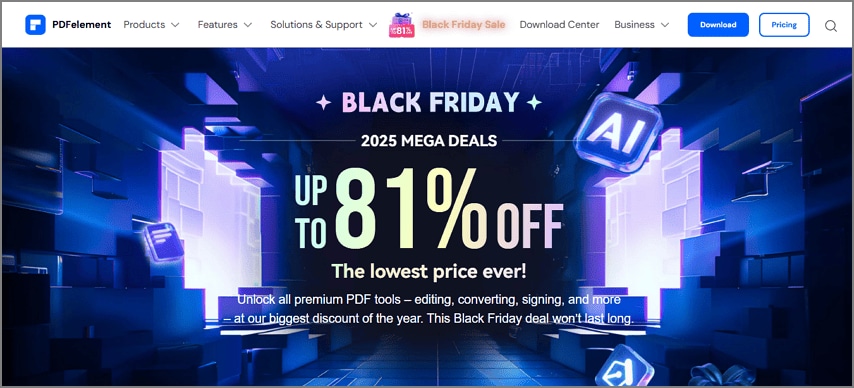
If Foxit promo codes don't align with your budget or specific feature requirements, exploring PDFelement's ongoing promotions can be a smart alternative. PDFelement frequently offers competitive deals that provide excellent value. The platform offers exclusive deals for users needing robust editing capabilities, OCR, form handling, and annotation features.
Part 2. What to Know Before You Hunt for a Code
Before you start searching for discount codes for Foxit PDF tools, it's important to understand where legitimate savings actually come from. Below are the key points you should know before looking for a Foxit promo code:
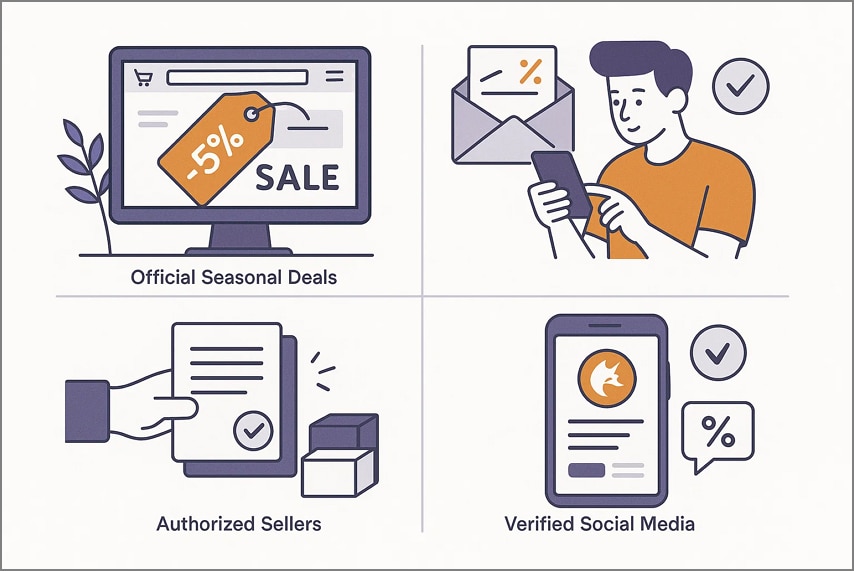
Where Genuine Offers Come From
- Official Seasonal Deals: Foxit promotion code frequently runs limited-time promotions during holidays, Black Friday, academic seasons, or major updates. These sales appear on the official website and ensure authentic discounts.
- Email Subscriptions: Joining Foxit's newsletter gives you access to subscriber-only coupons, early deals, and exclusive savings not available elsewhere.
- Authorized Sellers: Certified resellers may provide package deals, multi-license discounts, or region-specific pricing.
- Verified Social Media Pages: Foxit occasionally posts flash deals, contests, or short-lived coupon drops on its official social accounts.
Choosing the Right License
- Perpetual vs. Upgrades: A perpetual Foxit software promo code license allows lifetime use of the purchased version, while upgrade plans cover future major releases.
- Edition Selection (Standard vs. Pro): The Standard edition handles essential editing needs, while the Pro version includes advanced tools like form creation and enhanced document automation.
- OCR Add-ons: OCR languages may be available separately, depending on which languages you plan to process.
- Device Limits: Most Foxit licenses specify the number of devices you can install and activate simultaneously.
Why Codes Get Rejected
- Region or Product Mismatch: If the Foxit coupon code doesn't match your selected edition or geographic location, it won't apply.
- New Customer Restrictions: Certain coupons work only for first-time users.
- Non-Stackable Deals: Some Foxit promotions cannot be combined with other active discounts.
- Outdated or Unofficial Codes: Promo codes found on unreliable sites may be expired or invalid.
Evaluate the Final Price
When finalizing a purchase, always examine the complete cost associated with a Foxit promo code. Look past the listed starting price and consider each factor.
- Base Cost: This is the initial price of the selected Foxit license, whether it's a subscription or a one-time payment.
- Applied Discounts: Verified seasonal or promotional offers reduce the base amount.
- Taxes and Processing Fees: Sales tax or VAT, depending on your region, will affect the final total.
- Upgrade Expenses: Perpetual license users may need to pay separately for major future upgrades not included in the initial purchase.
Part 3. Get a Valid Foxit Discount - Method A
By following a clear process, you avoid expired codes, fake offers, or missing features, and ensure you're getting the best possible deal. Below is a simple step-by-step guide for applying a valid Foxit promotion code:
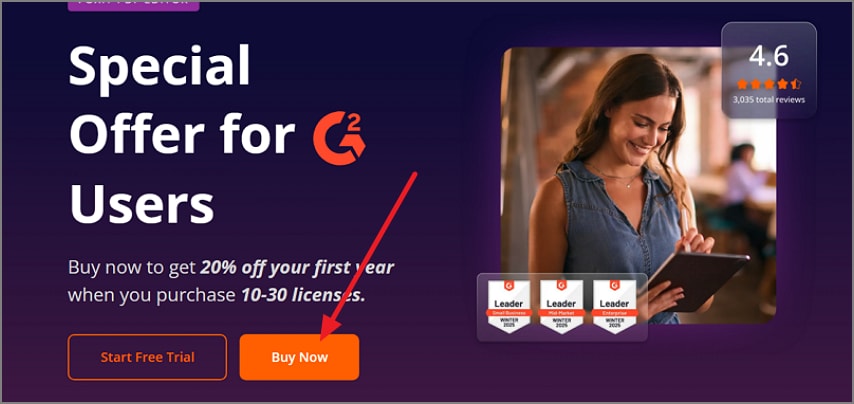
Step 1Visit the Official Foxit Deals Page
Start by going to Foxit's official promotions page. If you received a discount through their newsletter, open that verified link to access a legitimate offer.
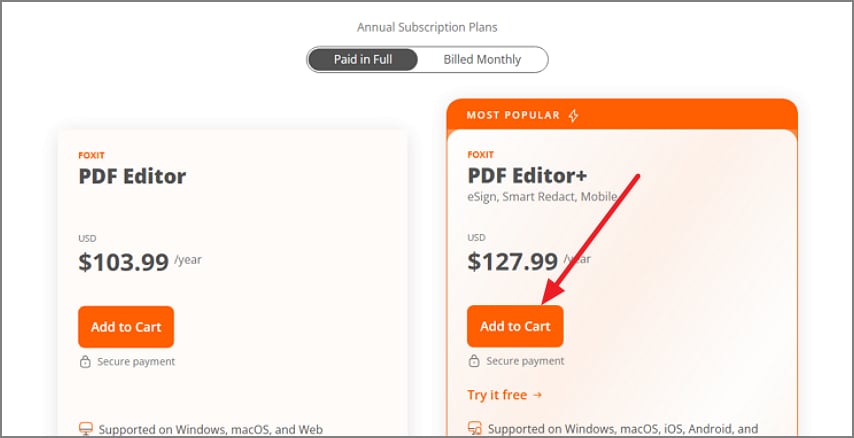
Step 2Select Your Edition and Operating System
Choose whether you want Foxit PDF Editor or PDF Editor+ by clicking on your desired option. Hit the "Add To Cart" button to proceed with the purchase.
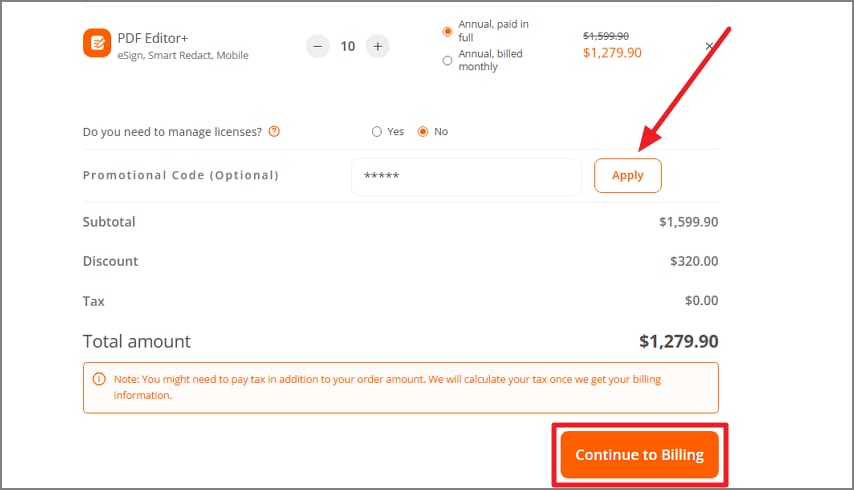
Step 3Add Your Product Cart and Apply the Promo Code
Add the selected edition to your cart, enter the discount code, press "Apply," and make sure the reduced price appears in the total before moving forward. To move forward to the next interface, press the "Continue to Billing" button.
Step 4Complete Process by Inputting Info
Enter your personal details in the designated fields and press the "Continue to Payment" option to successfully make the selected purchase.

Tips to Consider
Here are some pro tips to help you secure the best Foxit discount code, each with a clear heading and 1–2 lines of guidance:
- Volume Licensing Savings: For teams or multi-seat needs, request Foxit's volume pricing—these deals often outperform standard public promo codes.
- Academic Discounts: Students, teachers, and institutions can access special academic pricing, though verification with a valid ID or email is required.
- Auto-Applied Event Deals: During major sales like Black Friday or Cyber Monday, Foxit sometimes auto-applies discounts at checkout, so no coupon entry is needed.
- Check Regional Pricing: Foxit occasionally adjusts pricing based on location, so switching your region (if applicable) may reveal lower rates.
- Newsletter-Only Codes: Some of the best promotions arrive through the Foxit newsletter. Subscribing early can unlock exclusive, time-limited offers.
Part 4. Compare Value Quickly (Foxit vs PDFelement)
When a Foxit promotional code doesn't work or the discount isn't strong enough, you can go for a better option like PDFelement by comparing both platforms. The table below breaks down the factors so you can judge whether Foxit or PDFelement gives you more for your money:
| Category | Foxit PDF Editor | PDFelement |
| Core Tools | Strong editing capabilities, advanced form creation, reliable OCR, professional redaction, and robust markup tools. | Full editing suite, intuitive interface, powerful OCR, simplified form creation, strong annotation, and page organization |
| Modern Features | Includes batch processing, document compare, Bates numbering, and e-sign options (with Foxit eSign). | Offers batch tools, AI summarization/reading, templates, Bates numbering, and built-in e-signing via cloud features. |
| Platform Supported | Web-based | Cross-platform: Windows, macOS, plus fully-featured iOS and Android apps. |
| Pricing | PDF Editor: $103.99/year PDF Editor+:$127.99/year |
Single User: Starting from $79.99/year Multiple Users: Starting from $139/year For Business: Customized Plans |
| Support & Updates | Updates depend on your maintenance plan; activation/deactivation rules vary by license type. | Includes regular updates, flexible device activation, and straightforward upgrade options with transparent policies. |
When comparing the two, Foxit positions itself as a business-driven solution, offering a robust feature set tailored for professional environments. PDFelement, on the other hand, leans toward an all-rounder profile that delivers powerful editing tools, reliable OCR, form creation, and cross-platform support at a friendlier price point. Its balance of features and affordability often makes it especially attractive during promotions.
Part 5. Safe Coupon Hunting: Do's & Don'ts
Before you apply any Foxit discount code, it's smart to follow a few safety practices to avoid expired coupons. The following do's and don'ts will help you hunt for deals confidently while protecting your purchase:
Dos
- Use Official Sources: Always prioritize Foxit's official promos, verified newsletter links, or authorized resellers, and test the code directly in your cart before proceeding.
- Screenshot Everything: Capture the promo banner, the discounted cart total, and any terms shown on the page. These can help if a price changes or support requires proof.
- Read the Fine Print: Check for restrictions such as new-user eligibility, region limits, excluded editions, subscription-only discounts, or higher renewal costs after the first year.
- Verify Refund and Activation Rules: Confirm refund windows, device activation allowances, and what happens if you reinstall or switch computers later.
- Check Code Timing: Many legitimate discounts are time-sensitive, so verify whether the promotion is tied to a countdown timer, holiday event, or specific purchase window.
Don'ts
- Don't Trust "100% Working" Claims: Many third-party coupon sites display outdated or generic codes that no longer work, even if they falsely show high success rates.
- Don't Buy From Unknown Marketplaces: Cheap "license keys" from unverified sellers can be invalid, stolen, or later blocked by Foxit.
- Don't Assume the Highest Percentage Off is Best: Some Foxit promo codes reduce features, limit upgrades, or apply only to subscription renewals.
- Don't Ignore Regional Price Differences: Prices vary across countries; using the wrong region may invalidate your code or increase the final cost.
- Don't Skip Reviewing Future Upgrade Costs: A large upfront discount doesn't always mean long-term savings. Look at renewal, maintenance, and major version upgrade pricing before buying.

Part 6. Real-World Mini Scenarios
When choosing a PDF software coupon plan tailored to your needs, it's essential to understand which features and discounts match your specific use case. The scenarios below illustrate how different users can evaluate Foxit and PDFelement promotions to make the best decision:
Solo Freelancer Needs OCR + Forms
A solo freelancer working on Mac or Windows who relies on OCR and form creation should compare the Foxit promotional code and PDFelement promo prices. The goal is to pick the plan that includes both OCR and form tools at the lowest final cost. They should check if the code applies to the edition they need, ensuring they don't overpay or miss critical features while keeping cross-platform flexibility in mind.

Small Team with Admin Controls
Small teams needing administrative controls, such as multi-seat activation and license management, should request volume pricing from Foxit discount code and a team quote from PDFelement. Comparing total costs, including seats, maintenance, and potential add-ons. This helps managers determine the most cost-effective option. Checking policies on deactivation and remote access ensures a smooth workflow for distributed team members during promotional periods.

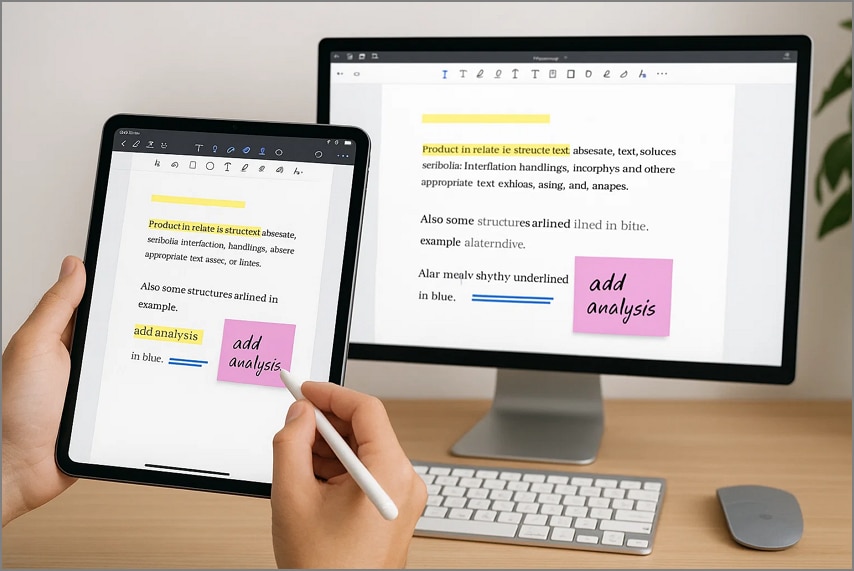
Annotation and Reading Across Devices
Users whose workflow revolves around reading and annotating PDFs on iPads and desktops should prioritize cross-device support. PDFelement often provides licenses and promotions covering both desktop and mobile devices. Evaluating which plan offers seamless annotation features across all devices allows the user to avoid purchasing multiple licenses and ensures a consistent workflow.
Heavy e-Sign Usage
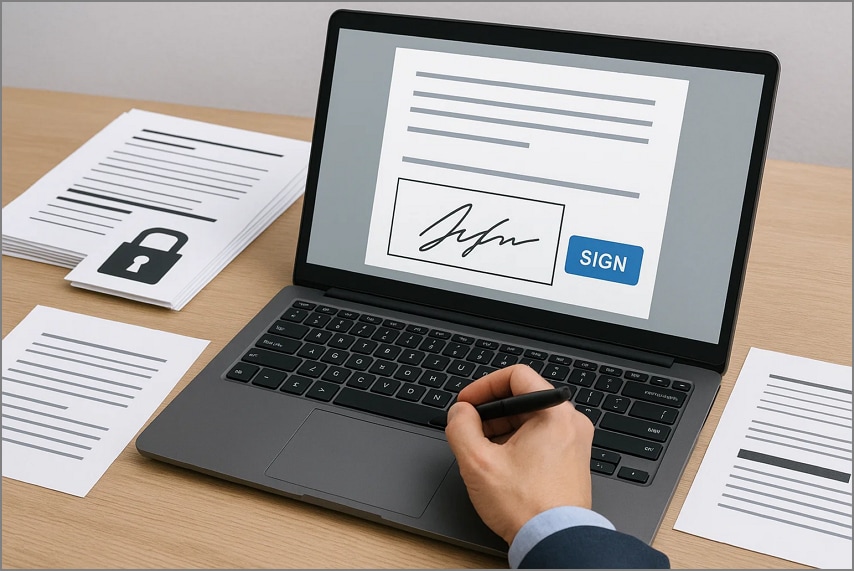
Firms with intensive e-signature requirements should focus on plans that include sufficient e-sign quotas or reasonable per-envelope costs. Promo codes rarely cover ongoing e-sign fees, so it's crucial to confirm included credits. Bundled tools for redaction and compliance can help legal or corporate teams securely manage documents.
Part 7. Mini Troubleshooting Tricks and Tips
When applying a PDFelement or Foxit promo code, small issues can pop up during checkout. The quick troubleshooting tips below will help you resolve the most common coupon issues:
Invalid Code Error
If the promo shows "invalid," it's usually due to a region or product mismatch, or the code may have expired. Try using the official promotional link, which often auto-applies the correct discount.
Discount Looks Smaller Than Advertised
Sometimes the cart displays a reduced discount because taxes aren't included or a lower-tier auto-promo took priority. Refresh the page, re-add the product, or reach out to support if the issue persists.
Cannot Stack Multiple Codes
Most stores allow only one promotion at a time. Compare the net savings between your coupon and any active seasonal discount, then choose the option that gives the highest total value.
Wrong Edition Appearing in Cart
If the checkout shows an unintended edition, go back and reselect the correct OS or version. Many promo codes work only on specific SKUs or upgrade paths.
Need VAT-Compliant Invoice
Confirm how taxes are handled before paying, especially if you require VAT details for business reimbursement. Some discounts apply only to the pre-tax total, not the final invoice amount.
Switching or Replacing Computers
When moving devices, check the software's deactivation policy to avoid extra charges. Most legitimate licenses allow you to deactivate on the old machine and reactivate on your new device.
Frequently Asked Questions
-
Where can I get a real Foxit coupon code?
You can find legitimate Foxit codes on the official promotions page or through verified newsletter emails. Always test the code in your cart to confirm it applies correctly. -
Why don't third-party codes work?
Most third-party coupons are outdated, restricted by region, or tied to specific SKUs that don't match your purchase. These sites often list generic or previously expired codes. -
Can I use a code on upgrades/renewals?
Some Foxit promotions exclude upgrades or renewal plans entirely. Check the fine print to see whether the offer applies to your license type. -
Is a perpetual license cheaper long term?
In many cases, a perpetual license costs less over several years compared to ongoing subscription renewals. Just remember to factor in the price of future major upgrades. -
What if I just need a cheaper full editor?
If Foxit's discount still feels high, compare its final promo price with PDFelement's active deals. Both offer similar editing and OCR features, but PDFelement often runs more aggressive promotions.
Conclusion
To sum it up, this article provided a complete guide on finding and applying Foxit coupon codes safely. It explained where legitimate deals appear, why codes may fail, and how to compare total costs, including add-ons and upgrades. If a Foxit coupon works in your cart and meets your feature needs, secure it immediately and screenshot the total.
However, if the code doesn't apply or extra costs raise the final price, consider comparing it with PDFelement's current promotion. PDFelement offers a better price-to-features balance across editing, OCR, forms, annotation, and page management tools.




