Think of being in an important client meeting, and each word matters, yet you are engaged in the ongoing conversations that you skip to note down important points. This is where an AI meeting note taker comes in and takes over the process, ensuring that you do not forget important points.
In 2026, these tools are not just be basic transcribers, but will have real-time summarizers, task extraction, and can even be used offline on in-person discussions. This guide will help remote workers, students, and other individuals improve the recording and structure of the meeting in a safe and private environment.
In this article
- Using AI Meeting Note Taker: Scenario-Based Understanding
- Testing Criteria to Pick the Best AI Meeting Note Taker
- Top AI Meeting Note Takers of 2026
- Why On-Device & In-Person Note Taking Matters in 2026
- Choose PDFelement Mobile For On-Device AI Meeting Notes Workflow
- Use PDFelement Online Version for a No-Install Browser Option
- Polish Minutes of Meeting with PDFelement Desktop Version
- Free vs Paid AI Meeting Note Takers: What You Actually Get
- Buyer's Guide: Pick What Fits Your Requirements Best
Part 1. Using AI Meeting Note Taker: Scenario-Based Understanding
Before we discuss each AI meeting note taker available, here is a quick look at some situations where you will be needing an AI note takers:
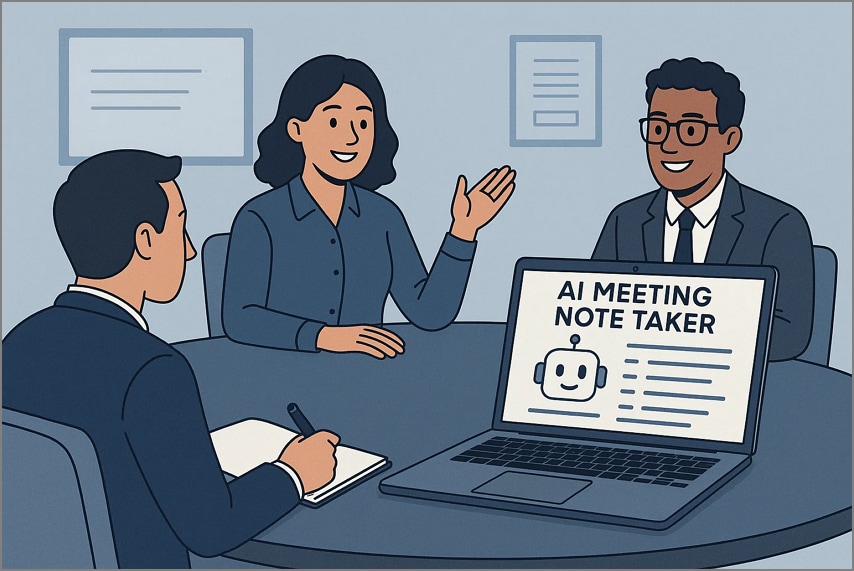
In-Person and Privacy
When the user requires confidentiality and offline dependability, PDFelement mobile is the best option. It provides a safe and stable workflow on the go, including audio-to-text conversion and AI-driven summaries, for precise and instant meeting notes. This implies that your meeting information never leaves your phone, thereby being fully private and compliant.
No-Install Review and Sharing
Need to immediately share or edit minutes of the meetings, but do not want to install software. Pick the PDFelement Online tool to help you open notes and polish them within your browser itself. The AI meeting notes make teamwork easier with the ability to make instant changes, annotations, and share links in a secure online workspace.
Compliance and Finalization of Meeting Minutes
In cases where the meeting notes require a professional level of finishing touches, PDFelement Desktop provides compliance-ready notes. You get the ability to hide sensitive data, add approval stamps, merge several meeting files, and publish refined and printable reports. This helps teams ensure the integrity of records and makes it easy to comply with standard documentation requirements within an organization.
Note: Before recording meetings, make sure that you always seek the consent of the involved parties based on the laws of the area where the meeting is held.
Part 2. Testing Criteria to Pick the Best AI Meeting Note Taker
Moving on, since there are various AI meeting assistant tools available for use, you need to be aware of the testing criteria to pick the best one. Here is a list of the factors you need to keep in mind to pick a tool that meets your needs:
- Recording Modes: Users must consider tools that support in-person audio, VoIP calls, and automated meeting bots in order to capture every detail discussed in the meeting.
- STT Accuracy and Summaries: Your preferred tool's speech-to-text accuracy and AI-generated summaries must be tested to ensure accuracy.
- Privacy and Data Residency: Look into the data storage location and the level of security of user data, both in the interface and on the cloud.
- Free-Tier Limits: Before using the AI meeting summary tool, examine what compelling features are available to free users in comparison to premium packages.
- Exports and Formats: The AI meeting note taker must provide the ability to export the notes in supportable formats such as PDF, DOCX, TXT, and shareable online links for collaboration purposes.
- Mobile and Offline Availabilities: Users need to test and review the usability, stability, and functionality of a tool that works offline and on mobile devices.


 G2 Rating: 4.5/5 |
 100% Secure
Part 3. Top AI Meeting Note Takers of 2026
After learning the factors to keep in mind as you are testing out the best AI meeting note takers, you need to be aware of the top tools in 2026 as well. The top AI note takers of 2026 that are being used by many individuals are listed below:
PDFelement Mobile [Android - iOS]
Best For: Offline meeting notes workflows, which convert recordings to summaries and mind maps.

Key Features
- Integrated AI technology: Users get the ability to summarize, translate, and proofread the written AI meeting notes through the PDFelement AI Assistant.
- Speech-To-Text Functionality: It allows you to perform transcription through your mobile speaker through its STT function.
- Mind Map Conversions: You can easily convert the summaries of the meeting recordings into mind maps for a better visual understanding of the meeting context.
- Supports Over 100 Languages: PDFelement mobile supports more than 100 languages to allow you to translate the PDF of minutes of a meeting in your preferred language.
Pricing Plans
- Quarterly Plan: $21.99
- Yearly Plan: $41.99
- Perpetual Plan: $61.99
Who Should Pick It: Users who require safe, offline AI note and summary processes should pick PDFelement Mobile.
Otter.ai
Best For: Real-time transcription and collaborative insights of hybrid or remote team meetings.

Key Features
- It offers live collaboration with live chatting, editing, and collaborative notes.
- Otter.ai contains AI summaries and key actions along with a searchable meeting archive.
- This meeting note-taker AI tool is directly integrated with Google Meet, Zoom, Teams, and Slack.
Pricing Plans
- Pro: $8.33/month
- Business: $19.99/month
Who Should Pick It: Teams that desire real-time meeting captures and AI-generated follow-ups in a precise manner.
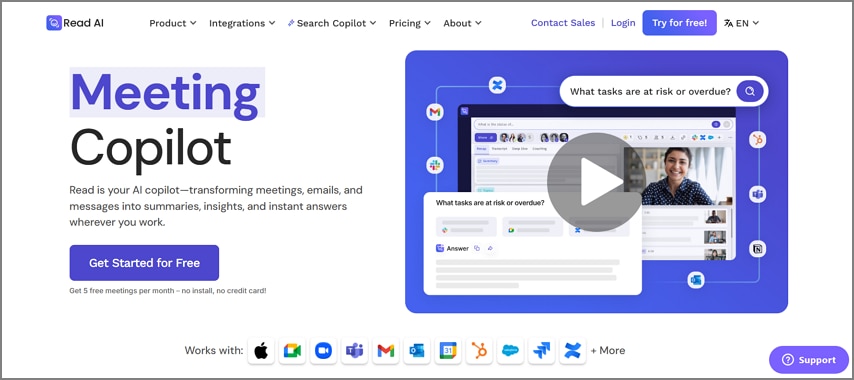
Read.ai
Best For: Summarizing and tracking actions in Google Meet or other corporate platforms.
Key Features
- Read AI provides users with the best AI-generated reports with summaries of each meeting and its chapters.
- You get real-time transcription and speaker separation with the timestamps.
- Once you are done with the meeting, you get the ability to view the after-meeting analytics and reports.
Pricing Plans
- Read AI Pro: $19.75/month
Who Should Pick It: It is best suited for businesses that focus on compliance and safe storage of meetings.
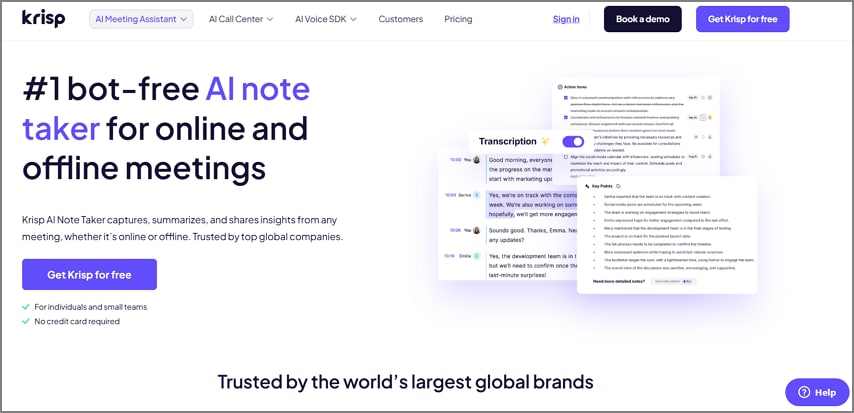
Krisp.ai
Best For: AI records that are noise-free with simple transcriptions and summary automation.
Key Features
- Users get the ability to offer text transcription and AI-generated meeting summaries.
- Krisp, the AI meeting note taker, adds specialized vocabulary to identify the meeting context accurately.
- The diverse users of the Krisp tool get to translate the transcription and summary into 20 different languages.
Pricing Plans
- Pro: $16/month
- Business: $30/month
Who Should Pick It: Professionals who need a cleaner audio and summarized meeting notes.
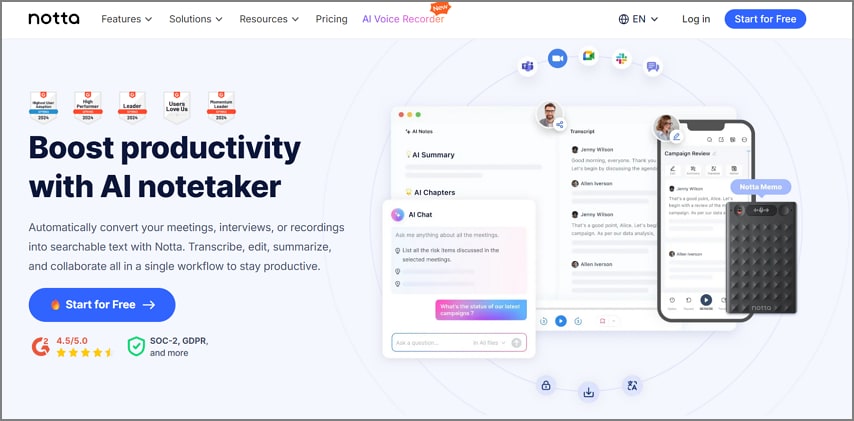
Notta.ai
Best For: It is mostly useful for fast, multilingual transcriptions for content creators.
Key Features
- It ensures transcription accuracy in over 98.8% along with support for 58 different languages.
- Users can generate meeting notes in 42 different languages in real-time.
- Notta is built with support for different export options like TXT, DOCX, PDF, and SRT.
Pricing Plans
- Pro: $13.49/month
Who Should Pick It: Diverse team members can refer to this tool and translate the meeting minutes into their preferred languages.
Fireflies.ai
Best For: Collaborates with AI technology during the meeting capture process.

Key Features
- This tool automatically records and transcribes the meetings through its browser extensions as well.
- You get the ability to translate the real-time transcriptions in over 100 different languages.
- Fireflies allow you to access the summary discussion and identify action items intelligently.
Pricing Plans
- Pro: $18/month
- Business: $29/month
Who Should Pick It: The hybrid teams of the corporation can achieve a powerful, integrated AI note-taking system.
MeetGeek
Best For: Automated summaries and analytics of the meetings for a productive team corporation.

Key Features
- It records, transcribes, and summarizes the meetings within a single platform.
- You get the ability to get a set of generated notes with action items and decisions discussed in the meetings.
- MeetGeek produces analytics on participation, sentiment, and speaker time of the meeting it recorded.
Pricing Plans
- Pro: $19/month
- Business: $39/month
Who Should Pick It: The data-driven teams of a business that require insights beyond the meeting transcriptions.
Jamie AI
Best For: Users who focus on privacy during the note-taking process with adaptive meeting summaries.

Key Features
- Whether you are working online or offline, this tool integrates with all the videoconferencing tools.
- You can adjust the meeting duration and frequency caps to meet your requirements.
- It integrates across different device operating systems so that you can get a secure connection.
Pricing Plans
- Pro: $47/month
- Plus: $25/month
- Team: $39/month
Who Should Pick It: Members who require security and flexible AI meeting notes over integrations with other meeting tools.
Granola AI
Best For: Lightweight and friendly meeting summarizer tool for freelancers and creatives.

Key Features
- This tool provides a real-time automatic transcription and highlights.
- Users get the ability to generate meeting notes of the meetings held through Zoom, Google Meet, and Slack.
- It allows users to generate meeting notes in a different template of their choice.
Pricing Plans
- Business: $14/month
Who Should Pick It: Solo users like freelancers who prefer minimal and creative AI meeting documentation.
Equal Time
Best For: This is a more inclusive, balanced team interaction method that uses AI-assisted dialog tracking.

Key Features
- This tool provides users with real-time feedback to balance the participation.
- The transcription enables summaries to ensure transparency in the meeting.
- It gives you the ability to look into the coaching insights generated by the AI tool on the engagement sessions during the meetings.
Pricing Plans
- Equal Time Premium: $18/month
- Equal Time Team: $90/month
Who Should Pick It: Team leaders or HR managers to focus on the participation activity within a meeting.
Comparison Table of the Best AI Meeting Note Takers in 2026
Here is a quick comparison between the top 10 tools we have discussed above. The table below will help you make a quick decision on which AI meeting notetaker best meets your requirements:
| Tool | Free Tier | In-Person | Bot-Join | Summaries/Action | Export PDF Format | Privacy | Best For |
| PDFelement Mobile | Yes (limited AI uses) | AI summaries and keyword extraction | On-device; no uploads required | Users needing privacy-first, local note workflows | |||
| Otter.ai | 300 minutes/month | Auto-summaries and action items | Cloud upload and storage | Remote teams needing collaborative summaries | |||
| Read AI | Yes (basic recaps) | Detailed summaries with key actions | Cloud-based with consent-led recording | Enterprises using the Google ecosystem | |||
| Krisp | 60 minutes/day | Speech cleanup and short AI notes | On-device for noise filtering; cloud for AI | Professionals needing clean, noise-free recordings | |||
| Notta | 120 minutes/month (free) | Instant AI summaries and translations | Cloud upload for processing | Multilingual creators needing quick, shareable text | |||
| Fireflies | 800 minutes of storage | Smart summaries, sentiment, and actions | Fully cloud-based | Sales and collaboration-driven teams | |||
| MeetGreek | 3 hours/month (free) | Highlights, summaries, and KPI tracking | Cloud-based with SOC 2 compliance | Managers monitoring meeting quality metrics | |||
| Jamie | 10 free meetings/month | Adaptive summaries and action items | Device-only; deletes audio post-transcription | Privacy-conscious professionals | |||
| Granola | Trial (25 meetings) | Conversational, AI-styled notes | Cloud-based | Freelancers preferring natural, creative summaries | |||
| Equal Time | Free basic plan | Talk about balance insights and summaries. | Cloud-based for meeting metrics | HR and DEI teams are tracking participation balance. |
G2 Rating: 4.5/5 |100% Secure
Why On-Device & In-Person Note Taking Matters in 2026
Using an on-device and in-person meeting note taker AI tool can benefit you in many ways, especially by smoothing out the overall workflow. Below, we have listed the different ways you will benefit from on-device note takers like PDFelement in 2026:
- Improved Privacy Protection: On-device note-taking ensures that sensitive meeting data is not exposed to any third-party server or other unauthorized access.
- Guaranteed Meeting Consent: As you record directly on your device, you get the ability to take control of when and how the audio is captured with consent regulations in line.
- No Wi-Fi Reliability: Most meeting rooms don't have stable internet connections, which is why having an in-person AI meeting note taker allows you to record and transcribe without an internet connection.
- Less Bot Fatigue: When using an on-device note taker, it removes distractions and maintains the natural conversations in a smooth flow.
- Instant Access and Summaries: Notes and AI summaries are created as soon as they are recorded, and this saves time and enhances productivity in back-to-back meetings.
- Storage Compliance Friendly: Local file management supports company compliance policies by maintaining data residency and avoiding cloud-based risks.
Choose PDFelement Mobile For On-Device AI Meeting Notes Workflow
Users can use the PDFelement mobile version for an online AI meeting notes workflow. With the help of this tool, you can record your meetings and generate the transcript within a matter of seconds. It also summarizes the meeting into key points so that you can refer to and understand the meeting in just a few words.
Moreover, the PDFelement mobile app lets you make quick edits and reviews. You can share or export it to other team members. Jump into the steps below to get a better understanding of how to generate meeting notes using the minutes AI meeting note taker PDFelement mobile:
G2 Rating: 4.5/5 |100% Secure
Step 1Install the PDFelement App and Access the AI Record Function
Start the process by accessing the PDFelement app, tapping on the "Tools" button, and picking the "AI Record" option. Choose whether you want to "Record Audio," "Select Audio," or choose from the "Audio List" options. Once you add the audio tape to it and hit the "Play" button.

Step 2From the Text Tab, hit the Transcribe Option
Moving on, hit the "Text" tab and hit the "Transcribe" option to select your "Target Language" and start the transcription process.

Step 3Generate an AI Summary of the Meeting Recording
Next, tap on the "AI Summary" section once the transcription is complete. Here, hit the "Summarize" option and "Copy" the summarized AI meeting content to paste it on the PDF file.

Step 4Edit the PDF and Add Stickers to Download the PDF
Finally, add "Stickers to the PDF and perform quick edits to it. Finally, hit the "Horizontal Three Dots" and scroll to tap on the "Save a Copy" option.

Additional Functions of PDFelement
- AI-Generated Mind Map: Users get the ability to turn their meetings into a mind map within a few minutes and download it again as a PDF.
- AI Translate: You can translate the meeting notes in a hurry through the Fast and Professional modes to have accurate and multilingual communication among the international work teams.
- Switch AI Models: Select between the DeepSeek-V3, GPT-4o, GPT-4o-mini, or Gemini 1.5 Pro to find a balance between the accuracy, speed, and price.
- HTML to PDF: PDFelement mobile can turn any online meeting agenda or webpage into a well-formatted PDF that will be accessible offline, so that it can be easily searched.
G2 Rating: 4.5/5 |100% Secure
Part 6. Use PDFelement Online Version for a No-Install Browser Option
In case you are in a situation where downloading software or apps onto your devices can seem like a hassle, then you can opt for the PDFelement Online version. This tool will allow you to make light edits and quick reviews and share them with other team members to collaborate. Moreover, you can export the edited PDF into different file formats.

Access the PDFelement Online tool and review or share your editing AI meeting notes for free within your browser without downloading any tools.
Part 7. Polish Minutes of Meeting with PDFelement Desktop Version
To access your meeting notes in PDFelement Desktop, which are compliance-ready, open your PDFelement App meeting notes. In this case, it is possible to delete sensitive information, stamp it with approval, and unite several reports into one organized file using sophisticated tools. Use headers, footers, and page numbers when sharing a print-ready PDF or record-keeping before exporting official shares.
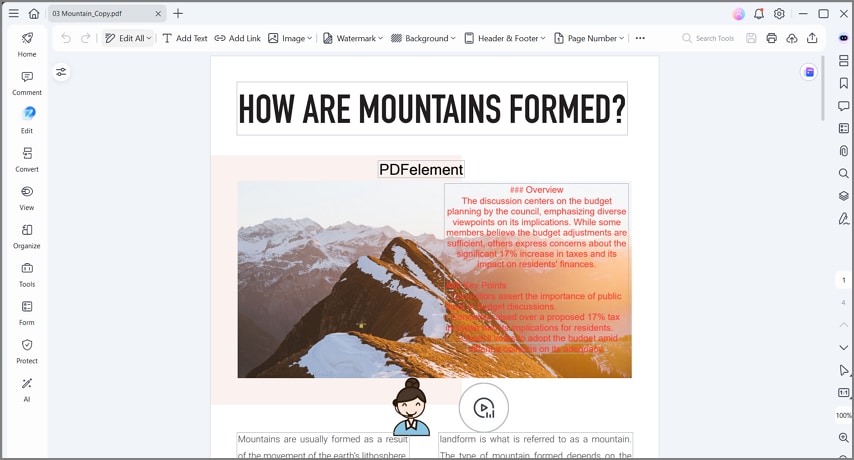
Finalize your AI-recorded meeting notes with PDFelement Desktop to redact confidential content, professional edits, stamps, and much more.
Part 8. Free vs Paid AI Meeting Note Takers: What You Actually Get
Free AI meeting note-takers provide a limited set of recording or transcription minutes per month and fewer exports. Whereas paid versions of such tools offer greater storage, offline functionality, and richer summaries. Here is a free vs paid AI meeting note takers comparison to help you decide which tool to use:
| Feature | Free AI Note Takers | Paid AI Note Takers |
| Minutes Per Month | Usually 300–800 minutes, depending on the tool | Unlimited or very high limits (1,000+ minutes) |
| Offline Use | Mostly need an internet connection | Some offer offline or on-device options |
| Recording Upload | Often requires uploading recordings for transcription | Allows live note-taking without uploading files |
| Summary Length | AI summaries are short or have set limits | You can make longer, detailed, or custom summaries |
| Export Options | Usually, only text or DOCX formats | Includes PDF, Markdown, video clips, and CSV exports |
The Unique Advantage of Using PDFelement Mobile
In the case of PDFelement Mobile, the on-device note-taking workflow is available without the use of cloud upload, unlike most AI meeting note takers. One can record audio, translate it with the STT functionality on their device, and create AI summaries in the PDF format, while keeping the entire process offline and secure. This is an ideal tool for individuals or mobile-first users who want an AI Assistant without any external reliance.
Part 9. Buyer's Guide: Pick What Fits Your Requirements Best
Here is a quick insight for the buyers on trying to figure out which AI meeting note takes to meet your requirements:
Need Bots and Deep Integrations
Trying to capture your meeting with the help of automated meeting capture via Zoom, Teams, or Google Meet, such as tools like Otter, Fireflies, or Read AI, is perfect. The tool automatically joins in on the meetings as an AI assistant and transcribes discussions. It also syncs with the project management platforms for a better flow and to avoid having to take notes manually.
Need in-Person/Offline/Privacy
To users who are concerned about the reliability of offline data and its privacy, PDFelement App provides a secure mobile workflow. You will be able to take notes, transcribe speech, and summarize meetings without storing files on the cloud. You can combine it with the PDFelement online tool to share without installing an app, and the Desktop version to edit and redact files in the compliance mode.
Need No-Install Meeting Transcription
For immediate access to the polishing of meeting notes without having to install software can be done through PDFelement Online. It allows making quick edits and sharing in the browser in a few seconds. Whereas recording and transcription can be done better on mobile, online services provide instant accessibility without internet connections.
People Also Ask
-
Can I use it without installing an app?
Yes, you can still generate meeting notes without installing an app through the PDFelement Online tool for quick edits and reviews. It enables you to open, make notes, and distribute meeting minutes in real time without downloading any type of software. This idealizes its use with remote teams or individuals working on the same devices. -
Can I finalize minutes on the desktop?
Of course, PDFelement Desktop provides the possibility to use such advanced tools as redaction, approval stamps, batch combining, and layout customization of final reports. This ensures your meeting documents are compliance-ready and formatted to be presented or even printed in a professional manner. -
Is it legal to record meetings?
Meetings can be recorded in most areas, and this differs depending on the jurisdiction in terms of consent. Always advise and seek consent of all participants prior to recording. This guarantees that the professional code of conduct and adherence to the local laws of data privacy are being followed. -
Can AI work offline?
Yes, on the PDFelement App, recording and templates can be used offline to ensure privacy and reliability on the device. Nonetheless, AI functions such as summarization or keyword extraction might need to have a stable internet connection. The linkage is what makes real-time processing possible by using the AI model. -
How do I extract action items reliably?
You can create summaries of the meetings automatically with the help of the AI summarizer feature. Then label the key tasks or deadlines with stickers and visually track them in an easier manner. This will help you and the team to focus on follow-ups and be organized at each meeting with a smooth workflow.
Final Thoughts
In conclusion, an effective way to handle AI meeting notes is through PDFelement's three-tier approach. This guide looks at how you can start using PDFelement Mobile for high privacy, recording, transcription, and AI summaries. Then, switching to PDFelement Online for a no-install and quick sharing meeting notes process. Finally, discuss how you can complete the process with PDFelement Desktop for compliance-ready redaction, stamping, and detailed PDF editing.
Therefore, using an AI meeting note taker, such as PDFelement, can help you ensure your meeting content stays accurate, secure, and professional from start to finish. Download PDFelement Mobile today, review in PDFelement Online, and finalize confidently in PDFelement Desktop.