
AI image generators are revolutionizing the creative profession, enabling anyone to bring any vision to life with just a text description. Whether you're an artist, writer, or marketer, these tools offer powerful creative capabilities. But imagine something better—AI image generators with enhanced creative flexibility, where imagination can explore a wide range of possibilities.
In this article, we unveil the best AI image generators for 2026, offering flexible customization and advanced control. We also introduce PDFelement's new AI "Generate Image" feature—a solution that blends creativity, quality, privacy, and seamless integration. Ready to elevate your creativity? Let's dive in!
In this article
Top 10 AI Image Generators (2026)
Here are the top AI image generators that offer strong creative flexibility, from generating stylized visuals to creating complex artistic designs. Each tool comes with its own unique set of features, limitations, and pricing.
1. Artbreeder (Best for Creative Control)
If you're an artist looking to dive deep into your creative well, Artbreeder is a powerful playground. With its genetic-style image manipulation, you can blend, tweak, and morph images into imaginative masterpieces.
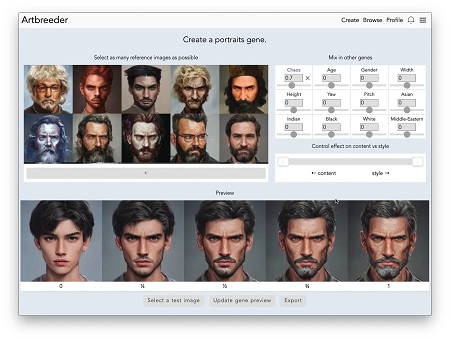
- Features: Artbreeder enables flexible image creation, including surrealistic designs and experimental concepts.
- Limitations: Free accounts have limited access to high-resolution downloads, and the free tier adds watermarks.
- Pricing: Free/Paid (Pro accounts for higher resolution and more features)
2. Deep Dream Generator (Best for Surrealistic Art)
For all of us who can't get enough trippy, surreal-looking pictures, Deep Dream Generator is your go-to weapon. Using neural networks, it converts plain inputs into psychedelic art.
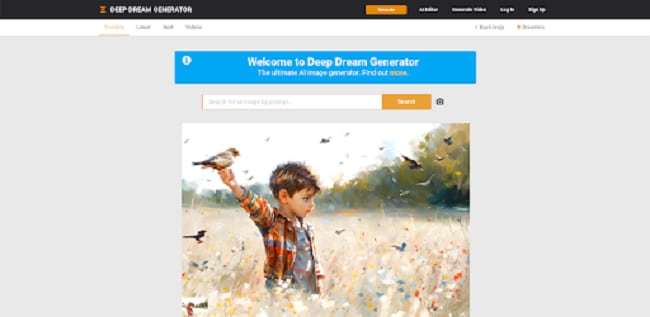
- Features: Supports a wide range of creative inputs, including fantasy and abstract styles.
- Limitations: Free plans have limited daily usage, and output quality may vary.
- Pricing: Free/Paid (Paid plans for higher quality and more credits)
3. NightCafe Studio (Best for AI Art Styles)
Try a gallery of styles with NightCafe Studio, an easy-to-use program for generating art in anything from cubism to photorealism.
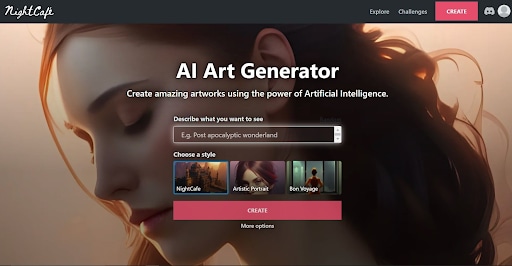
- Features: Supports multiple styles and creative themes.
- Limitations: The free version limits daily credits for generating images.
- Pricing: Free/Paid (Subscription for more credits and higher quality)
4. RunwayML (Best for Creators and Professionals)
Intended for designers, artists, and video creators, RunwayML includes powerful AI features with advanced generation capabilities, suitable for professional and commercial use.
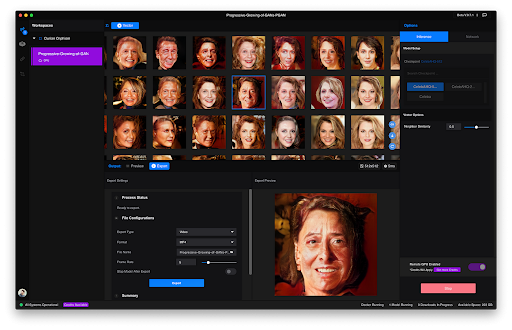
- Features: Advanced image generation with flexible creative control. It supports both standard and custom prompts, ideal for creatives in advertising, video production, and art.
- Limitations: Some advanced features are locked behind paid plans.
- Pricing: Paid (Subscription for full access)
5. DALL·E (Best for Detailed, Realistic Imagery)
Developed by OpenAI, DALL·E is perhaps best known for its photorealism and its ability to interpret complex commands into beautiful visualizations.
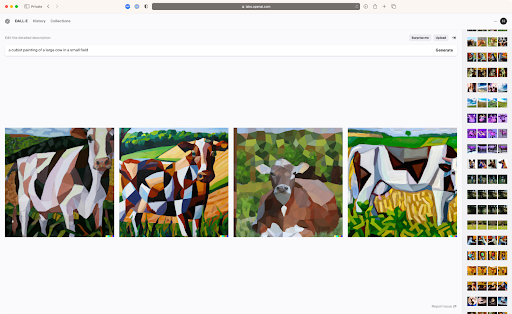
- Features: DALL·E from OpenAI generates highly detailed and realistic images from text prompts. Strong prompt understanding and high-quality outputs.
- Limitations: Limited free usage, requires credits for additional generation.
- Pricing: Free/Paid (Subscription required for extra credits)
6. Craiyon (Formerly DALL·E Mini) (Ideal for Quick, Free Pictures)
If you're in a rush and have to produce images quickly, Craiyon offers an easy, no-frills solution—completely free and open-source.
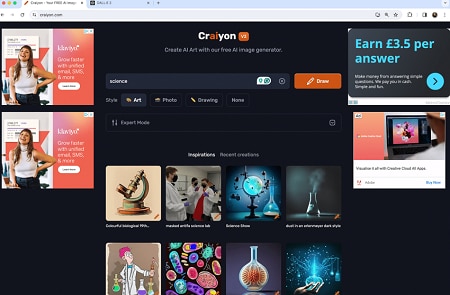
- Features: Craiyon is an open-source AI image generator that is easy to use and accessible for all users. You can generate a wide variety of creative imagery.
- Limitations: Image quality is lower compared to premium tools.
- Pricing: Free
7. Fotor AI (Best for Commercial Use)
Need AI images for branding or marketing? Fotor AI is commercially friendly and supports diverse creative needs, making it suitable for both business and personal purposes.
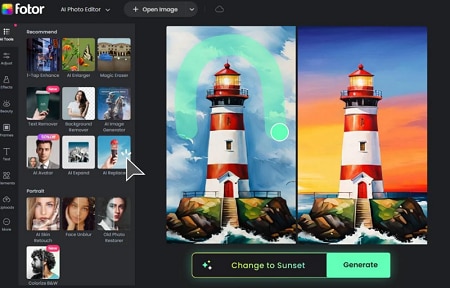
- Features: Supports diverse creative use cases for both personal and commercial needs.
- Limitations: The free plan includes watermarks on generated images.
- Pricing: Free/Paid (Subscription eliminates watermarks and provides improved quality output)
8. Dream by Wombo (Best for Beginner-Friendly Use)
AI art generation starter? Dream by Wombo is one of the most user-friendly, ideal for starters with AI-produced image creation.
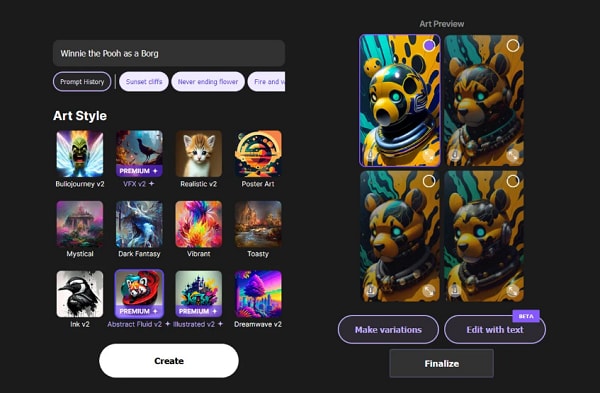
- Features: Dream by Wombo is a simple, user-friendly AI art generator that supports multiple visual styles and makes creation easy.
- Limitations: Some advanced features are locked behind paid plans.
- Pricing: Free/Paid (Paid functionality provides extra levels of customization)
9. This Person Does Not Exist (Best for Face Generation)
When you require realistic human faces that are not associated with any actual person, This Person Does Not Exist provides just that using advanced AI technology.
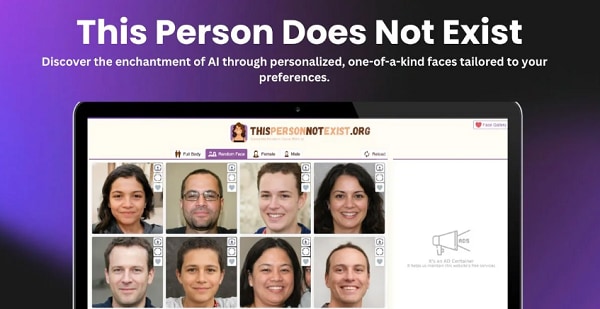
- Features: Produces realistic face images. Perfect for creating realistic human faces for projects requiring avatars or non-existent characters.
- Limitations: Only generates faces, not full images.
- Pricing: Free
10. Pixray (Best for Artistic and Abstract Images)
Pixray is an artist's first choice for surreal, experimental, or dark art. Being open-ended and customizable, you can create nearly anything.
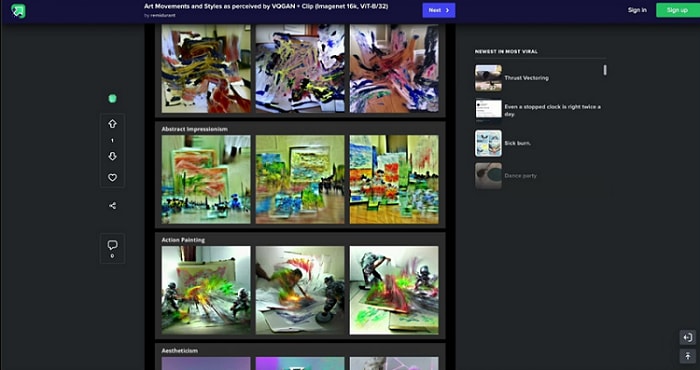
- Features: Highly customizable image generation, perfect for artistic projects.
- Limitations: Can be slower for complex prompts.
- Pricing: Free/Paid (Paid options allow for higher resolution)
Honorable Mentions
These tools also allow broad creative flexibility but come with minor limitations, such as resolution caps or less user-friendly interfaces.
- Artflow.ai: Offers strong creative flexibility but has a limited free tier.
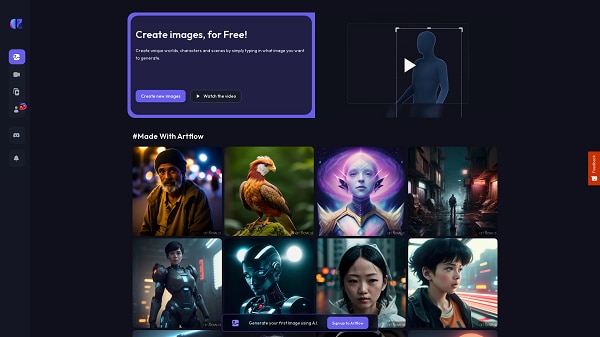
- AI Picasso: Great for abstract art generation, though it may apply certain content filters.
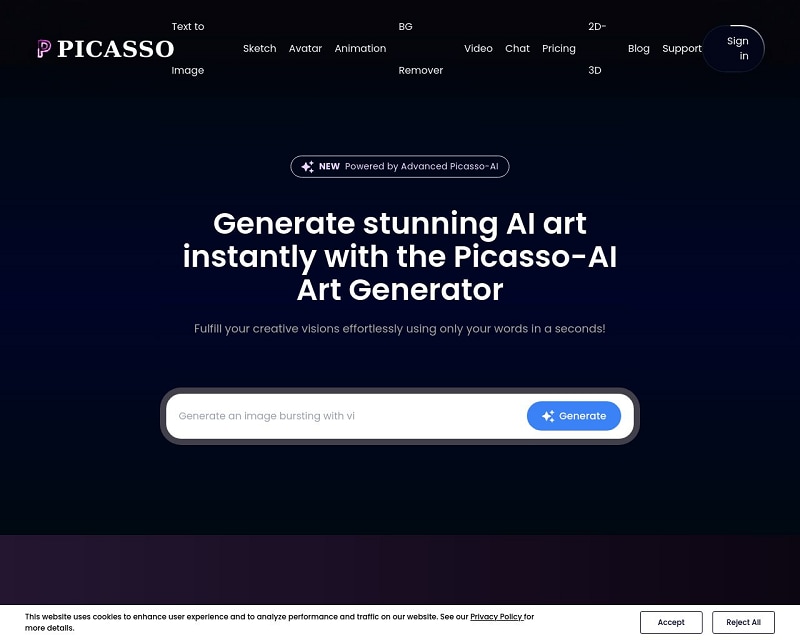
Whatever the project, diving into exploring imaginative styles or creating high-quality artwork, there is an AI imaging product available to serve every one of today's artists. Just always keep in mind, good creative freedom requires good responsibility.
Risks of Using Flexible AI Generators
Even if flexible AI image creation is attractive, some risks should still be considered when using such software.
- Ethical Concerns: Creating content that infringes on copyright or violates the platform's terms may have legal repercussions. There are also restrictions on AI content in certain places.
- Legal Issues: Creating content that infringes on copyright or violates platform policies can lead to legal action. Additionally, certain regions impose restrictions on AI-generated content.
- Security Risks: Low-trust sites may contain malware or abuse your information, particularly if they do not use sufficient security protocols.
Though flexible AI image generators are incredibly powerful, beware of the pitfalls—ethics, the law, and security vulnerabilities. Use only reliable platforms at all times to express yourself creatively with safety and accountability.
Why PDFelement's AI "Generate Image" Is a Reliable Option
Although many standalone AI generators may be appealing, there is increasing concern around security, privacy, and responsible content creation. That is where PDFelement's AI "Generate Image" comes into play.
Key Advantages of PDFelement for AI Image Generation
- Balanced Freedom & Safety: Integration with Documents: No more toggling between several platforms. You can insert, modify, and create images in your documents, like reports, eBooks, and presentations.
- No Sign-Up Required: Unlike other AI generators, PDFelement does not ask you to sign up first before you can utilize its premium features.
- Advanced Editing & OCR: Edit images with robust editing capabilities and OCR technology to extract text from images and make them editable content.
- Local Processing for Privacy: Your data is better protected because PDFelement processes it locally on your machine, compared to many cloud-based tools.
PDFelement's AI "Generate Image" feature offers a practical balance of creativity and privacy. With seamless document integration, enhanced editing, and local processing, it keeps your content private, secure, and professional. Experience smooth, great image creation without sacrificing privacy or quality.


 G2 Rating: 4.5/5 |
 100% Secure
How to Use PDFelement's "Generate Image" Feature (Quick Steps)
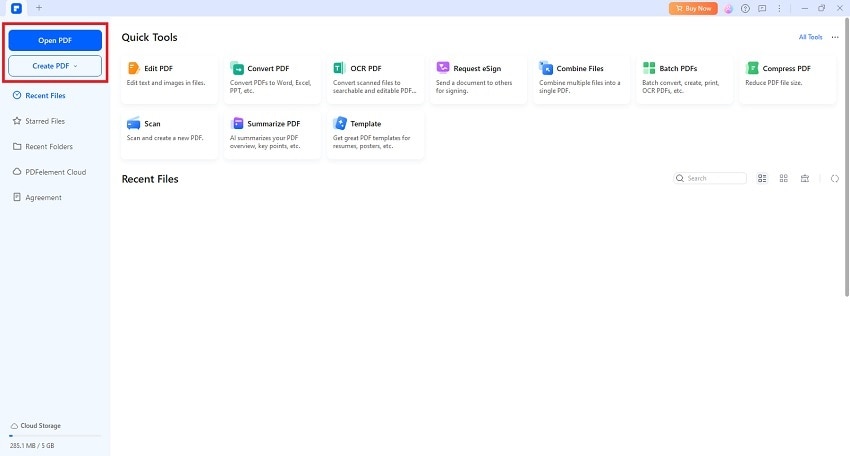
Step 1
Begin by launching a new project in PDFelement using the “Create PDF” feature, or open an existing PDF with the “Open PDF” option, where you want to add an AI-generated image.
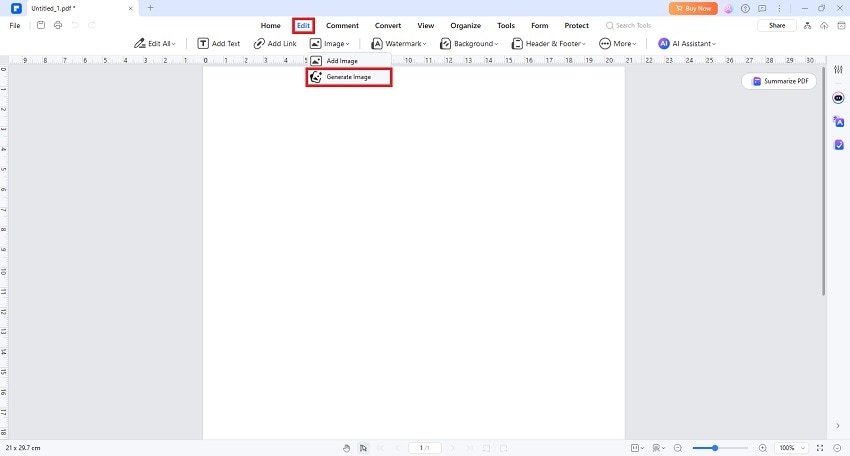
Step 2
Go to the “Edit” tab, select “Image,” and then choose “Generate Image.”
G2 Rating: 4.5/5 |100% Secure
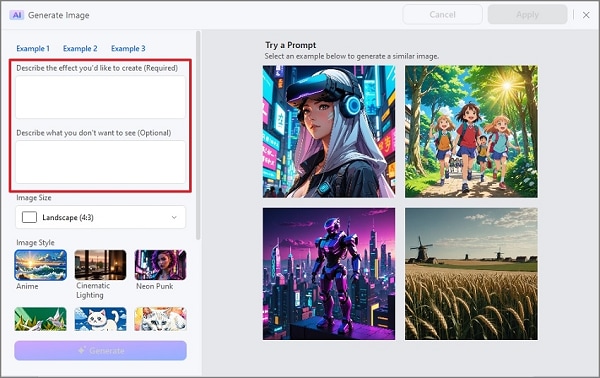
Step 3
In the Generate Image dialog, enter a detailed prompt describing the image you want the AI to create. The more specific your prompt, the better the results.
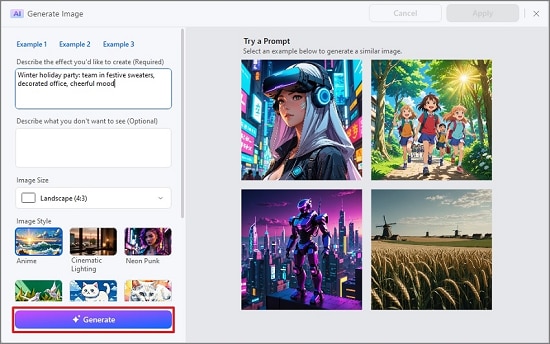
Step 4
After typing your prompt, click “Generate.” A preview of the image will appear on the right side of the window.
Step 5
Use the built-in style selector to adjust the appearance of the generated image according to your preferences.
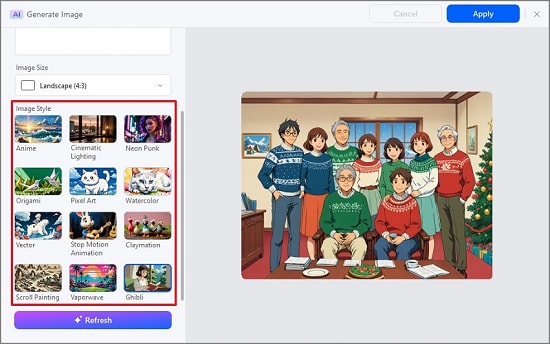
Step 6
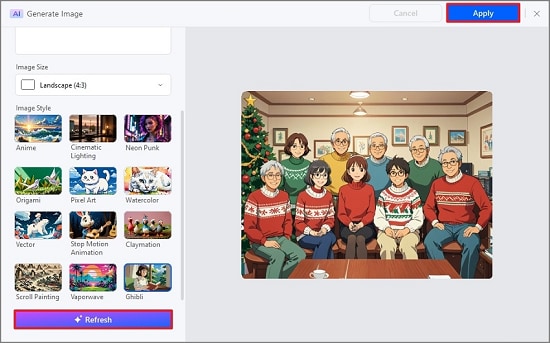
Once you are satisfied with the generated image, click “Apply” to insert it into your document. If you want a different result, click “Refresh” to generate a new image and repeat the process as needed.
G2 Rating: 4.5/5 |100% Secure
Conclusion
AI image generators in 2026 provide strong creative flexibility, allowing creators and artists to explore ideas with greater control. There are, however, possible security and ethical considerations. If a balanced solution integrating creative flexibility, privacy, and security is your goal, then PDFelement's AI "Generate Image" offers an attractive option. It generates high-quality, editable images without making document integration messy.





