

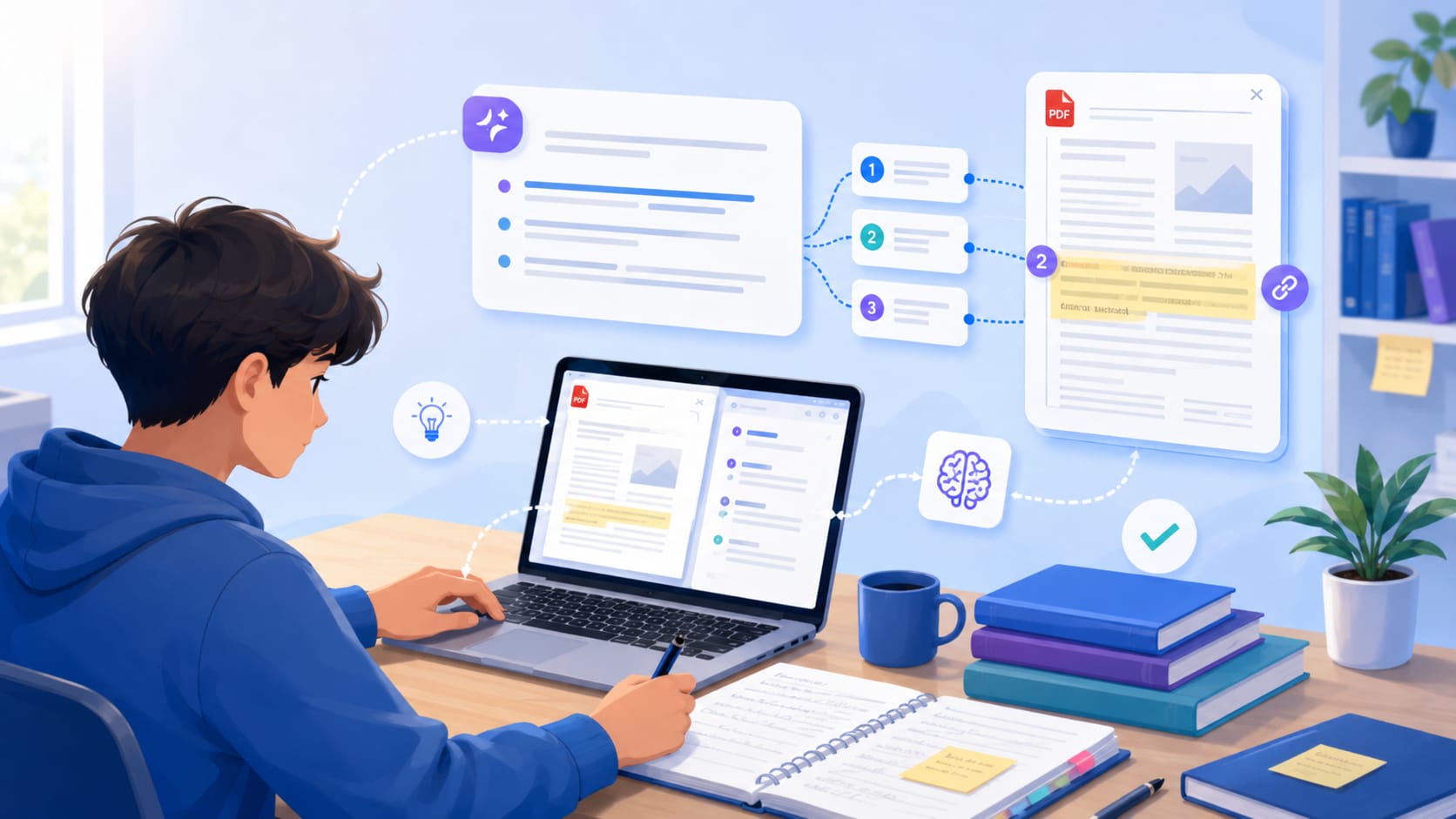
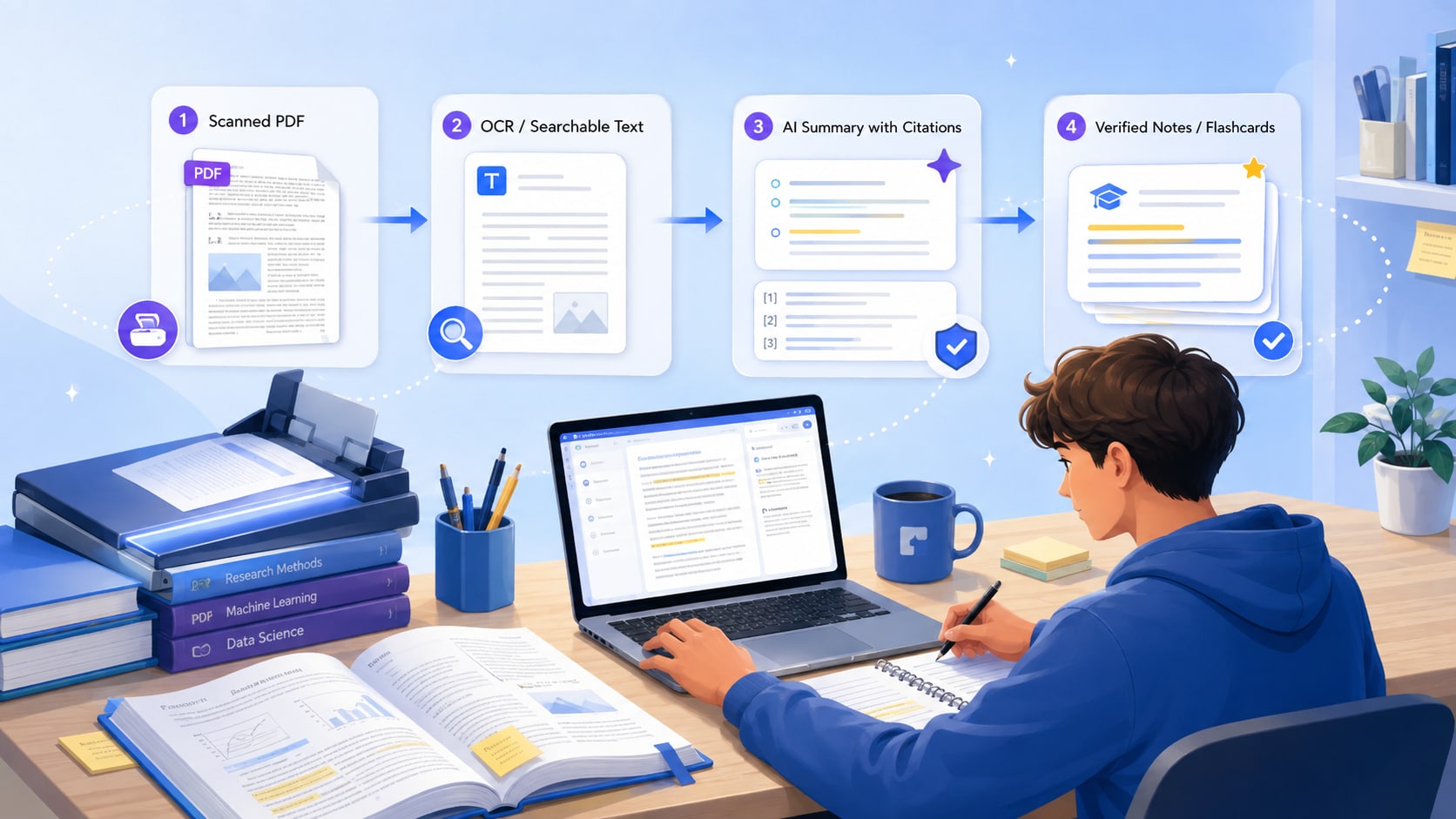
To summarize a PDF with citations, use a tool that keeps each important AI claim connected to the original document, then verify the cited passage before you reuse it in homework or an essay. The best workflow is not "upload, summarize, copy." It is OCR if needed → summarize → require source references → open the cited location → convert only the verified ideas into notes or study material.
Quick answer
Use source citations for verification, not as a substitute for academic citation. A source marker tells you where the AI found an idea in the uploaded PDF. APA, MLA, Chicago, or another academic citation format tells your reader how to identify the publication. You may need both, but they solve different problems.


 G2 Rating: 4.5/5 |
 100% Secure
In This Article
- Source citation vs. academic citation: know the difference
- How to summarize a PDF with citations in PDFelement V13
- Prompts that produce more useful citation-backed summaries
- A citation-backed summary should be auditable
- How to use citation-backed summaries for different student tasks
- Common mistakes to avoid
- Frequently asked questions
Part 1. Source citation vs. academic citation: know the difference
| Citation type | What it answers | When students need it |
|---|---|---|
| AI source citation / page reference | Where did this AI answer come from inside the uploaded PDF? | When checking whether a summary or answer is faithful to the source. |
| Direct quotation citation | Where is the exact wording you quoted? | When an assignment includes a direct quotation and page/location detail. |
| APA / MLA / Chicago reference | What publication should the reader be able to identify and retrieve? | When building in-text citations, footnotes, or a bibliography/reference list. |
A generated page marker is therefore a verification aid. It does not automatically create a correct bibliography entry, and you should not assume an AI-generated reference is accurate without checking the document metadata or the original publication.
Part 2. How to summarize a PDF with citations in PDFelement V13
- Open the PDF and check whether the text is selectable. If it is a scan or image-based file, run OCR first so the AI has a reliable text layer to work from.
- Start with a short whole-document summary. Ask for the main argument, key sections, and the most important evidence instead of requesting an ultra-short one-line summary.
- Ask a second question that requires source locations. For example: "List the five main claims and show the source location for each one."
- Open each cited location and compare the generated claim with the original wording. Pay special attention to numbers, definitions, exceptions, and conclusions.
- Move only verified points into an outline, flashcards, quiz questions, or notes. Keep the source open while you write so paraphrases do not drift away from the author's meaning.
Part 3. Prompts that produce more useful citation-backed summaries
| Goal | Prompt |
|---|---|
| Fast overview | Summarize this PDF in 7 bullets. For each bullet, include the page or source location that supports it. |
| Homework notes | Give me a 150-word summary, then list the three strongest supporting details with source references. |
| Essay planning | Identify the author's main claim, three supporting arguments, one limitation, and the source location for each point. |
| Exam review | Separate definitions, examples, formulas, and conclusions. Add a source reference to every item I should verify. |
| Active recall | Turn the verified key points into 12 flashcards and 8 quiz questions. Keep the source location in the answer explanation. |
Part 4. A citation-backed summary should be auditable
A strong summary lets you move in both directions. You can move forward from the PDF into a concise explanation, but you can also move backward from an AI claim to the original paragraph, table, or page. That second direction is what makes the summary useful for academic work. If you cannot trace an important claim, treat it as a lead to investigate rather than a fact to copy.
- Check whether the cited passage actually supports the claim, not merely whether the words are related.
- Verify figures, dates, percentages, formulas, names, and quoted language separately.
- Check whether a conclusion depends on context from the paragraph before or after the cited text.
- When several PDFs are involved, confirm which source supports each claim so evidence does not get blended together.
Part 5. How to use citation-backed summaries for different student tasks
Homework
Use the summary to orient yourself, then answer the assignment from the original reading. If the homework asks you to explain a concept, verify the definition in the source before rewriting it in your own words. This prevents a convenient AI paraphrase from replacing the material your instructor actually assigned.
Essays and research papers
Use the summary as an evidence map. A useful workflow is claim → source location → your notes → academic citation. Do not cite the AI tool when the real evidence is the journal article, chapter, or report unless your instructor specifically asks you to disclose AI use.
Exam review
Source citations are valuable even when you are not writing a paper. If a flashcard answer feels unfamiliar, you should be able to jump back to the exact passage and review the surrounding explanation instead of memorizing an isolated AI sentence.
Law and policy reading
Citation discipline matters even more when a small wording difference changes the meaning of a rule, clause, or holding. Use AI to speed up the first pass, but verify operative language in the original source. AI-generated summaries are study aids, not legal advice.
Verification rule
If a sentence will affect a grade, a quotation, a legal interpretation, or a numerical conclusion, open the source before you reuse it.
Part 6. Common mistakes to avoid
- Summarizing a scan before OCR is complete.
- Treating a source marker as a finished APA, MLA, or Chicago citation.
- Requesting a one-sentence summary when the task depends on argument structure or evidence.
- Copying AI paraphrases without checking whether they preserve qualifiers such as "may," "only," "except," or "under these conditions."
- Combining several sources into one answer without tracking which PDF supports which point.
Try it with PDFelement V13
Try the workflow on one real assignment PDF: summarize it, open every source-backed claim you plan to use, and then turn only the verified material into your notes or study set.
G2 Rating: 4.5/5 |100% Secure
Part 7. Frequently Asked Questions
People Also Ask
-
Can an AI PDF summarizer create citations?
Many document-focused AI tools can provide source markers or linked references to uploaded material. That helps you verify the answer. It is not automatically the same as generating a correct academic citation style. -
Should I ask for the summary first or the citations first?
Ask for both together when the task is simple. For a long or complex PDF, it often works better to get a short overview first, then request section-level claims with source references. -
What if the PDF is scanned and messy?
Run OCR first and spot-check the recognized text. Tables, footnotes, multi-column layouts, and low-resolution scans are common sources of extraction errors. -
Can I quote directly from an AI summary?
Do not treat the generated summary as the original text. Open the source and copy the quotation from the source document, then cite the source according to your assignment requirements. -
Can I use the same workflow across multiple PDFs?
Yes, but add source-level attribution. The answer should make it clear which file supports each claim. For research projects, a source matrix is often more useful than one blended paragraph.
Related Reading
- Best AI PDF Summarizers for Students in 2026: 6 Tools Compared
- How to Summarize Multiple PDFs for Exam Revision and Research Projects
- PDFelement vs ChatGPT vs NotebookLM: Which PDF Tool Is Best for Students in 2026?


