Create PDF templates: agreements, forms, etc.
 Edit and sign PDF templates.
 Summarize, translate, proofread contents with AI..



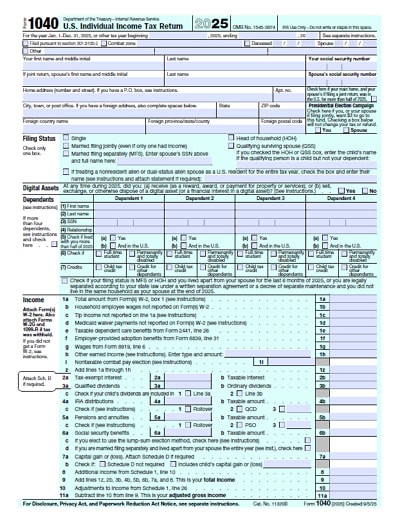
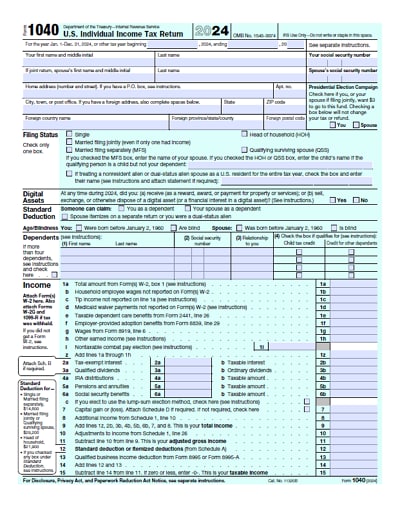
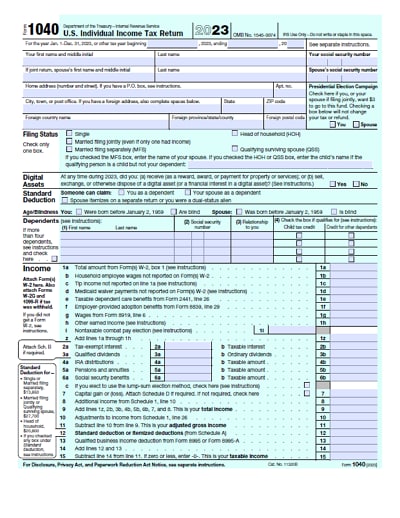
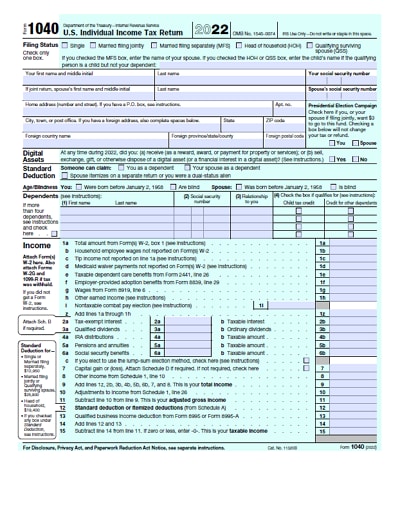
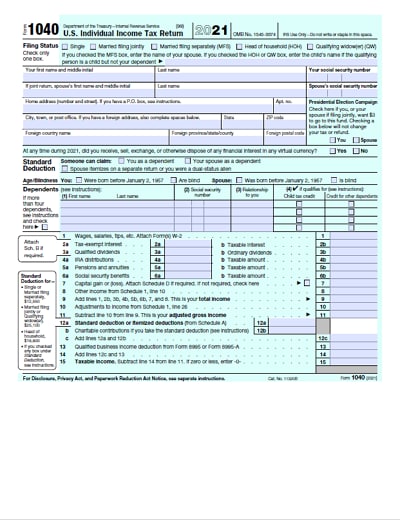
IRS Form 1040 is the official form used by U.S. taxpayers to file their annual federal income tax return. It is used to report income, claim deductions and credits, and calculate the amount of tax owed or the refund due. Depending on the taxpayer's situation and types of income, additional schedules or forms may need to be attached.
Form 1040 contains two complete pages with a total of 79 lines, not including attachments. The first page gathers the information about the taxpayer, dependents, income items, and income adjustments. Especially the taxpayer specifies his/her application status and personal allowance on this page.
The second page allows for deductions and credits, calculates taxable amounts based on income figures, and uses the deducted funds for wages or estimates for tax liabilities.
The steps below provide a practical overview of how to complete the form for the 2026 tax season.
Step 1: Prepare Before You File
Before starting Form 1040, gather all required information and documents, including:
You can download the current Form 1040 and its instructions from the IRS website, use IRS-approved tax software, or work with a qualified tax professional.
Paper forms may also be ordered from the IRS by mail.
Because tax rules and thresholds change each year, always rely on the current-year Instructions for Form 1040 and 1040-SR.
Step 2: Enter Personal and Filing Information
At the top of Form 1040, enter:
You will also see the Presidential Election Campaign Fund checkbox.
Checking this box designates $3 of federal funds to the program and does not change your tax owed or refund.
Step 3: Choose Filing Status and Dependents
Select the filing status that applies to your situation:
Your filing status affects your tax rates, standard deduction, and eligibility for credits.
Next, list any dependents you are allowed to claim, including qualifying children or relatives.
Dependents may allow you to claim credits such as the Child Tax Credit or Credit for Other Dependents.
Note: Personal and dependent exemptions no longer exist under the current federal tax law. Benefits related to dependents are now provided through credits and deductions.
Step 4: Report Income and Adjusted Gross Income
Report all taxable income, including:
Even if you did not receive a tax form (such as a 1099), you are still required to report taxable income.
Some types of income and adjustments are reported through additional schedules (for example, Schedule 1).
These schedules are attached to Form 1040 as needed.
After reporting income and allowable adjustments, you will calculate your Adjusted Gross Income (AGI).
Step 5: Deductions, Tax, and Credits
Next, reduce taxable income and calculate tax:
Some situations require additional forms, such as:
After applying credits, you will determine your total tax liability.
Step 6: Report Payments and Caculate Refunds and Amount Owed
Report all federal income tax you have already paid, including any federal withholding shown on your Forms W-2 and 1099 as well as any estimated tax payments you made during the year.
After adding these amounts, compare your total payments with your total tax liability.
If your payments are greater than the tax you owe, you are entitled to a refund; if your tax liability is greater than your payments, you will owe additional tax.
Refunds may be received through direct deposit into one or more bank accounts, applied to your next year’s tax obligation, or used to purchase U.S. savings bonds.
If you owe tax, you can pay electronically, by check, or through IRS-approved payment plans.
Step 7: Third-Party Designee, Signature, and Filing
You may optionally authorize a third-party designee (such as a friend or preparer) to discuss your return with the IRS.
Then you can sign and date the return (both spouses must sign if filing jointly).
You should include a daytime phone number.
If filing by mail, attach required withholding forms (such as W-2s) to the front of the return.
Remember, unsigned returns are considered invalid.
Final Notes.
You can prepare your federal return electronically and submit it online. Filing form 1040 online is easy and quick. Here is a quick instruction to help you get started.
Step 1: Choose A Online Filing Method
There are three common ways to file Form 1040 online:
Step 2: Gather What You'll Need
Online filing goes fastest if you have these ready:
Step 3: File Form 1040 Online
No matter which platform you use, you'll need to fill out the form in the following order.
The system will compute your tax, payments/withholding, and your refund or balance due. Review for common issues (wrong SSNs, missing 1099s, bank numbers, dependents claimed inconsistently) bebefore submiting online.
Step 4: Submit 1040 Form Online
When you e-file, you'll e-sign using your prior-year AGI or a PIN method offered by the online platform. After submitting to the IRS, you'll receive an electronic confirmation that the IRS accepted (or rejected) the return.
If rejected, the system will usually tell you what to fix and resubmit.
Step 5: Pay What You Owe Online
Filing online does not automatically pay what you owe unless you choose a payment method during filing. The IRS supports multiple payment options, including:
Keep Records
Keep a PDF copy of the final 1040 and any schedules/forms. And track your filing/refund status using IRS online tools.
Reissued form 1040 instruction. Due to the recent enactment of some preferential tax legislation, the instructions of Form 1040 IRS is being modified and reissued. The following are these tax benefits:
File form 1040 of income tax returns for individual calendar year taxpayers are due by Tax Day, which is usually April 15 of the next year. If April 15 just falls on off day or a legal holiday, In this case, it is due on the next business day