
World Cup 2026 Schedule Planner Template PDF
Download an independent FIFA World Cup 2026 schedule PDF planner for printing, filling, and tracking fixtures. This printable World Cup 2026 schedule helps you write dates, kickoff times, groups, teams, venues, channels, match scores, and viewing notes in one clean PDF.
Use this layout when you need a World Cup schedule printable, a printable FIFA World Cup schedule, or a fillable World Cup timetable PDF that can be updated throughout the tournament. The fixture rows are flexible enough for match dates, kickoff times, team names, score lines, venues, TV channels, and personal viewing notes.
Because it is a blank planner rather than an official fixture poster, you can adapt the same PDF for a home watch list, office board, soccer World Cup schedule PDF, or match schedule record after confirming the latest fixtures from your preferred source.
What is a World Cup schedule planner
A schedule planner gives you a personal match tracker instead of a static fixture image. It is useful when you want to record confirmed match details, add your local time zone, mark must-watch games, and keep score notes in the same fillable PDF.
Use it as a World Cup schedule printable for dates, times, teams, and score notes.
Mark favorite matches, knockout games, finals, and matches to watch later.
Print a clean World Cup timetable PDF for shared viewing areas.
Fill the PDF digitally and save updated copies as the tournament progresses.
- Copying an official fixture poster
- Displaying team crests or tournament logos
- Replacing live fixture updates from broadcasters or organizers
How to use and edit the schedule PDF
You can print the schedule and fill it by hand, or complete the fields digitally before sharing it with family, coworkers, or a watch group. Digital editing is especially helpful if kickoff times change or you want to save a fresh copy after each match day.
How to customize the PDF
Use this workflow to turn the blank schedule planner into a printable World Cup schedule PDF for your time zone, viewing group, and score tracking needs.
Open the PDF in PDFelement
Open the template, click each fillable field, type the needed details, tick checkboxes where relevant, and save a clean digital copy.
Fill the event name, date range, time zone, copy name, and viewing notes.
Type match dates, times, groups or rounds, team names, scores, and venue or channel notes.
Tick favorite match categories and add result notes before saving or printing the PDF.
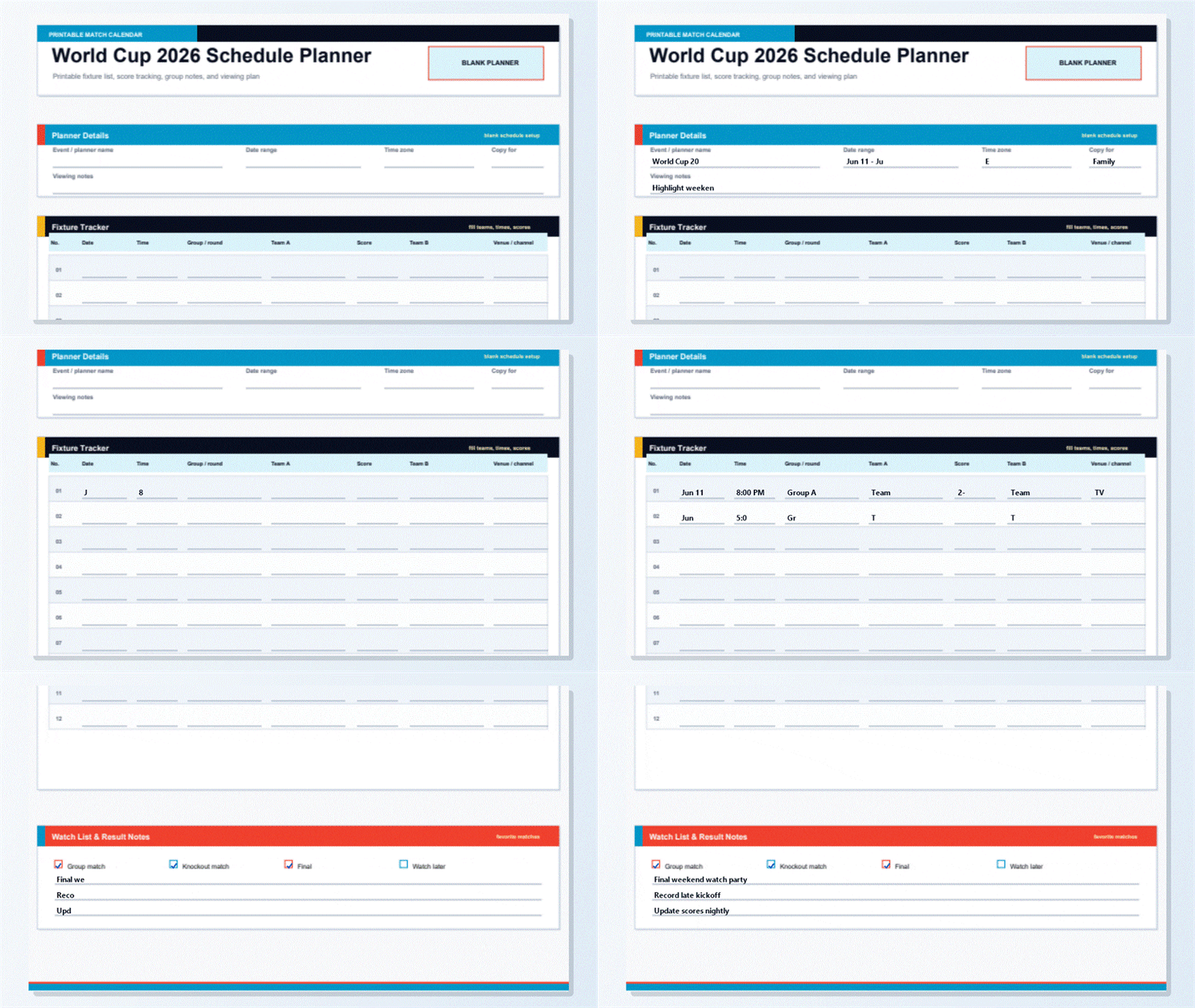


Wondershare PDFelement lets you type directly into the fillable World Cup schedule PDF, update scores after each match, duplicate a clean copy, and print a polished World Cup schedule printable PDF without rebuilding the layout.
| PDFelement Feature | How It Helps |
|---|---|
| Edit PDF | Customize labels, headings, notes, and reusable sections |
| Fill PDF | Type clean information into every fillable field |
| Form tools | Use text fields and checkboxes for structured printable records |
| Annotate | Add comments or reminders before printing or sharing |
| Convert | Export or archive the finished PDF for later use |
| Organize PDFs | Keep templates by tournament, date, group, participant, or copy |
What to include in a printable World Cup schedule
A strong schedule template should make match-day details easy to scan. This planner focuses on the information people usually need before and after kickoff: timing, teams, scores, viewing notes, and follow-up reminders.
World Cup 2026 Schedule Planner fields
| Field | What to Fill In | Why It Helps |
|---|---|---|
| Planner details | Event name, date range, time zone, copy name, and viewing notes | Sets up the schedule for your group or location |
| Fixture tracker | Match number, date, time, group or round, Team A, score, Team B, and venue or channel | Keeps all match details in one printable table |
| Viewing categories | Group match, knockout match, final, and watch later checkboxes | Highlights the games you care about most |
| Result notes | Short notes for predictions, reminders, or final score comments | Adds context beyond the score line |
Why users download this template
This template is built for people who want a printable World Cup schedule PDF that stays useful after the first download. It can start as a blank fixture list, then become a score record, watch plan, or shared office schedule as the tournament moves forward.
 Track fixtures in a single-page PDF Record scores as matches finish Plan viewing by local time zone Print a copy for home, office, or watch parties Use typed fields for clean updates Avoid rebuilding a schedule in a spreadsheet
World Cup 2026 Schedule Planner vs other World Cup templates
| Template Type | Best For | Main Difference |
|---|---|---|
| Schedule Planner | Dates, kickoff times, groups, teams, venues, scores, and watch notes | Best for fixture tracking |
| Printable Bracket | Knockout winners and champion prediction | Best after the group stage |
| Wall Chart | Groups A-L plus knockout path | Best for a poster-style overview |
| Sweepstake Kit | Draw slips, participants, prizes, and rules | Best for office pools and party games |
Tips for using this template
- Confirm dates and kickoff times before printing.
- Write the time zone clearly at the top.
- Keep a blank copy before filling scores.
- Use the watch list to prioritize key games.
- Save an updated digital copy after each match day.
FAQs
Where can I download a FIFA World Cup 2026 schedule PDF?
You can use this independent printable planner as a FIFA World Cup 2026 schedule PDF for writing fixtures, teams, scores, and viewing notes.
Is this the official FIFA World Cup schedule?
No. This is an independently created blank schedule planner and is not affiliated with or endorsed by FIFA or any tournament organizer.
Can I use it as a printable World Cup 2026 schedule?
Yes. The A4 layout is designed for printing, handwriting, and digital completion.
Does the PDF include fillable fields?
Yes. You can type dates, times, teams, scores, venue notes, and reminders directly into the PDF.
Can I track scores in this World Cup schedule PDF?
Yes. Each fixture row includes a score field between Team A and Team B.
Can this replace a World Cup timetable PDF?
It works well as a blank World Cup timetable PDF when you want to enter kickoff times and viewing notes yourself.
Can I edit the schedule after printing?
For printed copies, write updates by hand. For digital copies, open the fillable PDF, update the fields, and save a new version.
Related templates


This template page includes usage guidance, editing steps, review information, and related tools to avoid thin template-page content.