Teacher Grade Tracker Template: Free Download
In this article
What is a teacher grade tracker template? A teacher grade tracker template is a class record sheet that helps teachers organize student names, assignments, quizzes, tests, and other scores in one place. It is useful when you want a simple way to review academic performance without building a gradebook from scratch.
This free editable PDF template is designed for teachers who want a clear score-tracking page for daily classroom use. It works well for recording marks, checking student progress, and keeping a printable or digital class grading record.
Who should use this teacher grade tracker template?
This template is useful for teachers who need a simple grading record for assignments, quizzes, exams, or other classroom assessments. It is especially helpful when you teach multiple students and want to compare scores quickly in one easy-to-read sheet.
- Teachers recording marks for one class or several classes
- Teachers who want a printable score sheet instead of a full digital system
- Teachers who need a quick view of student performance by assignment
What is included in this teacher grade tracker template?
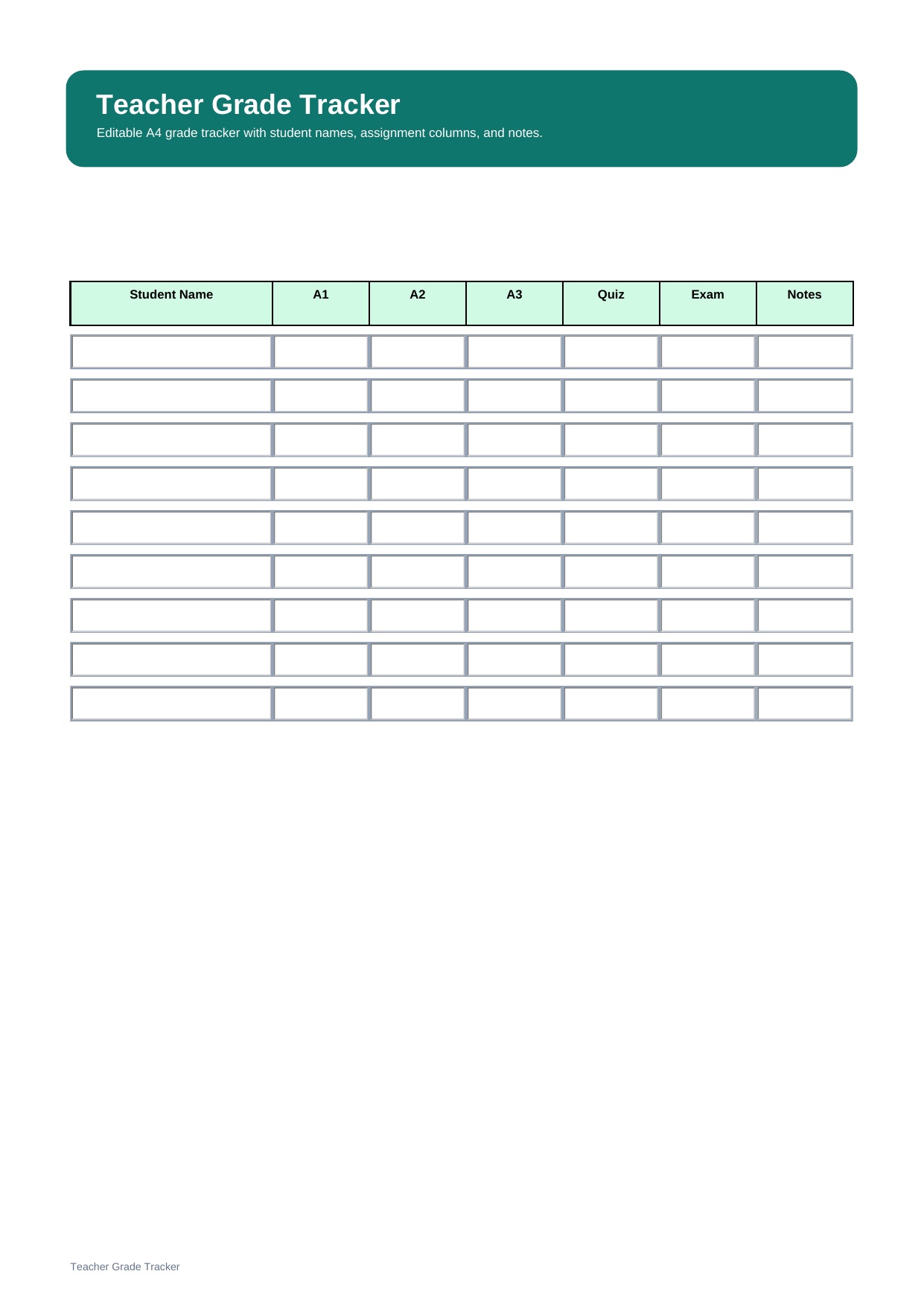
This template focuses on the key parts of score tracking. It usually includes a student name column, columns for assignments, quizzes, tests, or exams, and space for brief notes about performance or follow-up.
| Field | What to Fill In | Why It Helps |
| Student Name | The name of each student | Keeps grade records organized by learner |
| Assignment Columns | Homework, projects, or classwork scores | Shows progress across tasks |
| Quiz / Test / Exam Columns | Assessment marks for formal checks | Makes score comparison easier |
| Notes | Comments, missing work, or follow-up points | Adds context to the raw scores |
How do you use a grade tracker for student scores?
Start by entering the student names and the labels for each assessment column. These may include assignments, quizzes, tests, projects, or exams depending on how you grade the class.
Then record each student’s score in the correct column and use the notes area for missing work, special concerns, or short grading comments. This helps you review performance clearly across the class.
Why do teachers use a grade tracker?
Teachers use a grade tracker because it makes it easier to record marks accurately, compare results across assignments, and review student progress over time. A structured grade sheet can also reduce manual confusion when several classes or many assessments are involved.
Note: A grade tracker is best for recording academic performance. If your goal is to record presence, absence, or tardiness instead of marks, use an attendance tracker.
What is the difference between a teacher grade tracker and a teacher attendance tracker?
A grade tracker records scores and performance data, while an attendance tracker records presence and absence data. Both are classroom records, but one focuses on achievement and the other focuses on participation in class attendance.
| Format | Best For | Main Difference |
| Teacher Grade Tracker | Recording marks by assignment or test | Tracks academic scores and results |
| Teacher Attendance Tracker | Recording daily presence or absence | Tracks attendance status by date |
Why download this teacher grade tracker template?
This template gives you a clean grading layout that is easy to fill in, check, and print. It is useful if you want to keep student names, assignment scores, and score notes together in one practical class record.
How can you edit and organize this teacher grade tracker template with PDFelement?
PDFelement helps you update a grade tracker digitally, save reusable class records, and keep your score sheets readable without rebuilding the layout each time. This is useful if you want a consistent grading workflow in PDF format.
It also includes powerful document tools such as AI, Convert, OCR, Edit, Sign, Protect, and Batch Tools. For teachers, that can mean converting score files, recognizing scanned text, editing forms, signing records, protecting sensitive student information, and processing multiple documents more efficiently.
Step 1 Open the teacher grade tracker template in PDFelement
Review the score columns and prepare the student and assignment details you want to enter.
Step 2 Fill in the class scores
Type student names, assignment labels, marks, and short notes directly into the PDF.
Step 3 Save, print, or reuse the file
Keep a digital grading record or print the tracker for classroom reference.
Why is PDFelement useful for grading documents?
PDFelement is useful for grading documents because it combines PDF editing, OCR, file conversion, document protection, and batch tools in one workflow. That can help teachers manage score sheets and related class files more efficiently.
FAQ
-
Is this teacher grade tracker template editable?
Yes. This version is an editable PDF template, so you can type in student names, score labels, grades, and notes before saving or printing.
-
What should a teacher grade tracker include?
A teacher grade tracker should include student names, assignment or test columns, score entries, and space for notes or grading comments.
-
Why do teachers use grade trackers?
Teachers use grade trackers to record marks more clearly, compare student performance, and maintain a consistent class grading record.
-
Can I print this teacher grade tracker for classroom use?
Yes. It works well as a printable score sheet for teachers who want a simple and readable grading format.