Teacher Attendance Tracker Template: Free Download
In this article
What is a teacher attendance tracker template? A teacher attendance tracker template is a classroom record sheet that helps teachers monitor student presence, absence, tardiness, and simple attendance notes in one organized place. It is useful when you need quick, consistent attendance tracking without slowing down instruction.
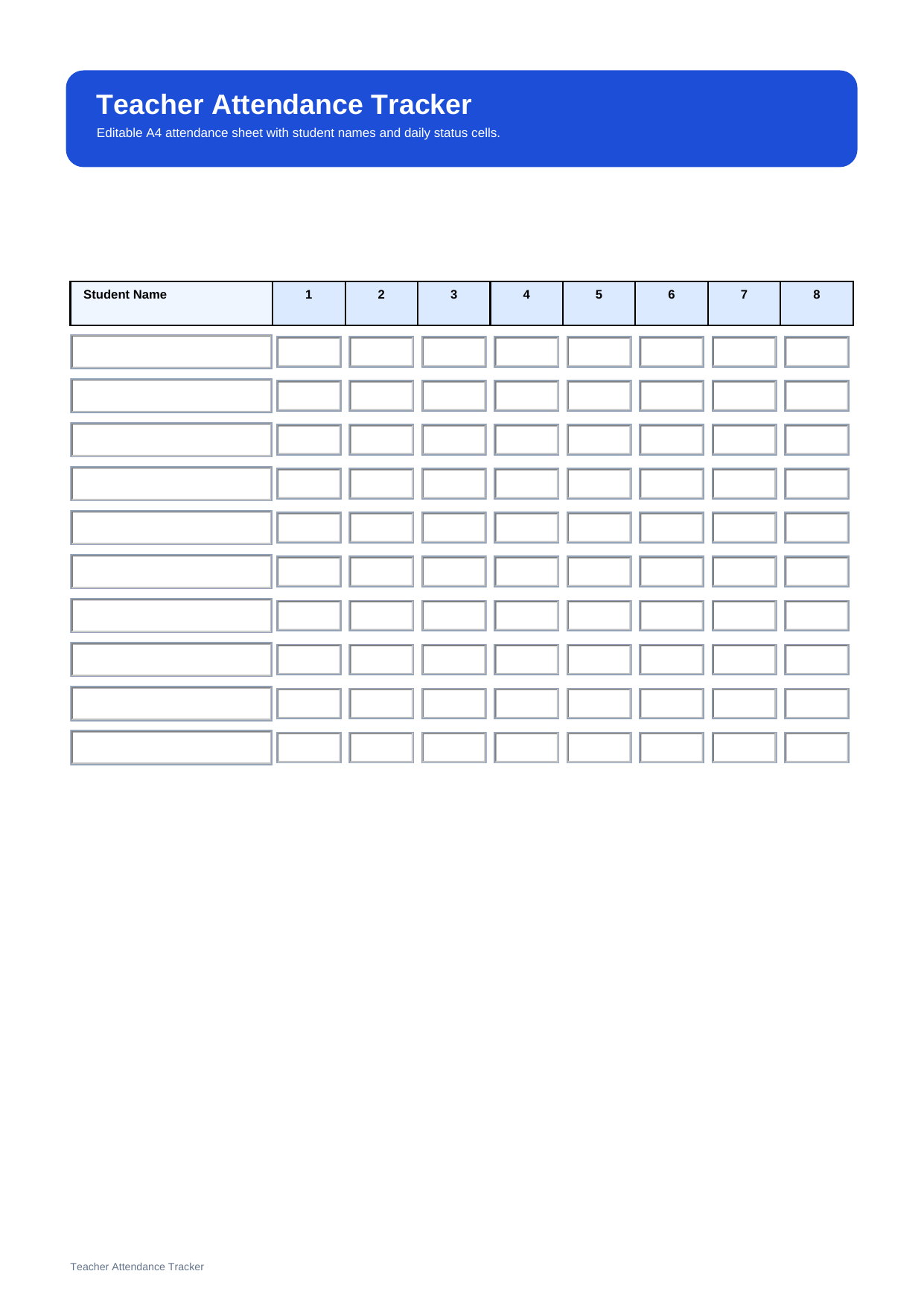
This free editable PDF template is designed for teachers who want a clean way to record attendance, check patterns, and keep a printable or digital class record. It works well for regular classroom use, substitute teaching, and simple weekly monitoring.
Who should use this teacher attendance tracker template?
This template is useful for teachers who need a simple classroom attendance record that is easy to scan at a glance. It is especially helpful when you want to record student names, daily attendance marks, and short notes in a format that stays clear throughout the school week or month.
- Teachers taking attendance every class day
- Substitute teachers who need a ready-to-use class record
- Teachers who want a printable and reusable attendance sheet
What is included in this teacher attendance tracker template?
This template focuses on the key parts of classroom attendance tracking. It usually includes a student name column, several attendance date or day columns, space for simple attendance codes such as Present, Absent, Tardy, or Excused, and room for brief notes.
| Field | What to Fill In | Why It Helps |
| Student Name | The name of each student in the class | Keeps the attendance list organized |
| Date or Day Columns | The school days you are tracking | Makes it easy to review attendance by day |
| Attendance Codes | Present, absent, tardy, excused, or other class codes | Supports consistent attendance recording |
| Notes | Late arrivals, early dismissals, or special situations | Helps explain unusual attendance cases |
How do you use a teacher attendance tracker in class?
Start by entering the student names and the dates or days you want to track. Then mark each student’s attendance using your preferred codes, such as P for present, A for absent, T for tardy, or E for excused.
If something unusual happens, use the notes area for short comments such as late arrival, early pickup, or another attendance detail. This keeps the attendance record clear and easier to review later.
Why do teachers use an attendance tracker?
Teachers use an attendance tracker because it supports student accountability, safety, and clear class records. A good attendance sheet also helps reduce mistakes, makes reporting easier, and helps teachers spot attendance patterns more quickly.
Note: An attendance tracker is best for recording who was present, absent, or late. If you need to record academic performance instead of class presence, a grade tracker is the better choice.
What is the difference between a teacher attendance tracker and a teacher grade tracker?
A teacher attendance tracker records class participation by presence, while a teacher grade tracker records student performance by score. Both are useful classroom records, but they serve different needs and should stay separate for clarity.
| Format | Best For | Main Difference |
| Teacher Attendance Tracker | Monitoring presence, absence, and tardiness | Tracks attendance status by day |
| Teacher Grade Tracker | Recording scores and academic results | Tracks marks by assignment or test |
Why download this teacher attendance tracker template?
This template gives you a clean attendance layout that is easy to mark, review, and print. It is useful if you want a simple class record that keeps attendance codes, student names, and notes in one place.
How can you fill and manage this teacher attendance tracker template with PDFelement?
PDFelement lets you fill in the attendance tracker digitally, update class records quickly, and save a clean PDF for later use. This is useful when you want to keep attendance records organized without rewriting the same class list every week.
Beyond standard PDF editing, PDFelement also includes AI, Convert, OCR, Edit, Sign, Protect, and Batch Tools. That means you can use AI to work with document content, convert files to and from PDF, recognize scanned text with OCR, edit forms, sign documents, protect sensitive records, and process multiple files faster in one workflow.
Step 1 Open the teacher attendance tracker template in PDFelement
Check the class list layout and prepare the student names or attendance dates you want to enter.
Step 2 Fill in the attendance details
Type student names, dates, attendance codes, and notes directly into the PDF fields.
Step 3 Save, print, or duplicate the file
Keep a digital class record or print a fresh attendance sheet for classroom use.
Why is PDFelement useful for attendance records?
PDFelement is useful for attendance records because it supports form filling, PDF editing, OCR, file conversion, document protection, and batch processing. It can help teachers manage repetitive recordkeeping more efficiently across multiple classes.
FAQ
-
Is this teacher attendance tracker template editable?
Yes. This version is an editable PDF template, so you can type in student names, attendance marks, and notes before saving or printing.
-
What should a classroom attendance tracker include?
A classroom attendance tracker should include student names, dates or day columns, attendance codes, and space for short attendance notes.
-
Why do teachers need attendance codes?
Attendance codes help teachers record presence, absence, tardiness, and excused cases in a consistent way, which makes tracking and reporting easier.
-
Can I print this teacher attendance tracker for classroom use?
Yes. It works well as a printable classroom attendance sheet for daily or short-term tracking.