 is Here!
Smarter, faster, and at the best price ever
- Up to 79% OFF for a Limited Time!
Save up to 79% for a limited time! Meet the all-new PDFelement – smarter, faster, and now at the best price ever.
Edit, Convert, OCR, and Sign PDFs in record time.
Edit, Convert, OCR, and Sign PDFs in record time.


Time-limited big deals:
Enjoy up to 79% OFF on PDFelement.
Build an AI knowledge base, review contracts, and work with PDFs smarter than ever. Grab the all-new PDFelement 13 at our best price yet!
18% OFF
50% OFF


PDFelement for Windows
PDFelement for Mac
Digitize paper files on Windows – Create, edit, print, read, and sign PDF documents.
Digitize paper files on Mac – Create, edit, print, read, and sign PDF documents.
Windows
macOS
Best choice for collaborative work:
Up to 79% OFF to unlock PDFelement for multi-platform!
79% OFF
PDFelement for Multi-Platform
Available for:
Digitize paper files on Windows, Mac, iOS, Android, and Web – Create, edit, print, read, and sign PDF documents.
- Perpetual Plan of PDFelement for Windows and Mac.
- 3-Year Plan of PDFelement for iOS, Android, and Web.
$139.99
$695
$139.99
$695
70% OFF
PDFelement for Multi-Platform
Available for:
Digitize paper files on Windows, Mac, iOS, Android, and Web – Create, edit, print, read, and sign PDF documents.
- 1-Year Plan of PDFelement for Windows and Mac.
- 1-Year Plan of PDFelement for iOS, Android, and Web.
$89.99 /yr
$304
$89.99 /yr
$304
Popular
36% OFF
Popular
50% OFF
PDFelement for Android
PDFelement for iOS
PDFelement for Android
PDFelement for iOS
Digitize paper files on Android - Create, edit, print, read, and Sign PDF documents.
Digitize paper files on iOS - Create, edit, print, read, and Sign PDF documents.
Digitize paper files on Android - Create, edit, print, read, and Sign PDF documents.
Digitize paper files on iOS - Create, edit, print, read, and Sign PDF documents.
Android
iOS
$39.99
$69.99
$109.99
$19.99
$29.99
$59.99
23% OFF
PDFelement Online
Do more with your PDF. Edit. Convert. Organize. Protect. All online.
Available for:
$9.99
$12.99
All-New PDFelement V13:
Worth the Upgrade.
Sharper. Smarter. Faster. Smoother – PDFelement V13, made for pros, built for more.
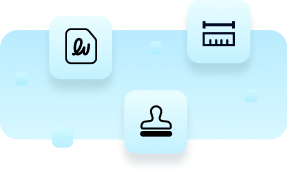
Get PDF tasks done, professionally.
- Sign PDFs with ease – Sign PDFs in a single action — fast, accurate, and hassle-free.
- Pro-grade measuring tools – Instantly measure lengths, areas, and curves with precision.
- Bring your own stamps - Import your stamp designs and mark up PDFs with your unique touch.
AI that works for your PDFs.
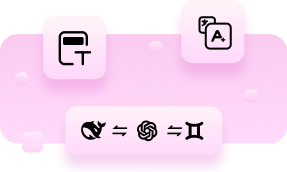
- One-click AI redact - Instantly hide sensitive information with brand-new AI-powered redaction.
- Smarter translation - Translate PDFs faster and more precisely using built-in AI.
- Diverse AI models - Easily toggle between ChatGPT, DeepSeek, and Gemini for the AI experience you prefer.
Bulk PDF edits? Bring them on.
- Batch crop & straighten – Clean up scanned files or fix messy layouts — all at once.
- Batch split PDFs – Break down large PDFs by page count, bookmarks, or file size in a single click.
- Batch translate PDF - Translate multiple PDFs at once, quickly and accurately, into any language to save time.
Small changes, big difference.
- Annotate PDFs your way – Set your favorite colors as defaults for a faster, more consistent workflow.
- Make notes pop with stickers – Use colorful stickers and templates to bring personality to your PDFs.
- Navigate with ease - Enjoy smoother, smarter UI updates for a more intuitive experience.
Why users love PDFelement: Top features & use cases.
We’re committed to delivering a fast, affordable, and easy-to-use PDF solution — whether you’re editing, converting, signing, or more. PDFelement is designed to help you work smarter and get more done.


Top 3 features of PDFelement loved by users across industries.

Edit PDFs like Word
 Convert PDFs across formats
 Accurate OCR PDF
50%
Reduces costs compared to Adobe Acrobat by
80%
Delivers faster PDF conversion results by
30%
Reduces PDF processing time by
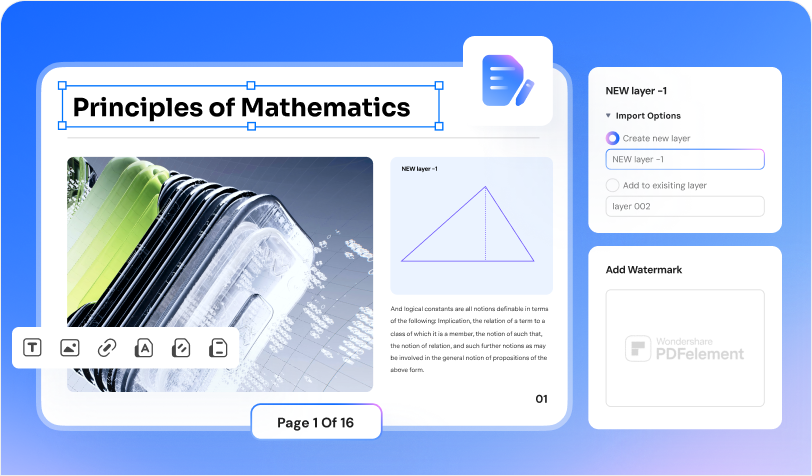
- Edit text, images, and shapes to PDFs.
- Change the size, color, and font style of text and links in PDFs.
- Insert links and add watermarks to your documents.
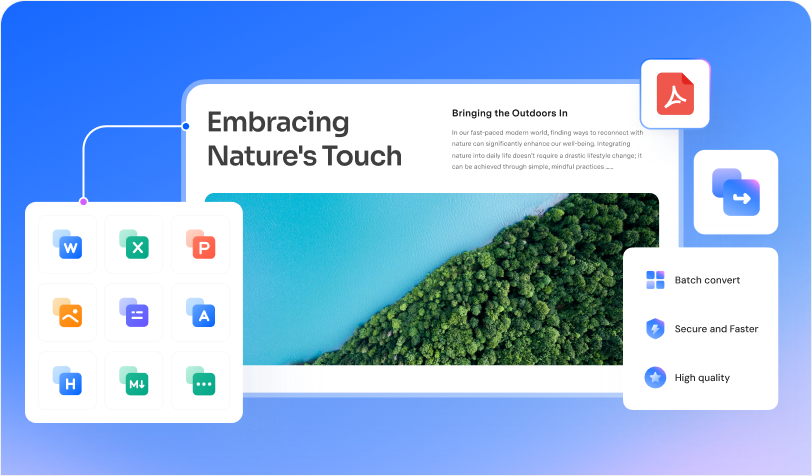
- Convert PDFs to Word, Excel, PNG, JPG, etc., and vice versa.
- Batch convert multiple files at once to streamline your workflow.
- Retain original formatting during conversion for high-quality results.
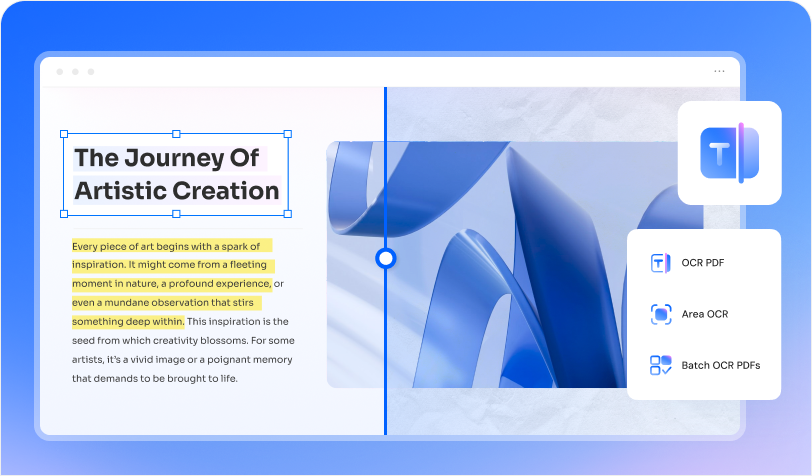
- Recognize text from scanned PDFs and images.
- Make non-searchable PDFs searchable and editable in 25 languages.
- Batch OCR PDFs and images into text in seconds.

Education
- Edit & annotate assignments, syllabi, and study guides.
- Convert scans to Word or PPT for easier reuse.
- Summarize textbooks and research papers instantly with AI.


Legal
- Sign PDFs with legally binding e-signatures.
- Protect documents with passwords or redactions.
- Export invoices, contracts, and forms in one click.

Construction
- Combine and compress PDFs with no quality loss.
- Turn scanned PDFs into fully editable files with OCR.
- Convert PDF to/from Word, Excel, PowerPoint, or JPG with ease.
Terms & Conditions
1. For detailed and specific product features and benefits, please refer to the information displayed on the purchase page.
1. For detailed and specific product features and benefits, please refer to the information displayed on the purchase page.
1. For detailed and specific product features and benefits, please refer to the information displayed on the purchase page.
1. For detailed and specific product features and benefits, please refer to the information displayed on the purchase page.
2. The event's rules and regulations are subject to change without prior notice by Wondershare Technology.