Convert Image to Image Format Online for Free
Want to convert images to JPG, PNG, GIF, TIFF, or ICO? Use our free online image-to-image converter
to upload any picture, choose the output format, and download a high-quality file in just seconds.
 Free Online Image to Image Converter
Convert Images to JPG, PNG, ICO,
Free Online Image to Image Converter
Convert Images to JPG, PNG, ICO,
TIFF, GIF Quickly
Bulk Convert Images in High Quality in Seconds
How to convert an image online for free?
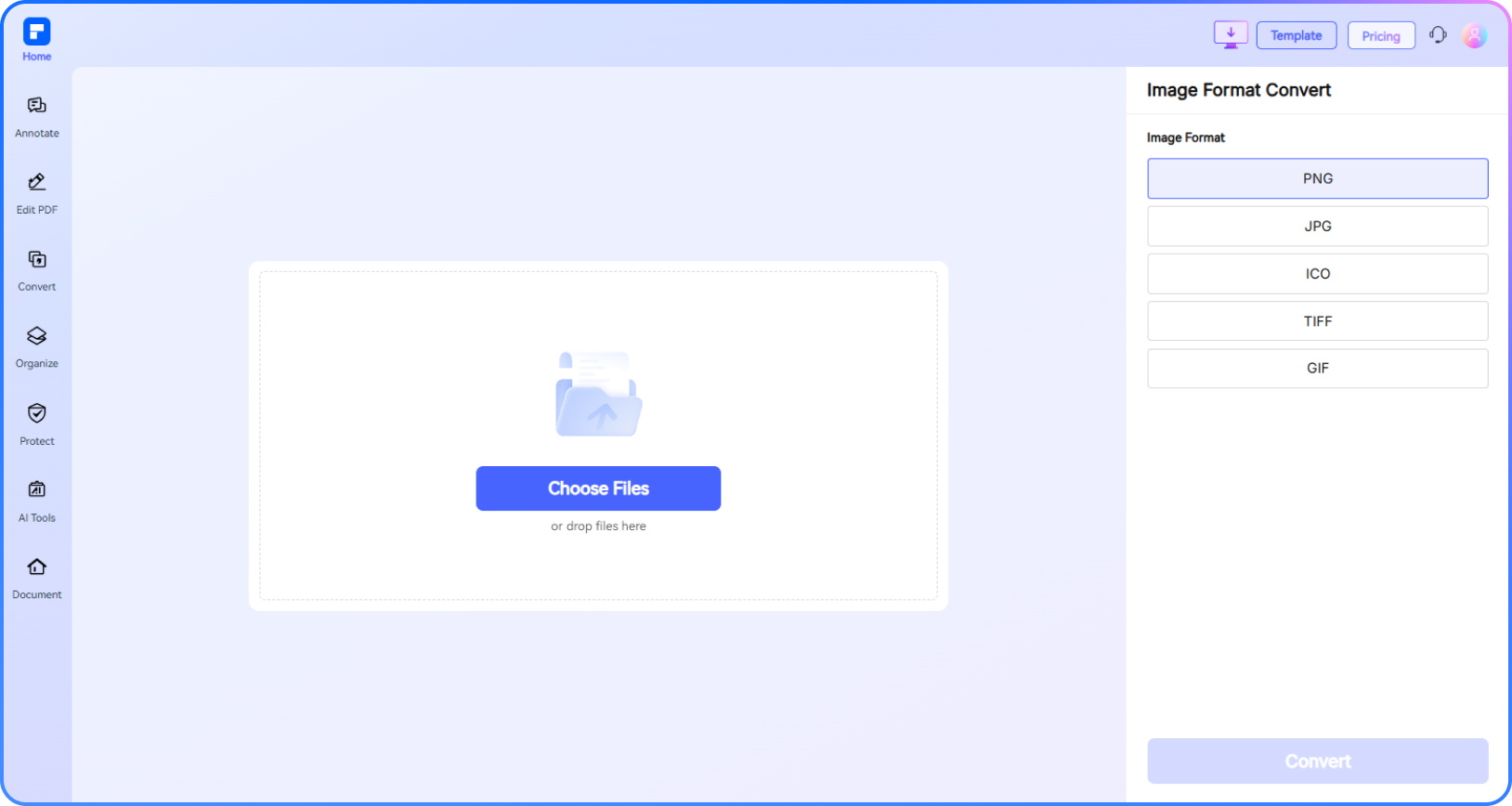
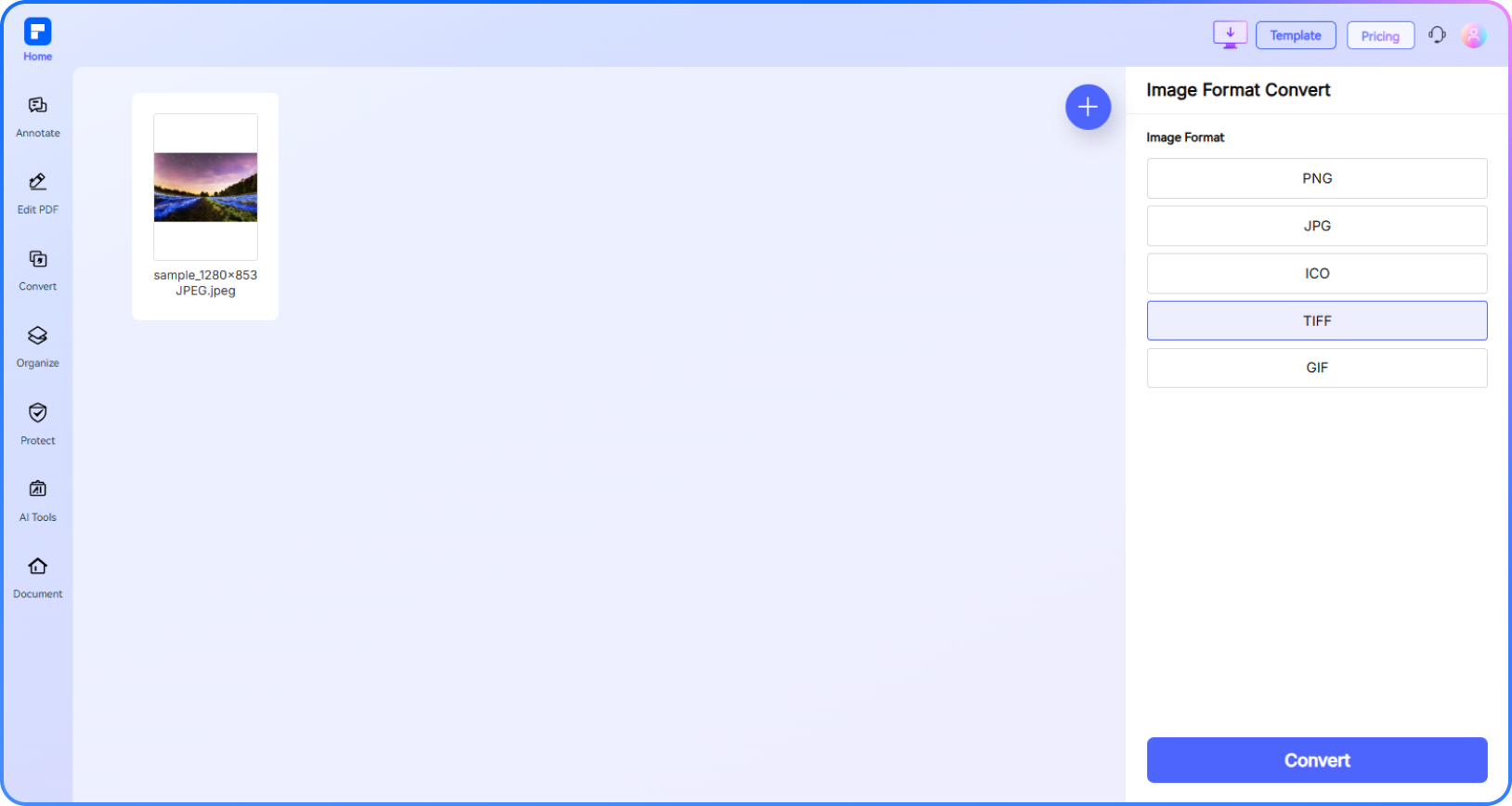
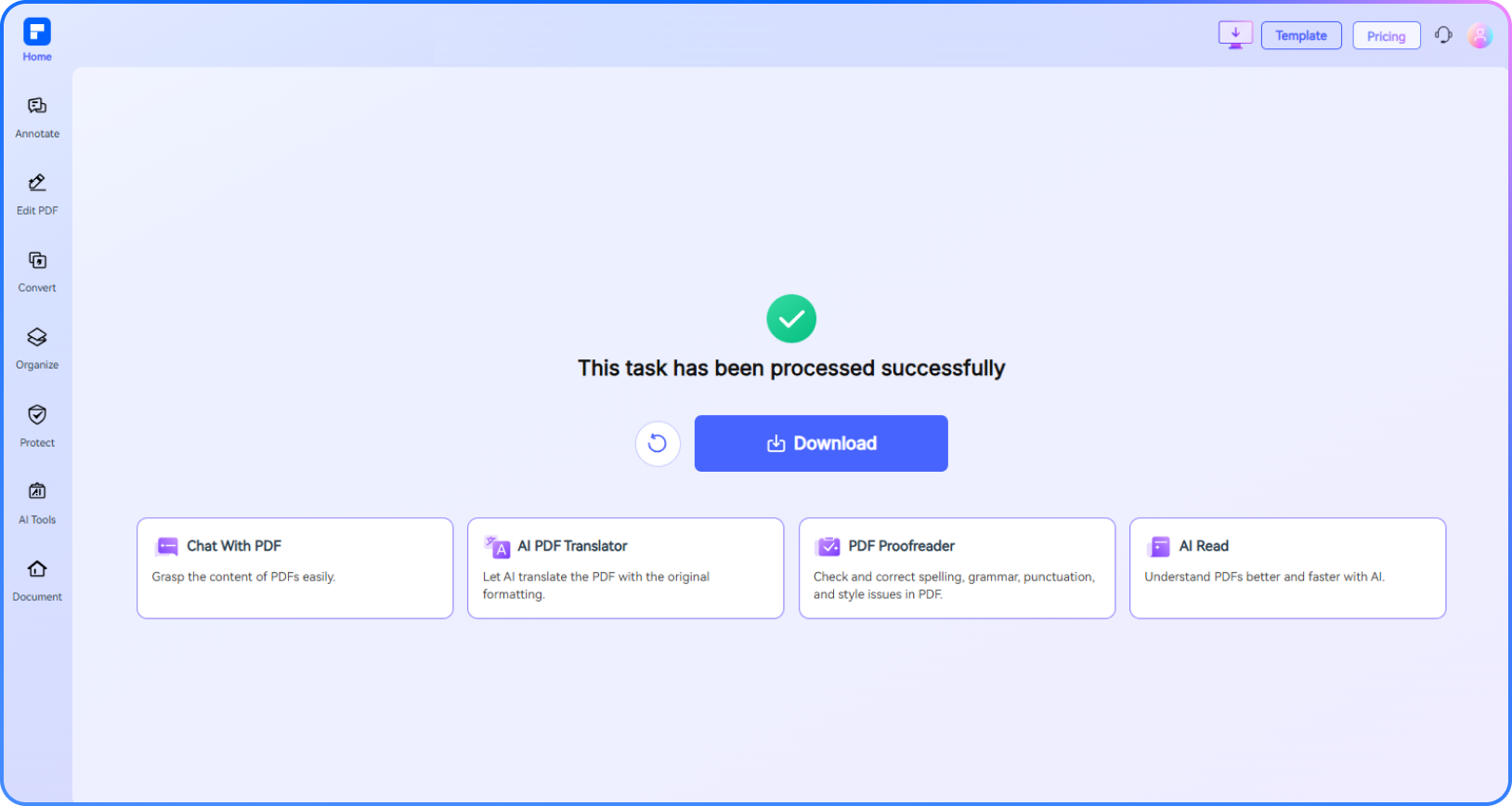
Experience the difference with our Image to Image Converter Online.
Free Online Image to Image Converter
Use our free image to image converter to quickly upload, convert, and download photos or graphics in multiple formats—no software required.
Convert Images to JPG, PNG, ICO,
TIFF, and GIF Instantly
Easily convert image to JPG, PNG, ICO, TIFF, or GIF. Ideal for websites, documents, and more with fast results and clear, professional-quality output.
Batch Image Converter for
Fast Multi-File Processing
Save time using our batch image converter. Convert multiple files in one go—perfect for creators, marketers, or anyone needing quick image format conversion.
High-Quality Image Conversion
Without Compression Loss
Our HD image converter maintains resolution while changing formats. Convert image to PNG, JPG, or TIFF without quality loss, ideal for print or archiving.
Seamlessly Image Format Changes
on Any Device
Convert images on Mac, Windows, or mobile. Our online picture converter works across devices for easy access anytime—no installation needed.
Secure and Private Image Conversion
Your files are encrypted during upload and deleted after conversion. This online image converter protects your privacy while delivering fast, secure image processing.
Image Converter Online for wider use.

Secure, Compliant, and Professional PDF Software - Award - Winning.
PDFelement shines in G2 Winter 2026 as a Leader, Momentum Leader, and High Performer for Enterprise - adding to its 2024 G2 Best Software Award - Top 50 Office Products, ISO 27001 - Information Security Management certification, and PDF Association membership.







FAQs about online image to image conversion.
-
Can I convert a photo to PNG without losing quality?Yes, you can convert a photo to PNG without losing quality. PNG is a lossless image format, meaning it retains all original data from the photo during conversion. Unlike formats like JPG, PNG does not compress or degrade image quality, making it ideal for preserving sharp details, text, and transparency.
-
How to Convert Without Quality Loss
To ensure the best results, use an online tool that supports high-resolution, lossless conversion and does not automatically compress or resize your image.
Recommended Tool
Use the PDFelement Online Images Converter. It allows you to:
- Upload images in formats like JPG, BMP, TIFF, and more
- Convert them to PNG without losing resolution or detail
- Avoid compression, watermarking, or software downloads
This free, browser-based converter is a reliable way to turn photos into high-quality PNG files with minimal effort.
-
How do I change an image format to ICO?
What is an ICO file?
An ICO file is used for icons in applications, websites, and Windows shortcuts. It supports multiple resolutions (e.g. 16x16, 32x32, 64x64) within one file to display properly across devices.
To change an image format to ICO (icon file), follow these steps:
1. Prepare the image
Use a square image (e.g. 256×256 pixels) in JPG, PNG, BMP, or GIF format for best results.
2. Use an online converter
Try the PDFelement Online Images Converter. It supports conversion to and from multiple formats including ICO.
3. Upload your image
Choose your image file and select ICO as the output format.
4. Download the converted icon
After conversion, download the ICO file to use it for websites, apps, or shortcuts.
Tips:
- For transparency, start with a PNG image.
- Resize the image to standard icon sizes before converting for better clarity.
- Most browsers and systems support ICO files up to 256×256 pixels.
-
Can I convert JPG to TIFF?
To safely convert your image to PNG, use a tool that supports high-resolution, lossless conversion. Avoid platforms that auto-compress or resize the image.
Recommended Tool
Try the PDFelement Online Images Converter. It allows you to:
- Upload images in JPG, JPEG, BMP, TIFF, and more
- Convert to PNG without compressing or lowering quality
- Preserve resolution and image clarity
- No watermarks, no software installation
This online tool is free, secure, and beginner-friendly—perfect for users needing clean, high-quality PNG output.
-
How to convert an image to JPG?
To convert an image to JPG format, the easiest way is to use the PDFelement Online Images Converter. Follow this simple process:
1. Upload your image
Supports formats like PNG, GIF, TIFF, and more.
2. Choose JPG as the output format
Select "JPG" from the available options.
3. Convert and download
Your image will be converted instantly, ready to download in JPG format.
-
Is there a way to batch convert multiple images?
Yes, you can batch convert multiple images quickly using the right tools. Try the PDFelement Online Images Converter. It supports batch conversion with a simple drag-and-drop interface:
1. Upload multiple images
Select or drag multiple files (JPG, PNG, GIF, TIFF, BMP, etc.)
2. Choose your desired format
Pick one output format (e.g. JPG, PNG, ICO, TIFF)
3. Convert all at once
The tool processes every image in bulk—no need to convert one by one.
4. Download your files
Download in a ZIP folder. -
Are there any limitations to the PDFelement online PDF editor?
Yes, there are certain limitations for free users:
Daily Usage Limits:
- Most editing and conversion tools allow 1 free use per day (e.g., Edit PDF, Merge, Split, Compress, Convert, Protect).
AI PDF Tool Limits(Chat with PDF, AI Read, AI Proofreader):
- Limited to 10 uses
- Supports PDFs up to 100MB and 260 pages
AI Translator & AI Detector:
- Limited to 10 uses (every 10 pages = 1 use; under 10 pages still counts as 1 use)
- Max file size: 100MB (AI Translator), 10MB (AI Detector)
Note: To enjoy unlimited usage, you can upgrade to premium access.
Page/File Size Restrictions:
- PDF files must be under 100MB (except for AI Detector)
- Max file size for OCR: 50MB
- Max 260 pages for AI tools
Tips and tricks for free image converter.
Rate PDFelement Online PDF tools:

4.8
(188,357 Votes)You have to upload and download at least 1 file to rate! We've already perfectly processed 307,292,373 files with a total size of 10,124 TB
Try more PDFelement online PDF tools.



Simplified by AI.
Fast, easy, and affordable PDF editor. Convert, edit, sign PDFs, and more.


