Crop Image Online for Free
Need to crop a picture online fast? Upload your image, adjust the crop area or set pixel margins, then download instantly.
Our free online image cropper supports PNG, JPG, JPEG, BMP, GIF, TIF, and TIFF formats.
 Crop Photos Online in Seconds for Free
Precisely Crop Images by Manual Drag or Pixel-Based Cropping
Crop JPG, PNG, BMP, GIF, TIFF Without Any Hassle
Crop Photos Online in Seconds for Free
Precisely Crop Images by Manual Drag or Pixel-Based Cropping
Crop JPG, PNG, BMP, GIF, TIFF Without Any Hassle
 Crop and resize image: What’s the Difference?
- Cropping removes unwanted parts of an image, helping you focus on key content or change the framing.
- Resizing changes the image’s dimensions (width and height) without cutting anything out. It reduces file size or fits a specific layout.
- Crop to control what’s shown. Resize to control how big it is.
How to crop an image online?
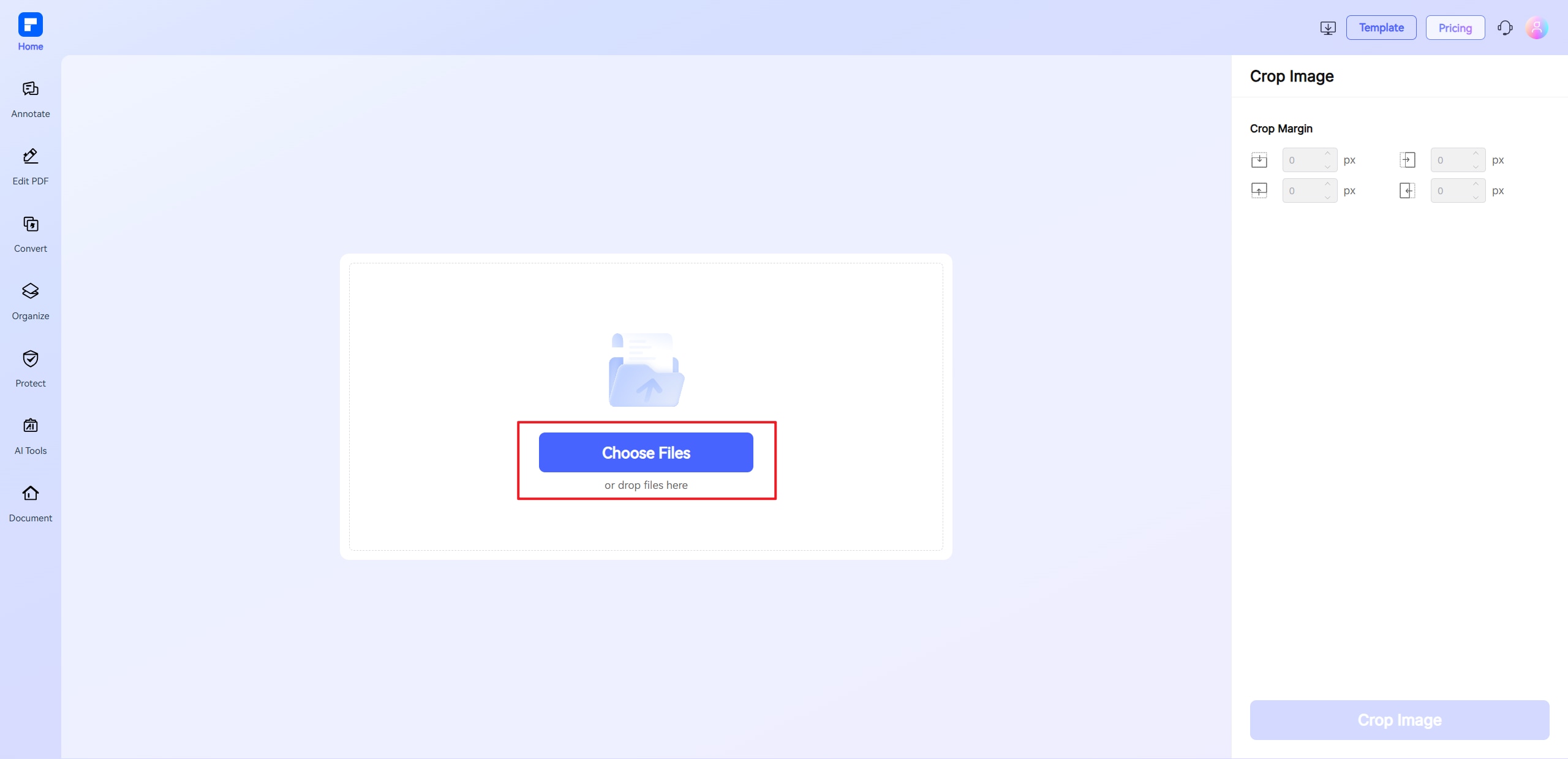
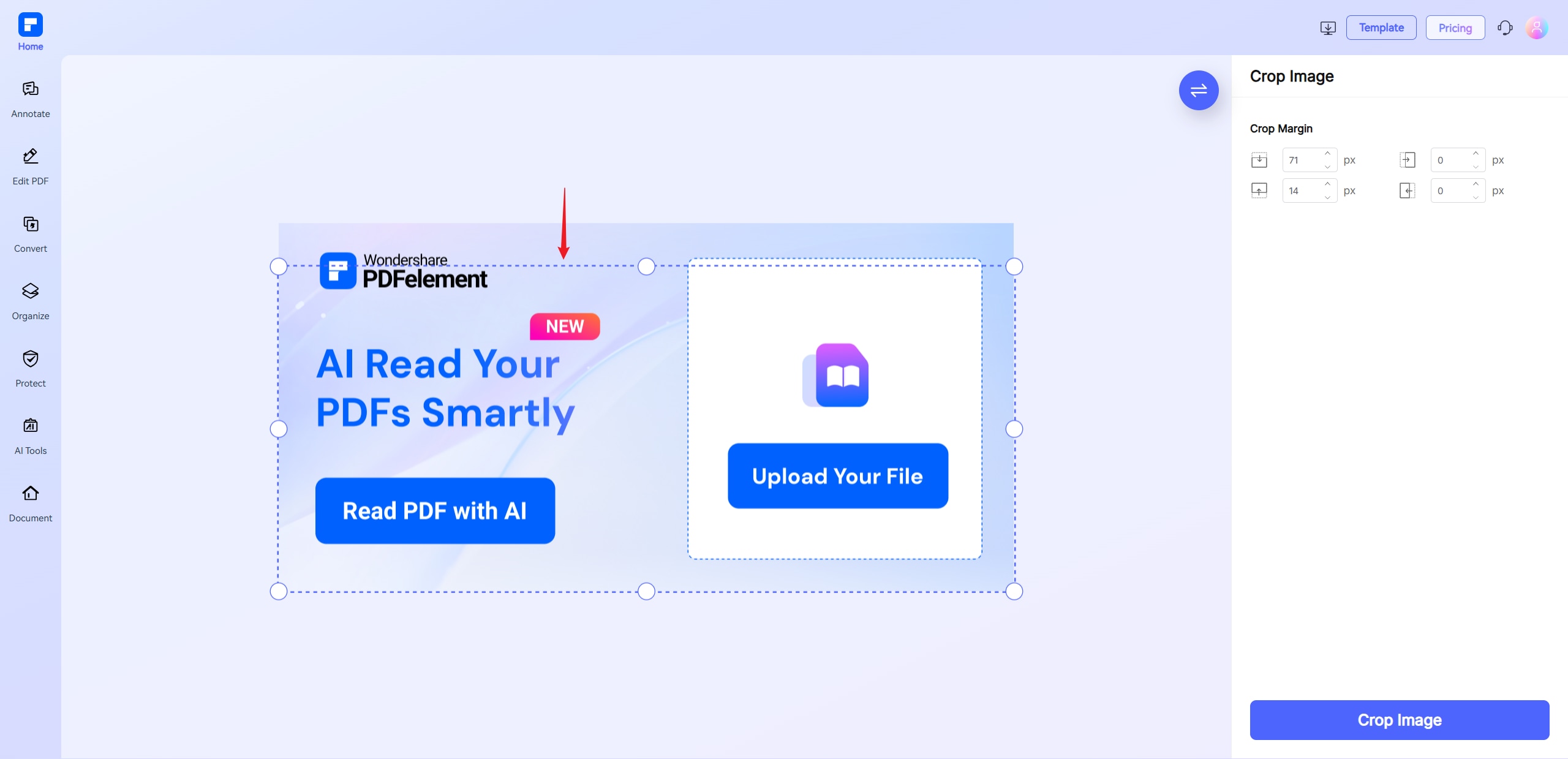
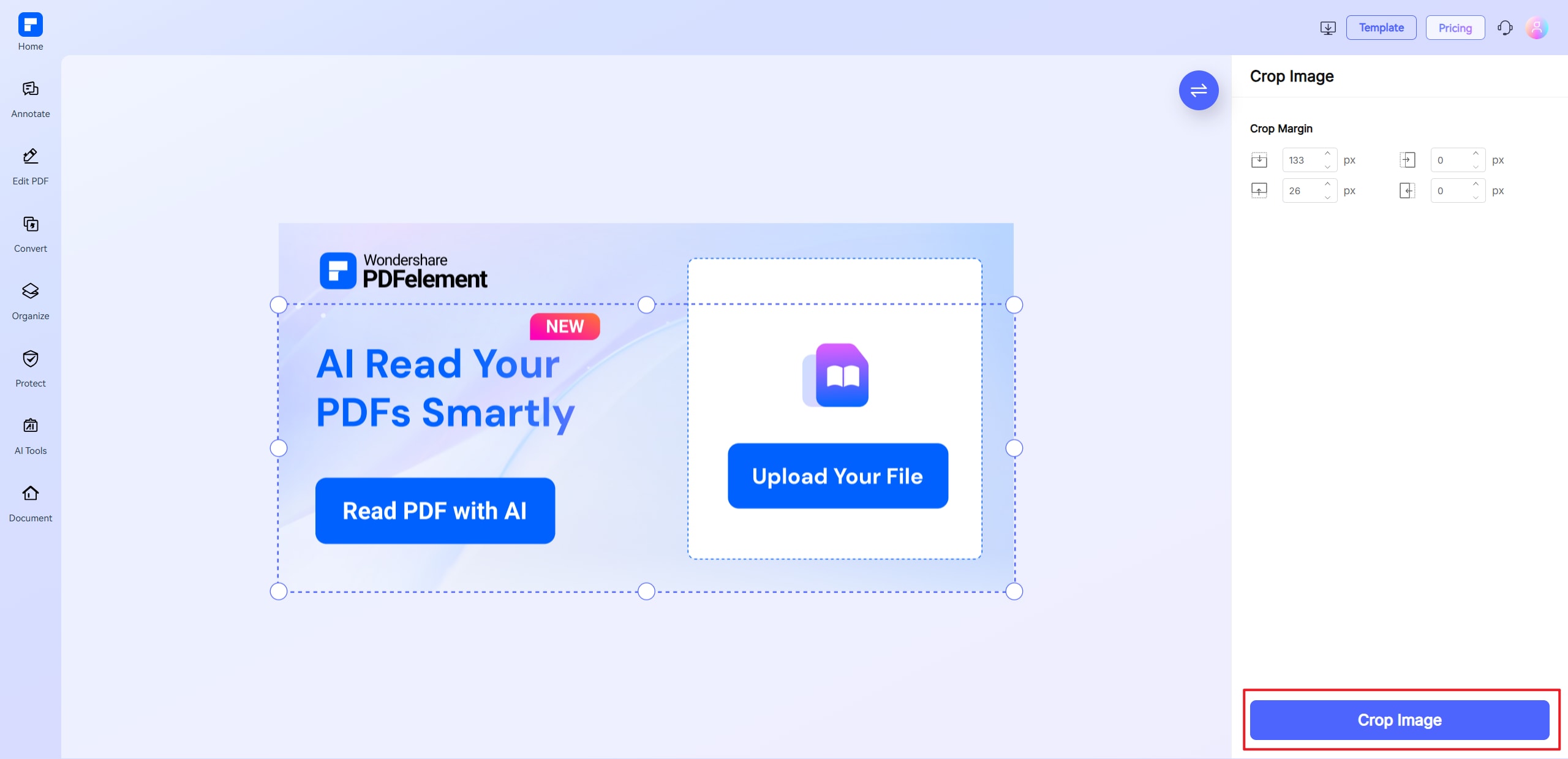
Experience the difference with our online picture cropper.
Crop Images Online in Seconds
Crop image files fast, just upload, drag to trim, and download. This online crop tool works instantly for quick precise edits.
Cut Photos Precisely by Pixel
or Free-Hand
Free-hand crop image or input exact pixel margins. Perfect for users who need precise control when they crop JPG, PNG, or GIF files.
Crop JPG, PNG, GIF, BMP, and More
Support all major formats, including JPG, PNG, GIF, BMP, TIFF, and JPEG. No format change needed to crop a picture online free.
Keep Image Quality After Cropping
Trim image edges without compromising clarity. Our picture cropper keeps resolution intact—even for large photos or high-detail files.
Access Image Cropper Anytime, Anywhere
Use this online crop tool on Windows, Mac, iOS, or Android. No app install—just crop gambar online from any browser.
Private and Secure Image Cropping
Images are encrypted and auto-deleted after processing. Enjoy free picture cropping with full privacy and secure document handling.
Free Online Image Cropper for wider use.

Secure, Compliant, and Professional PDF Software - Award - Winning.
PDFelement shines in G2 Winter 2026 as a Leader, Momentum Leader, and High Performer for Enterprise - adding to its 2024 G2 Best Software Award - Top 50 Office Products, ISO 27001 - Information Security Management certification, and PDF Association membership.







FAQs about picture cropping.
-
How to crop a GIF online for free?
Cropping a GIF lets you remove unwanted areas, focus on key content, or adjust the frame to meet size or platform requirements. Here's a simple way to do it:
- Visit the PDFelement Online Crop Image Tool
Go to the PDFelement Online Crop Image Tool - it's free and works right in your browser. - Upload Your GIF
Click Choose Files and select your GIF file. The tool supports GIFs along with JPG, PNG, BMP, and more. - Crop the GIF
- Drag to crop: Use the adjustable crop box to cut out a picture area.
- Enter pixel values: For precise edits, input exact margins.
- Preview and Download
Once cropped, preview the result and click Download to save your trimmed GIF.
- Visit the PDFelement Online Crop Image Tool
-
Can I crop a picture into a circle or round shape online?
Yes! You can easily crop a picture into a circle or round shape online using various free tools. Here are some great options:
- Canva
- Upload your image.
- Use the "Crop" tool and select "Circle" from the shape options.
- Adjust the crop and download.
- Adobe Express
- Upload your image.
- Choose "Circle" under crop shapes.
- Customize and download.
- Fotor
- Upload your photo.
- Select "Round Crop" and adjust the circle.
- Export the image.
If you want an easy, free online way to crop an image by entering the exact margin, visit PDFelement Online Image Tool to do it. It also offers other image features like Compress Image, Convert Image, Rotate Image, and more.
- Canva
-
Is there a way to batch crop photos online?
Yes, some online tools allow you to batch crop photos to save time and effort.
- How to Batch Crop Images Online:
- Use a Batch-Supported Tool
While most online tools crop one image at a time, some support crop bulk images or batch crop photos features. - Upload Multiple Images
Select and upload all the images you want to crop—JPG, PNG, or GIF formats are usually supported. - Set a Common Crop Area
Define a single crop size and area to apply to all uploaded images. - Crop and Download
Crop all images in one go, then download them as a batch.
Recommended Tool:
While the PDFelement Online Crop Image Tool currently supports cropping images one by one, it offers a fast, intuitive workflow and maintains high image quality—ideal for crop image online tasks.
For true batch cropping, you may need desktop software or a specialized bulk image editor.
- Use a Batch-Supported Tool
-
What does auto crop picture mean?
Auto crop picture automatically trims the edges of an image by detecting and removing unwanted borders or whitespace—without needing manual selection. This helps focus on the main subject quickly and cleanly.
If you want an easy, free online way to crop an image precisely by entering exact margins, try the PDFelement Online Crop Image Tool. Upload your image, input the pixel values for cropping, and download your perfectly trimmed picture in seconds.
-
Are there online tools for avatar cropping?
Yes, there are online tools designed specifically for avatar cropping. These tools help you quickly crop profile pictures into perfect shapes—often supporting circular or round crops ideal for avatars.
- How to Crop an Avatar Online:
- Choose an Online Avatar Cropper Select a tool like PDFelement Online Crop Image Tool that allows precise cropping and supports common formats like JPG and PNG.
- Upload Your Profile Picture Upload the image you want to crop for your avatar.
- Crop with Precision Use drag-and-drop or enter exact pixel margins to crop the picture to the ideal size and shape.
- Download Your Avatar Save the cropped image, ready to use on social media or other platforms.
The PDFelement Online Crop Image Tool offers a free, easy way to crop avatars online. It supports exact pixel input and drag cropping, maintaining image quality while handling JPG, PNG, and more. No installation is needed—just upload, crop, and download your perfect avatar quickly.
-
Are there any limitations to the PDFelement online PDF editor?
Yes, there are certain limitations for free users:
- Daily Usage Limits:
- Most editing and conversion tools allow 1 free use per day (e.g., Edit PDF, Merge, Split, Compress, Convert, Protect).
- AI PDF Tool Limits:
- Chat with PDF, AI Read, AI Proofreader:
- Limited to 10 uses per day
- Supports PDFs up to 100MB and 260 pages
- AI PDF Translator & AI Detector:
- Limited to 10 uses (every 10 pages = 1 use; under 10 pages still counts as 1 use)
- Max file size: 100MB (AI Translator), 10MB (AI Detector)
- Note:
- To enjoy unlimited usage, you can upgrade to premium access.
- Page/File Size Restrictions:
- PDF files must be under 100MB (except for AI Detector)
- Max file size for OCR: 50MB
- Max 260 pages for AI tools
Tips and tricks for picture cropping.
Rate PDFelement Online PDF tools:

4.8
(188,357 Votes)You have to upload and download at least 1 file to rate! We've already perfectly processed 307,292,373 files with a total size of 10,124 TB
Try more PDFelement online PDF tools.



Simplified by AI.
Fast, easy, and affordable PDF editor. Convert, edit, sign PDFs, and more.
 Free Download


