Rearrange PDF Pages
Rearrange PDF pages online for free. Reorder, move, or organize PDF pages in seconds.
Change the order of pages in a PDF easily. No quality loss, no hassle.
 Rearrange PDF Pages Online Free
Drag & Drop to Reorder Pages
Works on All Platforms (web-based)
Rearrange PDF Pages Online Free
Drag & Drop to Reorder Pages
Works on All Platforms (web-based)
 Reorder & Organize PDF Pages Online — Fast and Free
In just a few steps, upload your PDF, easily rearrange pages with a simple drag-and-drop, and download your updated file
instantly. PDFelement’s intuitive design makes it easy to manage pages smoothly, perfect for combining documents,
reshaping slide decks, or sorting research files. Experience efficient, no-fuss PDF editing with high-quality results every time.
 Free Download
Reorder PDF Online vs. Offline
How to rearrange pages in PDF online?
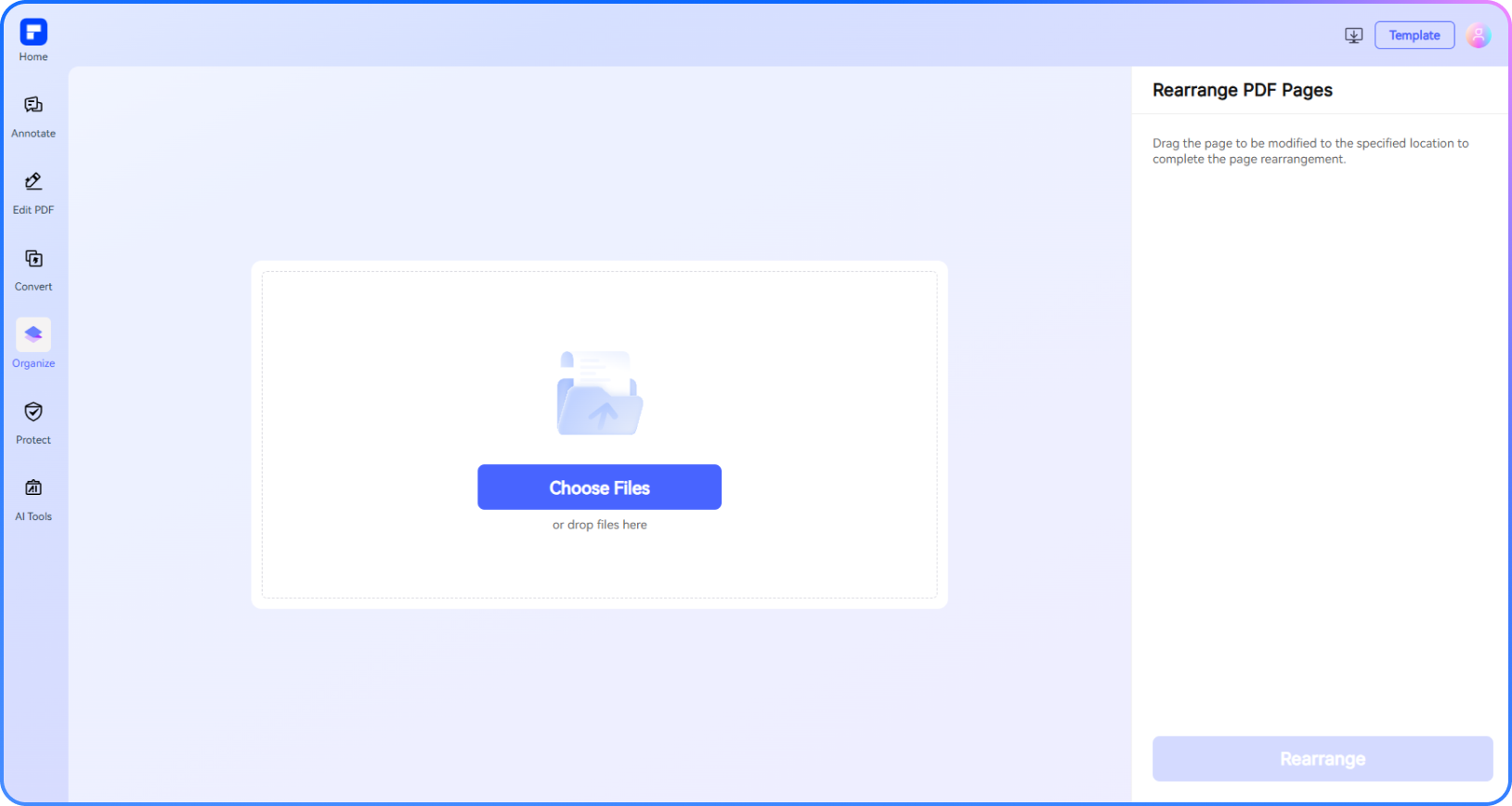
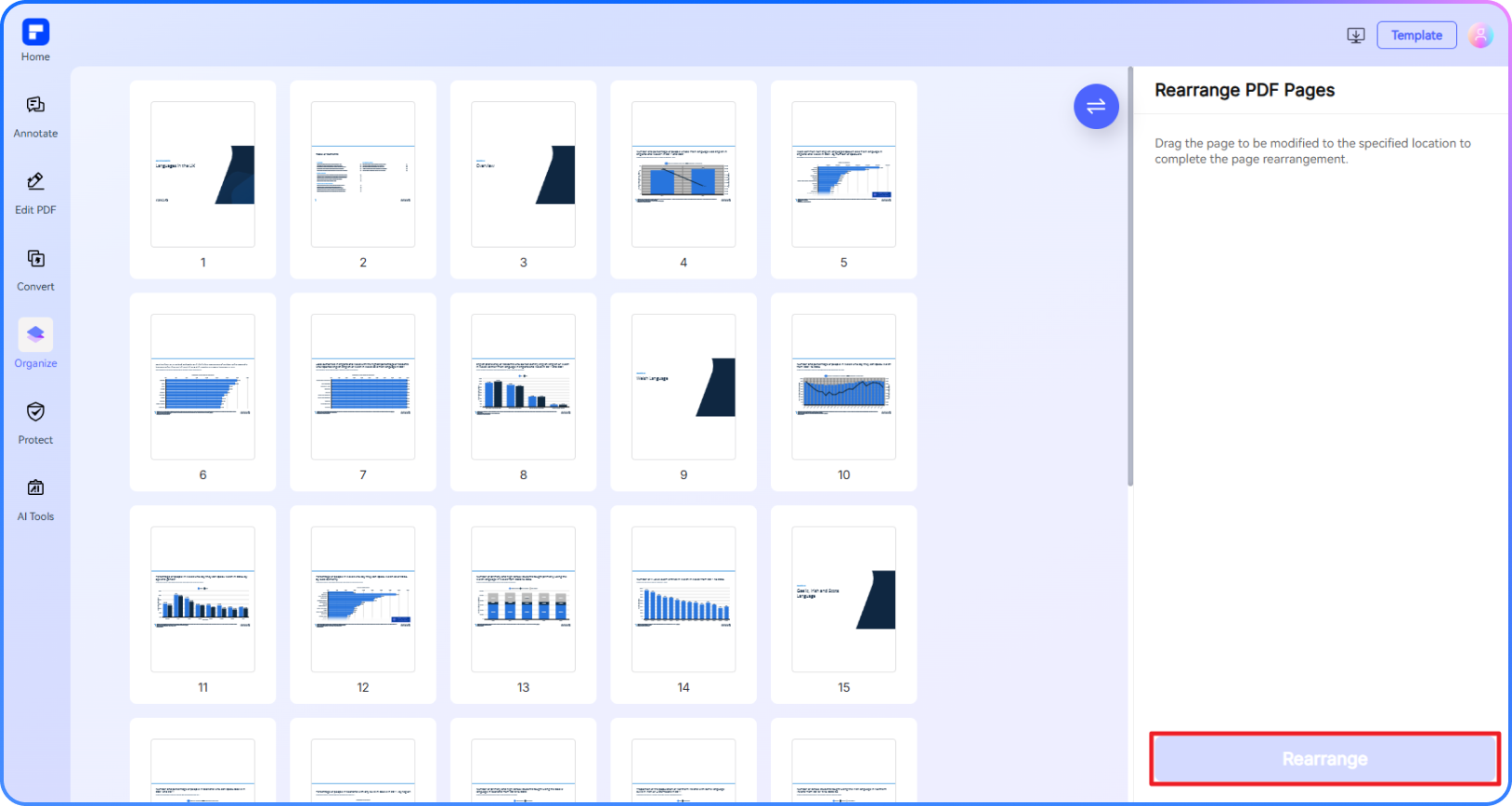
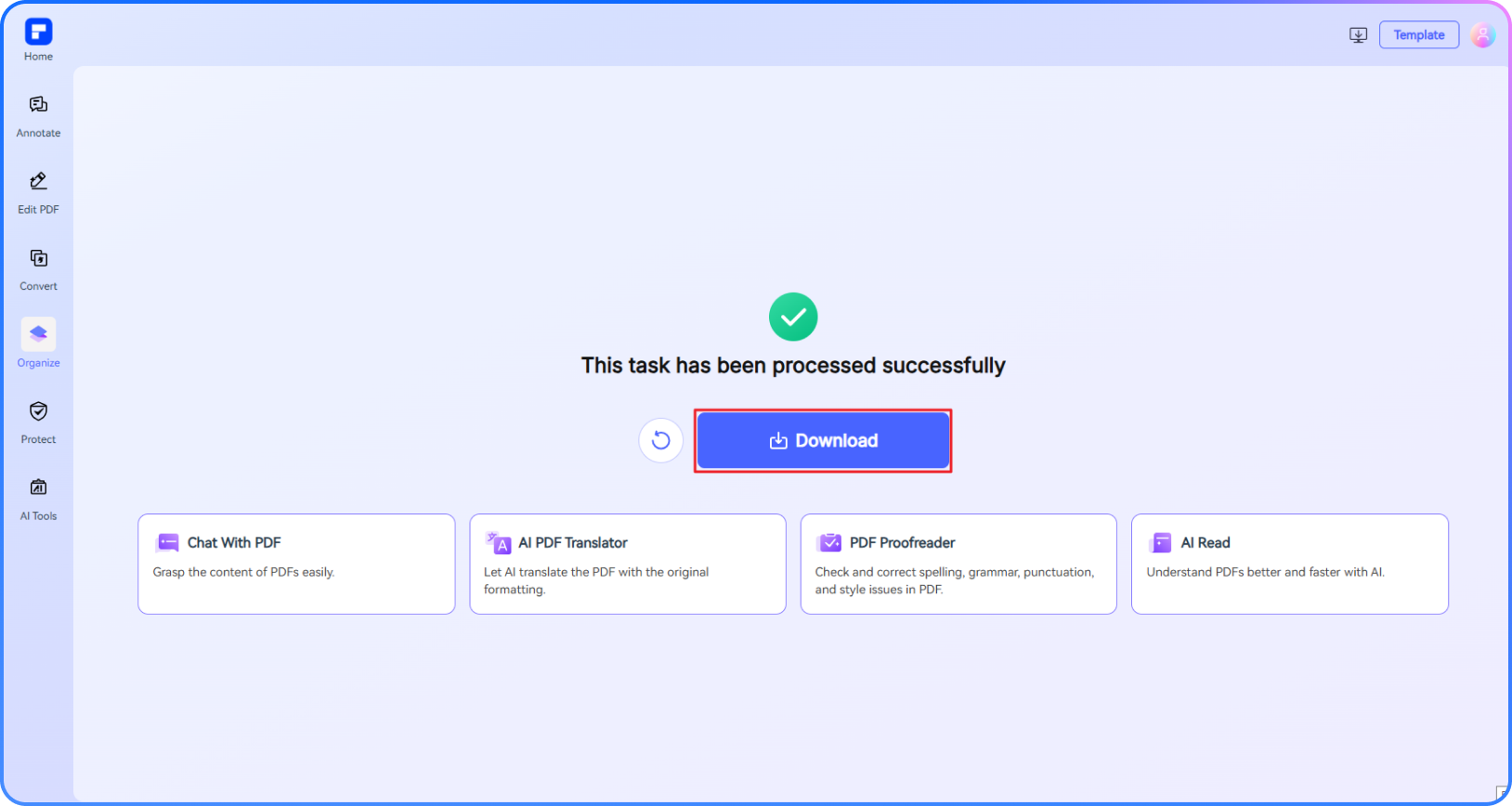
See what sets PDFelement Online PDF Page Reorder apart.
Rearrange PDF Pages Online Free
Easily rearrange PDF pages with our free, web-based tool—no installation needed.
Simple, Intuitive PDF Page Management
Use drag-and-drop to instantly reorder pages and organize your documents with ease.
Keep Layout and Quality Intact
Maintain your PDF’s original formatting, images, and structure. Fast cloud processing with instant downloads.
Secure and Trusted Editing
Built with privacy in mind. PDFelement is ISO 27001 certified and a proud member of the PDF Association.
Do More Than Reorder
Access over 30 powerful PDF tools—merge, delete, rotate, extract pages, and more. All in one platform.
Edit on Any Device, Anywhere
Fully compatible with Windows, Mac, iOS, and Android. Organize PDFs anytime, on any device.
Rearrange PDF pages for wider use.

Secure, Compliant, and Professional PDF Software - Award - Winning.
PDFelement shines in G2 Winter 2026 as a Leader, Momentum Leader, and High Performer for Enterprise - adding to its 2024 G2 Best Software Award - Top 50 Office Products, ISO 27001 - Information Security Management certification, and PDF Association membership.







FAQs about PDF Reorder.
-
Can I rearrange pages in PDF?
Yes, you can easily rearrange PDF pages using a variety of online tools and PDF editors designed to help you organize PDF pages, reorder PDF pages, and change the order of pages in PDF documents.
For a streamlined and user-friendly experience, the PDFelement Online Rearrange PDF Pages Tool is highly recommended. This tool allows you to easily upload your PDF, view thumbnails of all pages, and drag them into your preferred order. Whether you want to reorder pages of PDF, organize PDF pages online, or change page order in a PDF, PDFelement makes the process intuitive and efficient. After rearranging, you can download your newly organized PDF file instantly.
-
How do I reorder pages in a PDF offline?
To reorder pages in a PDF offline, you can use dedicated PDF editing software that allows you to rearrange PDF pages, organize PDF pages, and change the order of pages in PDF documents without needing an internet connection.
Wondershare PDFelement is a popular offline tool that allows you to easily reorganize and reorder pages in any PDF file. Here's how to do it:
Steps:
1. Open your PDF in PDFelement.
2. Go to the "Organize" tab.
3. Drag and drop pages into your desired order.
What You Can Do:- Reorder PDF pages quickly
- Organize pages for better document flow
- Sort and manage PDF content with ease
PDFelement provides a user-friendly interface and precise control, making offline PDF editing simple and efficient.
-
How to reorder PDF pages in Chrome?
You can easily reorder PDF pages directly in Google Chrome using browser-based tools like PDFelement Online—no software installation needed.
Steps:
- Open Google Chrome and go to PDFelement Online Rearrange PDF Pages tool.
- Upload your PDF file to the tool.
- View the pages displayed as thumbnails.
- Drag and drop pages to rearrange them in your preferred order.
- Click Rearrange and the updated PDF will auto-download to your device.
PDFelement Online works seamlessly in Chrome, making PDF page management quick and convenient.
-
How can I rearrange PDF pages on my phone?
You can easily reorder PDF pages on your mobile device using either an app or a browser—no desktop required.
Option 1: Use the PDFelement Mobile App (iOS & Android)
- Download and install the PDFelement app from the App Store or Google Play.
- Open your PDF in the app.
- Click Organize Pages.
- Long press and drag the page to adjust the page order.
- Save the updated PDF directly on your device.
Option 2: Use PDFelement Online (No App Needed)
- Open your browser and go to PDFelement Online Rearrange PDF Pages tool.
- Upload your PDF from your phone.
- View pages as thumbnails and drag to reorder them.
- Click Rearrange and the updated PDF will auto-download to your device.
-
Is there a free tool to rearrange PDF pages?
Yes, you can use the PDFelement Online Rearrange PDF Pages Tool to reorder PDF pages for 100% free. It offers an intuitive drag-and-drop interface to rearrange PDF pages online free, making it easy to reorder pages of PDF, organize pages in PDF, and sort PDF pages exactly as you need. This tool is accessible directly from your browser, ensuring fast and efficient PDF page rearranging without any cost.
-
Are there any limitations to PDFelement's online PDF editor?
Yes, there are certain limitations for free users:
Daily Usage Limits:
· Most editing and conversion tools allow 1 free use per day (e.g., Edit PDF, Merge, Split, Compress, Convert, Protect).
AI PDF Tool Limits:
· Chat with PDF, AI Read, AI Proofreader:
①Limited to 10 uses
②Supports PDFs up to 100MB and 260 pages
AI Translator & AI Detector:
· Limited to 10 uses (every 10 pages = 1 use; under 10 pages still counts as 1 use)
· Max file size: 100MB (AI Translator), 10MB (AI Detector)
Note:
· To enjoy unlimited usage, you can upgrade to premium access.
Page/File Size Restrictions:
· PDF files must be under 100MB (except for AI Detector)
· Max file size for OCR: 50MB
· Max 260 pages for AI tools
More tips for rearranging PDFs.
Rate PDFelement Online PDF tools:

4.8
(188,357 Votes)You have to upload and download at least 1 file to rate! We've already perfectly processed 307,292,373 files with a total size of 10,124 TB
Try more PDFelement online PDF tools.



Simplified by AI.
Fast, easy, and affordable PDF editor. Convert, edit, sign PDFs, and more.


