Rotate PDF
Rotate one page, some pages, or an entire PDF with our free online Rotate PDF tool.
No installation needed—just upload, rotate PDF pages, and save your file instantly.
 Rotate PDF Online for Free
Rotate Any PDF Pages You Need
Maintain Layout and Formatting
Rotate PDF Online for Free
Rotate Any PDF Pages You Need
Maintain Layout and Formatting
 Change PDF orientation with precision.
Need to rotate a PDF page or change its orientation? Use PDFelement online free PDF rotate editor to quickly adjust single or multiple pages. Fix landscape/portrait layouts or flip specific pages—no installation required.
 Free Download
Rotate PDF Online vs. Offline
3 easy steps to rotate PDF pages.
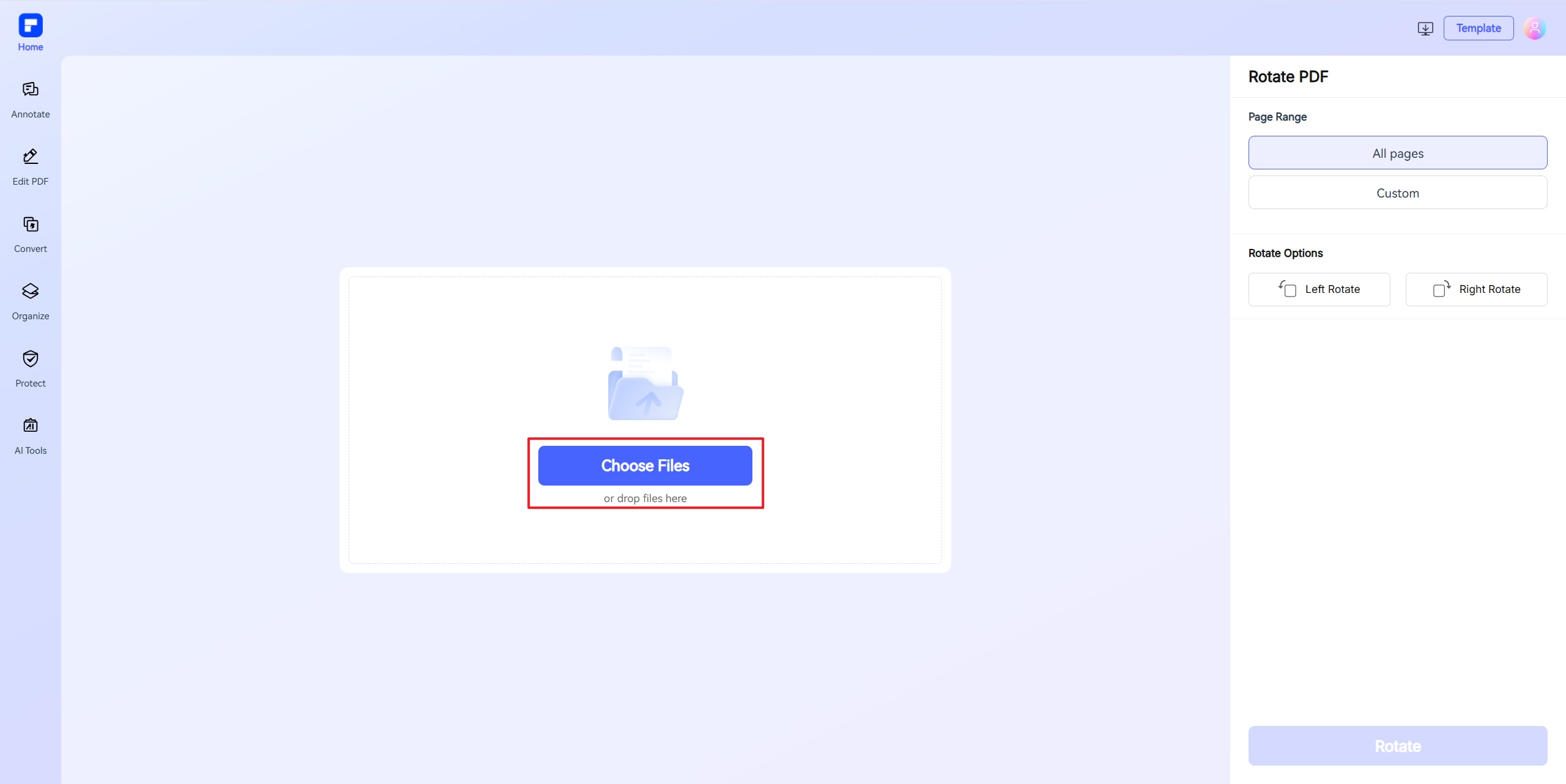
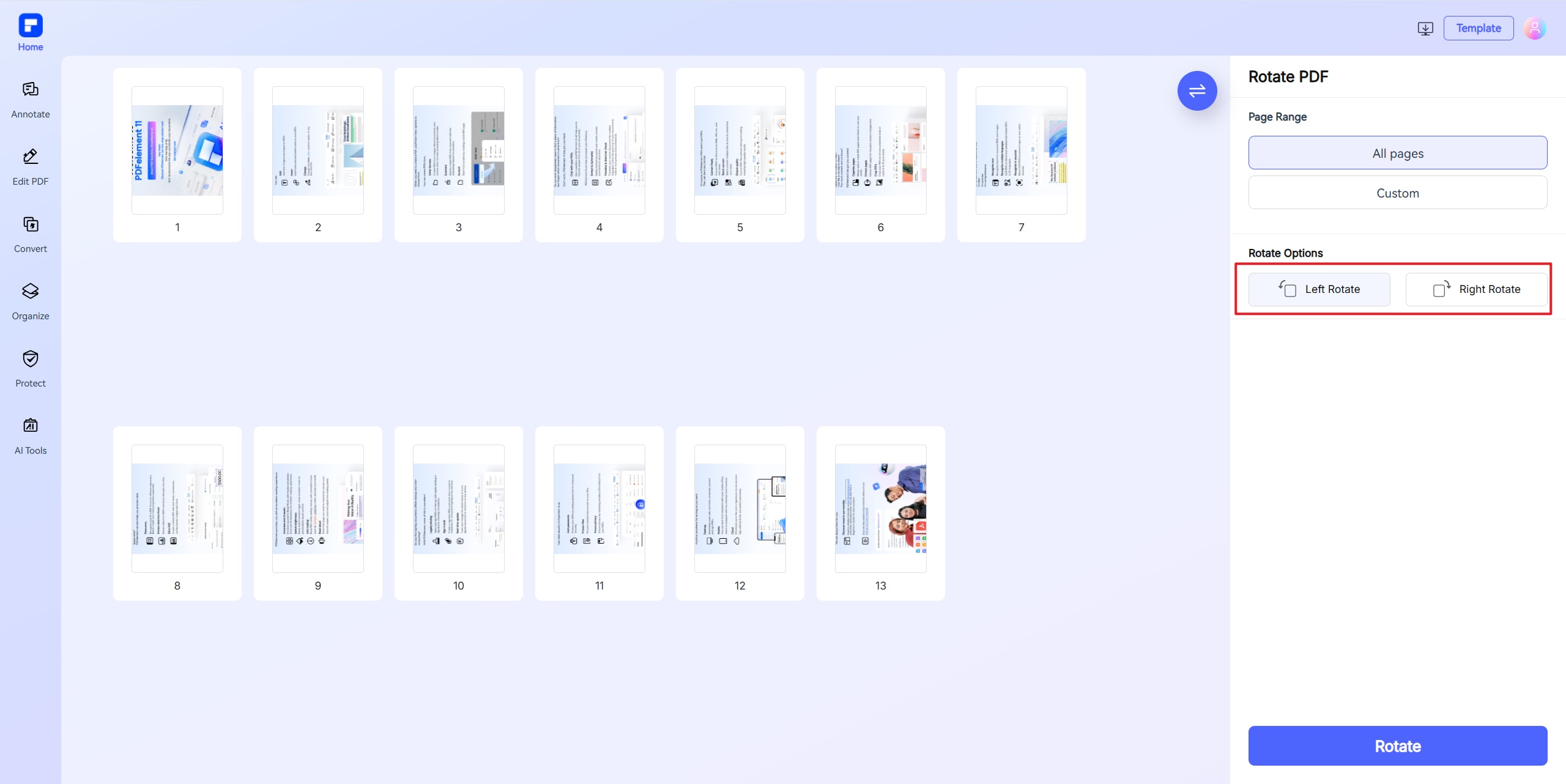
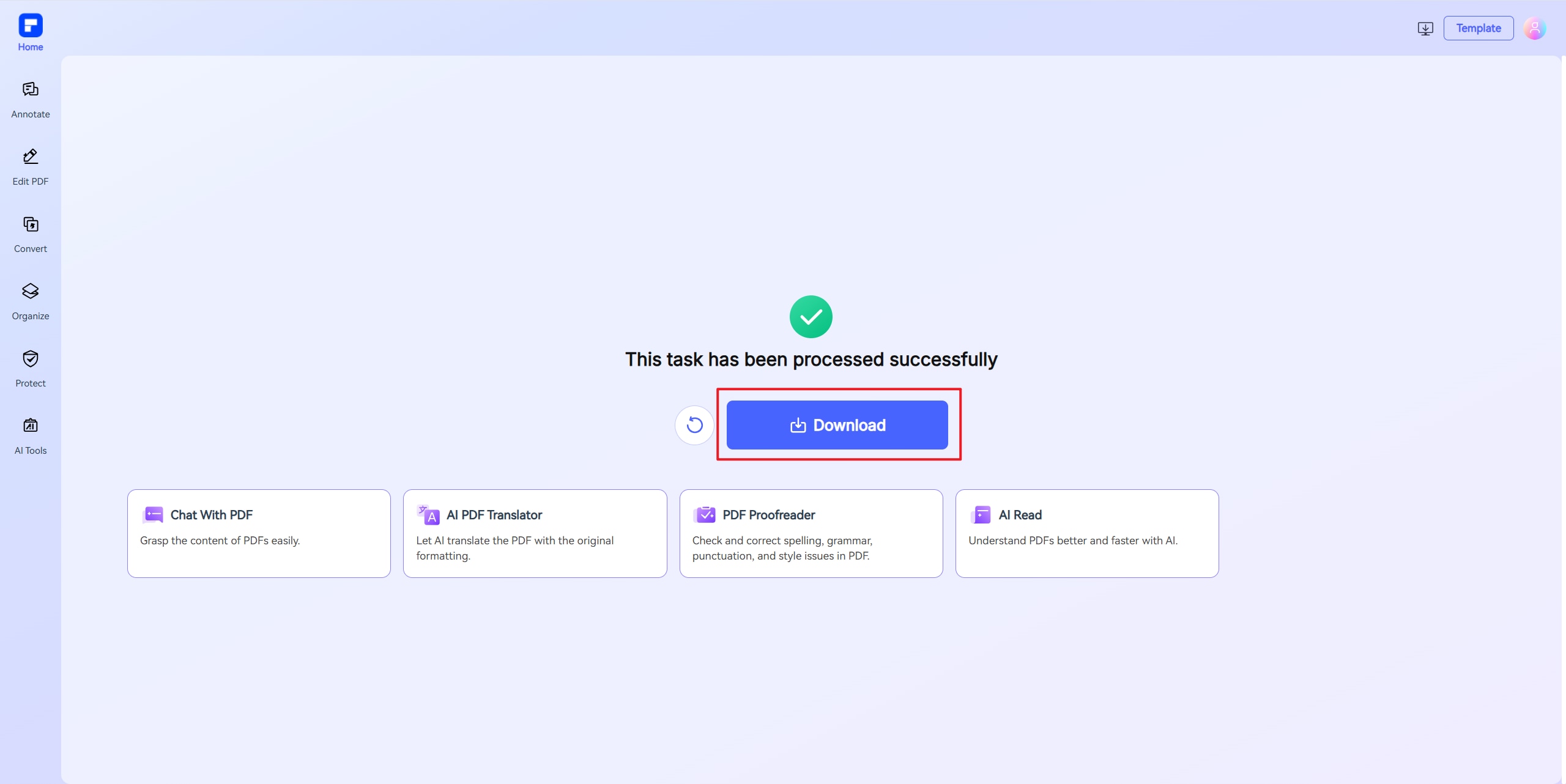
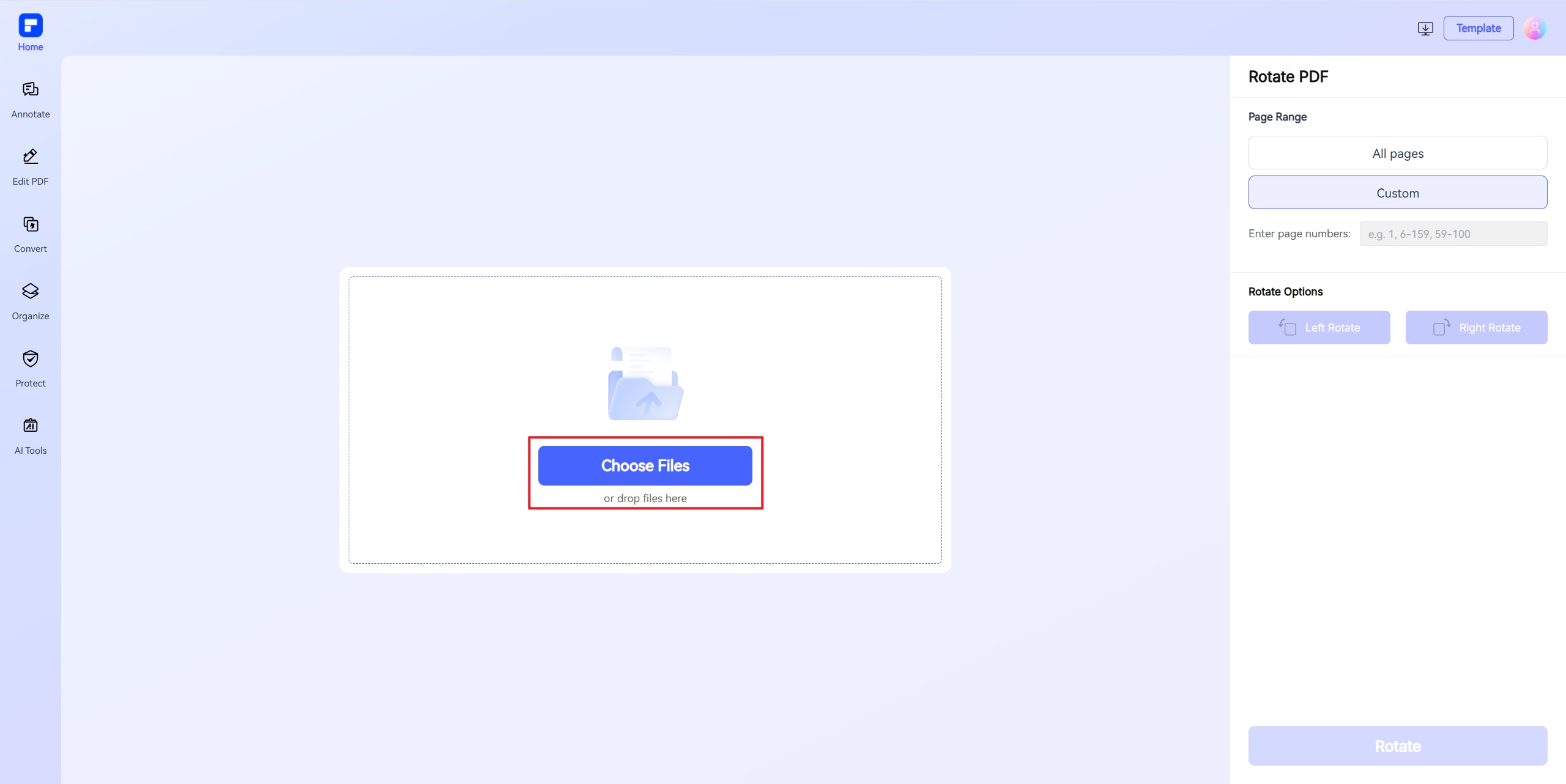
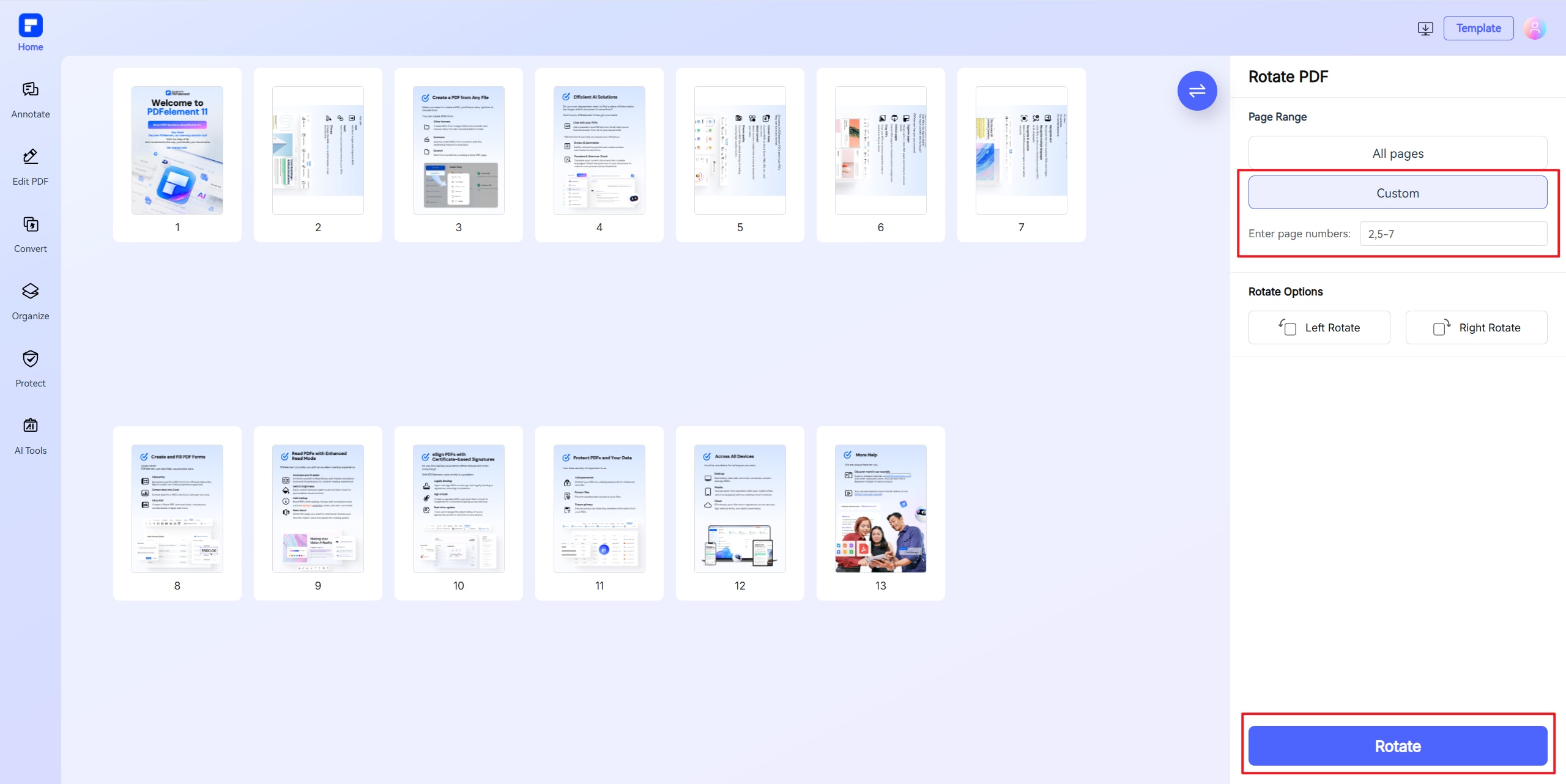
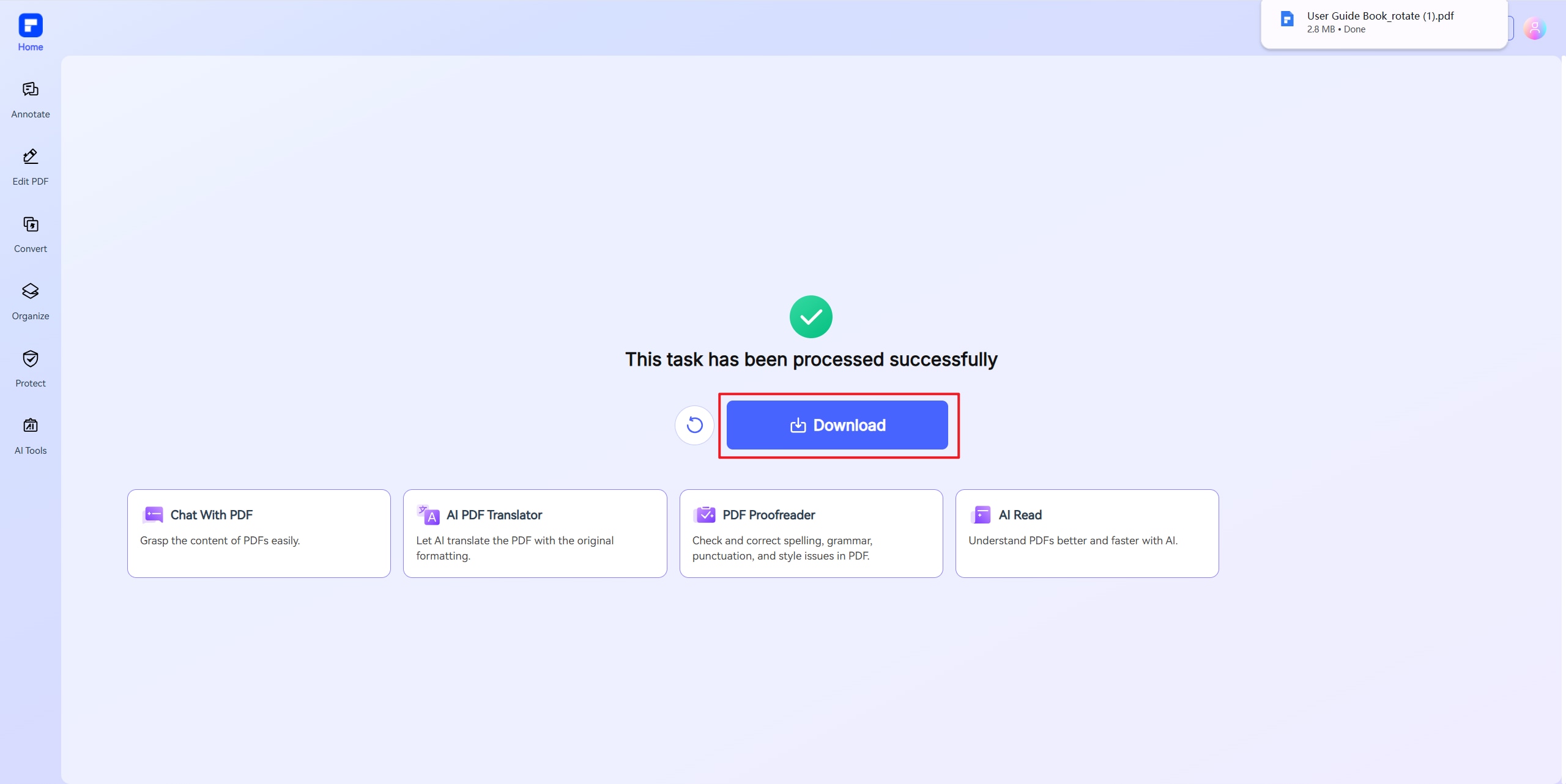
Discover what sets PDFelement online PDF rotate editor apart.
Free & Online PDF Rotater
Rotate PDF document online for free with no installation needed.
Rotate One or Multiple Pages
Rotate a single page, specific pages, or the entire PDF—fully customizable to your needs.
Preserve Layout and Formatting
Keep all original text, images, and formatting perfectly intact after rotation.
Batch Page Rotation
Rotate multiple pages or entire documents at once with efficient batch processing.
Access Anywhere
Fully compatible with all devices and browsers - no installation required.
All-in-One PDF Toolkit
Rotate, edit, merge, and more—manage your documents effortlessly with over 30 PDF tools.
Rotate PDF pages online for wider use.

Secure, Compliant, and Professional PDF Software - Award - Winning.
PDFelement shines in G2 Winter 2026 as a Leader, Momentum Leader, and High Performer for Enterprise - adding to its 2024 G2 Best Software Award - Top 50 Office Products, ISO 27001 - Information Security Management certification, and PDF Association membership.







FAQs about rotate PDF document.
-
How do you rotate a PDF for free?
To rotate a PDF for free, several online tools allow you to rotate individual pages or entire documents without installing software. These tools enable you to rotate PDF pages online, adjust orientation, and save the changes permanently.
PDFelement Online Rotate PDF Tool allows you to rotate individual pages or the entire document and save the changes permanently. The tool is user-friendly and doesn't require any software installation.
Smallpdf offers a user-friendly interface where you can upload your PDF, rotate specific pages or the whole document, and download the rotated file—all without registration. It's compatible with various devices and ensures your document's layout remains intact.
iLovePDF provides a straightforward solution to rotate PDF files online. You can rotate multiple PDFs simultaneously, define rotation degrees, and choose to rotate only vertical or horizontal pages.
Adobe Acrobat Online also offers a free service to rotate PDF pages. You can upload one or more PDF files, rotate specific pages or all pages left or right, and then download the rotated document.
These tools are handy when you need to rotate a PDF document online, rotate a PDF file online, or change the orientation in a PDF. Whether you're looking to rotate a single page in a PDF or rotate all pages, these free online services provide convenient solutions without the need for software installation.
-
How to permanently rotate PDF files?
To permanently rotate PDF files for free, several online tools and applications can help you adjust the orientation of individual pages or entire documents, ensuring the changes are saved without the need for software installation.
PDF2Go enables you to rotate PDF pages online easily. After uploading your document, you can rotate all pages or select specific ones. Once satisfied with the adjustments, click “Save” to download the permanently rotated PDF.
PDF24 Tools offers a free and easy-to-use platform where you can rotate PDF pages. Upload your file, rotate the pages as needed, and save the new PDF. This tool ensures no quality loss during the rotation process.
Sejda allows you to rotate and save PDF pages permanently. Upload your document, select the pages to rotate, apply the changes, and download the updated PDF.
PDFelement provides both online and desktop solutions for rotating PDF pages. Using the online Rotate PDF tool, you can upload your document, select pages to rotate, and save the changes permanently. The desktop version offers additional features like editing text, images, and other PDF elements.
These tools support rotating individual pages or entire PDF documents, enabling you to change the orientation in a PDF, such as converting from landscape to portrait. After rotating, you can save the rotated PDF file permanently.
-
How to rotate pages in PDF without Adobe?
If you're looking to rotate pages in a PDF without using Adobe Acrobat, several free online tools offer this functionality. These platforms allow you to rotate individual pages or entire documents and save the changes permanently, all without the need for software installation.
PDFelement Online Rotate PDF Tool is a user-friendly option that enables you to upload your PDF, select specific pages or the entire document to rotate, and save the rotated version. This tool is accessible directly through your web browser, making it convenient for quick edits.
Other notable tools include Smallpdf, which offers a straightforward interface for rotating PDF pages online. You can upload your document, rotate the desired pages, and download the updated file without creating an account.
PDF2Go is another reliable platform that lets you rotate individual pages or the entire PDF document. After uploading your file, you can make the necessary adjustments and download the rotated PDF.
Sejda offers both online and desktop versions for rotating PDF pages. The online tool is free for documents up to 50 MB or 200 pages, making it suitable for most standard PDFs.
These tools support rotating individual pages or entire PDF documents, enabling you to change the orientation in a PDF, such as converting from landscape to portrait. After rotating, you can save the rotated PDF file permanently.
-
How do I rotate a PDF on Windows?
Rotating a PDF on Windows is a simple process, whether you want to rotate PDF pages, change PDF orientation, or rotate individual pages in a PDF.
One of the easiest ways to rotate a PDF file online for free is by using PDFelement Online Rotate PDF tool, which allows you to quickly rotate PDF documents and save them permanently.
If you prefer an offline method, you can use PDFelement for Desktop, Adobe Acrobat or other PDF editors to rotate PDF pages and edit PDF orientation. Simply open the PDF, select the page(s) you want to adjust, and use the rotate function to switch between portrait and landscape modes.
For more advanced needs, such as rotating specific pages in a PDF or merging and rotating PDFs, tools like PDFelement offer greater flexibility. If you need a free solution, several online tools let you rotate PDF online for free without installing software. Whether you want to rotate a single page in a PDF or the entire document, these methods ensure your file displays correctly.
-
How do you rotate a scanned PDF for free?
Rotating a scanned PDF for free is easy with online tools or free software. If you need a quick solution, you can rotate a scanned PDF online using PDFelement Online free Rotate PDF tool, which lets you adjust the orientation of your document without any cost. Simply upload your file, rotate the pages as needed (whether you want to change PDF orientation from landscape to portrait or vice versa), and download the corrected version.
For offline use, free programs like Adobe Acrobat Reader (view-only mode) allow you to rotate PDF pages temporarily, but the changes won’t save unless you use the "Save As" option. Alternatively, free PDF editors like PDFescape enable you to rotate individual pages in a PDF and save the file permanently. If you only need to rotate a single page in a PDF, these tools provide precise control.
For bulk adjustments, some online services, like PDFelement, support rotating multiple pages in a PDF at once. Just ensure you use a trusted platform if your document contains sensitive information. Whether you need to rotate a scanned PDF permanently or just fix its alignment, these free methods will help you get the job done.
-
Are there any limitations to PDFelement's online PDF editor?
Yes, there are certain limitations for free users:
Daily Usage Limits:
· Most editing and conversion tools allow 1 free use per day (e.g., Edit PDF, Merge, Split, Compress, Convert, Protect).
AI PDF Tool Limits:
· Chat with PDF, AI Read, AI Proofreader:
①Limited to 10 uses
②Supports PDFs up to 100MB and 260 pages
AI Translator & AI Detector:
· Limited to 10 uses (every 10 pages = 1 use; under 10 pages still counts as 1 use)
· Max file size: 100MB (AI Translator), 10MB (AI Detector)
Note:
· To enjoy unlimited usage, you can upgrade to premium access.
Page/File Size Restrictions:
· PDF files must be under 100MB (except for AI Detector)
· Max file size for OCR: 50MB
· Max 260 pages for AI tools
More tips for PDF document rotate and save.
Rate PDFelement Online PDF tools:

4.8
(188,357 Votes)You have to upload and download at least 1 file to rate! We've already perfectly processed 307,292,373 files with a total size of 10,124 TB
Try more PDFelement online PDF tools.



Simplified by AI.
Fast, easy, and affordable PDF editor. Convert, edit, sign PDFs, and more.


