Rewrite PDF Online for Free With AI
Rewrite PDF online free with our AI PDF rewriter. Instantly rewrite text, sentences, or entire
paragraphs in your PDF using AI for clear, polished results.
 Best Free AI Rewriter Designed for PDF Files
AI Rewrite PDF in Multiple Languages
Free AI PDF Rewriter Works on Mac, Windows, or Mobile on Mac, Windows, or Mobile
Best Free AI Rewriter Designed for PDF Files
AI Rewrite PDF in Multiple Languages
Free AI PDF Rewriter Works on Mac, Windows, or Mobile on Mac, Windows, or Mobile
 Free Download
AI Rewrite PDF Online vs Offline
How to rewrite PDF text online with AI?
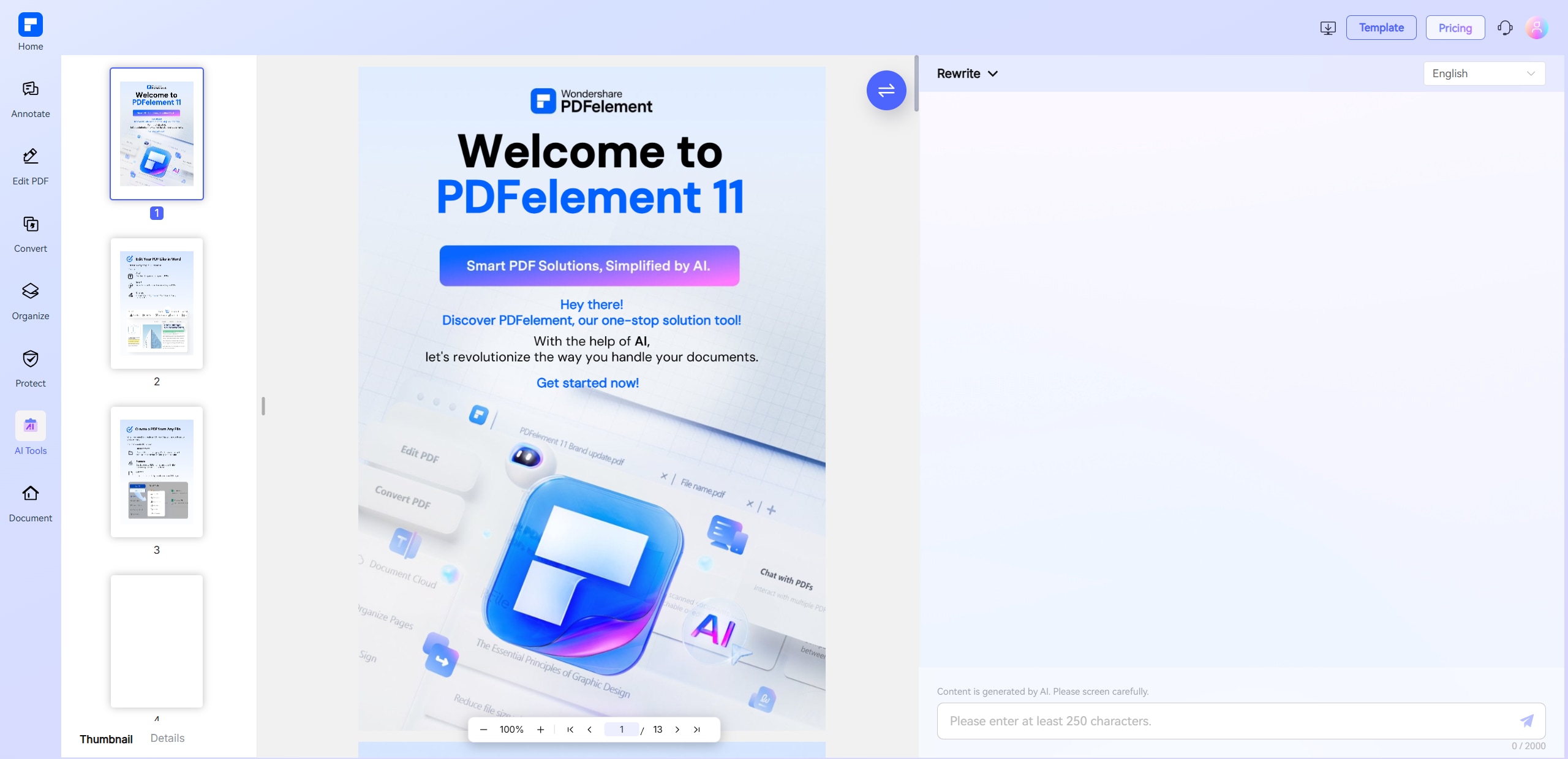
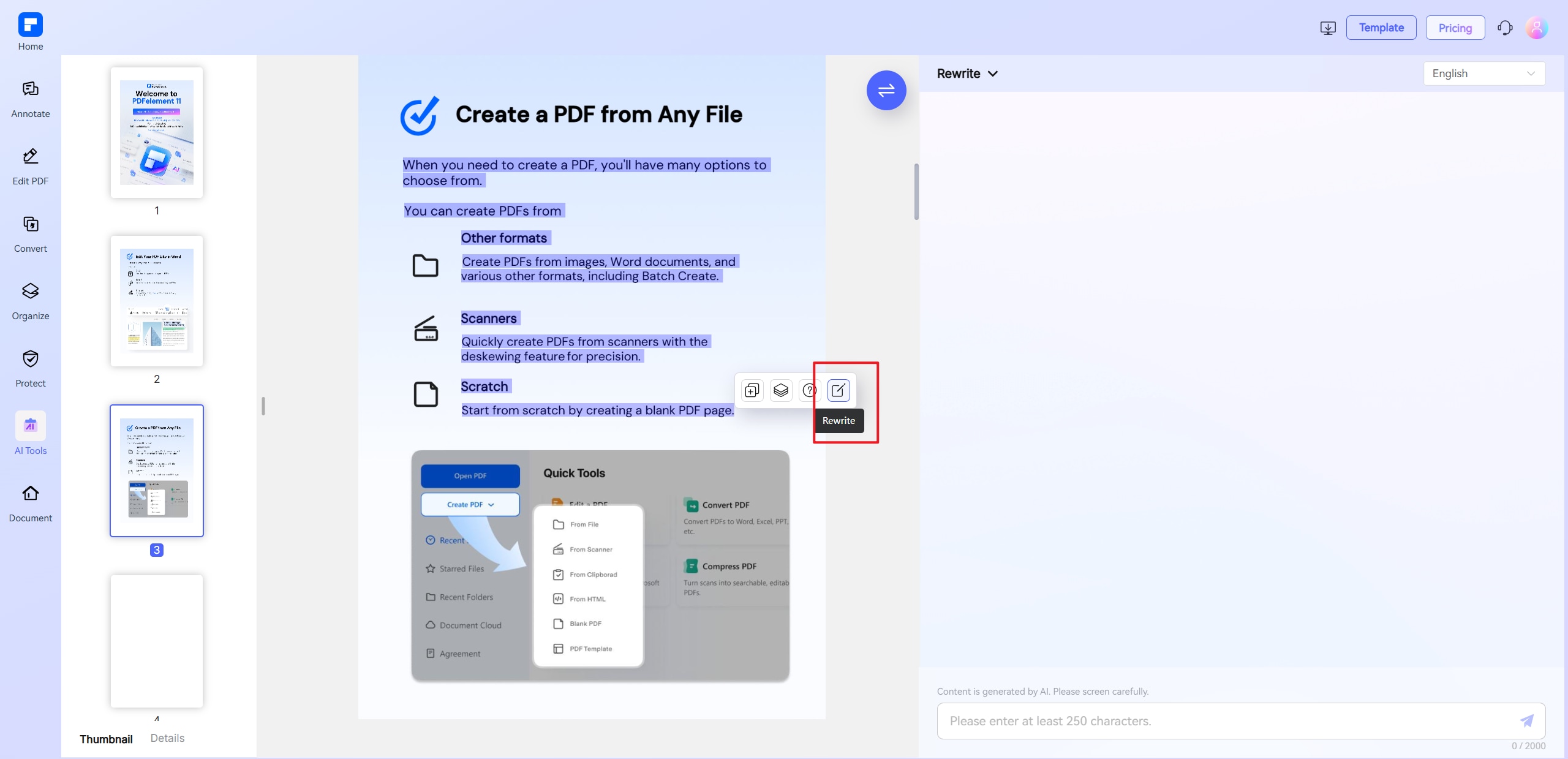
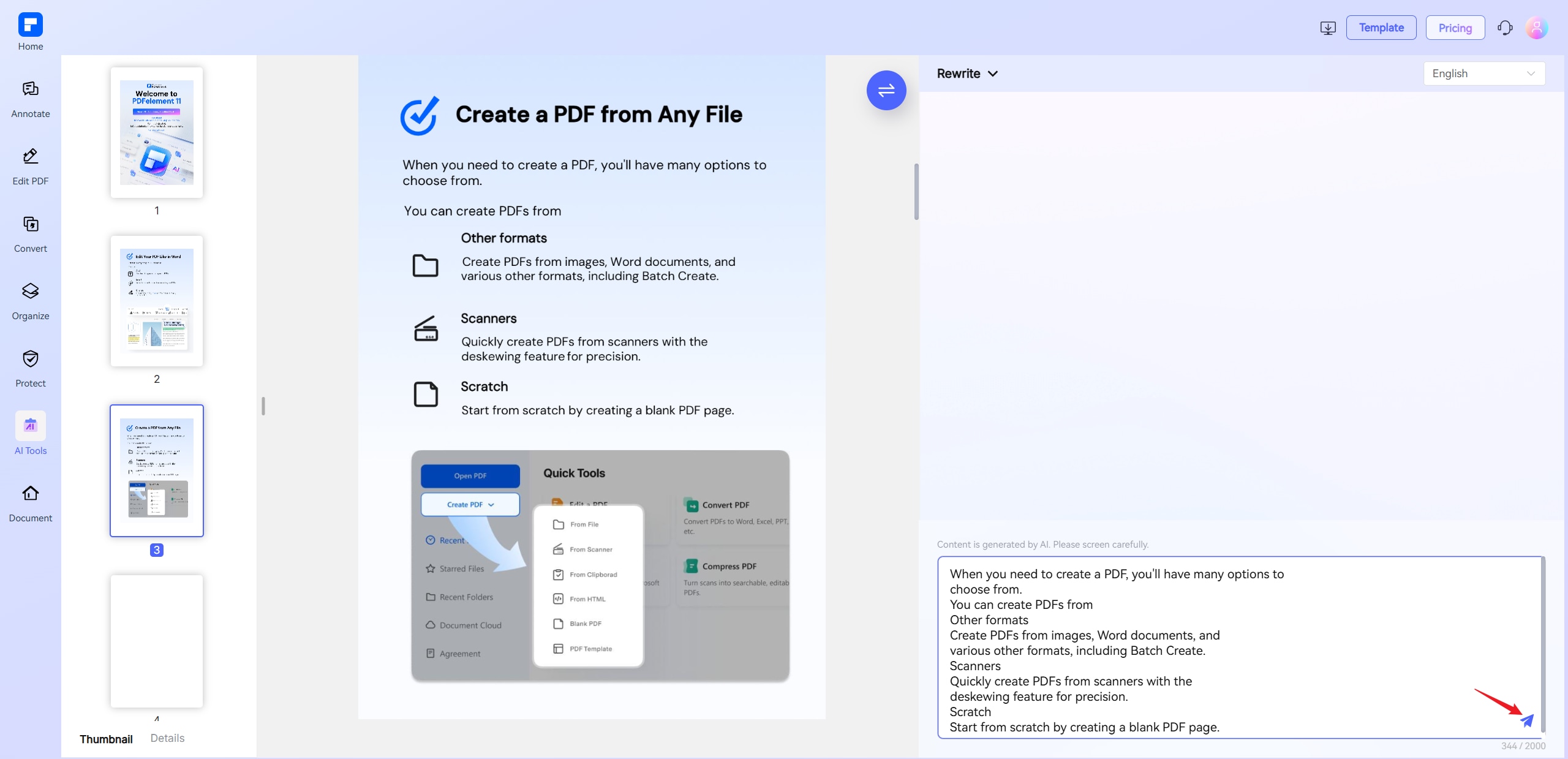
Experience the difference with our AI PDF Rewriting Tool.
Rewrite PDF Content Online for Free
for Free
Quickly rewrite PDF text online for free. Upload your file, highlight sentences or paragraphs, and let our AI PDF rewriter deliver clear, polished results.
Smart AI Paragraph Rewriter for PDFs
for PDFs
Achieve fast, accurate rewrites with our AI rewriter. Easily paraphrase sentences or entire paragraphs in your PDF while preserving original meaning and structure.
Free Multilingual PDF Rewriter
on Any Device
Rewrite PDF content online free in 12+ languages, including English, Spanish, French, and Chinese. Works seamlessly on desktop or mobile—no app required.
Rewrite Scanned PDFs With Built-in OCR AI
Our AI PDF rewriter with OCR lets you rewrite scanned or image-based PDFs easily. Extract, rewrite, and polish PDF text without manual retyping.
Interactive Chat-based
Rewriting Mode
Chat directly with your PDF to rewrite text using AI. Request to simplify, rephrase, or shorten specific content and get real-time, AI-powered suggestions.
AI-Powered PDF Rewriter with Tone & Style Control
Customize tone and style with our AI rewriter free tool. Rewrite PDF content to sound more professional, academic, creative, or concise—perfect for any publication.
Free Online PDF Rewriter for wider use.

Secure, Compliant, and Professional PDF Software - Award - Winning.
PDFelement shines in G2 Winter 2026 as a Leader, Momentum Leader, and High Performer for Enterprise - adding to its 2024 G2 Best Software Award - Top 50 Office Products, ISO 27001 - Information Security Management certification, and PDF Association membership.







FAQs about AI PDF Rewriter.
-
Can ChatGPT rewrite text?
Yes, ChatGPT can rewrite text with certain capabilities and limitations:
- ChatGPT's Text Rewriting Features:
- Paraphrasing: Can reword sentences while preserving meaning
- Style adjustment: Can modify tone (formal/casual) or simplify complex text
- Language translation: With basic rewriting during translation
- Length modification: Can condense or expand content
- Key Limitations:
- No document integration: Can't directly edit PDFs/Word files (text must be copied/pasted)
- Formatting loss: Doesn't preserve original document formatting
- Quality variance: May require multiple iterations for optimal results
If you need to rewrite text directly within a PDF document, tools like PDFelement PDF Rewriter offer a more easy and convenient solution.
-
Can ChatGPT rewrite a PDF?
ChatGPT itself cannot directly edit or rewrite a PDF file because it doesn't have the ability to access or modify files directly. However, you can follow these steps to rewrite or modify a PDF using ChatGPT:
- Option 1: Extract Text from PDF & Rewrite with ChatGPT
- Extract text from the PDF
- Copy the extracted text and ask ChatGPT to rewrite it.
Example prompt: "Rewrite the following text in a more concise/formal/simplified way: [paste text]" - Manually reinsert the rewritten text into the PDF.
- Option 2: Use AI-Powered PDF Editors
- PDFelement Free Online AI PDF Rewriter – Lets you upload a PDF and ask questions/rewrite parts.
- Adobe Acrobat AI Assistant (Beta) – Summarizes and rewrites PDF content.
Some tools combine AI and PDF editing: -
What is the best free AI Rewriter tools?
If you're looking for free AI-powered rewriting tools, PDFelement Online (by Wondershare) now includes an AI-powered rewriter tool that helps users quickly edit and rewrite text within PDFs.
- Key Features:
- AI Rewriting & Paraphrasing – Improve clarity, adjust tone, or shorten/lengthen text.
- Direct PDF Editing – Modify text without converting to Word first.
- Summarization & Expansion – Summarize long documents or expand brief content.
- Multilingual Support – Rewrite in different languages.
- Free Basic Access – Limited free usage with premium upgrades available.
-
Can I rewrite scanned PDFs or image-based PDFs?
Yes, you can rewrite scanned or image-based PDFs, but you'll need Optical Character Recognition (OCR) technology first to extract editable text from the images. Here's how to do it:
PDFelement Online now offers a powerful AI-powered PDF rewriter with built-in OCR, making it a seamless solution for editing scanned or image-based PDFs without needing extra tools.
- Key Features of PDFelement Online AI PDF Rewriter
- Built-in OCR Technology - Extracts text from scanned PDFs/images for editing.
- AI Rewriting & Paraphrasing - Refine, simplify, or expand content directly in the PDF.
- Multilingual Support - Works with multiple languages.
- Free Tier Available - Limited free usage with premium upgrades for advanced access
-
What’s the difference between rewriting and editing a PDF?
- Rewriting a PDF
- Purpose: To change the original text substantially — rephrase, restructure, simplify, or clarify the content.
- Scope: Involves altering sentences, paragraphs, or whole sections to improve readability, tone, or style while keeping the core meaning.
- Example: Turning complex technical language into easy-to-understand explanations or making a formal report more engaging.
- Editing a PDF
- Purpose: To correct or improve the existing content without drastically changing the meaning.
- Scope: Includes fixing grammar, spelling, punctuation, formatting, and minor rephrasing.
- Example: Correcting typos, adjusting font styles, fixing layout issues, or making small wording tweaks.
If you need a tool for either, PDFelement Online is great for both editing and rewriting PDFs efficiently.
-
Is there a character limit for text rewriting in AI PDF Rewriter?
Yes, many AI PDF rewriting tools have character limits for each rewrite session. For example, PDFelement Online AI PDF Rewriter allows you to rewrite up to 2,000 characters at a time. Once you've processed one section, you can continue by entering another 2,000 characters.
You can upload PDFs up to 100MB or 260 pages and enjoy 10 free uses. For additional rewrites, you can upgrade to premium access for unlimited usage.
Tips and tricks for free AI Rewriter.
Rate PDFelement Online PDF tools:

4.8
(188,357 Votes)You have to upload and download at least 1 file to rate! We've already perfectly processed 307,292,373 files with a total size of 10,124 TB
Try more PDFelement online PDF tools.



Simplified by AI.
Fast, easy, and affordable PDF editor. Convert, edit, sign PDFs, and more.


