Free AI Humanizer for Text & Documents
Convert AI-generated text, PDFs, PPTs, DOCX, and TXT files into more natural, human-like writing in seconds
— with built-in AI score and humanization insights.
 Free AI text & PDF humanizer
Supports PDF, PPT, DOCX & TXT
Natural, human-like results in seconds
Free AI text & PDF humanizer
Supports PDF, PPT, DOCX & TXT
Natural, human-like results in seconds
 What is an AI humanizer for text and documents?
An AI humanizer refines AI-generated content into more natural, human-like writing — while preserving the original meaning.
Unlike basic rewriting tools that simply change wording, an AI humanizer focuses on how the content actually reads. It improves sentence flow and clarity, enhances tone and natural expression, and strengthens overall readability and structure.
Instead of just rewriting text, it makes AI-generated content smoother, more natural, and easier to use in real-world scenarios.
How to humanize AI text or documents for free?
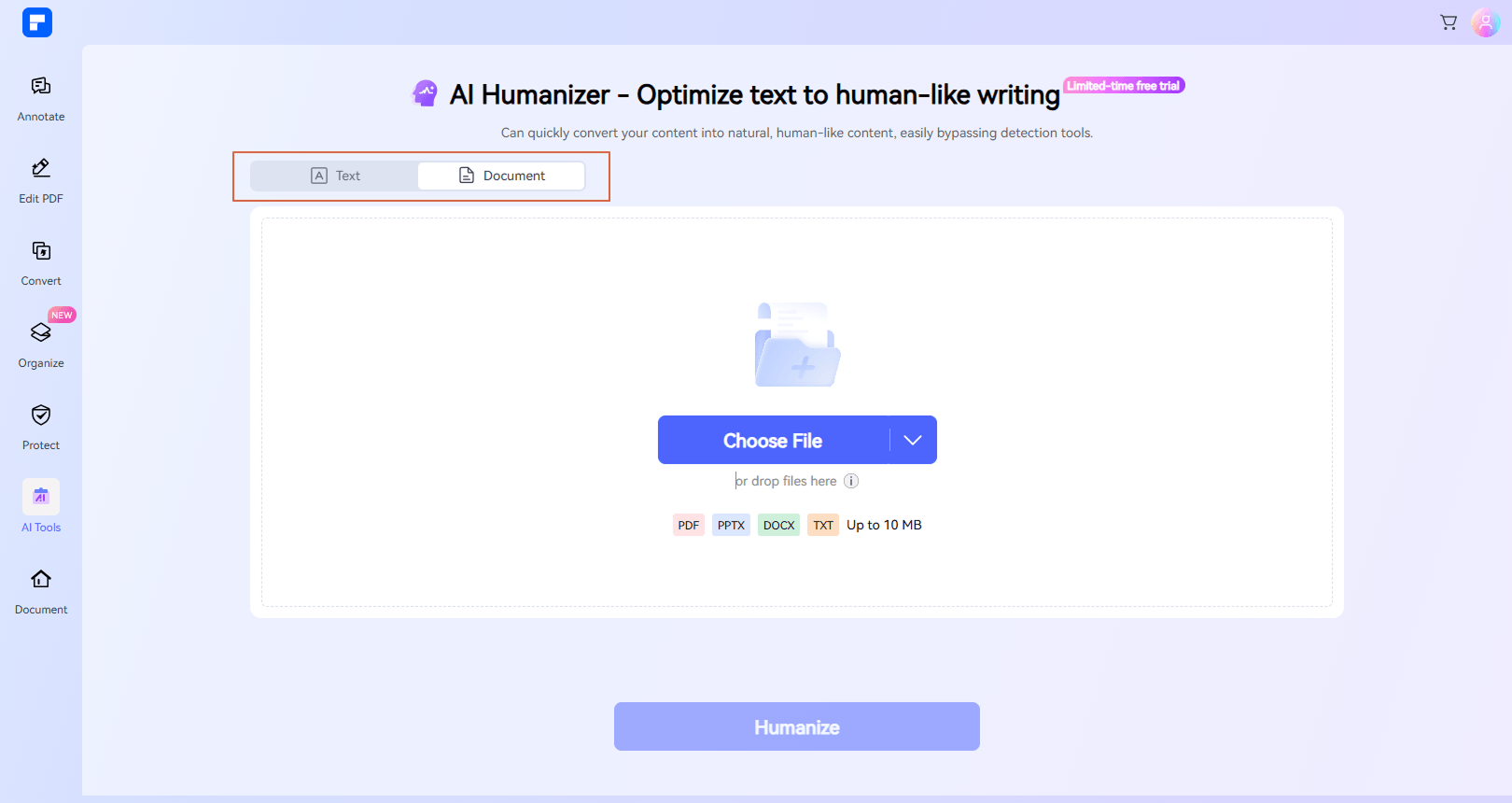
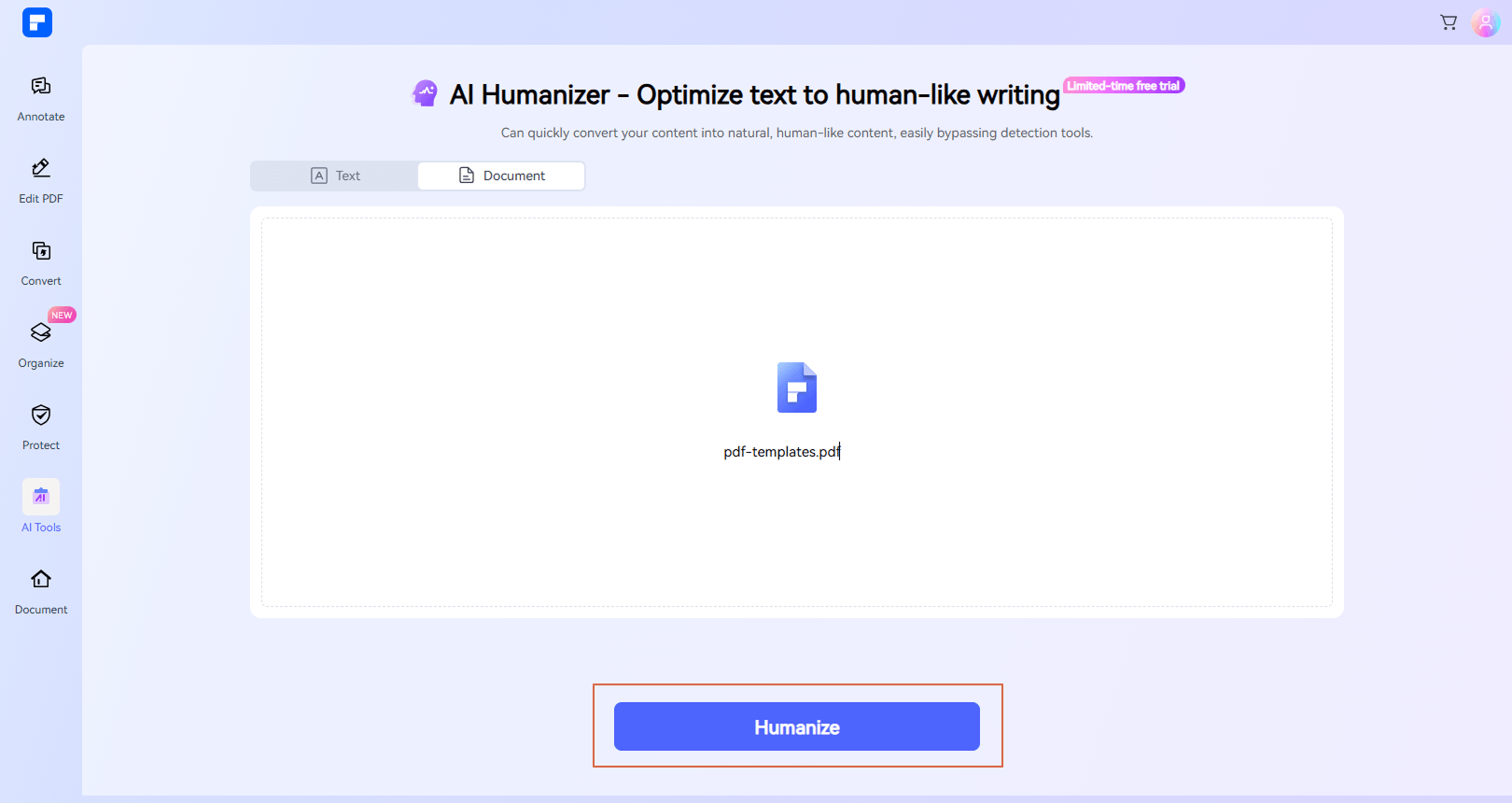
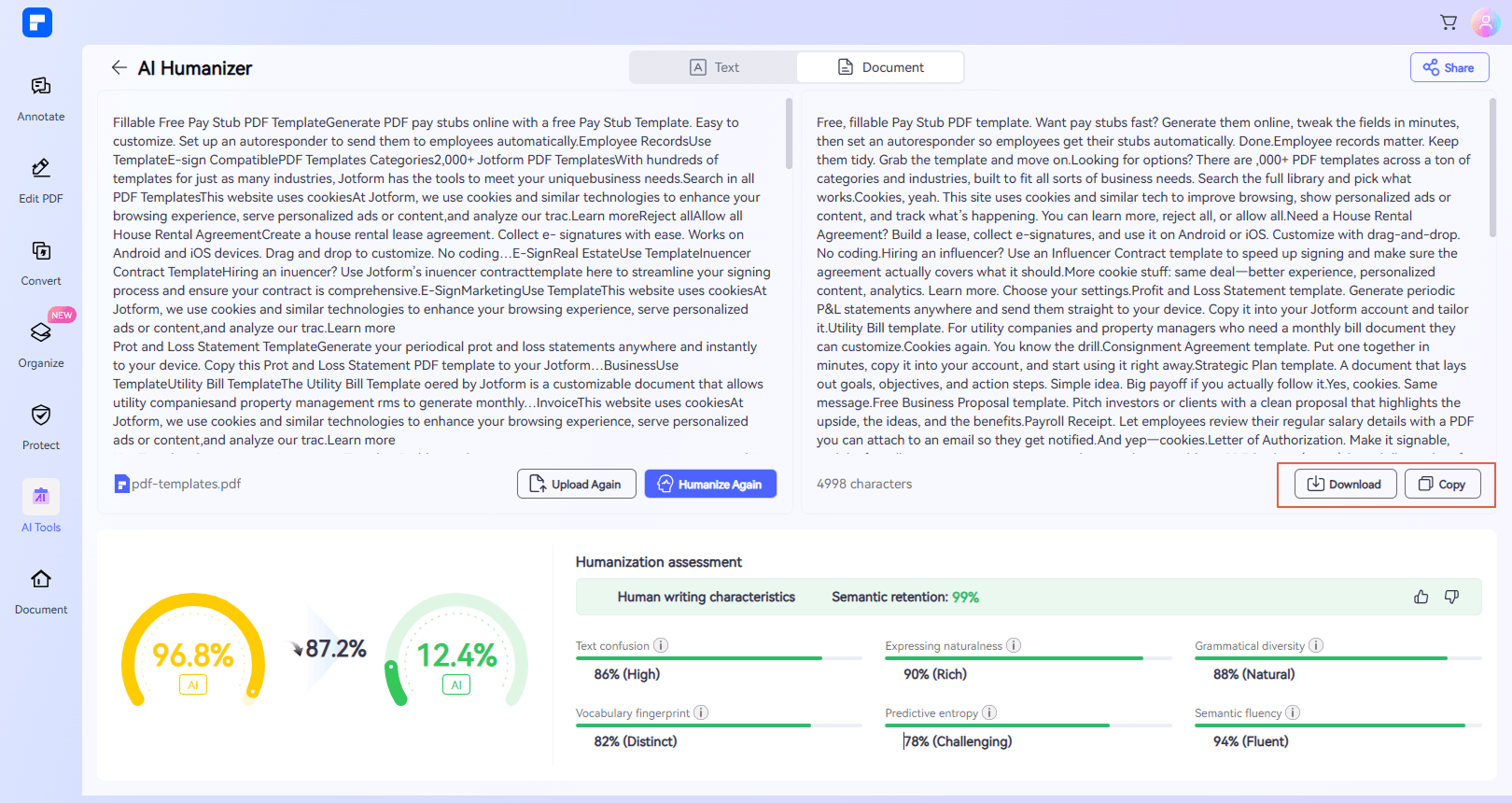
More than a rewriter — a smarter AI humanizer
Works with More Than
Just Text
Upload PDFs, Word files, presentations, or paste text — all in one tool.
Human-Like Writing,
Not Just Rewriting
Enhance tone, readability, and sentence flow for more human-like content.
Understand Your Results
with AI Insights
Each result includes a humanization assessment with AI score, semantic retention, and writing quality metrics.
Preserve Meaning
While Improving Clarity
Keep your original ideas intact while making the writing more natural and consistent.
Ready-to-Use Output
Copy your content instantly or download it as TXT or DOCX.
Free AI Humanizer Online
Start using the AI humanizer in your browser with flexible access and no setup required.
Use AI humanizer for everyday writing tasks.

Secure, Compliant, and Professional PDF Software - Award - Winning.
PDFelement shines in G2 Winter 2026 as a Leader, Momentum Leader, and High Performer for Enterprise - adding to its 2024 G2 Best Software Award - Top 50 Office Products, ISO 27001 - Information Security Management certification, and PDF Association membership.







 Free Download
FAQs about AI humanizer.
-
How is an AI humanizer different from a rewriter?
A rewriter focuses on changing wording or structure. An AI humanizer focuses on improving how the content reads — making it smoother, more natural, and easier to understand without changing the core message.
-
Can I humanize a PDF or document file?
Yes. You can upload supported file formats such as PDF, DOCX, PPT, and TXT to refine the content directly.
-
What types of content can I use this tool for?
You can use it for essays, emails, reports, blog drafts, summaries, and other AI-generated text that needs clearer and more natural writing.
-
Will the meaning of my content change?
The tool is designed to preserve the original meaning while improving readability. However, it's always recommended to review the output to ensure it meets your expectations.
-
How fast does the AI humanizer work?
Most results are generated within seconds, depending on the length and complexity of your input.
-
What is included in the humanization assessment?
The assessment provides insights such as AI score, semantic retention, and writing quality indicators like fluency and readability.
-
Do I need to install anything to use this tool?
No. The AI humanizer runs in your browser, so you can use it online without installing software.
-
Is this tool suitable for academic writing?
It can help improve clarity and readability for drafts. However, you should always review and edit the content to ensure it meets academic standards and guidelines.
Tips and tricks for AI humanization and rewriting.
Rate PDFelement Online PDF tools:

4.8
(188,357 Votes)You have to upload and download at least 1 file to rate! We've already perfectly processed 307,292,373 files with a total size of 10,124 TB
Try more PDFelement online PDF tools.



Simplified by AI.
Fast, easy, and affordable PDF editor. Convert, edit, sign PDFs, and more.


