AI PDF Proofreader Online for Free
Proofread PDF documents online for free with AI. Upload essays, articles, reports, or any other PDF document,
select a proofreading language, and instantly correct grammar, spelling, and clarity.
 Free Online PDF Proofreader Powered by AI
Proofread PDFs Across Multiple Languages
Free AI Proofreading for Scanned PDFs With Built-in OCR
Free Online PDF Proofreader Powered by AI
Proofread PDFs Across Multiple Languages
Free AI Proofreading for Scanned PDFs With Built-in OCR
 What is PDF Proofreading?
PDF proofreading involves reviewing and correcting a document’s grammar, punctuation, spelling, consistency, and formatting within a locked or static PDF file. It's widely used for academic papers, business reports, manuscripts, and translated documents.
 Free Download
Proofread PDF Online vs. Offline
How to proofread a PDF online for free?
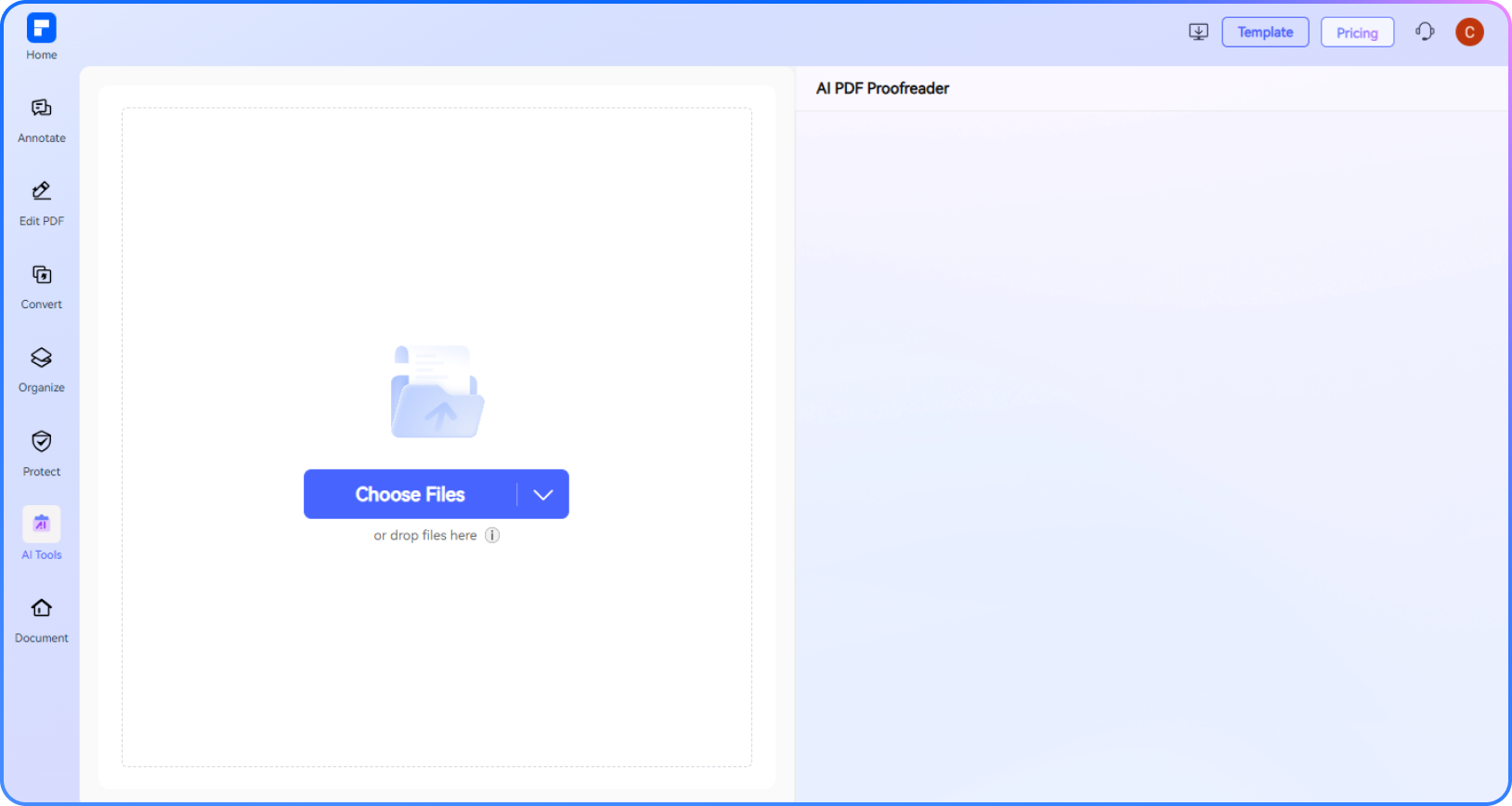
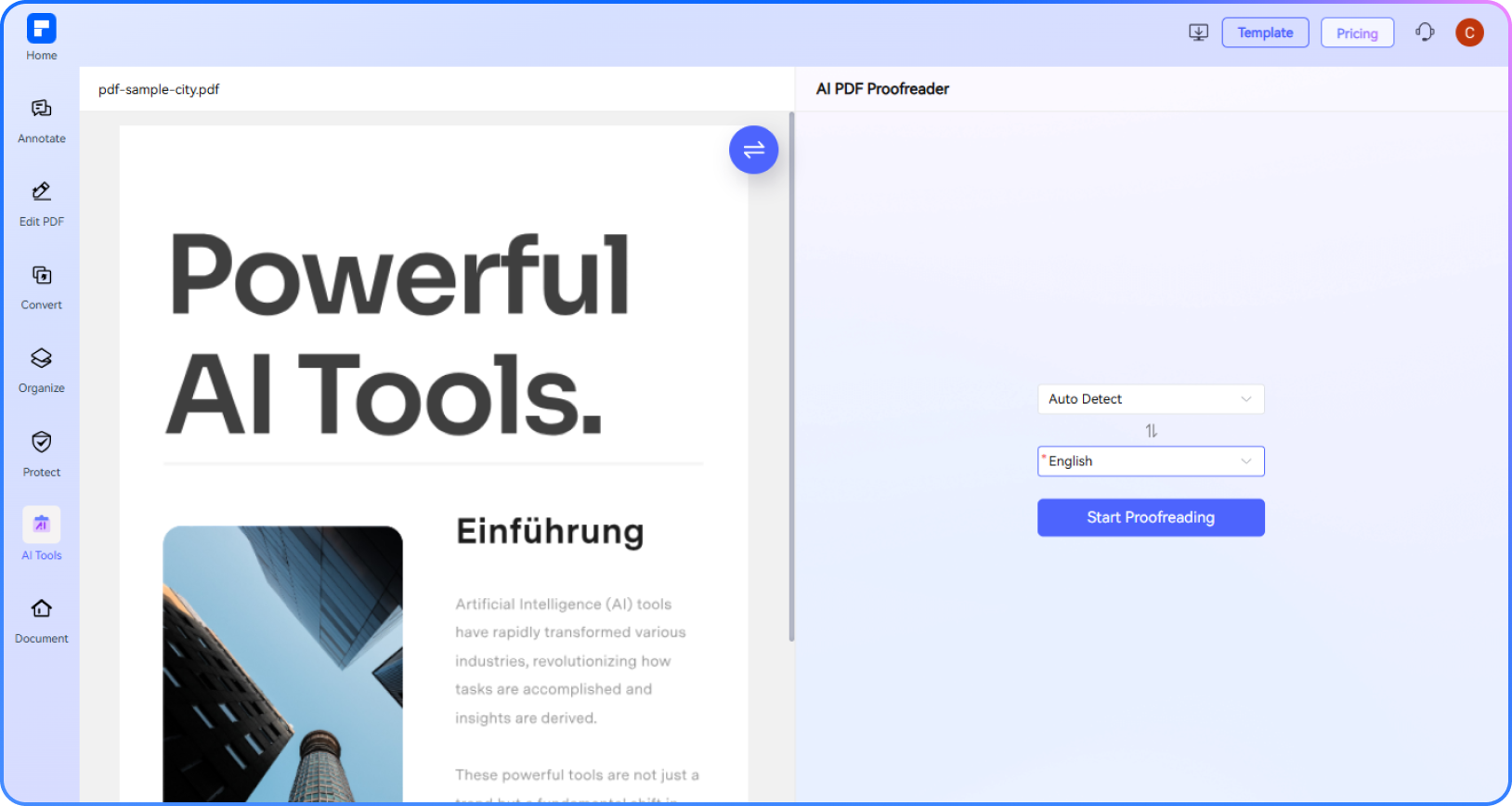
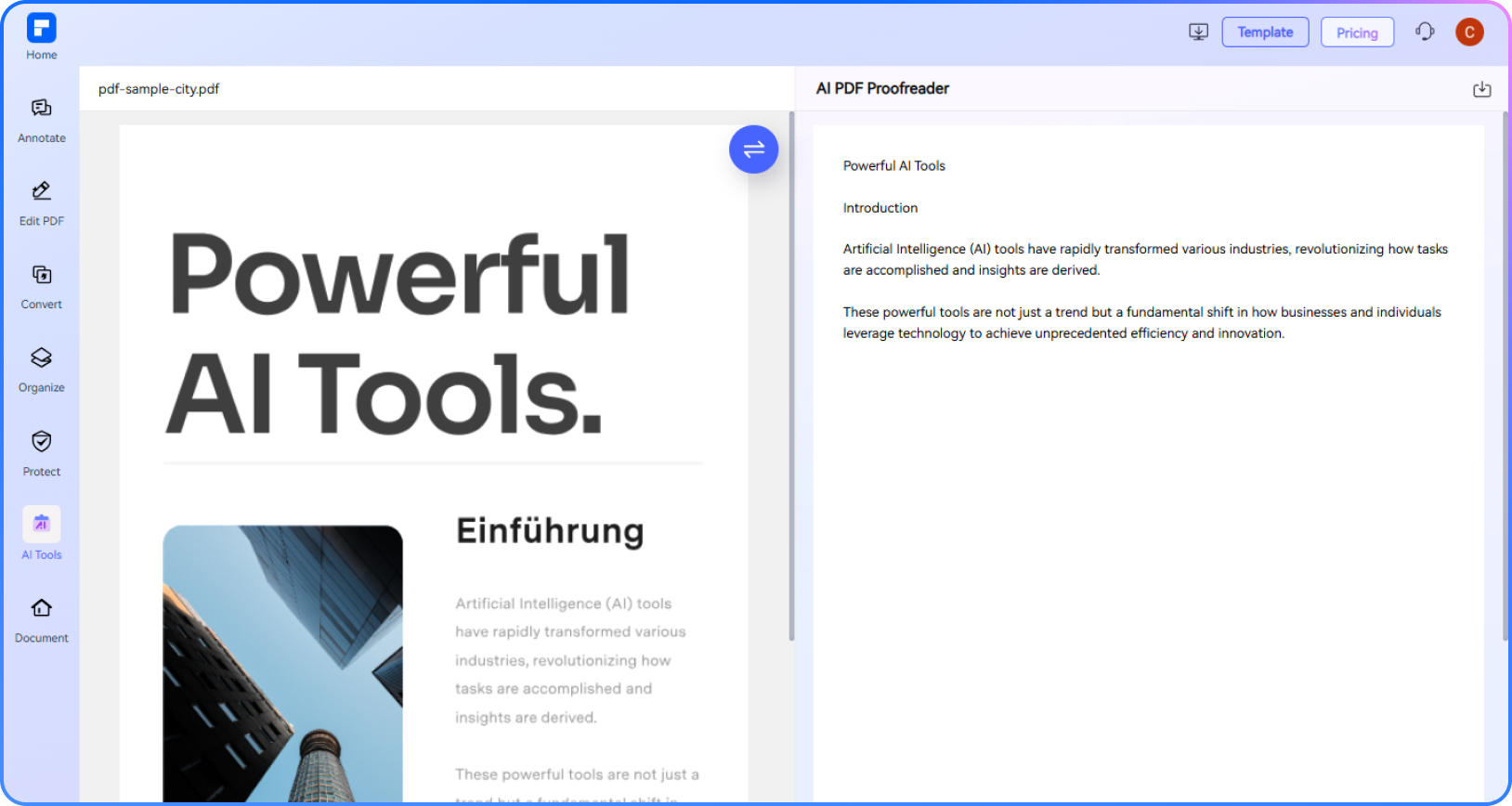
Experience the difference with our AI Proofreader for PDFs.
Proofread PDFs Online for Free
Proof your PDF documents anytime with our free online AI Proofreader. No installations required.
Accuracy PDF Proofreading Powered by AI
Spot and fix grammar, spelling, punctuation, and style issues instantly with advanced AI.
Multilingual Proofreading in 40+ Languages
Proofread English PDFs in Spanish, French, Chinese, and more—or refine multilingual documents with smart cross-language support.
Proofread Scanned PDFs With OCR
Scanned and image-based PDFs are fully supported. Built-in OCR converts and proofreads them automatically.
From Typos to Tone – Get a Full Review
More than basic grammar checks—AI improves clarity, tone, sentence structure, and flow across your document.
Secure and Private AI PDF Proofreader
Your files are encrypted and auto-deleted after proofreading. Enjoy complete privacy and peace of mind.
Free Online PDF Proofreader for wider use.

Secure, Compliant, and Professional PDF Software - Award - Winning.
PDFelement shines in G2 Winter 2026 as a Leader, Momentum Leader, and High Performer for Enterprise - adding to its 2024 G2 Best Software Award - Top 50 Office Products, ISO 27001 - Information Security Management certification, and PDF Association membership.







FAQs about proofreading PDF documents online.
-
Can I proofread a PDF document online for free?
Yes, you can proofread a PDF document online for free using PDFelement Online.
Here’s how:
- Visit PDFelement Online PDF Proofreader – It works directly in your browser with no installation needed.
- Upload your PDF – Whether it's an essay, report, or scanned document, the tool supports various file types.
- Select language and start proofreading – The AI automatically checks for grammar, spelling, punctuation, and clarity.
- Download your proofread PDF – Once complete, you can securely download the updated version.
For advanced features like grammar checking, tone adjustment, and large file support, PDFelement for desktop offers a more powerful solution.
-
Can I proofread PDF document in other languages?
Yes, you can proofread PDF documents in other languages using PDFelement.
PDFelement Online PDF Proofreader supports multilingual proofreading in over 40 languages. Here's how it works:
- Upload your PDF file to the online tool.
- Choose the original language of the document, or let the AI auto-detect it.
- Select the language for proofreading – English, Spanish, French, Chinese, and many more are supported.
- Get instant corrections for grammar, spelling, and clarity in your selected language.
For more precise control and custom prompts across languages, PDFelement for desktop offers advanced AI proofreading with full language support.
-
What types of PDFs can I proofread online?
You can proofread various types of PDFs online using PDFelement Online PDF Proofreader.
Supported PDF types include:
- Academic documents – Essays, dissertations, research papers.
- Business files – Reports, proposals, meeting notes.
- Creative writing – Book chapters, short stories, scripts.
- Study materials – Scanned or typed lecture notes, class summaries.
- Multilingual PDFs – Documents written in or translated to other languages.
- Scanned PDFs – Image-based files are supported with built-in OCR.
For complex or large files, PDFelement for desktop offers more AI features like grammar refinement and tone adjustments.
-
Does ChatGPT proofread a PDF?
Yes, ChatGPT can proofread PDFs, but it’s important to use it with caution.
Here's the general process:
- You can upload your PDF to ChatGPT. Recent versions, such as GPT-4o, allow for direct PDF uploads.
- ChatGPT examines the PDF content. It reads the text to spot possible grammar and spelling mistakes and provides feedback on clarity, conciseness, and style.
- You give prompts to steer the process. You can request ChatGPT to "proofread this document," or specify further, like "correct grammar and spelling mistakes" or "enhance clarity and brevity."
- ChatGPT presents recommendations. Based on its review and your prompts, ChatGPT offers improvement suggestions.
- You assess and apply the changes. You'll need to thoroughly review the suggestions made by the AI and choose which changes to implement in your PDF document.
Alternative: Use a Dedicated Tool
For full document proofreading, especially with formatting or scanned content, it’s better to use a tool like PDFelement Online PDF Proofreader. It lets you upload a full PDF and uses AI to correct grammar, spelling, and readability.
-
How do I proofread a dissertation or thesis in PDF format?
To proofread a dissertation or thesis in PDF format, you can use PDFelement Online.
Here's a simple step-by-step guide:
Using PDFelement Online PDF Proofreader:
- Go to PDFelement Online PDF Proofreader – No installation is needed; it works in your browser.
- Upload your dissertation or thesis PDF – The tool supports academic papers, including large files.
- Choose or auto-detect the document language – English and 40+ other languages are supported.
- Start AI proofreading – The tool checks grammar, spelling, clarity, and tone across the document.
- Download the proofread version – Save the updated file with corrections in place.
For advanced needs:
Use PDFelement for desktop if you want deeper editing, tone improvements, OCR for scanned content, or custom proofreading prompts.
Tip: Always review AI suggestions and make final edits to ensure your academic style and voice remain consistent.
-
Can I use this PDF proofread on mobile?
Yes, you can proofread PDFs on mobile using PDFelement Online PDF Proofreader.
- Open your mobile browser and visit the PDFelement Online.
- Upload your PDF document directly from your phone.
- Select the proofreading language, and the AI will check grammar, spelling, and clarity.
- Download the proofread file once complete.
- No app installation required.
-
How do you proofread a paragraph?
To proofread a paragraph effectively, follow these simple steps:
1. Read it slowly and carefully
Focus on each word to catch spelling, grammar, and punctuation errors.
2. Check for clarity and flow
Make sure the sentences are clear, concise, and logically connected.
3. Look for grammar and tone issues
Fix tense errors, awkward phrasing, or inconsistencies in voice and tone.
4. Use AI tools for support
Upload your paragraph into tools like PDFelement Online PDF Proofreader to get instant refined version with polished grammar, clarity, and style.
5. Read it out loud
This helps you hear problems you might not catch while reading silently.
6. Make final adjustments
Apply the suggestions that improve the paragraph while keeping your original meaning and voice intact.
-
Are there any limitations to PDFelement’s online PDF editor?
Yes, there are certain limitations for free users:
Daily Usage Limits: Most editing and conversion tools allow 1 free use per day (e.g., Edit PDF, Merge, Split, Compress, Convert, Protect).
AI PDF Tool Limits:
- Chat with PDF, AI Read, AI Proofreader: Limited to 10 uses, supports PDFs up to 100MB and 260 pages.
- AI Translator & AI Detector: Limited to 10 uses (every 10 pages = 1 use; under 10 pages still counts as 1 use); max file size: 100MB (AI Translator), 10MB (AI Detector)
Watermark Notice: Some free outputs may include a watermark (commonly applies to editing or conversion tasks).
Note: To enjoy unlimited usage, you can upgrade to premium access.
Page/File Size Restrictions:
- PDF files must be under 100MB (except for AI Detector)
- Max file size for OCR: 50MB, max 260 pages for AI tools
Tips and tricks for AI Proofreading Free.
Rate PDFelement Online PDF tools:

4.8
(188,357 Votes)You have to upload and download at least 1 file to rate! We've already perfectly processed 307,292,373 files with a total size of 10,124 TB
Try more PDFelement online PDF tools.



Simplified by AI.
Fast, easy, and affordable PDF editor. Convert, edit, sign PDFs, and more.


