Excel to PDF Converter
Convert Excel to PDF online in seconds. Fast, free, and powerful. Change XLS or XLSX to PDF instantly. No downloads, no hassle—just the best Excel to PDF converter, anytime, anywhere.
 Easy-to-Use Excel to PDF Converter
Batch Rotate Images Without Quality Loss or Format Change
Rotate Images Left, Right, 90°, 180° on Mac, Windows, iPhone, or Android
Easy-to-Use Excel to PDF Converter
Batch Rotate Images Without Quality Loss or Format Change
Rotate Images Left, Right, 90°, 180° on Mac, Windows, iPhone, or Android
 What does it mean to rotate, spin, tilt, or flip an image?
Rotating, spinning, tilting, and flipping are simple ways to adjust image orientation for correction or creative effects:
Rotate Image – Turns image around its center, typically by 90°, 180°, or a custom angle. Ideal for straightening sideways photos, rotating logos, or adjusting JPEGs.
Spin Image – A continuous or animated rotation, often seen in 3D image rotation or 360° image rotation for interactive visuals.
Tilt Image – Tilt a picture slightly, such as 15° or 45°, to create a dynamic look or correct alignment. Great for stylizing photos.
Flip Image – Mirrors a picture horizontally or vertically. Useful for reversing selfies, scanned files, or mirror-rotated image.
How to rotate images online for free?
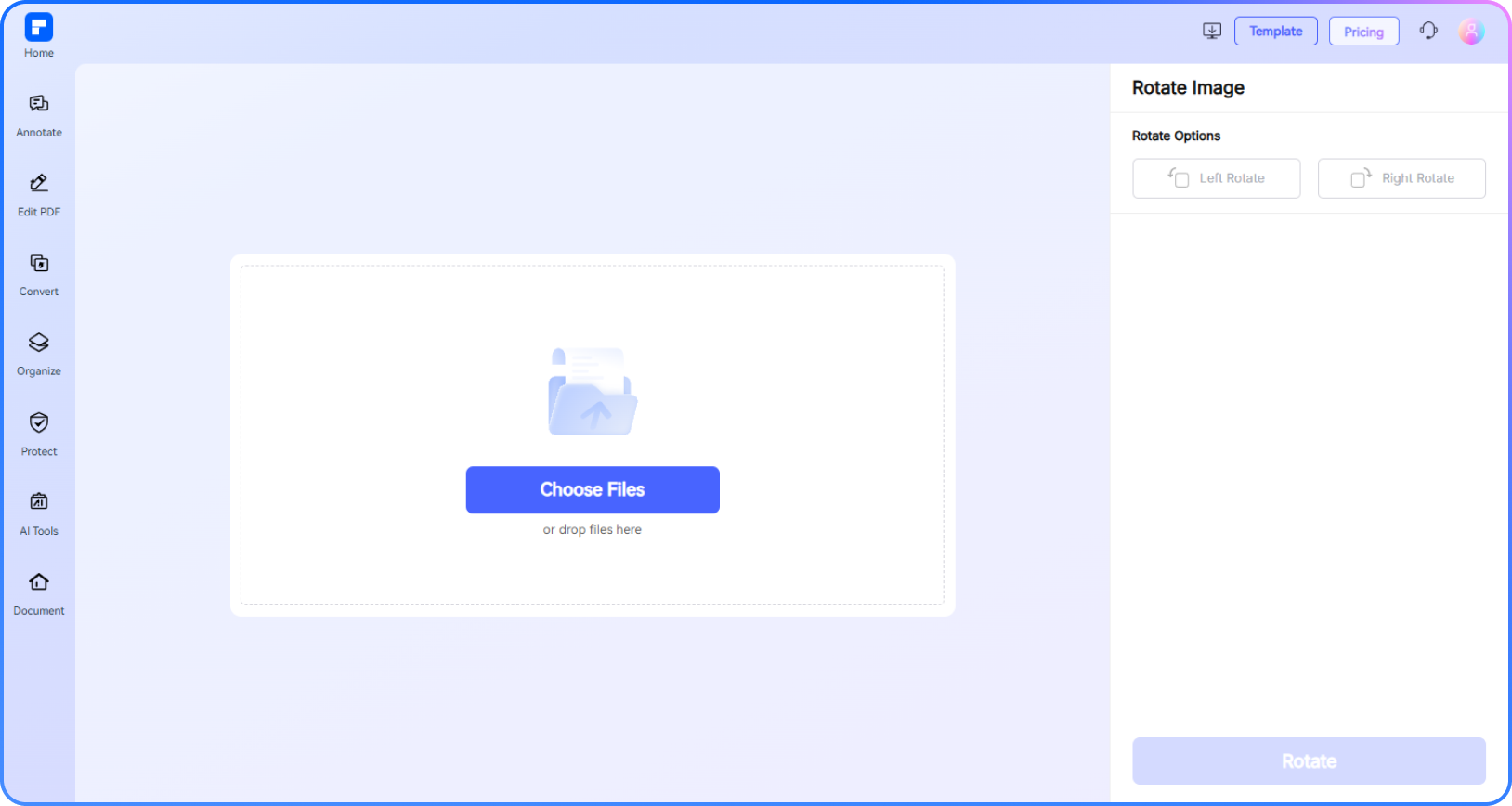
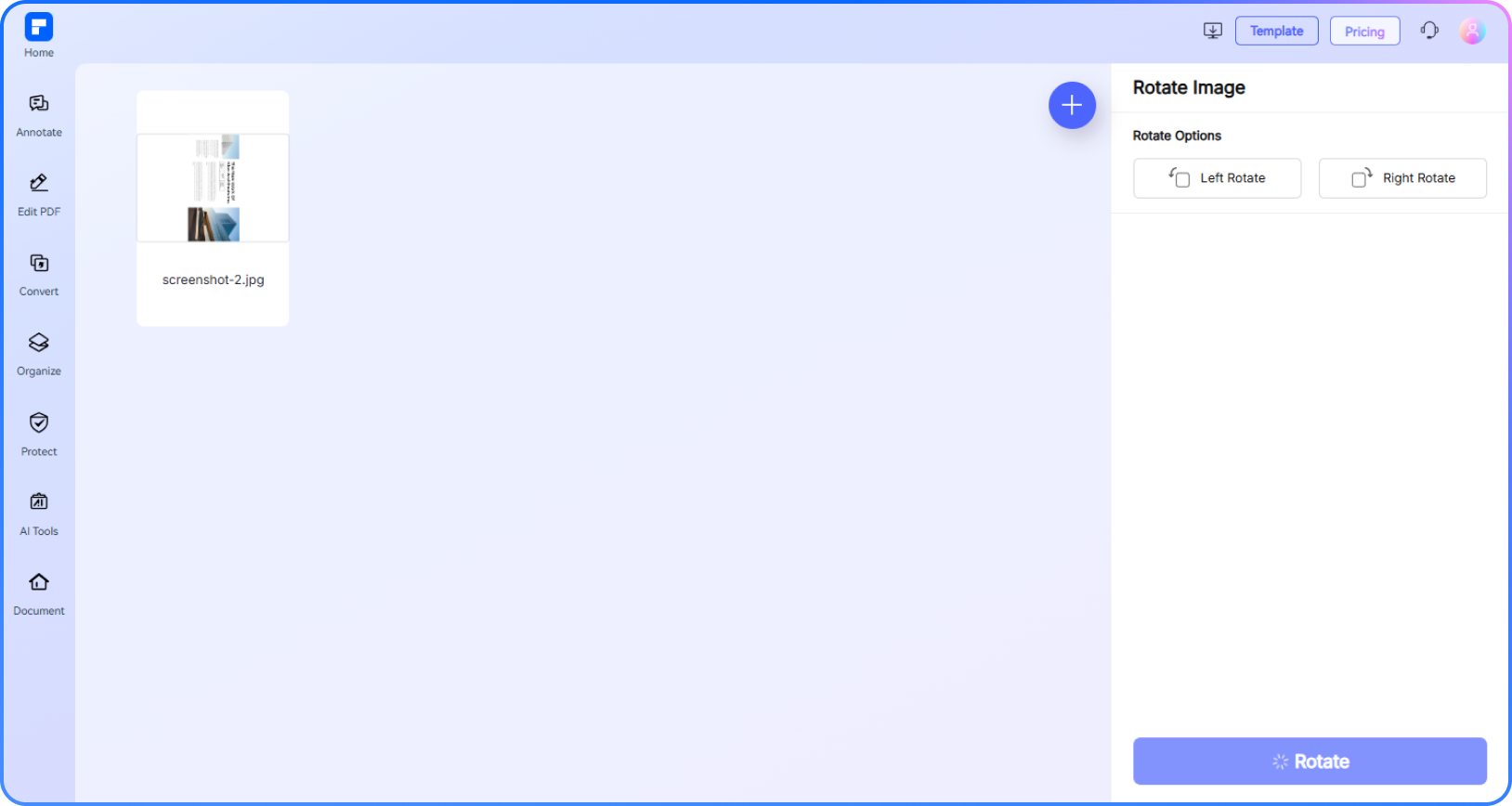
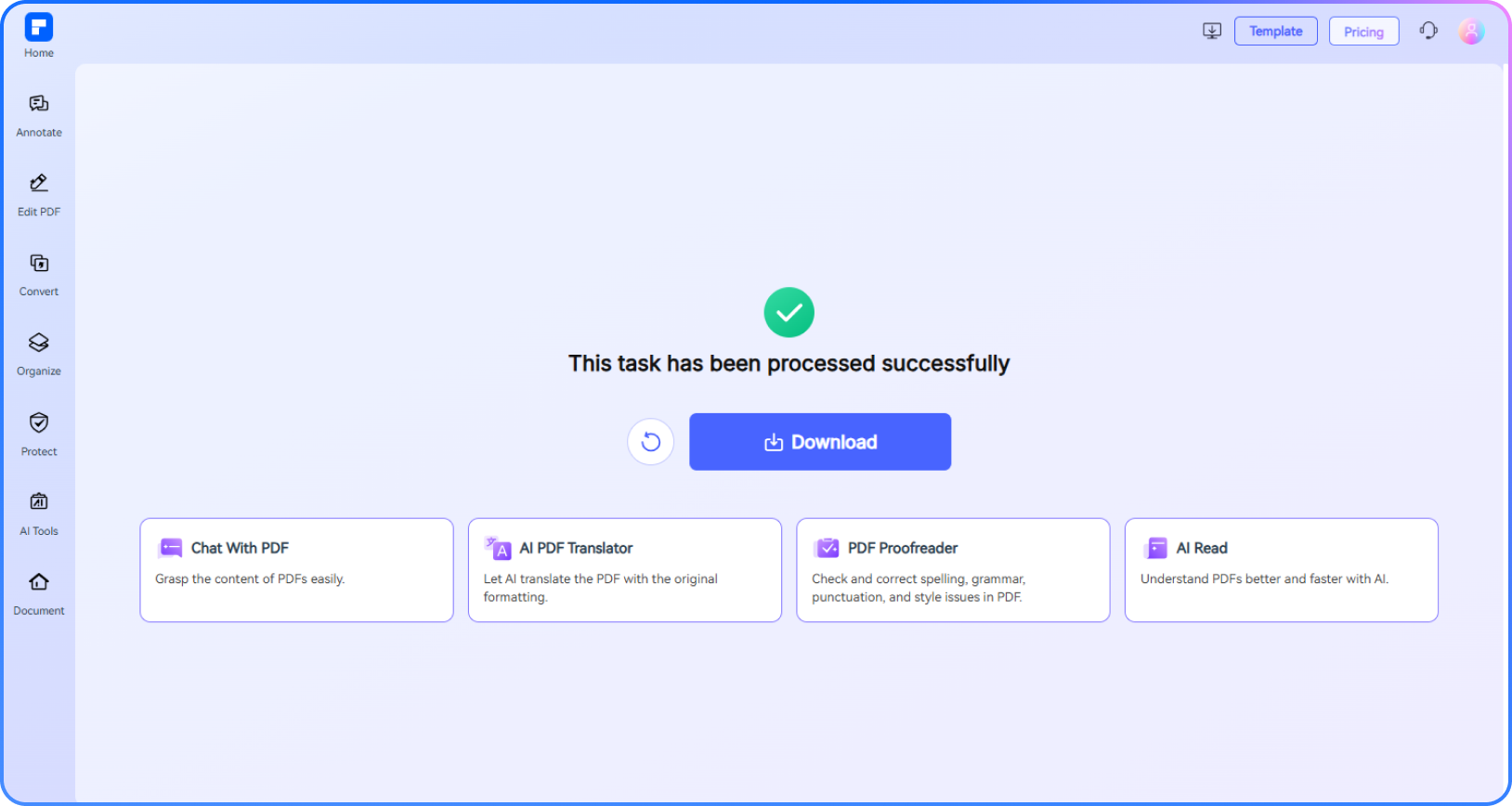
Experience the difference with our free image rotator.
Rotate Images Online for Free With One Click
Rotate your pictures online for free—no installation needed. Simply upload and rotate images left, right, or flip photos with one click.
Bulk Rotate Images Without Losing Quality
Save time with our bulk rotate images feature. Quickly rotate pictures online without sacrificing resolution or quality.
Rotate JPG, PNG, GIF, BMP, TIF, and More
Compatible with all major formats—rotate JPG, PNG, GIF, BMP, TIF, TIFF, and JPEG images in seconds.
Rotate by 90°, 180°, 270°, or 360° With Precision
Rotate left or right in 90-degree steps. Just two turns of 90° create a perfect 180° rotation. Easy, accurate, and dependable.
Lossless JPEG and Image Rotation
Enjoy lossless JPEG rotation—rotate JPGs and other formats without quality loss, fast and reliably.
Seamlessly Rotate Pictures on Any Device
Rotate images online from any device—Windows, macOS, Android, or iPhone. Tilt photos, spin images, or rotate logos anytime, anywhere.
Free Online Image Rotator for wider use.

Secure, Compliant, and Professional PDF Software - Award - Winning.
PDFelement shines in G2 Winter 2026 as a Leader, Momentum Leader, and High Performer for Enterprise - adding to its 2024 G2 Best Software Award - Top 50 Office Products, ISO 27001 - Information Security Management certification, and PDF Association membership.







FAQs about rotating images online.
-
How do I rotate a photo on an iPhone?
To rotate a photo on your iPhone, follow these simple steps:
- Open the Photos app and select the photo you want to rotate.
- Tap Edit in the top-right corner.
- Tap the Crop & Rotate icon at the bottom.
- Use the rotate button (a square with an arrow) to rotate your photo in 90-degree increments until it’s properly oriented.
- Tap Done to save the changes.
For more advanced rotation options, such as batch rotating multiple images, consider using tools like PDFelement Online Rotate Image Tool. It supports various formats, including JPG, PNG, and GIF, and allows you to rotate images losslessly and precisely, making it perfect for professional or bulk image rotation needs.
-
How do you rotate a picture on Android?
To rotate a picture on your Android device:
- Open the Gallery or Photos app and select the image you want to rotate.
- Tap the Edit icon (usually a pencil or sliders).
- Look for the Rotate option—tap it to rotate the picture 90 degrees each time until it’s correctly oriented.
- Save or apply the changes.
For more precise control—like batch rotating multiple photos—try PDFelement Online Rotate Image Tool. It lets you rotate JPG, PNG, GIF, and other formats losslessly, easily, and online—great for any device including Android.
-
How do I rotate an image by a certain degree?
To rotate an image by a specific degree, you can use online tools, apps, or desktop software. Here's a clean, structured guide for different methods:
Rotate Image by Degree — Easy Options
Online Tool (No Install)
Try PDFelement Online Rotate Image Tool:
- Upload your image (JPG, PNG, etc.).
- Click Left or Right Rotate (90° per rotation).
- Preview and download the rotated image.
Ideal for quick rotations without software.
On Windows (Paint)
- Open image with Paint.
- Use Rotate option for standard angles (90°, 180°).
- For custom degrees, use Paint 3D: Open in Paint 3D → Select Canvas → Adjust Z Rotation.
On Mac (Preview)
- Open image in Preview.
- For standard angles: Tools > Rotate Left/Right.
- For specific degrees: Use Markup Toolbar → Select the Adjust icon → Rotate manually.
-
Can I bulk rotate images?
Yes, you can bulk rotate images in seconds using PDFelement Online Rotate Image tool. Here's how you do it:
- Visit PDFelement Rotate Image in your browser.
- Upload several images together.
- Select left or right rotation. Rotate all by the same 90° degree).
- Download them in bulk.
Tip: Great for quick edits without installing software.
-
Is there a way to rotate a GIF without losing animation?
Yes, you can rotate a GIF without losing animation, but you need the right tools. Here's how:
- PDFelement Online Rotate Image Tool (Free, no install)
- Upload your GIF.
- Choose the rotation angle (left/right) and click.
- Download the rotated GIF.
Note: Large GIFs may take longer to process.
-
How to rotate image in Canva?
Rotating an image in Canva is simple! Here’s how you can do it:
On Desktop (Web Browser)
- Open Canva and select your design or create a new one.
- Click on the image you want to rotate.
- Hover over the image until you see the rotation arrow (↻) above it. OR click the Rotate button in the top toolbar.
- Drag the rotation handle (circular arrow) to rotate freely.
- For precise rotation: Click the Rotate button in the toolbar, use Flip Horizontal/Vertical for mirror effects, and manually enter degrees (e.g., 45°) in the rotation box.
Note: If you're looking for a quick and free alternative, you can use the PDFelement Online Rotate Image tool. Just upload your image, select left or right rotation, and then download the rotated picture.
-
Are there any limitations to PDFelement’s online PDF editor?
Yes, there are certain limitations for free users:
Daily Usage Limits: Most editing and conversion tools allow 1 free use per day (e.g., Edit PDF, Merge, Split, Compress, Convert, Protect).
AI PDF Tool Limits:
- Chat with PDF, AI Read, AI Proofreader: Limited to 10 uses, supports PDFs up to 100MB and 260 pages.
- AI Translator & AI Detector: Limited to 10 uses (every 10 pages = 1 use; under 10 pages still counts as 1 use). Max file size: 100MB (AI Translator), 10MB (AI Detector)
Note: To enjoy unlimited usage, you can upgrade to premium access.
Page/File Size Restrictions:
- PDF files must be under 100MB (except for AI Detector)
- Max file size for OCR: 50MB
- Max 260 pages for AI tools
Tips and tricks for free Image Rotator.
Rate PDFelement Online PDF tools:

4.8
(188,357 Votes)You have to upload and download at least 1 file to rate! We've already perfectly processed 307,292,373 files with a total size of 10,124 TB
Try more PDFelement online PDF tools.



Simplified by AI.
Fast, easy, and affordable PDF editor. Convert, edit, sign PDFs, and more.
 Free Download


