Fast, Clean, and Free 300KB PDF Converter Online
Need to compress PDF to 300KB while keeping it sharp and clear? Our online PDF compress tool helps you reduce file size for smoother uploads, sharing, or storage—no downloads, no registration, and no learning curve.
 Totally Free to Use Anytime
Clear and Readable After Compression
Set Exact Size Limit for Precision
Totally Free to Use Anytime
Clear and Readable After Compression
Set Exact Size Limit for Precision
 Why compress PDF to 300KB?
A PDF compress to 300 KB is ideal for documents that contain moderate content—like detailed resumes, academic records, or application forms—where staying under upload size caps is a must. It's a great fit when you need both quality and compliance.
With this 300 KB PDF converter, you can:
- Speed up online uploads and submissions
- Prevent file rejection due to large size
- Free up storage space across your devices
- Streamline sharing over email and chat
 Free Download
Compress PDF Online Free vs. Offline
How to reduce PDF size to 300KB?
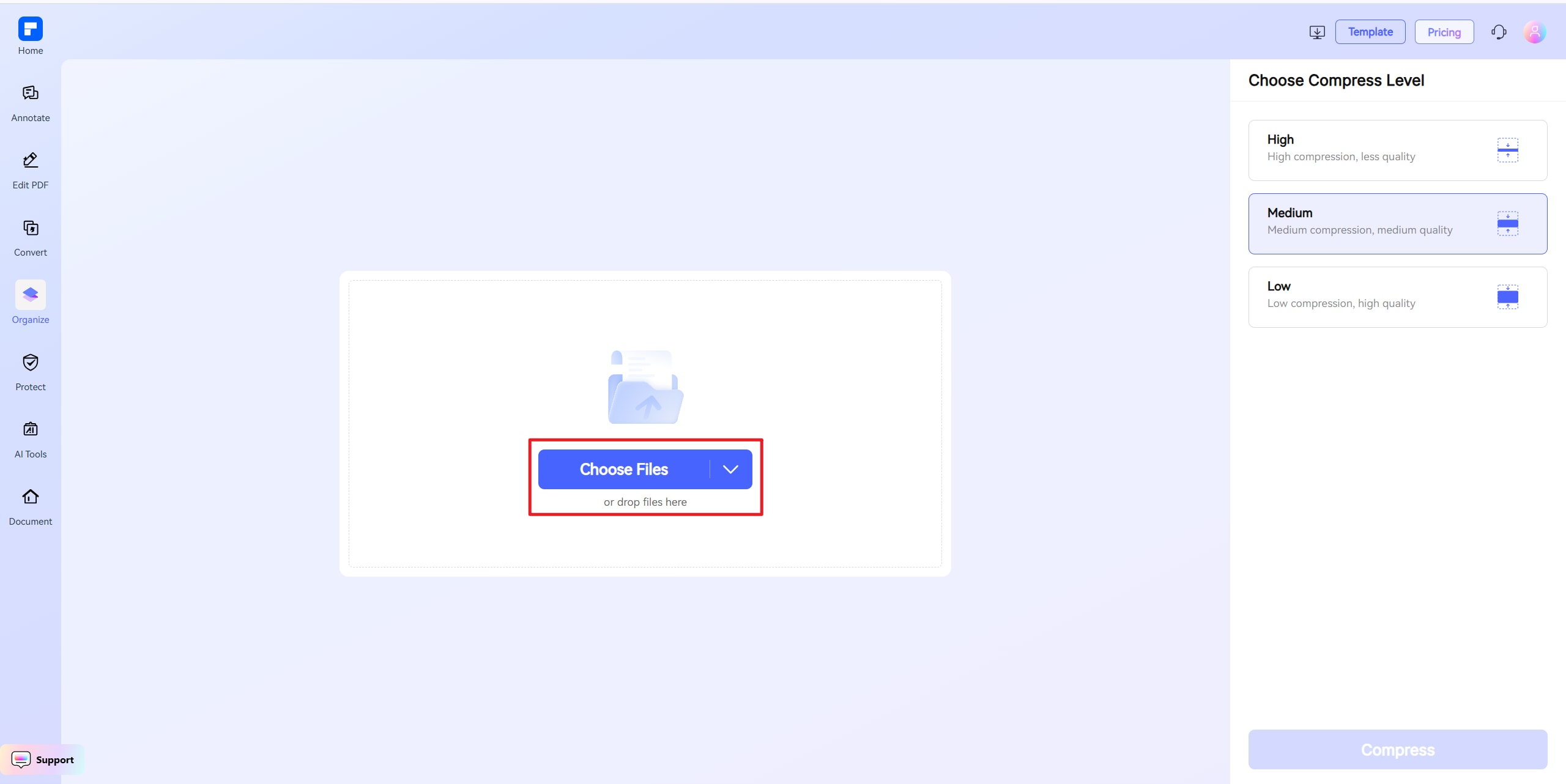
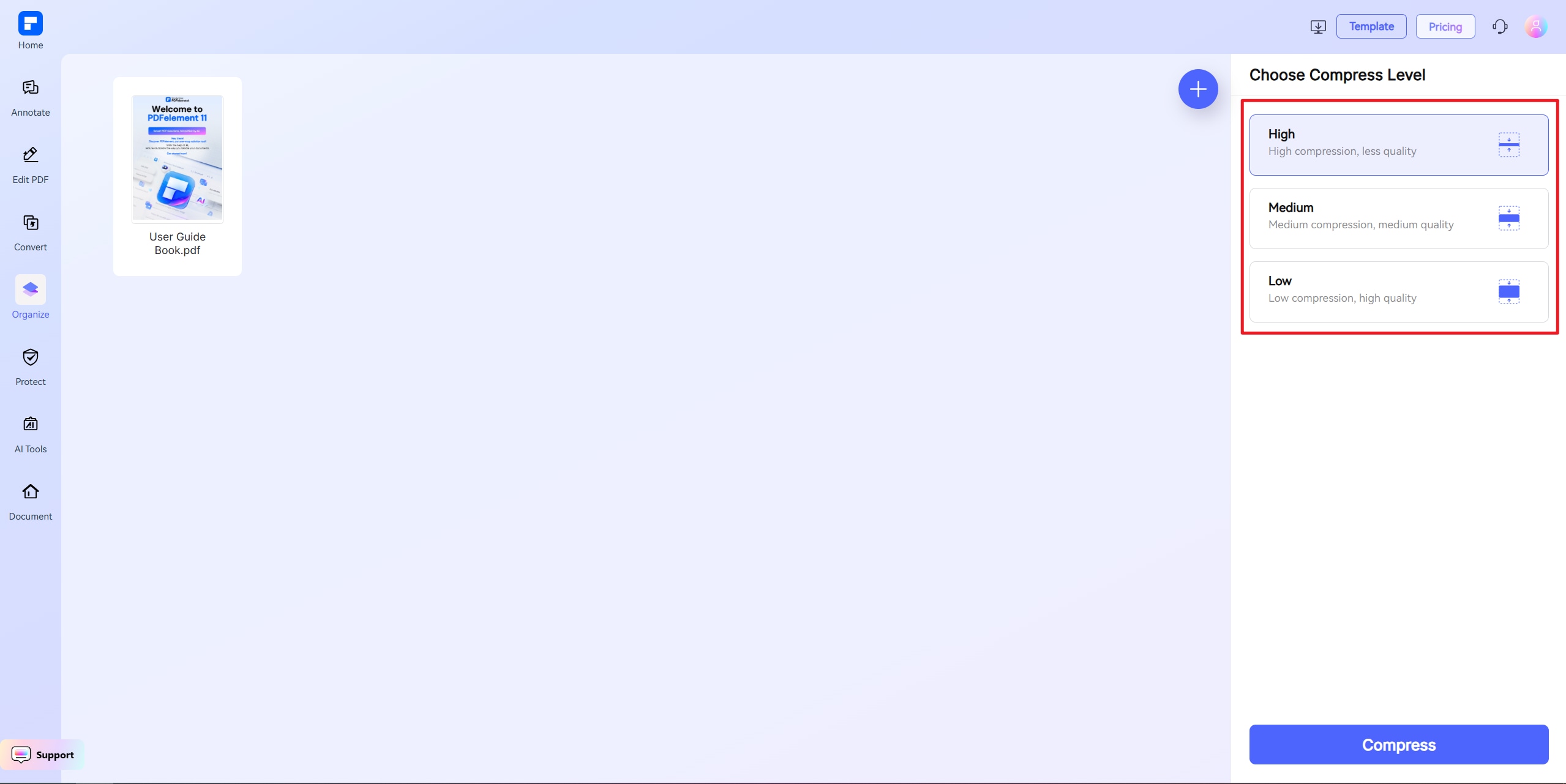
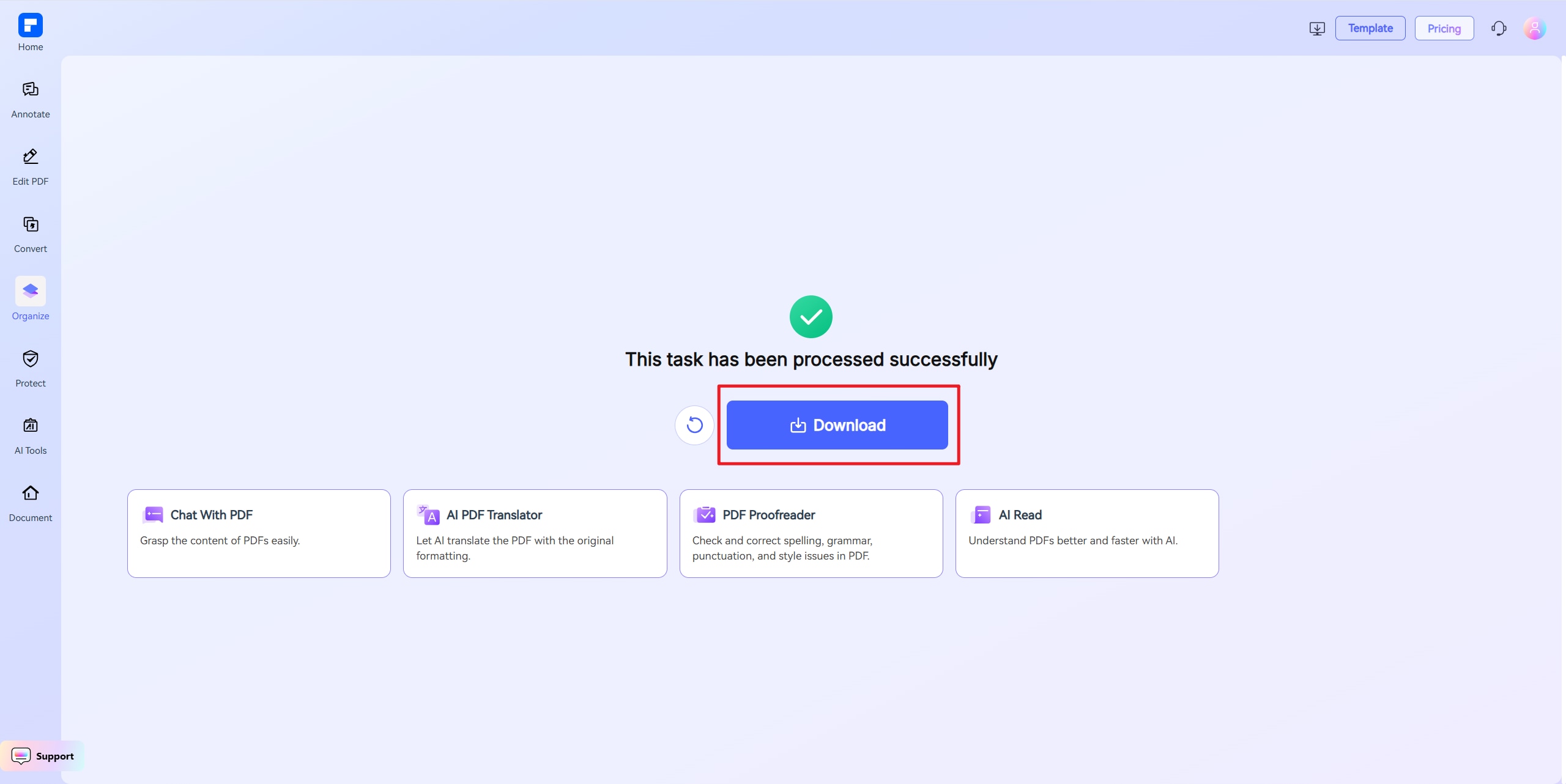
Discover the difference with PDFelement PDF Compressor.
Free to Use Anytime, Anywhere
Our browser-based tool to compress PDF to 300KB is fully free and works across all devices—no installation, no signup, just upload and compress.
Fast & Reliable Compression
Get your PDF down to under 300KB instantly without losing image quality or layout—ready for quick uploads anywhere.
Tailor Output to Your Needs
Need more control? Use custom settings to hit an exact 300KB target or adjust quality levels to fit your requirements precisely.
Easier Uploads, No More Errors
A smaller PDF under 300KB means quicker uploads, fewer form errors, and less hassle with job sites, portals, or email clients.
One-Click File Reduction
Just a click and you're done. Use presets or enter your size goal to get perfectly compressed PDFs—no tech know-how needed.
Works on Any Device or OS
Whether you're on a laptop or mobile, this PDF tool works seamlessly in your browser—no app downloads, no complications.
Your reliable online PDF compressor.

Secure, Compliant, and Professional PDF Software - Award - Winning.
PDFelement shines in G2 Winter 2026 as a Leader, Momentum Leader, and High Performer for Enterprise - adding to its 2024 G2 Best Software Award - Top 50 Office Products, ISO 27001 - Information Security Management certification, and PDF Association membership.







FAQs about online PDF file resizer.
-
How can I compress a PDF file to 300KB online for free?
You can compress PDF to 300KB using PDFelement Online PDF Compressor, a free and browser-based tool with no account needed. It lets you set a specific file size, making it easy to meet a 300KB limit accurately.
Steps:
- Go to PDFelement Online PDF Compressor.
- Upload your PDF.
- Choose "Custom Size" and set 300KB as your goal.
- Click Compress and download your optimized PDF.
This method works well for documents needed for school, job applications, or government forms.
-
Is it possible to reduce a PDF to under 300KB without ruining image or text quality?
Yes, PDFelement Online PDF Compressor balances compression with quality retention. It intelligently lowers file size by adjusting resolution and removing excess data—without damaging readability.
Why it works:
- Keeps fonts and layout intact
- Only reduces image resolution when needed
- Offers custom size setting for precise 300KB targeting
It's a great solution for official forms, ID documents, or transcripts that need to stay legible.
-
What types of files can be compressed to 300KB effectively?
PDFs with light to moderate content are perfect for 300KB compression, including:
- Single-page forms
- Transcripts or certificates
- Scanned ID documents
- Job applications without embedded media
PDFelement Online PDF Compressor ensures essential details are preserved while reducing file size to under 300KB—ideal for portals with strict limits.
-
What's the best tool to compress a PDF to exactly 300KB?
PDFelement Online PDF Compressor is one of the few tools that lets you set an exact output size, including 300KB. Unlike basic tools with preset levels, it offers full control.
Benefits:
- Input your exact size: 300KB
- Free to use with no watermark
- No installation required
- Cross-device support (Mac, Windows, Android, iOS)
It's perfect for email attachments, online applications, and size-restricted uploads.
-
Why can't I get my PDF under 300KB even after compression?
Some PDFs resist compression due to high-res scans, embedded images, or unnecessary metadata. If your file is still too large:
Try this:
- Re-compress using PDFelement Online PDF Compressor with a custom 300KB target
- Remove unused pages or reduce image size beforehand
- Convert colored scans to grayscale
- Export the original as a lower-resolution PDF first
PDFelement will compress as much as possible without sacrificing clarity, helping you meet that 300KB goal.
-
Are there any limitations when I am using this tool to compress PDF?
Just a quick heads-up when using PDFelement Free Online Compressor: the file you upload should be under 100MB. If you're using "Custom Size" mode, the file must be under 10MB. For larger files, choose High, Medium, or Low compression instead. That's it! Feel free to compress as many PDFs as you'd like — all for free. No sign-up needed, and there are no limits to how many you can process.
More tips on shrink PDF file size.
Rate PDFelement Online PDF tools:

4.8
(188,357 Votes)You have to upload and download at least 1 file to rate! We've already perfectly processed 307,292,373 files with a total size of 10,124 TB
Try more PDFelement online PDF tools.



Simplified by AI.
Fast, easy, and affordable PDF editor. Convert, edit, sign PDFs, and more.


