Free, Fast & Reliable JPG Compressor to 100KB
Looking to compress JPG to 100KB for online uploads or form submissions? Our free tool helps you reduce file size without sacrificing visual clarity—no software, no logins, no hassle.
Get perfect-sized images for uploads, sharing, and storage in just seconds.
 100% Free and Browser-Based
Keeps Visual Quality Intact
Accurate 100KB Output Control
100% Free and Browser-Based
Keeps Visual Quality Intact
Accurate 100KB Output Control
 Why compress JPG to 100KB?
JPG files resized to 100KB are ideal for digital documents, applications, online profiles, and web uploads. This size balances clarity with compatibility across upload platforms.
Use this tool to:
- Meet upload limits for forms and portals
- Attach JPGs to emails or support tickets
- Share small images across chat or apps
- Optimize JPGs for faster loading

Compress JPG Online Free vs. Offline
How to compress JPG to 100KB?
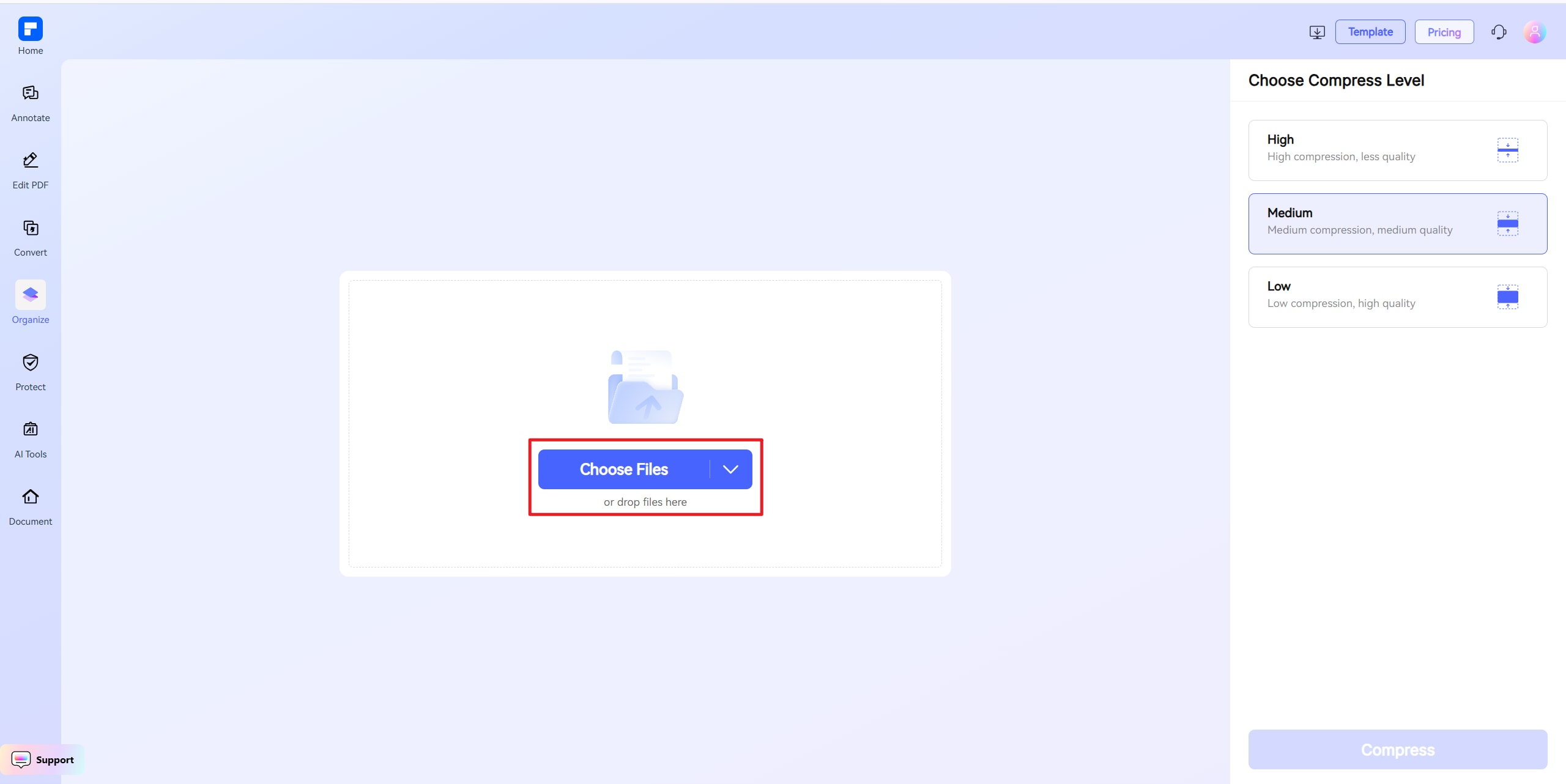
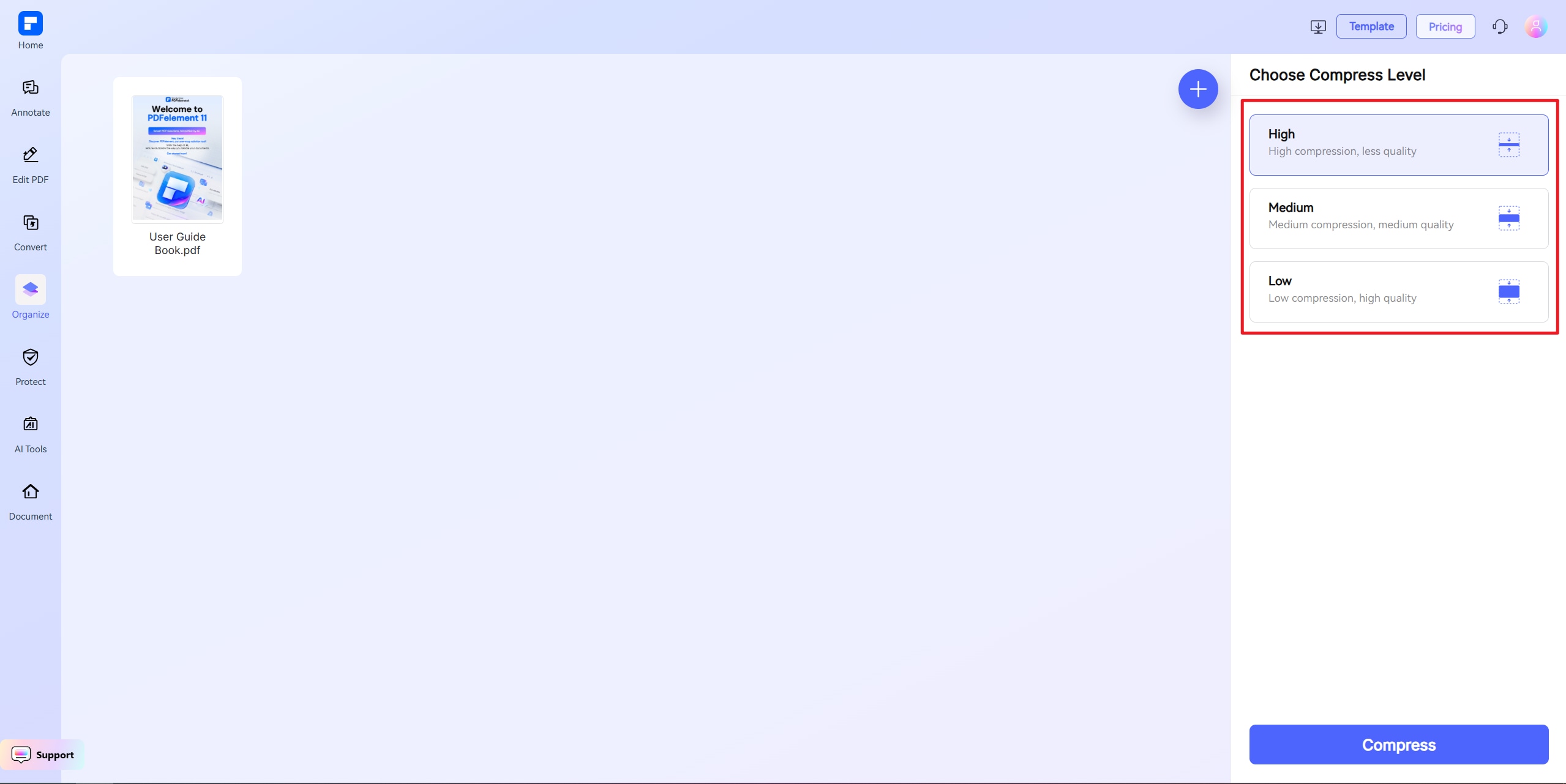
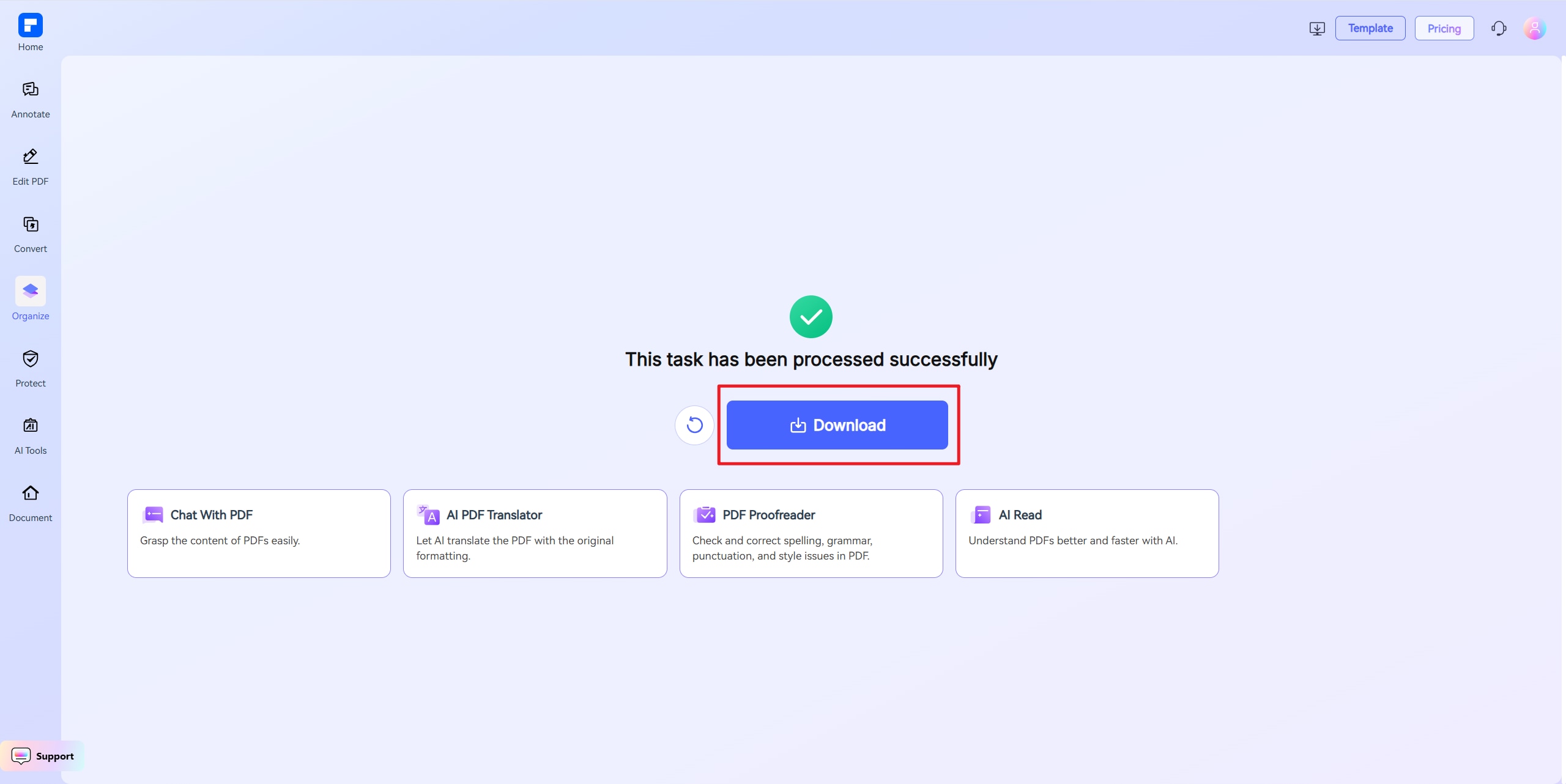
Discover the difference with PDFelement Image Compressor.
Always Free & Online
Compress JPG to 100KB using just your browser—no installation or login required.
Sharp Output at Small Size
Get clean, readable images at 100KB—perfect for digital forms or uploads that need sharp visuals under file caps.
Exact Size Targeting
Use custom compression settings to hit 100KB precisely—or the closest possible size while maintaining image clarity.
No More Upload Issues
Avoid file size errors or rejection messages when submitting JPGs to forms or government sites.
Quick & Simple Process
Upload, enter 100KB, and compress. No editing, cropping, or adjustments needed.
Works on Any Device
Compress JPGs on Windows, macOS, Android, or iOS—right from your browser.
Your go-to Online Image Resizer.

Secure, Compliant, and Professional PDF Software - Award - Winning.
PDFelement shines in G2 Winter 2026 as a Leader, Momentum Leader, and High Performer for Enterprise - adding to its 2024 G2 Best Software Award - Top 50 Office Products, ISO 27001 - Information Security Management certification, and PDF Association membership.







FAQs about Online Image Resizer.
-
How do I compress a JPG to 100KB without losing quality?
Use a JPG compression tool that allows size targeting. Our tool optimizes images while preserving clarity and formatting.
Steps:
- Upload your JPG
- Set the output size to 100KB
- Download your compressed image
This works best for medium-resolution photos or ID-style images.
-
Can I shrink high-resolution JPGs to 100KB?
Yes, but for larger images, compression may require reducing resolution or cropping unnecessary elements.
Tips:
- Resize width and height before compressing
- Use JPG, not PNG
- Avoid textures or complex overlays
-
Is 100KB enough for JPG image uploads?
Yes, it's ideal for:
- Online applications
- Form submissions
- Email attachments
- Web thumbnails
It keeps images fast-loading while visually acceptable.
-
What's the best tool to compress JPG to 100KB?
Use our free JPG compressor:
- Set exact output size (e.g., 100KB)
- No watermark or account needed
- Supports multiple devices and formats
- One-click download
Great for quick, everyday use.
-
What should I do if my image can't be compressed to 100KB?
If your JPG is still too large, simplify or resize it before compressing.
Try this:
- Reduce dimensions
- Convert to grayscale if acceptable
- Crop or remove extra details
- Re-upload and compress again
-
Are there any limitations when I am using this tool to compress images?
Just a quick heads-up when using PDFelement Free Online Compressor: the file you upload should be under 100MB. If you're using "Custom Size" mode, the file must be under 10MB. For larger files, choose High, Medium, or Low compression instead. That's it! Feel free to compress as many PDFs as you'd like — all for free. No sign-up needed, and there are no limits to how many you can process.
Rate PDFelement Online PDF tools:

4.8
(188,357 Votes)You have to upload and download at least 1 file to rate! We've already perfectly processed 307,292,373 files with a total size of 10,124 TB
Try more PDFelement online PDF tools.



Simplified by AI.
Fast, easy, and affordable PDF editor. Convert, edit, sign PDFs, and more.


