Shrink Your Image: Get It Down to 20KB Instantly
Want to compress an image to 20KB without sacrificing sharpness? Our free online photo compressor helps you reduce file size in seconds—no software, no registration, and no experience required.
 100% Free to Use
Keeps Visual Quality Intact
Precise 20KB File Size Targeting
100% Free to Use
Keeps Visual Quality Intact
Precise 20KB File Size Targeting
 Why compress image to 20KB?
Images compressed to 20KB are perfect for ultra-light upload requirements, especially on mobile apps, ID submission portals, and forms with strict size limits. It's great for icons, signatures, thumbnails, and ID cards.
Benefits of compressing to 20KB:
- Upload documents or ID photos without size rejection
- Save storage space on your phone or cloud
- Make forms and image uploads faster
- Reduce file sizes without needing editing software
 Free Download
Compress Image Online Free vs. Offline
How to compress image to 20KB?
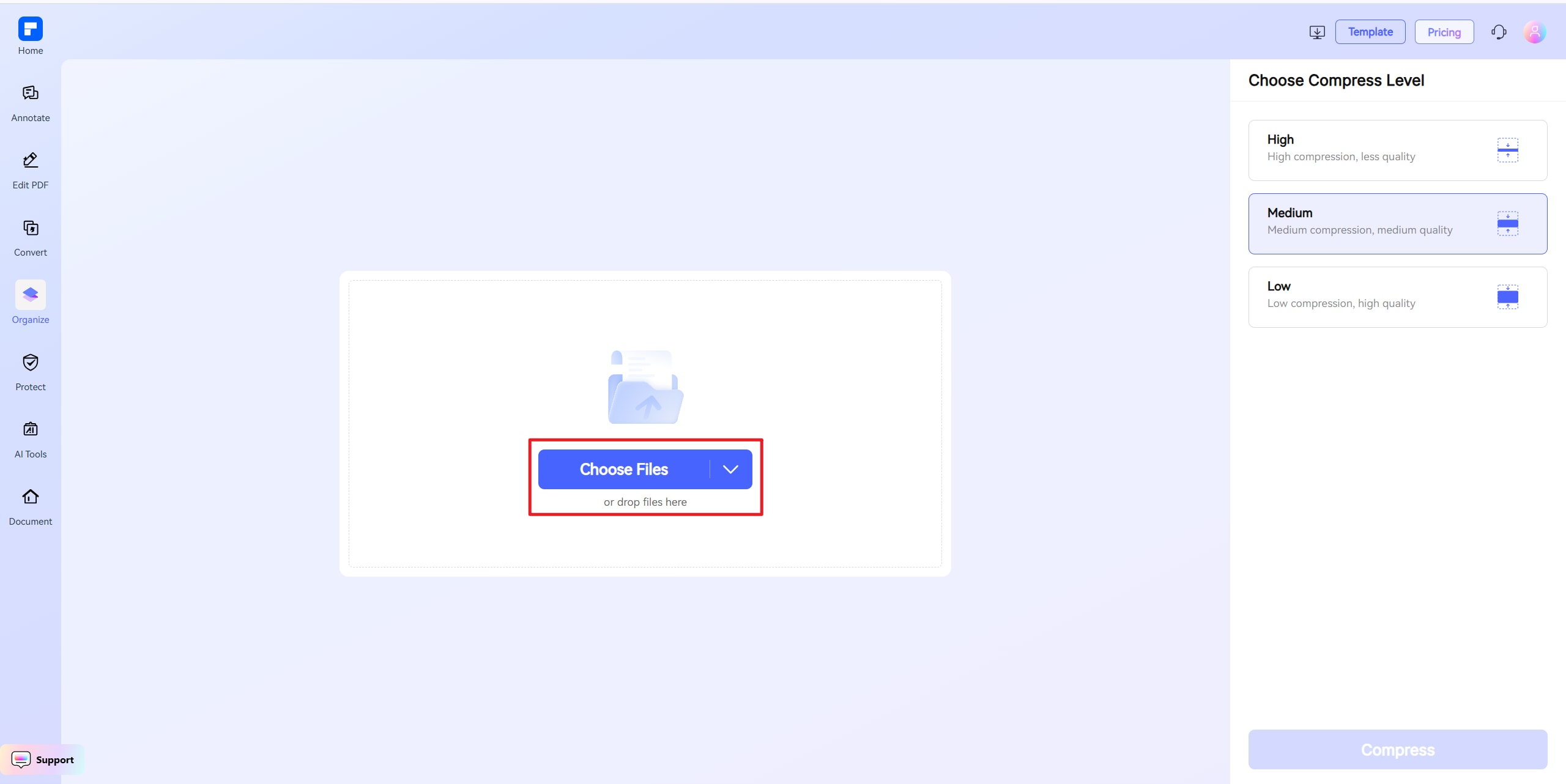
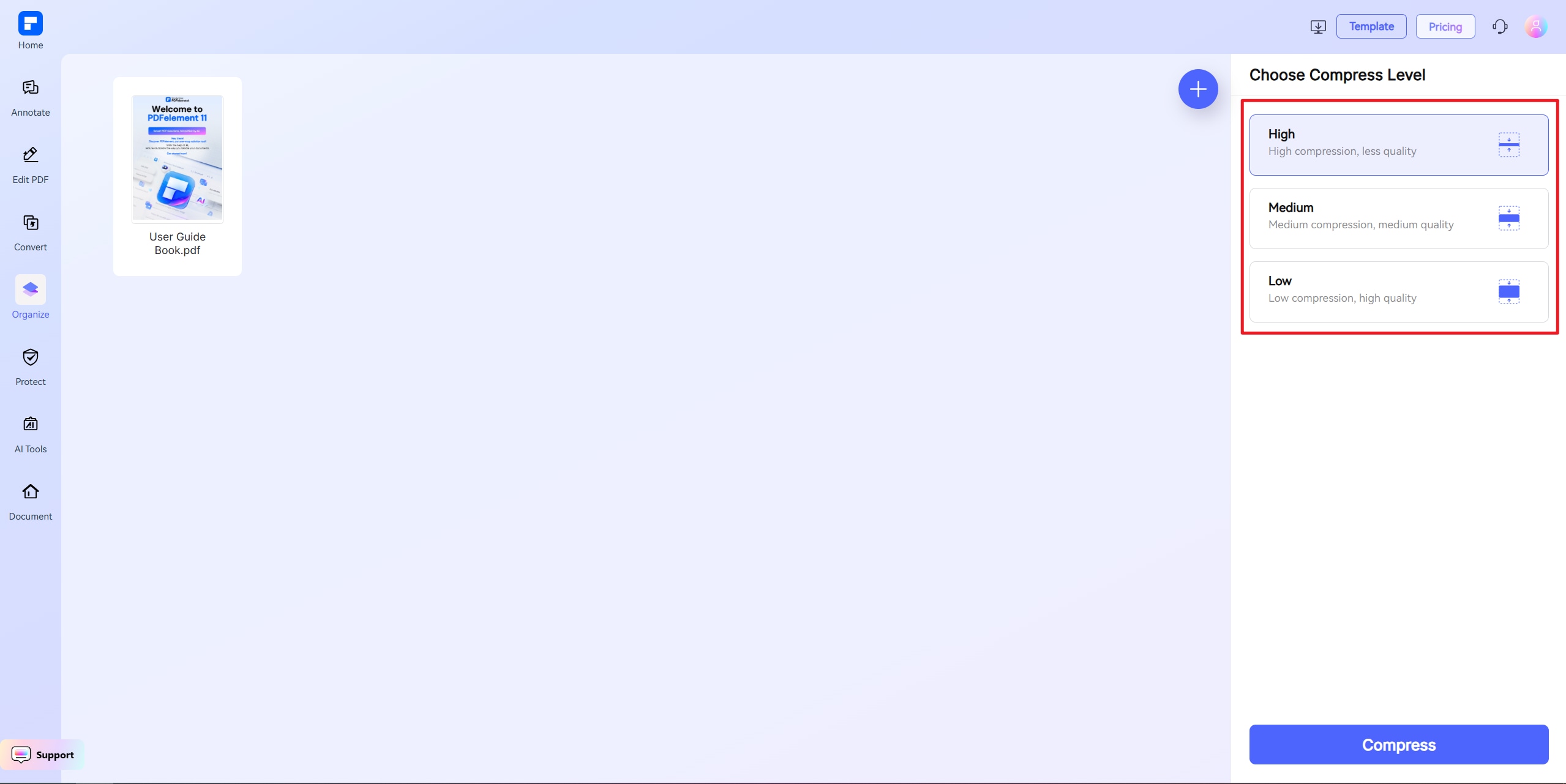
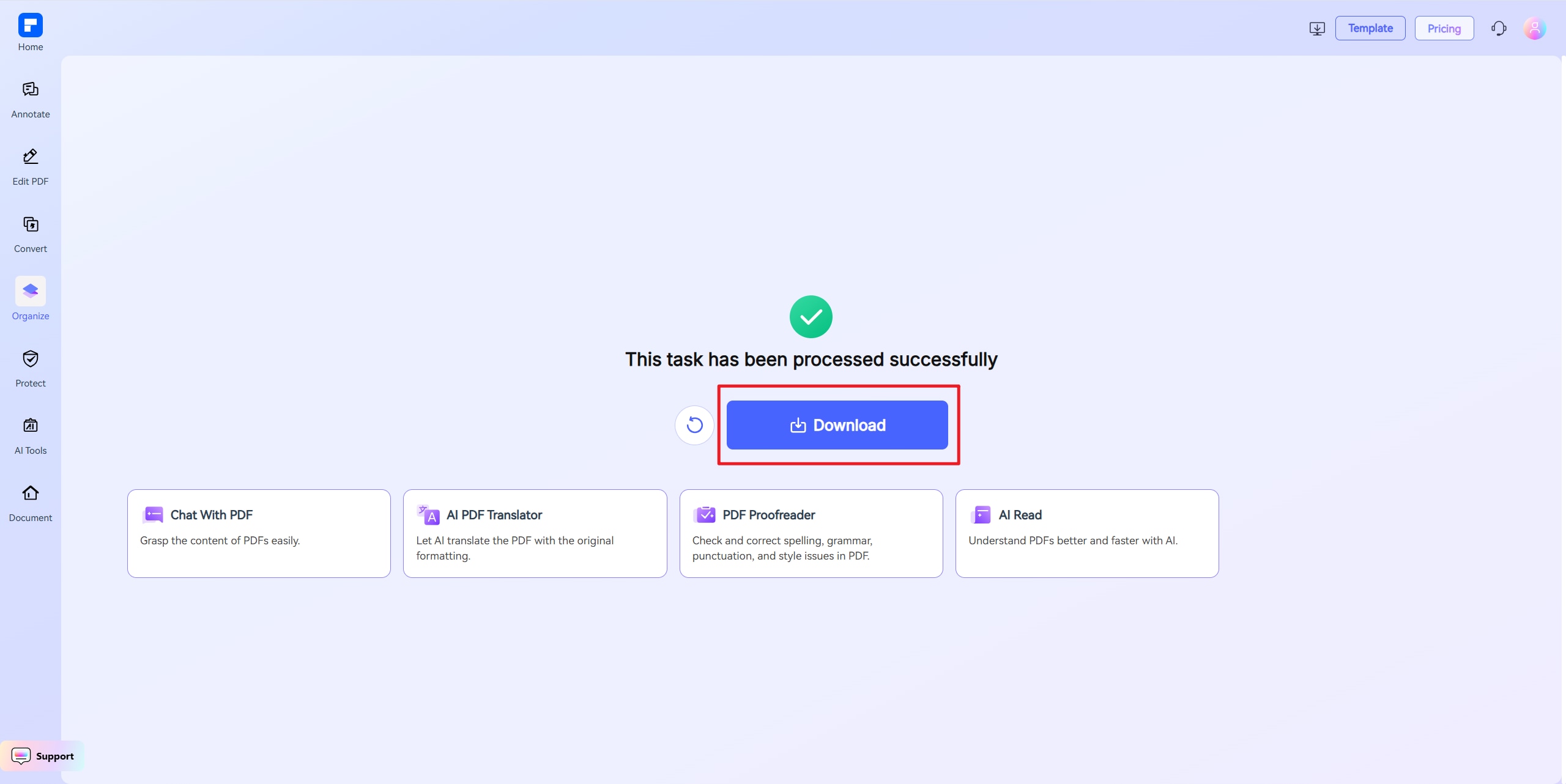
Discover the difference with PDFelement 20KB Image Compressor.
100% Free, Fully Online
This image compressor to 20KB works directly in your browser—no sign-up, no installation, no hidden charges.
Fast Compression with Visual Precision
Compress images or photos to 20KB while keeping clarity, brightness, and detail intact. Your visuals stay clean even at ultra-small sizes.
Exact Size Targeting
Whether you need an image compressed to 20KB exactly or close to it, our custom settings give you full control over the final output.
Seamless Uploads, No File Errors
Smaller images mean faster uploads. Stay within strict portal requirements with a 20KB file that never gets rejected for size.
One-Click Size Reduction
Simply choose your size and compress—no design or editing experience needed.
Compatible With All Devices
Use our tool on Android, iOS, Windows, or Mac—right from your browser. No app needed.
Your go-to online Image resizer.

Secure, Compliant, and Professional PDF Software - Award - Winning.
PDFelement shines in G2 Winter 2026 as a Leader, Momentum Leader, and High Performer for Enterprise - adding to its 2024 G2 Best Software Award - Top 50 Office Products, ISO 27001 - Information Security Management certification, and PDF Association membership.







FAQs about Online Image Resizer.
-
How can I compress an image to 20KB without losing quality?
Use a tool that supports precision compression. PDFelement Online Image Compressor is optimized to shrink images while maintaining clarity.
Steps:
- Upload your image
- Set the target size to 20KB
- Download your compressed image
Great for icons, IDs, signatures, and text-heavy images.
-
Can I compress a high-res photo to 20KB?
Possibly, but it depends on image size and complexity. Use small-resolution inputs and adjust quality levels for best results.
Tips:
- Use JPG instead of PNG
- Resize the image before compression
- Remove unnecessary background detail
-
Is 20KB enough for most image uploads?
For minimal content—yes. 20KB works for:
- Signatures
- Icons or logos
- Simple profile pictures
- Form attachments
It's not suited for high-res photos or images with lots of detail.
-
What's the best free tool to compress image to 20KB?
PDFelement Online Image Compressor is fast, secure, and totally free. No registration. No watermarks. No hidden limits.
Why it works:
- Direct 20KB targeting
- Keeps image clear and usable
- Works on all major devices
- Zero installation or sign-in needed
-
What if my file can't reach 20KB?
If your file can't be reduced that far, it may include too much visual data.
Try this:
- Crop or resize the image before uploading
- Use JPG instead of PNG
- Lower resolution or reduce image complexity
- Compress again using the custom 20KB setting
Our image compressor will get you as close as possible—while keeping the file usable.
-
Are there any limitations when I am using this tool to compress images?
Just a quick heads-up when using PDFelement Free Online Image Compressor: the file you upload should be under 100MB. If you're using "Custom Size" mode, the file must be under 10MB. For larger files, choose High, Medium, or Low compression instead. That's it! Feel free to compress as many images as you'd like — all for free. No sign-up needed, and there are no limits to how many you can process.
Rate PDFelement Online PDF tools:

4.8
(188,357 Votes)You have to upload and download at least 1 file to rate! We've already perfectly processed 307,292,373 files with a total size of 10,124 TB
Try more PDFelement online PDF tools.



Simplified by AI.
Fast, easy, and affordable PDF editor. Convert, edit, sign PDFs, and more.


